
From demo to deployment: how clients power up their products with Workflow Builder


Every developer has seen it before: a slick demo that looks flawless under perfect conditions, but once you try to embed it into a real product, the magic disappears. Integration stalls. Performance tanks. Licensing gets murky. What looked like a week’s work stretches into months.
Workflow Builder stands apart because its demos aren’t just smoke and mirrors. Clients consistently move from first impression to production deployment in record time. The reason? It’s not just another drag-and-drop toy. It’s a developer-first frontend SDK designed to plug directly into existing products, adapt to unique requirements, and scale with enterprise complexity.
Athena Intelligence, Plura AI, and a growing list of startups and enterprises have proven this: Workflow Builder goes from demo to deployment without the usual detours.
The spark: why demos matter more than we admit
First impressions matter more than sales teams like to admit. Developers and product leaders don’t just want functional tools-they want something that looks modern, feels intuitive, and won’t embarrass them in front of customers.
For Athena Intelligence, a VC-backed AI startup, the demo was transformative. They needed to embed a workflow UI into their platform in days, not weeks. When they saw Workflow Builder in action, the path was obvious: a one-day integration sprint, followed by a week of fine-tuning. Within 24 hours, they had a production-ready feature to demo to investors and customers.
Plura AI’s experience was similar. Their challenge wasn’t speed alone; it was unifying fragmented processes into one cohesive platform. Off-the-shelf tools forced users to jump between planning, execution, and analysis. In Workflow Builder’s demo, they saw something different: a flexible, React Flow-based interface they could mold into a single user experience.
The demos didn’t just show features; they showed credibility.
“This isn’t a toy editor. It’s production-grade.”
Food for thought: demos aren’t just for buyers. They’re stress tests of a vendor’s technical maturity. Workflow Builder passes that test.
The reality check: from “shiny tool” to serious evaluation
Once the initial excitement fades, technical teams drill down into the questions that make or break adoption. This is where many tools fail.
Workflow Builder, by contrast, leans into transparency.
The tough questions clients ask
Will it fit my backend?
Yes, because Workflow Builder is frontend-only. It outputs workflow definitions as JSON with no hidden execution engine or no forced dependencies. Whether you run Node.js, TypeScript, Prefect, or a custom orchestration layer, the JSON plugs right in. For Athena, this meant their existing backend stayed untouched. For Plura AI, it meant instantaneous API connectivity without re-platforming.
Do I really own it?
Clients demand white-label rights, source code access, and freedom from vendor lock-in. One representative of a legal-tech startup made it explicit during our calls: he wanted to replicate Workflow Builder with all his clients, without additional fees. The licensing model (lifetime, transparent, and with full source code) delivers exactly that.
Can I customize it?
This is where Workflow Builder shines. Node properties are driven by JSON forms, so developers can easily define unique configurations without rewriting code every time. Custom triggers, asset pickers, even carousels for marketing SaaS-these aren’t edge cases, they’re everyday extensions clients build.
Will it scale?
For many AI agent workflows-hundreds of interconnected agents-performance and layout are critical. Workflow Builder’s React Flow foundation, auto-layout features, and modular architecture kept things clear and responsive, even at enterprise scale.
Myth-busting corner
- Myth: White-label UIs are rigid. -> Truth: Athena customized it in a week.
- Myth: Frontend SDKs limit control. -> Truth: source code access + backend freedom = total ownership.
- Myth: Demos exaggerate capability. -> Truth: clients consistently integrate faster than expected.
The integration phase: tailoring it to real stacks
Moving from proof-of-concept to integration is where most projects stumble. With Workflow Builder, it’s where clients start moving faster.
- Athena’s sprint -> In just one working day, their developers integrated the workflow editor into their AI platform. A few lines of CSS tweaks, minor form logic, and the feature was live. No endless documentation crawling, no fragile hacks.
- Plura AI’s pivot -> By merging planning, execution, and analysis into one interface, they eliminated disruptive context-switching. Their teams-technical and creative alike-adopted it quickly because it felt native.
- ERP transformations -> From various workflow-driven accounting to smaller banks reconfiguring loan origination flows, clients use Workflow Builder to make opaque, hard-coded processes transparent and user-controlled.
Checklist: must-have steps for integration
- ✔️ Map how JSON output will be consumed by your backend.
- ✔️ Plan for save/export/import of workflows.
- ✔️ Decide licensing scope early (internal use vs. resale).
- ✔️ Apply design tokens for UI consistency.
- ✔️ Stress-test with large diagrams to validate performance.
The key pattern: Workflow Builder adapts to the stack, not the other way around.
The outcomes: what changes once it’s deployed
Deployment is where the real ROI appears-and clients aren’t shy about quantifying it.
- Speed as strategy: Athena went live in 24h. And one automation vendor, estimated Workflow Builder saved 2–3x the dev time compared to building in-house.
- Empowerment at scale: Smaller banks could reconfigure core workflows without calling IT every time. Plura AI’s creative teams built their own flows with minimal learning curve.
- Differentiation in the market: Marketing SaaS founders used Workflow Builder to launch “killer features”-like AI orchestration flows-that became upsell opportunities.
- Modernization without pain: A decades-old recruitment software company, refreshed their no-code app builder’s UI overnight, pivoting from an obsolete look to a future-ready interface.
- Total cost advantage: Despite upfront licensing, clients consistently note that weeks of saved engineering effort and the absence of vendor lock-in produce a better ROI than building from scratch or renting rigid SaaS tools.
Clients don’t just adopt Workflow Builder. They grow with it.
Why this matters: demo-to-deployment as the new success metric
In the old model, a flashy demo might win deals, but deployment lagged for months. In today’s competitive environment, that lag is lethal. Investors, clients, and internal teams expect working features-fast.
The new success metric isn’t the quality of a demo alone-it’s the time from demo to deployment. Workflow Builder consistently compresses that timeline from months to days, without compromising flexibility or control.
For developers, this means they can focus on business logic instead of reinventing UI complexity.
For product leaders, it means they can roll out “killer features” before competitors.
And for end-users, it means tools that feel modern, intuitive, and empowering.
Conclusion: from spark to scale
The story repeats itself across industries:
- Athena Intelligence: demo-ready in 24h, fully customized in a week.
- Plura AI: unified workflows, adopted by both technical and creative teams.
- ERP innovators, legal-tech founders, blockchain startups: full ownership, backend freedom, and scalability for thousands of nodes.
From the first spark of a demo to the reality of live deployment, Workflow Builder has proven it’s not just another tool-it’s a developer-first foundation that clients can trust, extend, and scale.
The lesson is simple: the best demos don’t just impress-they deliver on day one, and every day after. Workflow Builder does exactly that.
An entrepreneur and tech enthusiast, with over 14 years of experience building innovative diagramming solutions and tools across industries. Our interfaces help technical and non-technical users make informed business decisions.
Articles you might be interested in

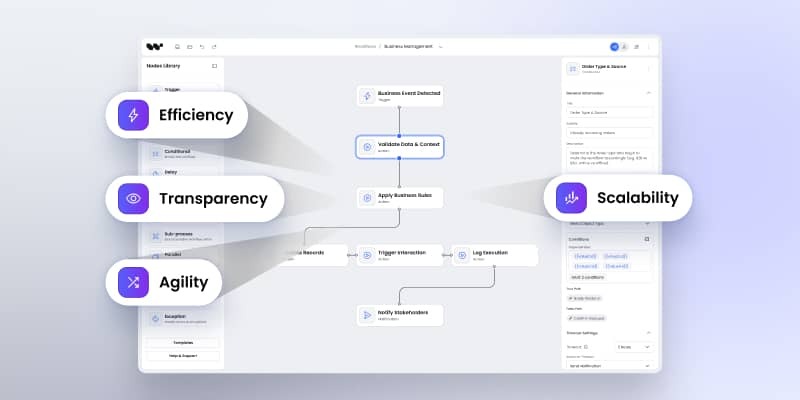
How workflow automation supports digital transformation goals
Learn how workflow automation supports digital transformation by modernizing legacy systems, bridging business and IT teams, and accelerating time-to-market. See visual workflows improving transparency, scalability, and compliance while enabling the adoption of advanced technologies like AI.