Building a new product with workflows at its core: why teams start with a workflow editor foundation


Building a new product with workflows at its core: why teams start with a workflow editor foundation
When teams build new products, one question comes up early:
“Do we really want to build workflow UI from scratch?”
For products where workflows are central to the user experience - automation tools, AI platforms, decision systems - the answer is increasingly no.
This article explains when and why teams use a workflow editor as a foundation for new products and standalone applications.
Greenfield products don’t mean starting from zero
Building a new product does not mean every component must be built from scratch.
From product discovery calls, a recurring theme emerges:
“We want to focus on our domain logic - not on reinventing workflow UX.”
Teams building greenfield products often:
- already know workflows will be core,
- want to avoid premature backend coupling,
- need something production-ready early.
Why workflow UI is often underestimated
Workflow editors seem simple - until they aren’t.
Teams report unexpected complexity in:
- validation and edge cases,
- configuration UX,
- long-term maintainability,
- adapting UI to domain-specific rules.
This makes workflow UI a poor candidate for “we’ll build it later.”
A foundation, not a platform
Using a workflow builder as a foundation does not mean adopting a full platform.
In most successful architectures:
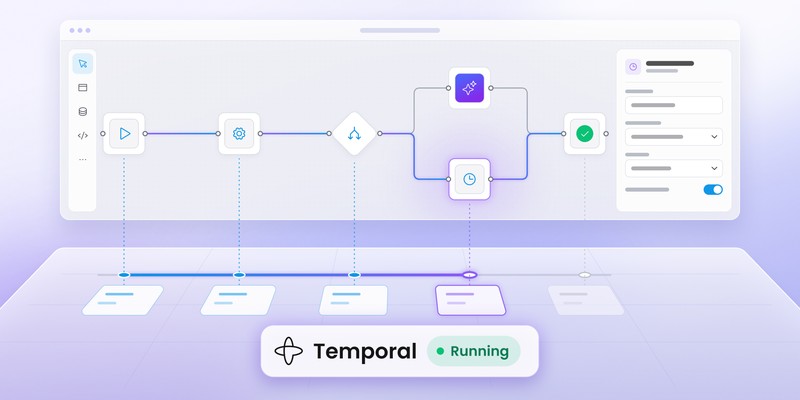
- the workflow editor is frontend-only,
- workflows are stored as JSON,
- execution logic evolves independently,
- domain-specific behavior lives in the backend.
This separation allows teams to:
- iterate quickly,
- avoid early architectural lock-in,
- scale execution independently of UI.
Standalone app vs embedded product
The same foundation works in two scenarios:
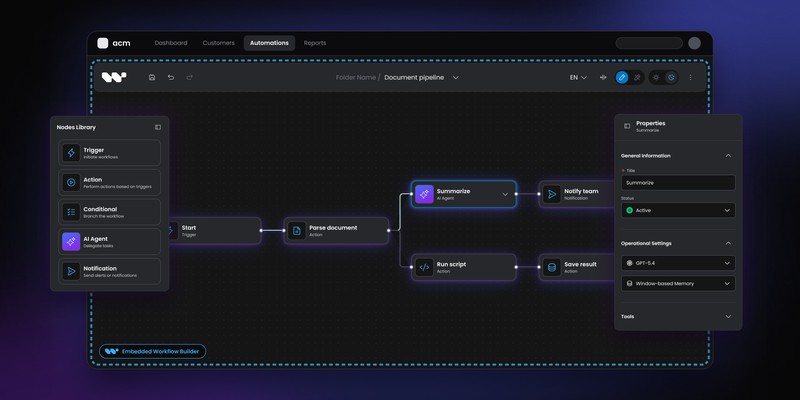
Embedded - workflows inside an existing SaaS
Standalone - workflows as the core of a new product
In both cases, the workflow editor provides:
- a consistent modeling experience,
- a stable UX layer,
- flexibility to evolve backend logic over time.
When this approach makes sense
Using a workflow builder as a foundation works best when:
- workflows are central to your product,
- execution logic is domain-specific,
- long-term ownership matters,
- you want to avoid building workflow UX twice.
Final takeaway
Greenfield does not have to mean “from scratch.”
For products where workflows are a core feature, starting with a production-ready workflow editor provides a stable foundation - without forcing premature backend or platform decisions.
An entrepreneur and tech enthusiast, with over 14 years of experience building innovative diagramming solutions and tools across industries. Our interfaces help technical and non-technical users make informed business decisions.