How B2B SaaS products embed workflow builders without becoming iPaaS platforms


How B2B SaaS products embed workflow builders without becoming iPaaS platforms
Many B2B SaaS products reach a point where hard-coded logic no longer scales. Customers ask for flexibility, configuration, and automation - but product teams don’t want to turn their application into a full iPaaS platform.
This is where embedded workflow builders come in.
In this article, we’ll explain:
- why SaaS products embed workflow editors,
- why most teams don’t want execution engines bundled in,
- and how a frontend-only workflow builder fits into a modern SaaS architecture.
When workflows become a product feature
From dozens of product discovery calls, a clear pattern emerges:
“We already have backend logic. We just don’t want to hardcode workflows anymore.”
Typical triggers:
- customers want to configure processes themselves,
- business rules change frequently,
- product teams want to move faster without redeploying backend code.
In these cases, workflow design becomes part of the user experience, not an internal implementation detail.
Why SaaS teams avoid iPaaS tools
Tools like Zapier, Make, or n8n are powerful - but they solve a different problem.
For embedded SaaS use cases, teams consistently report issues such as:
- lack of UI control and white-labeling,
- limited ownership over pricing and execution,
- vendor lock-in,
- UX that doesn’t match the product.
As a result, many SaaS teams deliberately look for frontend-only workflow builders that can be embedded into their product instead of redirecting users to external tools.
Frontend-only workflow builders: the architecture
A common and effective pattern looks like this:
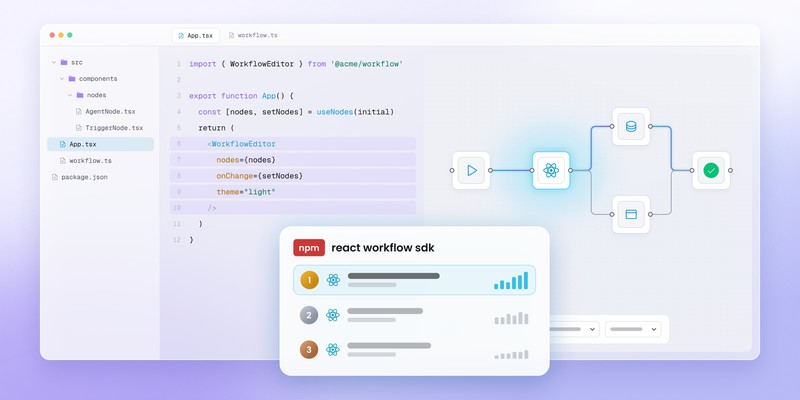
Workflow Builder (Frontend UI)
- visual editor
- nodes, edges, validation
- workflow exported as JSON
Product Backend
- execution engine
- scheduling, retries
- billing and limits
- integrations
This separation gives product teams:
- full ownership of execution,
- freedom to evolve backend logic,
- complete control over UX.
Build vs buy: why teams don’t start from scratch
Most teams can build a basic workflow editor. What usually gets underestimated are:
- UX edge cases,
- validation and configuration complexity,
- long-term maintainability.
In practice, teams report that building a production-ready workflow editor takes 2-3x longer than expected.
This is why many SaaS companies choose a ready-made workflow editor foundation and focus their effort on product-specific logic instead.
Final takeaway
If workflows are becoming a core feature of your SaaS product:
- embedding a workflow builder makes sense,
- execution should stay in your backend,
- UI should feel native to your product.
A frontend-only, out-of-the-box workflow editor gives you flexibility without turning your SaaS into an iPaaS platform.
An entrepreneur and tech enthusiast, with over 14 years of experience building innovative diagramming solutions and tools across industries. Our interfaces help technical and non-technical users make informed business decisions.