How to plan workflow implementation for complex business processes

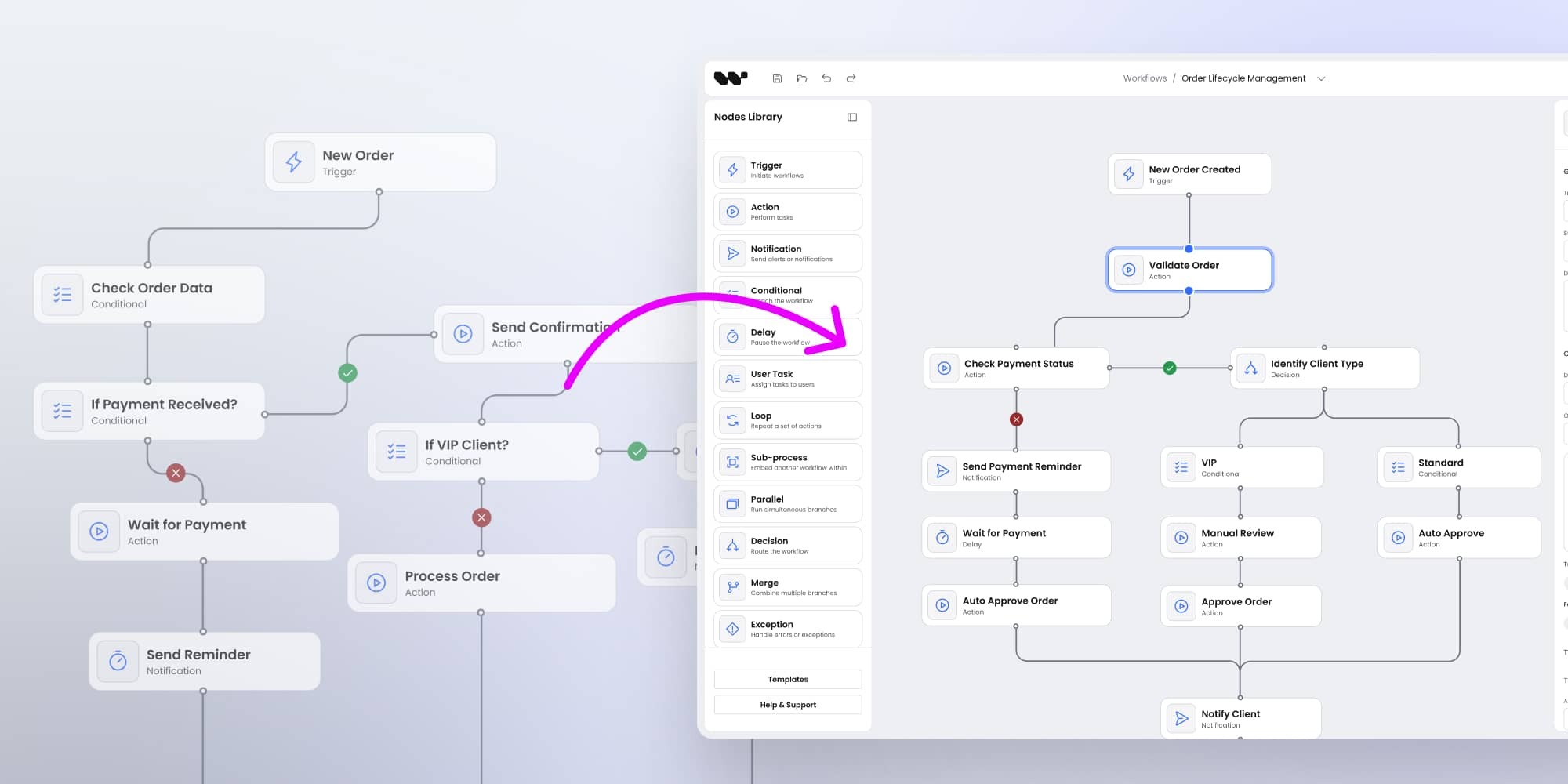
Large organizations rarely adopt new technology overnight. Their processes are deeply interwoven with legacy systems, regulatory frameworks, and cross-departmental dependencies. Implementing workflow automation at this scale isn’t about flipping a switch - it’s about carefully planning each step so the system delivers value without disrupting mission-critical operations.
Planning workflow implementation for complex business processes requires balancing multiple needs: technical integration, extensive customization, user transparency, performance under scale, and long-term support. Large clients approach these rollouts methodically, often through phased strategies that allow quick wins before moving toward enterprise-wide orchestration.
This article outlines the essential considerations for ERP vendors, system architects, and enterprise IT teams planning workflow implementations at scale, and demonstrates how developer-first platforms like Workflow Builder support the process.
Core needs for complex workflow implementation at scale
For large clients, workflows are more than a convenience. They become the central nervous system of operations - linking accounting, supply chains, production schedules, and even AI-driven decision-making. To succeed, any workflow solution must address a set of enterprise-grade requirements.
Seamless integration with existing systems
- ERP alignment: Workflows must integrate not only with accounting modules but also with inventory, sales, and bills of material (BOM).
- MRP orchestration: Manufacturing Resource Planning relies on accurate forecasts and supply chain data. Workflows should unify these inputs to generate purchase orders automatically.
- Backend diversity: Enterprises often run hybrid stacks - from legacy databases to modern orchestration engines like Prefect, YJS, Windmill, or LangFlow. Workflow automation must integrate via JSON-API outputs, which can be parsed by any backend.
High customization and extensibility
- Custom actions and triggers: Large clients need to define their own logic - whether that’s generating purchase orders, running compliance checks, or connecting to AI agents.
- Flexible property sidebars: JSON form-driven sidebars let teams add unique business rules without rewriting code.
- Branding and UX integration: A white-label approach ensures the workflow builder feels native inside the client’s product ecosystem.
Enhanced control and transparency for users
- Business-user empowerment: Non-technical users want visibility into calculations traditionally hidden in ERP systems.
- Version control: Workflows must track every change, enabling clear audits and rollback if needed.
Robust handling of complexity and performance
- Large diagrams: Enterprises may create workflows with thousands of nodes. Tools must offer auto-layout to prevent diagram chaos.
- Sub-processes and nesting: For AI orchestrations, teams need both a high-level overview and drill-down visibility into agent interactions.
- Clarity in crowded diagrams: Features like minimaps, link bundling, or collapsible groups keep workflows readable.
Comprehensive runtime and debugging experience
- Visual feedback: Step-by-step run visualization helps teams understand execution order.
- Node highlighting: Active nodes during execution give immediate insight into workflow state.
- Iteration awareness: Real-time debugging reduces downtime and accelerates troubleshooting.
Effective validation and error handling
- Schema validation: Prevents incompatible inputs before they break downstream flows.
- User notifications: Errors should be surfaced visually - e.g., red borders around failing nodes, snackbars, or alert panels.
Adherence to security and compliance
- Self-hosting: Non-negotiable in healthcare, legal-tech, or finance.
- Transparent licensing: Enterprise clients want clarity on rights and obligations.
- Infosec readiness: Vendors must expect rigorous audits during procurement.
Support for internationalization
- Multi-language support: Crucial for global organizations.
- RTL compatibility: Enables adoption in markets like the Middle East.
👉 Checklist: must-have features for enterprise workflow deployments
- JSON-based integration
- White-label branding
- Auto-layout for large diagrams
- Step-by-step debugging
- Schema validation with clear notifications
- Self-hosting options
- Multi-language, including RTL
Step-by-step implementation approach for large clients
Enterprise rollouts succeed when vendors respect that scale demands patience. Large clients prefer gradual adoption - testing, validating, and expanding workflows in controlled phases.
Phased rollout strategy
- Start simple: Initial deployments often cover basic trigger + action workflows. This shows immediate value while minimizing risk.
- Add complexity incrementally: Later phases include conditions, delays, and branching.
- Quick wins: Early milestones might focus on the runtime UI - navigation bar, login experience, or dashboard - which demonstrate tangible progress to stakeholders.
Strategic buy vs. build decisions
- SDK advantage: White-label SDKs like Workflow Builder save hundreds of hours, accelerating feature delivery.
- Specialist partners: Enterprises value vendors who bring expertise in diagramming and workflow automation. QuickBuild, for example, avoided doubling development time by using Workflow Builder instead of building from scratch.
- Ownership and independence: Large clients still expect to own source code and branding rights, ensuring long-term autonomy.
Rigorous budgeting and procurement processes
- Detailed breakdowns: Procurement teams demand precise cost figures for each project phase, not vague estimates.
- Infosec and legal approvals: These reviews can be lengthy; vendors must plan timelines accordingly.
- License justification: Transparent ROI arguments (e.g., hours saved vs. license fee) help win internal approval.
Comprehensive documentation and ongoing support
- Documentation: Full repositories, examples, and architecture guides are essential for self-implementation.
- Technical sessions: Direct workshops with vendor engineers help enterprise teams ramp up faster.
- Long-term contracts: Clients expect multi-year support, update roadmaps, and SLAs covering uptime and bug fixes.
👉 Pros & cons: phased rollout vs. big-bang rollout
Phased rollout
- ✅ Lower risk
- ✅ Early wins to build buy-in
- ✅ Easier to adjust mid-course
- ❌ Slower full adoption
Big-bang rollout
- ✅ Faster enterprise-wide change
- ✅ Unified adoption
- ❌ Higher risk of disruption
- ❌ Longer upfront preparation
Solution strengths of Workflow Builder for complex processes
Workflow Builder has been shaped specifically for developer-first environments, making it a natural fit for enterprise-scale implementations.
- Developer-first SDK approach: Allows creation of custom triggers, actions, and nodes, aligning with client-specific ERP and orchestration needs.
- White-label capabilities: Enables full UI/UX branding integration. Atomic design principles and Figma kits make customization straightforward.
- JSON-based configuration: Provides a universal, lightweight format for defining properties and workflow structure.
- Modular architecture: Components are isolated and reusable, reducing integration overhead.
- Foundation for backend execution: While frontend-focused, the SDK outputs JSON that enterprises can connect to their backend engines for execution.
- Integrated design system: Ensures consistent UX while allowing style and color adaptation.
- Proven time savings: Clients report avoiding 2-3x longer development cycles, validating the “buy not build” approach.
Expanding revenue and ecosystems through workflows
For vendors, workflows are more than operational features - they are strategic revenue multipliers.
- Workflow marketplaces: Vendors can package industry-specific templates (e.g., legal approval chains, pharma compliance checks) for resale.
- Partner add-ons: Independent developers can contribute workflow packs, creating ecosystems similar to Salesforce’s AppExchange.
- Analytics monetization: Workflow usage data can generate anonymized benchmarks and performance insights for consulting services.
👉 Workflows evolve from features into platform strategies, generating recurring revenue streams and making ERPs harder to displace.
Strengthening customer success and retention
Enterprise clients buy outcomes. Workflows directly influence customer success and loyalty.
- Ownership creates stickiness: Clients who design their own workflows build intellectual property inside the ERP. This dramatically raises switching costs.
- Accelerated onboarding: Pre-built workflows shorten time-to-value, a key KPI in enterprise software.
- Proactive support: Workflow usage can highlight friction points before they become churn risks.
- Upsell pathways: As clients mature, they demand advanced workflows - creating natural upsell opportunities.
👉 Checklist: how workflows reduce churn
- Do clients control their own flows?
- Are onboarding templates available?
- Can support teams monitor usage?
- Is there a clear upsell ladder?
Why planning matters
Without structured planning, workflow implementations risk failing before they scale. Common pitfalls include:
- Over-customizing ERP cores instead of extending via modular workflows.
- Ignoring compliance needs until procurement halts the rollout.
- Underestimating the complexity of debugging at enterprise scale.
Vendors who plan step-by-step implementations - from integration to customization to support - build trust and unlock growth.
Conclusion
Planning workflow implementation for complex business processes is less about technology and more about strategy at scale. Large clients demand seamless integration, high customization, transparency, performance, compliance, and robust support. They also require phased rollouts, precise budgeting, and long-term partnerships.
Workflow Builder addresses these needs with its developer-first SDK, white-label capabilities, JSON-based configuration, and proven time savings. For enterprises, it provides the flexibility to embed workflows into mission-critical systems without years of development.
Key takeaways:
- Plan rollouts in phases, not big-bangs.
- Prioritize integration with diverse backends.
- Empower business users with control and transparency.
- Build for performance at scale - thousands of nodes, nested flows, AI orchestration.
- Ensure compliance readiness and self-hosting.
- Invest in documentation, support, and long-term contracts.
For large organizations, workflows aren’t optional. They are the backbone of adaptability. Planning their implementation step by step ensures ERP systems don’t just record processes but actively drive business success at scale.
An entrepreneur and tech enthusiast, with over 14 years of experience building innovative diagramming solutions and tools across industries. Our interfaces help technical and non-technical users make informed business decisions.