When to implement workflows in your app [instead of using ready-made automation tools]

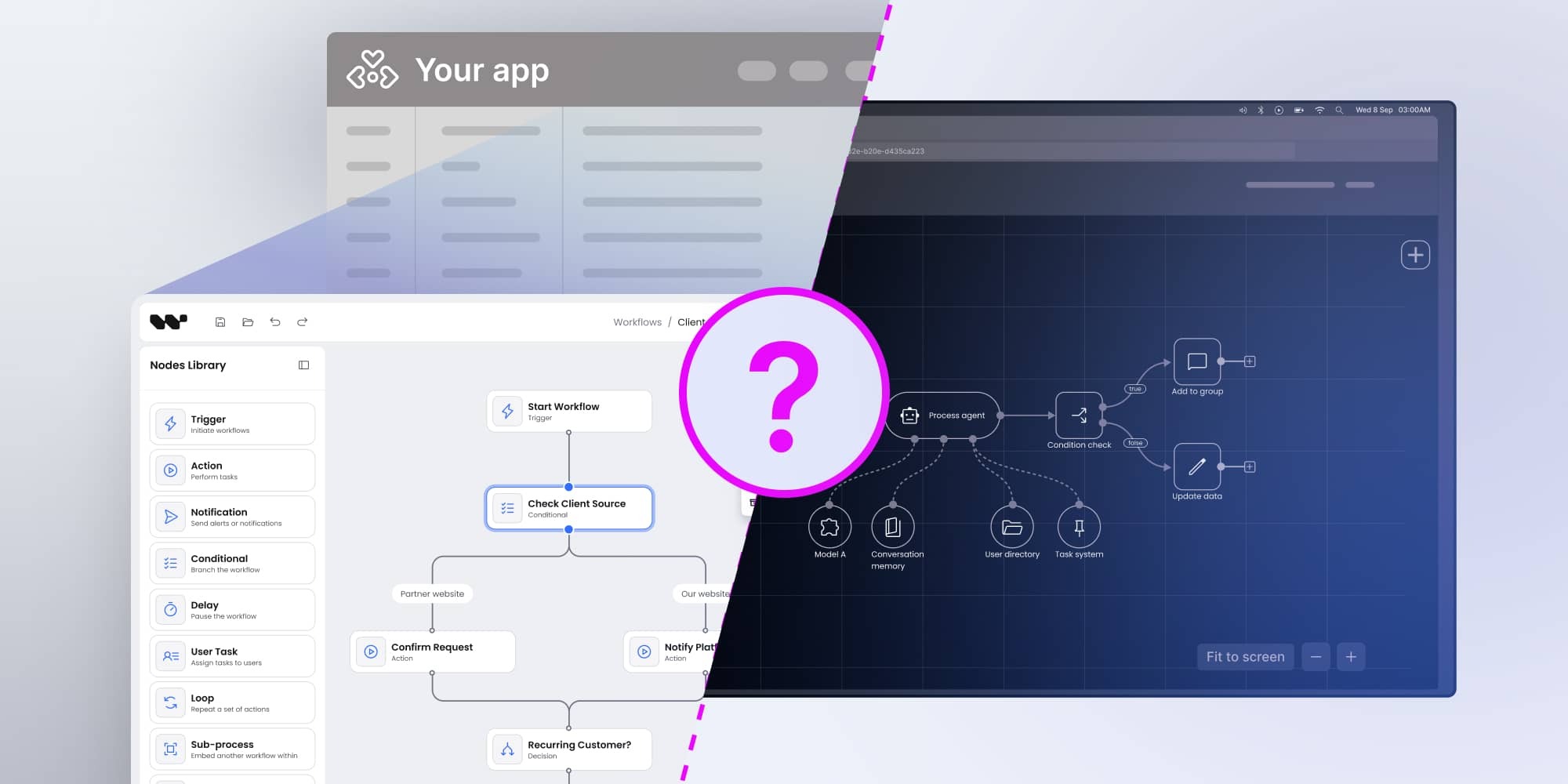
Zapier, N8N, and similar automation platforms have become the “duct tape” of modern software. They let small teams connect tools, move data between apps, and automate repetitive tasks without building custom integrations. For early-stage products or quick experiments, they’re invaluable.
But convenience has limits. As companies grow, their needs shift from “make this quick integration work” to “embed automation into the heart of our product.” Off-the-shelf tools aren’t designed for deep integration, brand consistency, or compliance. They’re designed for breadth, not depth.
More clients today are asking for control, transparency, and ownership. They don’t want workflows managed in someone else’s cloud, wrapped in someone else’s branding. They want workflows running inside their own apps, under their own rules. That’s where embedding workflow functionality with a developer-first SDK like Workflow Builder becomes a necessity.
When you need unparalleled control over logic and calculations
Automation isn’t just about moving data — it’s about how that data is processed. Many industries depend on custom formulas, business rules, and conditional logic that external tools can’t handle.
ERP and MRP examples:
- Traditional ERP systems auto-calculate stock levels, production schedules, or accounting entries. But businesses often want to tweak these rules: “Order earlier if supplier lead times are long,” or “Apply discounts differently by region.” External tools can’t capture this granularity.
- Material Requirements Planning (MRP) in particular requires businesses to define their own formulas. Rigid, pre-built logic doesn’t fit every production setup.
AI orchestration:
- In AI workflows, the “AI node” is often just one small step. The real work happens around it: chaining API calls, handling conditionals, or orchestrating multiple agents. Developers need freedom to design these flows from scratch — something off-the-shelf platforms rarely support.
Checklist: Signs you’ve outgrown Zapier/N8N
- You need to write custom formulas to match your business rules.
- “If this, then that” is too simplistic for your workflows.
- Teams are frustrated by black-box processes they can’t debug.
- You’ve hit the ceiling of available pre-built integrations.
If more than one of these applies, it’s time to consider embedding workflows directly into your app.
When deep integration with your backend is non-negotiable
External tools work best in cloud-to-cloud scenarios. But when workflows must live inside your product’s ecosystem, that’s where they fall short.
- ERP-driven processes: Accounting, HR, and supply chain teams want transparency and version control in workflows that run on their own systems, not through third parties.
- Workflow Builder approach: As a frontend SDK, it generates JSON outputs describing every node, connection, and property in a workflow. Developers can parse this JSON via APIs into any backend — whether it’s Node.js, TypeScript, Next.js, or a legacy ERP system.
- Why this matters: Most proprietary applications have unique backend setups. Rigid pre-built integrations don’t adapt well, but JSON + API parsing does.
Pros and cons: External tools vs. embedded workflows
External tools (Zapier, N8N):
✅ Easy to set up.
✅ No developer resources required.
❌ Weak backend integration.
❌ Minimal transparency into process logic.
❌ Dependence on vendor uptime.
Embedded workflows (Workflow Builder):
✅ Direct backend integration via JSON + APIs.
✅ Full transparency and version control.
✅ Works with any tech stack.
❌ Requires developer setup and planning.
For businesses where backend alignment is critical, embedded workflows win out every time.
When white-labeling and brand consistency are essential
Brand experience is more than logos. Customers expect a seamless interface across every part of your product. Dropping them into an external platform with different UI breaks trust.
- SaaS providers: Need workflows that appear inside their app, not in Zapier’s UI.
- Workflow Builder advantage: Developers can fully customize UI and UX — colors, fonts, layouts — to match their design system. Even advanced systems like atomic design principles can be applied.
- Why it matters: Consistent branding builds confidence. Inconsistency creates friction, especially in enterprise products where trust is everything.
White-labeling isn’t just aesthetic polish. It’s often the difference between a product that feels cohesive and one that feels pieced together.
When data sovereignty and compliance are critical
Compliance is one of the hardest barriers for external automation platforms. Industries like healthcare, finance, and government demand strict control over data residency and handling.
- Problem with external tools: Multi-tenant cloud platforms can’t guarantee where data is stored or who has access. This is incompatible with regulations like HIPAA, GDPR, or ISO.
- Workflow Builder advantage: Teams can self-host and own the source code, ensuring data never leaves their controlled environment. That level of sovereignty is often a legal requirement, not a technical preference.
Compliance quick check
- Does your industry require HIPAA, GDPR, or ISO certification?
- Do you need to self-host data for contracts or regulations?
- Would auditors be satisfied with black-box automation logs?
If the answer is “yes” to the first two and “no” to the last, off-the-shelf automation is not an option.
When building unique, differentiated features
Off-the-shelf automation tools offer broad, generic functionality. But competitive products thrive on uniqueness.
What you can build with embedded workflows that Zapier can’t:
- Custom survey nodes that trigger workflows based on user responses.
- AI orchestration flows that chain multiple models and APIs together.
- Complex procurement workflows tailored to industry-specific compliance rules.
These aren’t just workflows — they’re product features. They differentiate your app in the market, giving customers something they can’t get from generic automation platforms.
Embedding workflows lets you transform automation into a competitive advantage instead of a commodity.
When optimizing dev time and frontend resources
Many teams assume embedding workflows means building from scratch. That’s intimidating, since building a robust workflow editor is estimated at 600–700 development hours.
- Workflow Builder saves time: It provides a production-ready frontend foundation you can integrate quickly.
- Opportunity cost: Instead of spending months reinventing workflows, developers can focus on core product features.
- Especially useful for backend-heavy teams: If your expertise is backend development, Workflow Builder fills the frontend gap without slowing delivery.
Faster time-to-market isn’t just a development benefit — it’s a business one. Products launch sooner, investors see progress earlier, and customers get value faster.
When developer-first teams demand ownership
Developers value ownership and extensibility. External automation tools rarely provide that.
- Workflow Builder approach: Teams get source code and documentation, letting them extend or adapt the SDK as they need.
- Why developers prefer it: It aligns with agile workflows and CI/CD pipelines, where ownership of code is essential.
- Cultural fit: Developer-first teams want tools they can debug, extend, and trust. A black-box SaaS platform doesn’t fit that culture.
The limits of off-the-shelf automation
Automation platforms like Zapier and N8N are popular because they lower the barrier to entry. Non-technical teams can connect apps in minutes. Common scenarios include:
- Syncing CRM contacts with an email tool.
- Posting form submissions into Slack.
- Creating invoices automatically in accounting software.
These are quick wins. But for developer-first teams building complex products, cracks appear fast.
The hidden downsides:
- Vendor lock-in: All workflows live in someone else’s environment. If the vendor raises prices or changes policies, you’re stuck.
- Limited customization: They cover broad use cases but don’t offer the fine-grained control needed for ERP-level workflows or AI orchestration.
- Compliance risks: Cloud-based, multi-tenant hosting often fails industry regulations.
- Brand friction: You can’t fully white-label them, so users see that parts of your product aren’t really yours.
- Cost creep: As usage grows, so do subscription fees. What was affordable at 10 tasks a day becomes painful at scale.
Teams often start with Zapier/N8N for speed, but by the time workflows touch core business processes, the trade-offs become costly.
Myth-busting: “Zapier is enough for every team”
- Myth 1: Zapier scales with any process.
→ Reality: It scales only for generic automations, not proprietary workflows. - Myth 2: External tools are always cheaper.
→ Reality: Workarounds, compliance failures, and lack of differentiation often cost more in the long run. - Myth 3: Developers prefer off-the-shelf automation.
→ Reality: Most developers prefer tools they can own and extend.
Conclusion: the right tool for the right stage
Zapier and N8N serve their purpose well. They’re ideal for quick fixes, early-stage automation, and teams without development resources. But as businesses scale, their limitations become clear.
When you need control, integration, compliance, branding, or differentiation, it’s time to embed workflows directly in your app. Workflow Builder provides a developer-first foundation that delivers transparency, scalability, and ownership.
Key takeaways:
- Off-the-shelf tools are great for MVPs and experiments.
- Embedded workflows are essential once automation becomes business-critical.
- White-labeling, compliance, and backend integration can’t be achieved with Zapier/N8N.
- Workflow Builder saves hundreds of development hours while giving full ownership.
The future of automation isn’t one-size-fits-all. It’s embedded, transparent, and customizable — built directly into the products where workflows matter most.
An entrepreneur and tech enthusiast, with over 14 years of experience building innovative diagramming solutions and tools across industries. Our interfaces help technical and non-technical users make informed business decisions.