

Standalone App
Run Workflow Builder as a standalone frontend app. It communicates with your backend via API endpoints you control.
Prerequisites
Section titled “Prerequisites”-
Clone the repository:
Terminal window git clone https://github.com/synergycodes/workflowbuilder.gitcd workflowbuilder -
Install dependencies:
Terminal window pnpm i -
Start the development server:
Terminal window pnpm dev -
Open
http://localhost:4200in your browser.
What you get
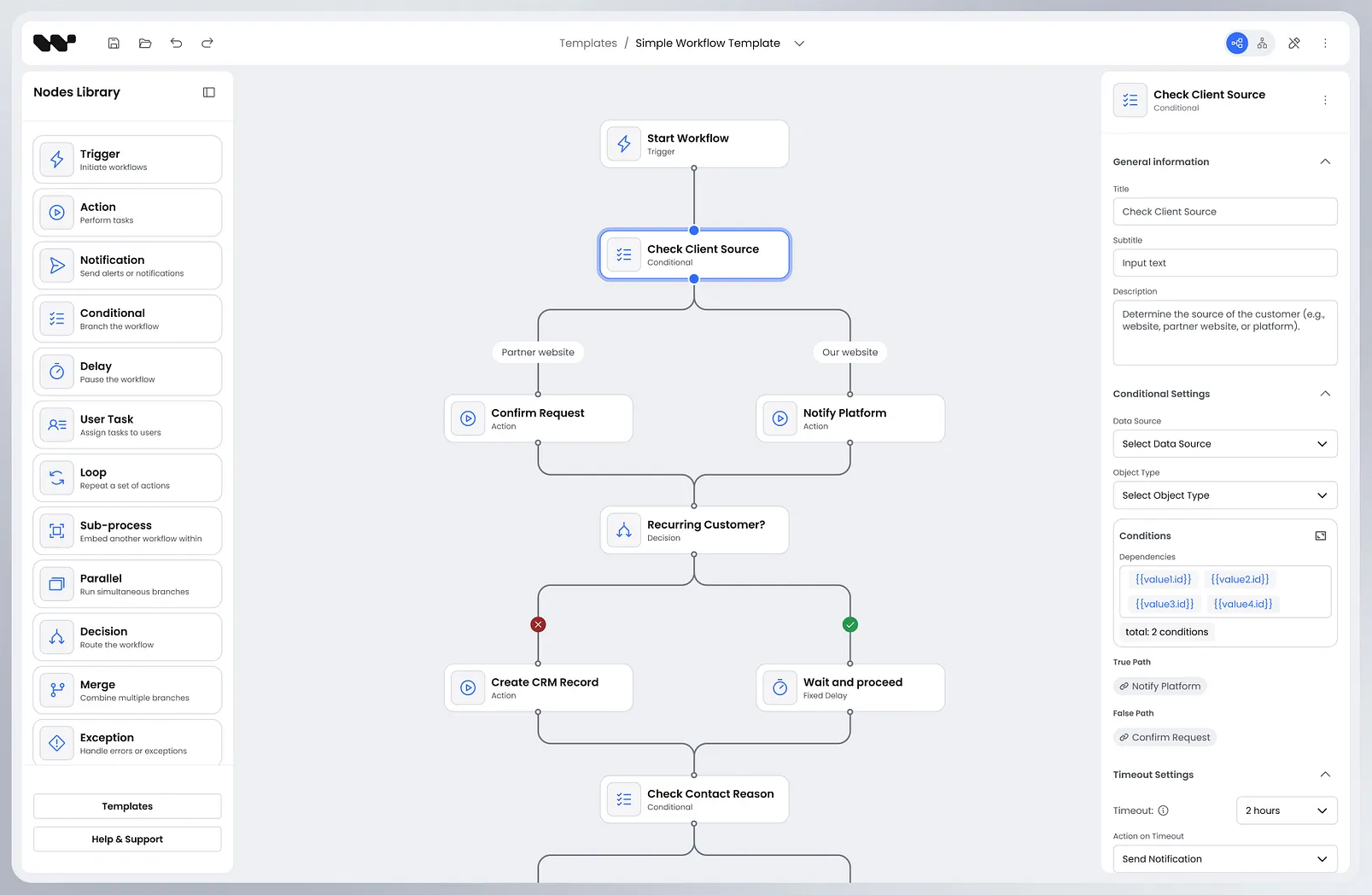
Section titled “What you get”The standalone app includes the full editor experience out of the box:
- Canvas - infinite whiteboard for placing and connecting nodes
- Node palette - drag and drop nodes from the left sidebar onto the canvas
- Properties panel - configure the selected node using the right panel
- Toolbar - zoom controls, undo/redo, save button
Building for production
Section titled “Building for production”pnpm buildOutput is placed in dist/apps/frontend/. Serve it with any static file server or CDN.