Standalone
Clone Workflow Builder and run the reference editor locally. UI-only demo or the full AI Studio stack with backend execution.
Run Workflow Builder locally from the monorepo. Two paths depending on what you want to evaluate.
Don’t want to clone yet? Open the live demo to try it in your browser first.
Pick a path
Section titled “Pick a path”| Goal | Path | Setup time | Docker |
|---|---|---|---|
| See the editor running in your browser | Demo | ~2 min | no |
| Run the full reference stack (editor + execution + AI) | Full Stack Demo | ~10 min | yes |
To embed the SDK in your own React app instead, see React Component.
Requirements
Section titled “Requirements”Works the same on macOS, Linux, and Windows.
Preflight
Section titled “Preflight”After cloning, run this once. It verifies Node, pnpm, Docker, port availability, and required .env files.
git clone https://github.com/synergycodes/workflowbuilder.gitcd workflowbuilderpnpm installpnpm preflightExpected output:
Workflow Builder preflight
✅ node                        22.12.0✅ pnpm                        10.9.0✅ docker                      running✅ port_3001                   free (backend)✅ port_4200                   free (demo)✅ port_4201                   free (ai-studio)✅ port_5432                   free (postgres)✅ port_5433                   free (temporal-db)✅ port_7233                   free (temporal)✅ port_8233                   free (temporal-ui)⚠️  apps/backend/.env           missing — copy from apps/backend/.env.example⚠️  apps/execution-worker/.env  missing — copy from apps/execution-worker/.env.example
Ready to go. Pick a path below.
The two .env warnings are expected on a fresh clone. They are only required for the Full Stack Demo path and get created by pnpm setup:env in step 1 of that path. After that they switch to ✅ present.
Fix any red (❌) items before continuing. pnpm preflight --json returns the same report in structured form for tooling.
UI only. No backend, no Docker. The fastest way to see the editor in action.
pnpm dev:demoExpected output:
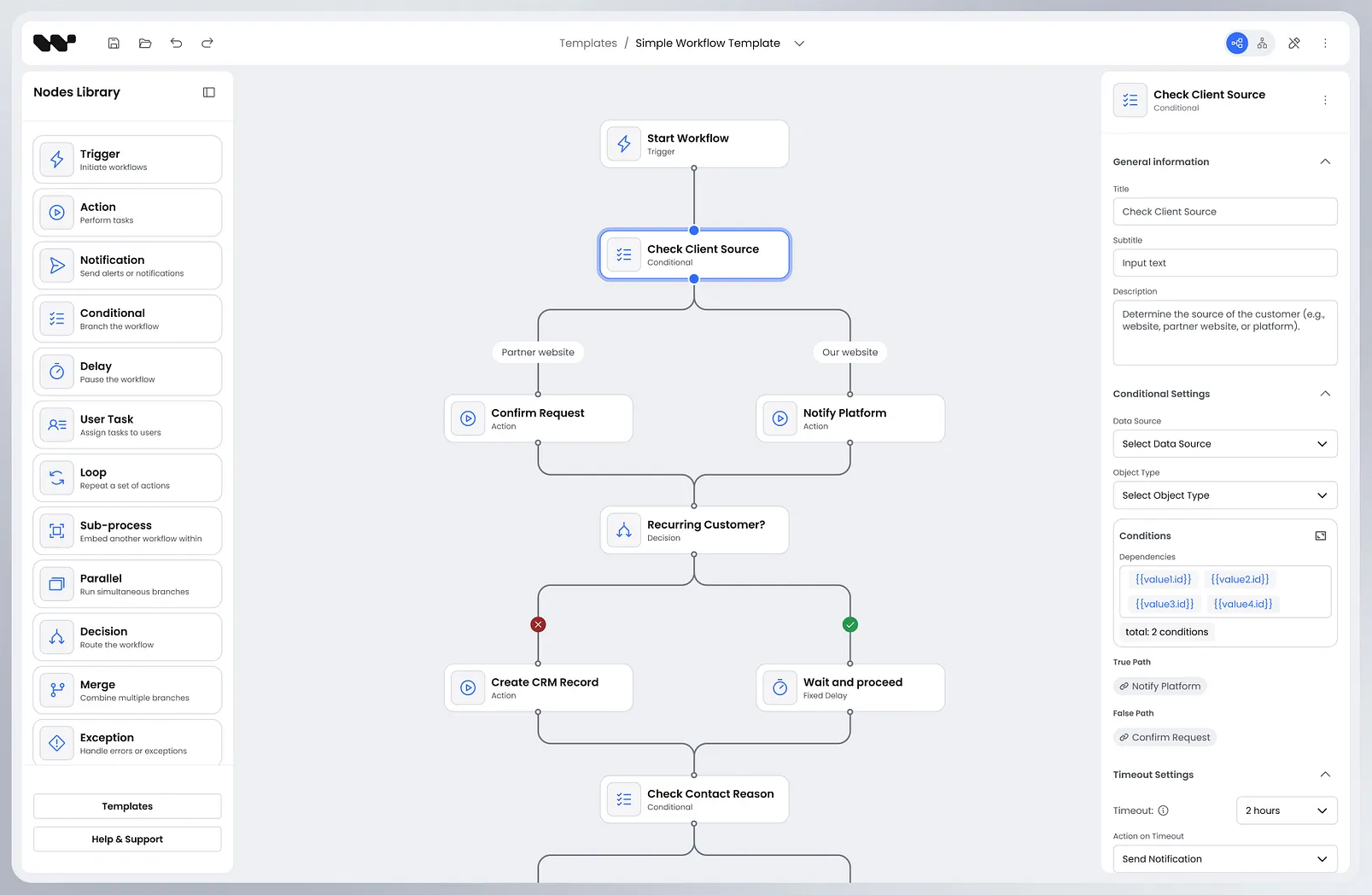
[1] VITE vX.Y.Z ready in NNN ms[1][1] ➜ Local: http://localhost:4200/[0] Found 0 errors. Watching for file changes.Open http://localhost:4200. The editor loads with the default plugin set and a starter template.
Full Stack Demo
Section titled “Full Stack Demo”Full reference product: editor, Hono backend, Temporal worker, Postgres. The frontend on port 4201 is the AI Studio reference product (apps/ai-studio). Demonstrates end-to-end workflow execution.
1. Create .env files
Section titled “1. Create .env files”First time only. Copies the .env.example templates into place; existing .env files are left untouched.
pnpm setup:env2. Start infrastructure
Section titled “2. Start infrastructure”pnpm infra:upExpected output (first run):
Network backend_default Created Volume "backend_temporal-db-data" Created Volume "backend_app-db-data" Created Container backend-app-db-1 Started Container backend-temporal-db-1 Started Container backend-temporal-1 Started Container backend-temporal-ui-1 StartedVerify: open http://localhost:8233 (Temporal UI). The default namespace appears.
3. Run migrations
Section titled “3. Run migrations”First time, or after pulling schema changes.
pnpm -F backend db:migrateExpected output:
> drizzle-kit migrate
Using 'postgres' driver for database querying[✓] migrations applied successfully!
4. Start the stack
Section titled “4. Start the stack”pnpm dev:ai-studioExpected output (three interleaved streams):
Temporal ready[backend] Backend running on http://127.0.0.1:3001[worker] Execution worker started on task queue: workflow-execution[ai-studio] VITE vX.Y.Z ready in NNN ms[ai-studio] ➜ Local: http://127.0.0.1:4201/Open http://localhost:4201. Every bundled template contains AI Agent nodes, so either connect an LLM first (next section) or expect the run to stop at its first AI Agent node with ai_not_configured while the Trigger, Decision and Visualize nodes before it run. Pick a template, click Play. The Temporal UI at http://localhost:8233 shows the running execution.
To stop: Ctrl+C, then pnpm infra:down.
Connect a real LLM (optional)
Section titled “Connect a real LLM (optional)”The stack starts without an LLM: Trigger, Decision and Visualize nodes run as usual, and an AI Agent node fails with ai_not_configured when the run reaches it. AI nodes need three variables in both apps/backend/.env and apps/execution-worker/.env. The files pnpm setup:env created already carry an endpoint and a model for OpenRouter, so only the key is missing:
AI_API_KEY=sk-or-v1-...AI_BASE_URL=https://openrouter.ai/api/v1AI_MODEL=mistralai/mistral-small-3.2-24b-instructNone of the three has a built-in default. Any OpenAI-compatible endpoint works: set AI_BASE_URL to a gateway or to a model hosted inside your own network, AI_MODEL to an id that endpoint understands, and model requests stay inside it. That covers the model only: the optional web-search tool calls Tavily’s API when TAVILY_API_KEY is set, so leave it unset if nothing may call out. If the model id is wrong, the first AI node fails at runtime and the error surfaces in the UI log panel.
Connect a secured or external Temporal (optional)
Section titled “Connect a secured or external Temporal (optional)”pnpm infra:up runs a plaintext dev cluster on localhost:7233. The connection is entirely env-driven, so an operated cluster or Temporal Cloud needs no code change. Set the same values in both apps/backend/.env and apps/execution-worker/.env — the two must agree on the namespace, or the worker polls a queue nobody submits to.
| Variable | Purpose | Default |
|---|---|---|
TEMPORAL_ADDRESS | host:port of the cluster | 127.0.0.1:7233 |
TEMPORAL_NAMESPACE | Namespace to use | default |
TEMPORAL_TLS | true requires TLS, false asserts plaintext, empty infers | empty (infer) |
TEMPORAL_API_KEY | API-key authentication (Temporal Cloud). Implies TLS | — |
TEMPORAL_TLS_CA_PATH | PEM of a private certificate authority | — |
TEMPORAL_TLS_CERT_PATH | Client certificate for mTLS. Set together with the key | — |
TEMPORAL_TLS_KEY_PATH | Client private key for mTLS. Set together with the certificate | — |
Any credential turns TLS on by itself, so TEMPORAL_TLS is only needed to force TLS without credentials or to assert plaintext. Contradictions — half an mTLS pair, an API key together with a client certificate, or credentials alongside TEMPORAL_TLS=false — are rejected with an explanatory error when the connection opens.
Temporal Cloud:
TEMPORAL_ADDRESS=<namespace>.<accountId>.tmprl.cloud:7233TEMPORAL_NAMESPACE=<namespace>.<accountId>TEMPORAL_API_KEY=<key>A self-hosted cluster behind mTLS with a private CA:
TEMPORAL_ADDRESS=temporal.internal:7233TEMPORAL_NAMESPACE=workflowsTEMPORAL_TLS_CA_PATH=/etc/workflowbuilder/tls/ca.pemTEMPORAL_TLS_CERT_PATH=/etc/workflowbuilder/tls/client.pemTEMPORAL_TLS_KEY_PATH=/etc/workflowbuilder/tls/client-key.pemThe Docker Compose deployment under deploy/ai-studio/ reads the same variables and additionally lets you retire its bundled cluster; see its README for the COMPOSE_FILE switch and the tls/ mount for certificate files.
Troubleshooting
Section titled “Troubleshooting”| Symptom | Cause | Fix |
|---|---|---|
EADDRINUSE on 3001, 4200, 4201, 5432, 5433, 7233, or 8233 | Another process holds the port | pnpm preflight shows the conflict. Stop the other process or change the port. |
Temporal UI loads but the default namespace is missing | Migrations not run | pnpm -F backend db:migrate |
AI Agent node fails with ai_not_configured | LLM not configured — the worker starts anyway, only AI nodes are unavailable | Set AI_API_KEY, AI_BASE_URL and AI_MODEL in apps/execution-worker/.env. |
Backend or worker exits at boot with a TEMPORAL_TLS or TEMPORAL_TLS_*_PATH error | Contradictory Temporal settings (half an mTLS pair, API key plus client cert, credentials with TEMPORAL_TLS=false) | Remove one side, as the message says. Both .env files must carry the same values. |
pnpm dev:demo shows TypeScript errors but the dev server still starts | concurrently runs typecheck alongside Vite. TS errors are non-fatal | Fix the errors or ignore them temporarily. |
| Vite acts up after a dependency change | Stale node_modules/.vite | rm -rf node_modules/.vite and rerun. |
See also
Section titled “See also”- React Component. Embed the SDK in your own React app.
- Node library. Browse, search, and drag nodes from the palette.
- Add Custom Node Type. Register a new node type with custom properties.
- via callback persistence. Pass diagram data and save callbacks as React props.
- FAQ. Installation, licensing, and compatibility questions.