Workflow Builder vs LLM: Why Workflow Builder beats LLM-generated code

.jpg)
An LLM can generate a working workflow editor in hours and give you:
- Draggable nodes
- Connecting edges
- A property panel
- Basic canvas interactions
It looks impressive in a demo. You show it to stakeholders and they're convinced: "Why would we pay for an SDK when AI can build this for free?"
Today, we’ll talk about why that prototype is dangerously misleading.
The 80/20 prototype trap
LLMs excel at the first 80%. They generate plausible-looking code fast. The problem is that the remaining 20% isn't 20% of the work—it's 80% of the engineering effort.
What the LLM prototype won't show you:
1. Combinatorial feature interactions
Consider what happens when multiple features coexist:
- User copies 5 nodes, pastes them, triggers auto-layout, then undoes. What state are the nodes and edges in?
- User deletes a node that is referenced in a conditional expression on a downstream branch. Does the condition silently break, show an error, or prevent deletion?
- User starts dragging a new edge from an output port and reaches the canvas boundary. Does the canvas auto-pan? If so, does the edge preview stay attached to the cursor or drift?
These interactions aren't designable upfront. They emerge from real usage and get fixed one by one. No prompt (no matter how detailed) can enumerate the combinatorial space of feature interactions in a complex interactive editor.
This is where Workflow Builder's accumulated engineering effort matters. The snapshot watchers, batched undo operations, intercepting middleware—these weren't designed in a whiteboard session. They were invented across a decade of shipping interactive editors to demanding enterprise customers.
The Flow Runner multiplies this complexity:
- What happens when a user edits a node while the flow is mid-execution?
- When execution fails at node 5 and the user undoes the edit that caused the failure—does the runner reset?
- When a decision branch is removed while the runner is paused at that branch?
These are real interaction scenarios that required deliberate engineering to resolve. An LLM generating code from a prompt won't encounter these problems until you're deep into production.
2. The gap between demo and production
An impressive demo workflow editor requires about a few hundred lines of React Flow code. An LLM can write this in minutes.
A production-grade workflow editor requires:
- Edge collision avoidance → a computational geometry problem involving orthogonal path routing, segment overlap detection, and clearance optimization. This alone is 2–3 weeks of senior engineering work.
- Proper undo/redo granularity → not just Ctrl+Z on the last action, but understanding action groups. When a user drags 5 nodes at once, that's one undo operation, not five. When auto-layout repositions 20 nodes, that's one undo, not twenty. Implementing this correctly requires batched state snapshots and middleware interceptors.
- Copy/paste without state corruption → duplicating nodes means cloning their internal state, regenerating IDs, preserving edge connections to copied nodes while breaking connections to external nodes, and maintaining plugin-specific data (validation rules, execution state, custom properties). Getting this wrong means users lose data.
- Performance optimization at 500+ nodes → canvas rendering becomes a bottleneck. You need virtual rendering for nodes outside the viewport, debounced edge recalculation during pan/zoom, memoized component rendering, and web worker offloading for layout algorithms.
- A flow execution engine that handles async operations, branching logic, pause/resume, failure recovery, and data passing between nodes. This is 3-6 weeks of focused engineering for a senior developer.
Each of these is invisible in the demo. An LLM-generated prototype looks 90% done. It's actually 20% done.
3. Design system coherence at scale
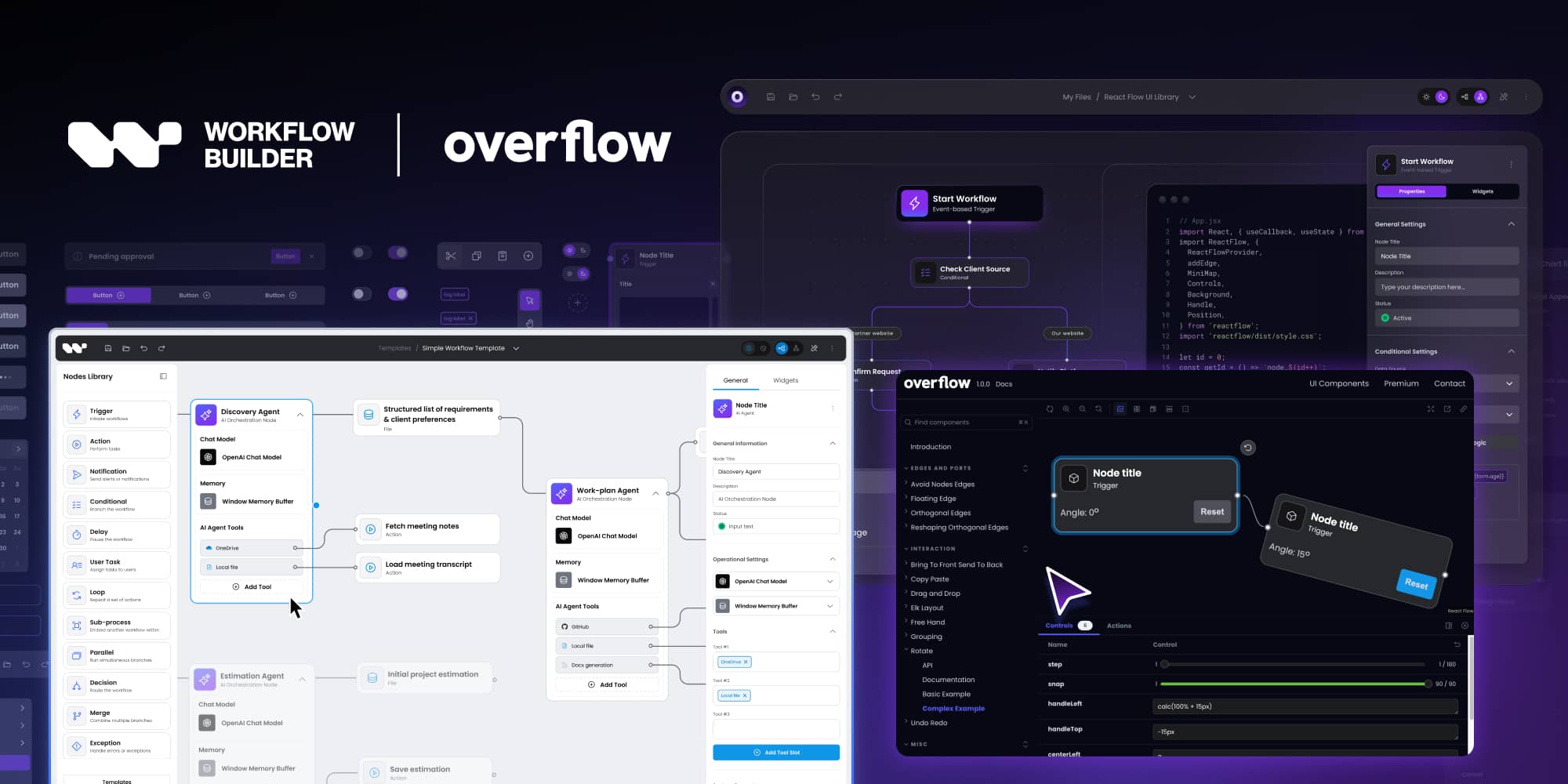
Workflow Builder ships with Overflow-UI; an open-source design system with 34 components and 130+ design tokens across 3 cascade layers.
To rebrand the entire editor, you override Layer 1 tokens and everything cascades consistently: nodes, edges, sidebars, modals, forms, dark mode.
Building an equivalent design system (whether with LLM assistance or not) requires:
- Significant Figma work
- CSS architecture decisions (cascade layers, token systems, theming)
- Iterative visual testing across all combinations of components and themes
- Dark mode verification across 78 CSS files
Can an LLM help? Sure. Can it replace months of design system work? No.
What LLMs cannot replace: domain expertise
When your team hits a diagramming edge case—and they will—an LLM will generate a plausible-looking solution based on patterns from its training data.
The Synergy Codes team (creators of Workflow Builder) will tell you the answer from direct experience, because they've encountered the same problem across 200+ commercial diagramming projects for companies like Siemens, BMW, Canon, HCL, and TotalEnergies.
The problems canvas editors produce
Canvas-based workflow editors produce a specific category of hard problems that are underrepresented in LLM training data:
- Z-index conflicts during drag operations, dragging a node over another node with edges creates rendering artifacts if z-indices aren't managed correctly
- Coordinate space transformations when the canvas is nested inside scrollable containers with transforms
- Connection port alignment when nodes resize, dynamic content like long labels or validation messages changes node dimensions, shifting port positions while edges are already connected, creating visual mismatches that are hard to detect automatically
- Hit-testing precision at different scale levels, clicking a node at 200% zoom vs 50% zoom requires different tolerance zones
- Memory and DOM pressure from large graphs, each edge segment, label, port, and selection handle is a separate DOM element; a 200-node workflow can quietly produce thousands of elements, degrading responsiveness in ways that only surface late in development
These problems are poorly documented in public forums. Google won't help. Stack Overflow has 3 half-answered threads. LLMs hallucinate solutions that look correct but fail in production.
The team behind Workflow Builder has encountered and solved these problems dozens of times. That knowledge isn't in ChatGPT's training data. It's in the heads of engineers who've shipped 200+ commercial diagramming applications over 10 years.
The context window problem (even in 2026)
Modern agentic coding tools (Claude Code, Cursor, Windsurf) have improved dramatically. They manage context across large codebases with file indexing, codebase search, and multi-step planning.
But a 50,000-line codebase with complex cross-cutting concerns still pushes the limits:
- Plugins intercepting state mutations
- Middleware chains transforming actions
- Event propagation across nested components
- Execution engine state synchronized with canvas state
Integration bugs at the seams remain a real risk for AI-generated code in this domain. An LLM might generate perfect code for File A and perfect code for File B—but the integration between them breaks because the LLM lost context about middleware signatures from File #3 when generating File #47.
When LLM-assisted development actually works
We're not anti-AI. LLMs are genuinely useful for:
- Prototyping and MVPs → get something working fast to validate the concept
- Boilerplate generation → forms, API clients, CRUD operations
- Isolated features → building a single node type or a single feature
- Refactoring and optimization → improving existing code
Where LLMs struggle:
- Complex interactive UIs with state synchronization
- Features with combinatorial interactions
- Performance optimization requiring domain expertise
- Production-grade edge cases that aren't well-documented online
What you're actually buying with Workflow Builder
1. A production-grade foundation
Not a demo. Not a prototype. A workflow editor that:
- Handles 500+ nodes without performance degradation
- Includes edge collision avoidance (computational geometry solved)
- Ships with proper undo/redo (batched snapshots, middleware)
- Includes Flow Runner execution engine (async, branching, pause/resume)
- Works with React, Angular, Vue, vanilla JS (web component delivery)
Time saved vs building from scratch: 3-4 months of senior engineering work.

2. A decade of diagramming expertise
Synergy Codes - the Workflow Builder creators have shipped 200+ production diagramming applications. When you license Workflow Builder, you're not just getting code—you're getting access to the team that built it.
What this means in practice:
- When you hit an edge case, you talk to people who've seen it before
- When you need custom node types, the team that built the plugin architecture can extend it faster than your team can learn the codebase
- When you need integration help, you're working with the same engineers who built the product—not filing GitHub issues and hoping
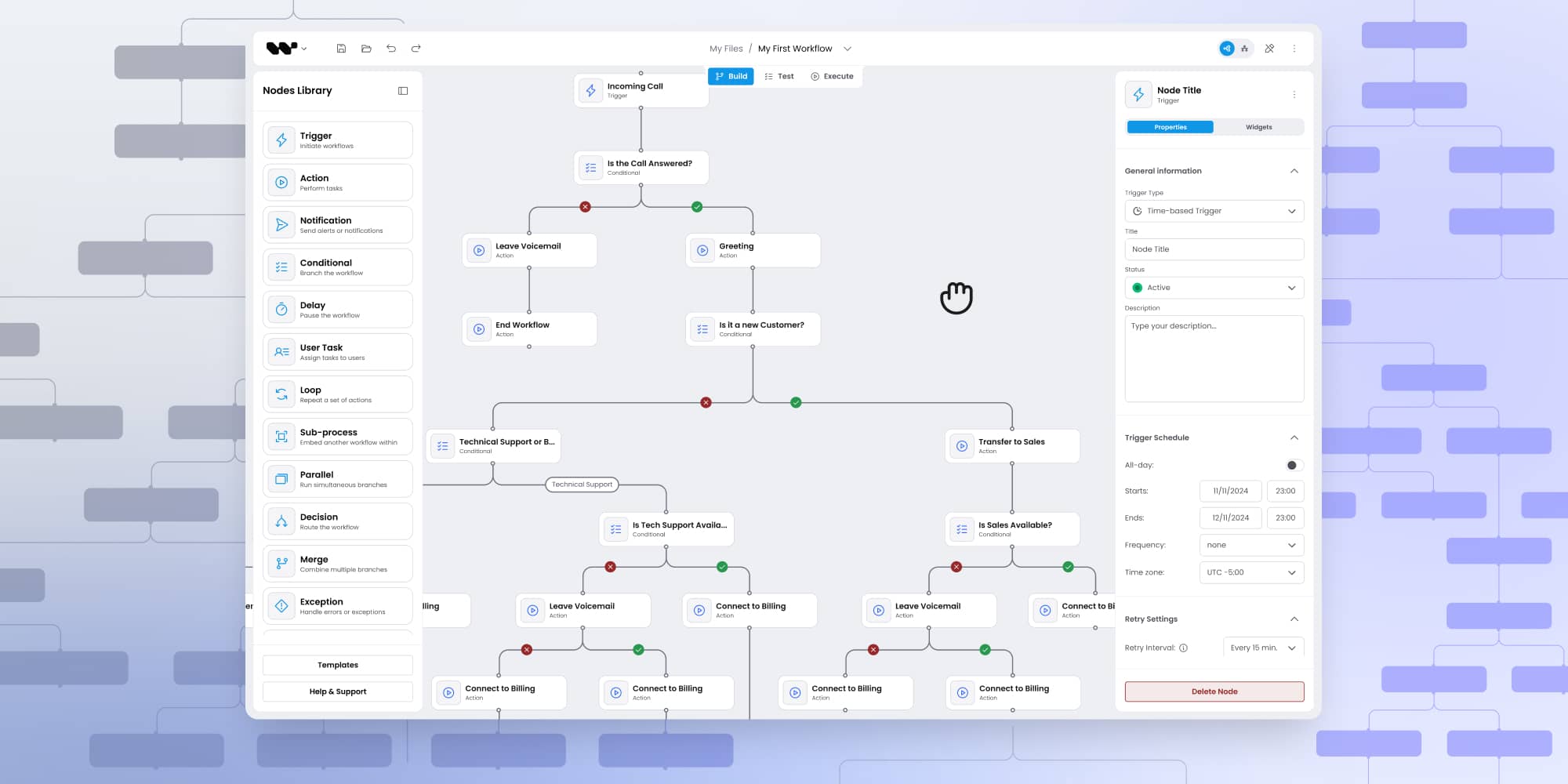
3. Full-service partnership (not just ode)
Most teams building workflow editors budget for engineering time.
What they forget to budget for:
- UX design for canvas-based editors. Most product teams have never designed a workflow tool. What should drag interactions feel like? How should node connections behave at scale? What error states matter? Synergy Codes delivers production-ready Figma files with component libraries, interaction specs, and theming tokens.
- Discovery phase. Synergy Codes has run workflow editor discovery workshops for industries from industrial automation (Siemens) to energy (TotalEnergies) to data management (Zeenea). They know which questions to ask, which UX patterns work, and which requirements clients think they need but don't.
- Custom implementation. Need domain-specific validation rules? Custom node types? Integration with your backend? The team that built the plugin architecture can extend it for your use case faster than your team can learn the codebase.
The real cost comparison
Build from scratch with LLM assistance
Engineering:
- 2-3 senior React developers × 3-4 months = $110K-$180K
What you're forgetting to budget:
- UX/UI design for canvas interactions = $30K-$50K (if you can find a designer with diagramming experience)
- Discovery/requirements definition = 3-4 weeks of product team time
- Ongoing maintenance = 20-30% of one developer's capacity forever
Total first-year cost: $140K-$230K
Ongoing annual cost: $60K-$90K in maintenance
Workflow Builder
SDK license: €6,990 one-time
Includes:
- Full source code access
- React SDK with all components
- Figma design system
- Flow Runner execution engine
- Support and warranty
Optional services:
- Discovery workshop + Figma delivery + integration support = €25K-€35K
- Full custom build (Synergy Codes implements everything) = €40K-€60K
Total first-year cost: €7K-€95K (depending on service tier)
Ongoing cost: Optional maintenance renewal, no forced fees
Head-to-head decision matrix
Who should use Workflow Builder (and who shouldn't)
✅ Use Workflow Builder When:
- Your workflow editor is a feature, not your core product. You're building a SaaS where the visual editor is one module among many. Spending 3+ months on editor infrastructure takes your team away from business logic that differentiates you.
- You need edge routing and auto-layout. These are the hardest UI engineering problems in workflow editors. If your use case requires collision-avoiding edges and automatic node positioning, Workflow Builder saves you the most time.
- You're building AI agent pipeline UIs. Existing customers (Plura AI, Athena Intelligence) use WB for this. The Flow Runner means users can design and test agent pipelines in the browser before deploying.
- Budget matters and you want one-time cost. €7K one-time vs months of engineering salaries is a different business decision.
- You don't have diagramming UX expertise. Most teams have never designed a canvas-based editor. Synergy Codes can run discovery and deliver Figma files without you hiring specialized designers.
❌ Don't use Workflow Builder when:
- The workflow editor IS your core product. If you're building a workflow automation platform (competing with n8n, Make.com), you need more control than an SDK provides. Build it yourself.
- You have 2-3 senior React developers available for 3-4 months AND a UX designer experienced with canvas editors AND the workflow editor is strategically important to own completely. Building from scratch gives you maximum control. But be honest about whether you have the UX expertise; most teams don't.
Over to you
LLMs are genuinely useful for prototyping and accelerating development. But when it comes to production-grade workflow editors with complex state interactions, edge routing, undo/redo, and execution engines, the gap between "demo that impresses stakeholders" and "product that doesn't corrupt user data" is massive.
Workflow Builder isn't just code. It's a decade of diagramming expertise, 200+ commercial projects worth of edge cases solved, and a team that can help you ship faster than building from scratch, with or without AI assistance.
The question isn't whether LLMs are powerful. It's whether you want to spend 3-4 months discovering edge cases yourself, or start with a foundation where they're already solved.
Ready to see the difference?
View Live Demo | Explore the SDK | Talk to the Team | Explore creators - Synergy Codes
An entrepreneur and tech enthusiast, with over 14 years of experience building innovative diagramming solutions and tools across industries. Our interfaces help technical and non-technical users make informed business decisions.
Articles you might be interested in
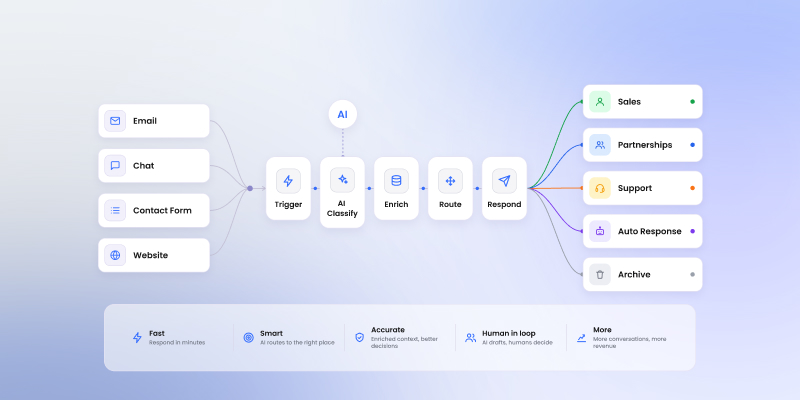
Sales inquiry AI workflow: a practical blueprint for routing and answering inbound requests
Inbound sales inquiries look the same on the surface and route to completely different teams. A five-step LLM workflow editor blueprint for classification, enrichment, and routing without the noise.