The hidden cost of building workflow editors in-house

There's a moment every product team recognizes. Someone on the roadmap wants a visual workflow editor – drag-and-drop nodes, connected logic, the ability for users to build their own automations. The conversation turns to build vs. buy, and someone says:
"We can just use React Flow. How hard can it be?"
It's a reasonable question. React Flow is open source, well-documented, and has 35,000+ GitHub stars. The answer, though, is that React Flow gives you a canvas and some node primitives. Everything else – the edge routing, the auto-layout, the node configuration panels, the validation, the execution visualization, the design system, the performance tuning – you build from scratch. And that's where estimates go wrong.
This article breaks down what building a workflow editor in-house actually costs, why the initial estimate is almost always understated, and where the compounding maintenance burden tends to catch teams off guard.
Why the estimate is ALWAYS low
The initial scoping of a workflow editor typically looks deceptively clean: set up React Flow, define a few node types, add a sidebar, wire up save/load. A senior developer might quote a maximum of a few weeks.
That estimate captures the happy path. It doesn't capture the problems that only emerge once you start building, or once users start using what you've built.
Edge routing
Edges that avoid nodes and overlap cleanly are one of the hardest problems in workflow editor UI. React Flow's default edges take the shortest path. In a dense workflow, they cross through nodes, overlap each other, and become unreadable. Building obstacle-avoiding, collision-free routing from scratch typically takes two to four weeks of dedicated engineering time… and it's almost never in the original estimate.
Auto-layout
Users build workflows manually at first. Then they import one from an API response, or paste a complex flow, and the canvas is a mess of overlapping nodes. Auto-layout (applying ELK or Dagre to produce a readable graph) is another non-trivial investment. The React Flow Developer Survey found that nearly 50% of teams building on React Flow had to implement custom auto-layout, and most described the ELK integration as underdocumented and fragile.
Node configuration panels
Each node type needs a configuration interface. A simple text input is trivial. But production workflows need nodes with conditional fields, nested options, dynamic dropdowns populated from your API, file pickers, code editors, and validation logic. Schema-driven configuration panels – the kind that let you define a node's properties in JSON and get a fully functional form – require significant upfront investment to build well and to maintain as your node types evolve.
Performance at scale
React Flow's maintainers have been candid: the library is not designed for very large-scale graphs. A user in late 2025 reported browser lockup at 200+ nodes with 4,000+ edges. Production AI orchestration pipelines routinely reach 30–80 nodes. If your product serves enterprise customers with complex workflows, you'll spend meaningful time on virtualization, memoization, and render optimization – work that rarely makes it into initial estimates.
Validation and error states
A workflow editor without structural validation will let users build broken workflows: disconnected nodes, missing required edges, orphaned branches, condition nodes with no false path. Adding canvas-level validation – visual error states on node cards, cross-node dependency checking, publish gates that block malformed workflows – is a distinct engineering track that compounds across every new node type you add.
None of these are edge cases. They're table stakes for a workflow editor that users will trust in production. Each one is a multi-week project in its own right.
What the full build actually costs
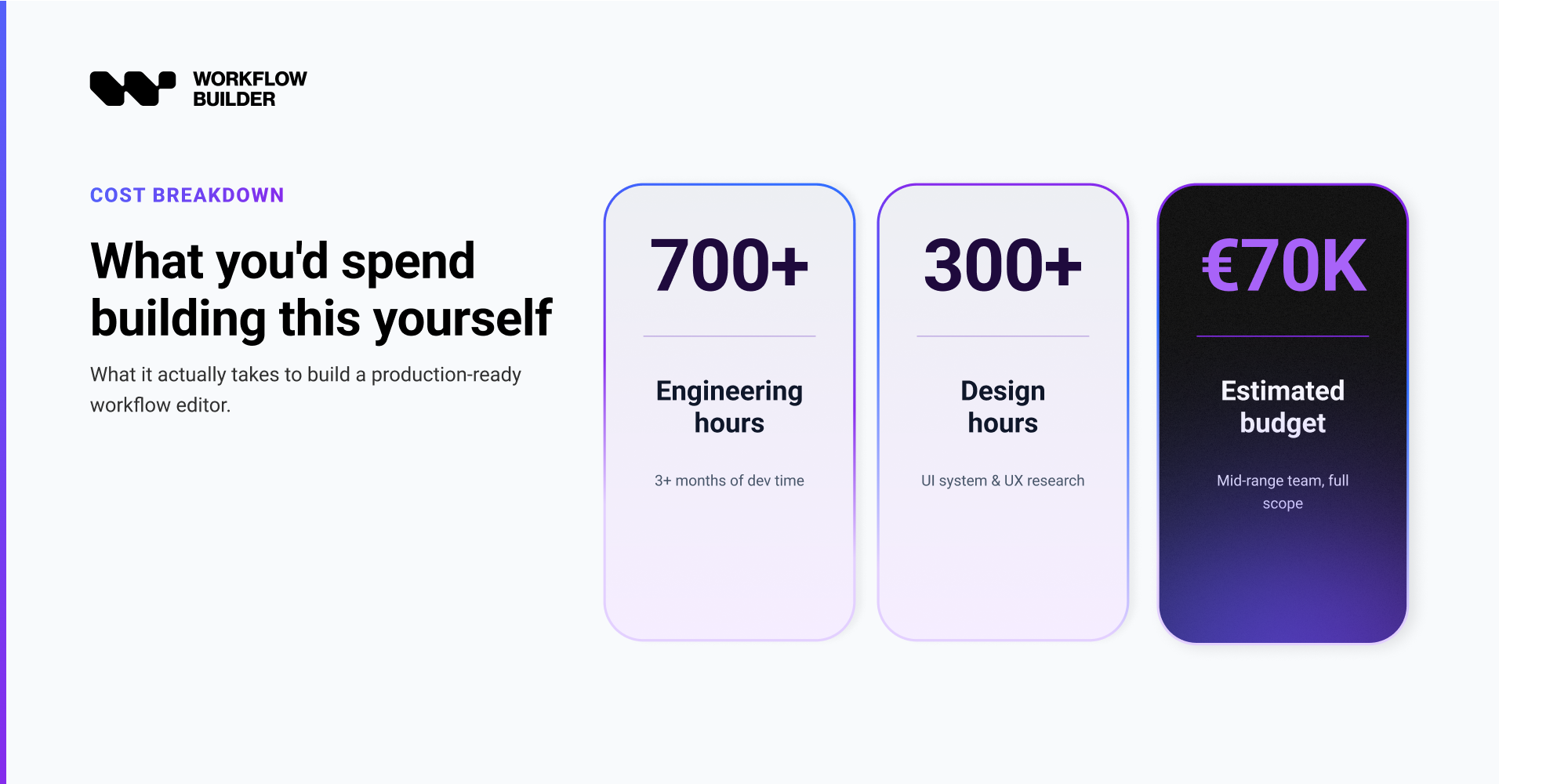
Here's a realistic cost breakdown for a production-grade embedded workflow editor built from scratch, using mid-market developer rates. These estimates assume a senior React developer with prior canvas experience and no major scope changes mid-build.
| Component | Estimated effort | Cost (senior dev, $120/hr) |
|---|---|---|
| React Flow base setup, node types, basic canvas | 3–4 weeks | $14,400–$19,200 |
| Edge routing (obstacle-avoiding) | 2–4 weeks | $9,600–$19,200 |
| Auto-layout (ELK integration) | 1–2 weeks | $4,800–$9,600 |
| Node configuration panels (schema-driven) | 2–4 weeks | $9,600–$19,200 |
| Design system / theming / brand integration | 1–3 weeks | $4,800–$14,400 |
| Structural validation and error states | 2–3 weeks | $9,600–$14,400 |
| Performance optimization (50+ node scale) | 1–2 weeks | $4,800–$9,600 |
| Testing, QA, bug fixes, documentation | 2–3 weeks | $9,600–$14,400 |
| Total initial build | 14–25 weeks* | $67,200–$120,000 |
* 14–25 weeks reflects typical estimates across projects we've delivered, even if you use LLM-assisted development.
This is the first build only. It doesn't include ongoing maintenance; which, for a component this central to your product, tends to grow rather than shrink.
"€6,990 feels expensive for our MVP needs, but I calculated that building this ourselves would cost 20–25k in developer time."
— a startup evaluating Workflow Builder
That quote was for an MVP, not a production-grade editor with full validation, design system, and scale handling.
If you are considering "buy a platform" as alternative path, the four side-by-sides we maintain are Flowise, Langflow, Dify, and ActivePieces - plus n8n for general automation.
The maintenance cost that compounds
The initial build is the most visible cost. The ongoing cost is harder to see until you're already committed.
A workflow editor embedded in your product isn't static infrastructure – it's a living component that evolves alongside every feature your product adds. Each new node type requires new configuration panel work, new validation logic, new design treatment. Each time your design system updates, the editor needs to keep pace. Each React or React Flow major version upgrade triggers an audit of your custom code.
Engineering teams that have been through this describe a consistent pattern: the first version takes three to four months. The second version (the one that handles real customer feedback, performance issues, and expanded scope) takes another two to three months. By the end of the first year, the workflow editor has absorbed the equivalent of one full-time engineer.
"We couldn't have built this ourselves – not with this quality, not this fast. Replicating this internally would require multiple hires."
— Product Owner, Marketing Communication Platform
Vercom, a CPaaS company, built RCS Flow Studio (an embedded visual campaign builder for their enterprise clients) using Workflow Builder. The Synergy Codes team delivered ahead of schedule, with the remaining budget for final polish. Their assessment: the same project built from scratch would have required hiring a dedicated team.
Read more: Vercom's case study
The opportunity cost NOBODY accounts for
There's a third cost category that rarely makes it into build-vs-buy analyses: what your engineering team doesn't build while it's building the workflow editor.
A senior React developer spending four months on a workflow canvas is not spending those four months on your core product. For most SaaS companies, a workflow editor is a powerful feature… but still a feature. Your core product is what differentiates you in the market.
The teams that build workflow editors fastest and at highest quality are the ones that have done it before – repeatedly. Synergy Codes, the team behind Workflow Builder, has over a decade and more than 200 commercial diagramming and workflow projects for clients including Siemens, BMW, and Canon. That accumulated experience is baked into the SDK. When you build in-house, you're starting from zero on a problem they've already solved dozens of times.
"The actual integration into our stack was very painless for how heavy the UI is."
— Athena Intelligence
Read more: Athena Intelligence's case study
When building in-house makes sense
There are real cases where building from scratch is the right call; they're just less common than teams assume.
If the workflow editor is the core product, not a feature within it, you may need full architectural control that no SDK can provide. If your team already has deep React Flow expertise and existing canvas infrastructure, the cost equation changes. If your node types require configuration surfaces that fundamentally can't be expressed through a schema-driven system, custom development is unavoidable.
But for most SaaS companies adding a workflow editor to an existing product, the build-from-scratch math rarely works in their favor. The initial estimate is understated. The maintenance burden is invisible until it isn't. And the opportunity cost is real even when it doesn't appear on a spreadsheet.
For most teams, the math points to a different path. The full decision framework - build vs platform vs SDK - lives at /build-vs-buy.
The actual question
The useful frame isn't "can we build this?"
Most teams can.
The useful frame is: "Is building this the best use of the engineering capacity we have?"
For a workflow editor that needs to be production-ready, scalable, and maintainable, you're looking at 14 to 25 weeks of senior engineering time, followed by ongoing maintenance, followed by the product work you didn't do while doing this. Against that, a one-time license at €6,990 – with production-grade edge routing, auto-layout, schema-driven node configuration, a full design system, and a decade of domain expertise behind it – looks like a different kind of investment entirely.
The question isn't whether you can afford to buy it. It's whether you can afford not to.
The architecture you are buying instead of building is in code-first AI workflows - four layers, two adoption paths, two production case studies.
Still weighing build vs. buy?
Get the full decision framework in one place — the video breakdown, the 12-month maintenance math, and a free 30-minute consult with the team behind 200+ commercial workflow editors.
See the Build vs Buy guide →Workflow Builder is an embeddable workflow editor SDK by Synergy Codes. One-time license from €6,990. React-native, frontend-only, Apache 2.0 community edition available. workflowbuilder.io
An entrepreneur and tech enthusiast, with over 14 years of experience building innovative diagramming solutions and tools across industries. Our interfaces help technical and non-technical users make informed business decisions.