Custom node types in Workflow Builder: complete guide

The node is the atomic unit of a workflow editor. Everything else – edges, layout, execution, validation – exists to connect nodes and move data between them. Which means the decision about how to define and extend node types is one of the most consequential architectural choices you'll make when building a workflow editor for your product.
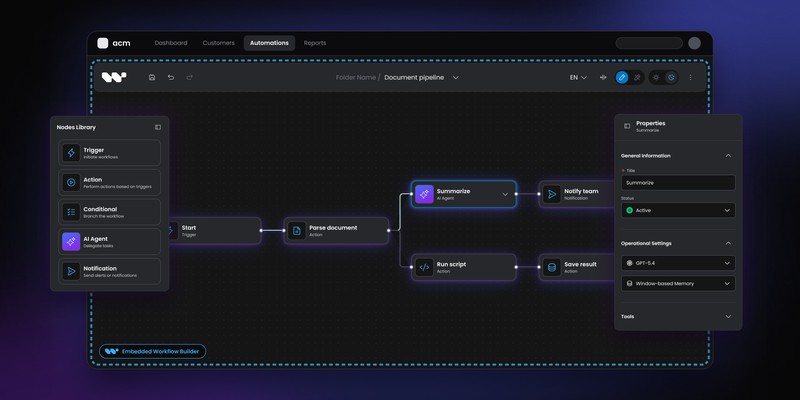
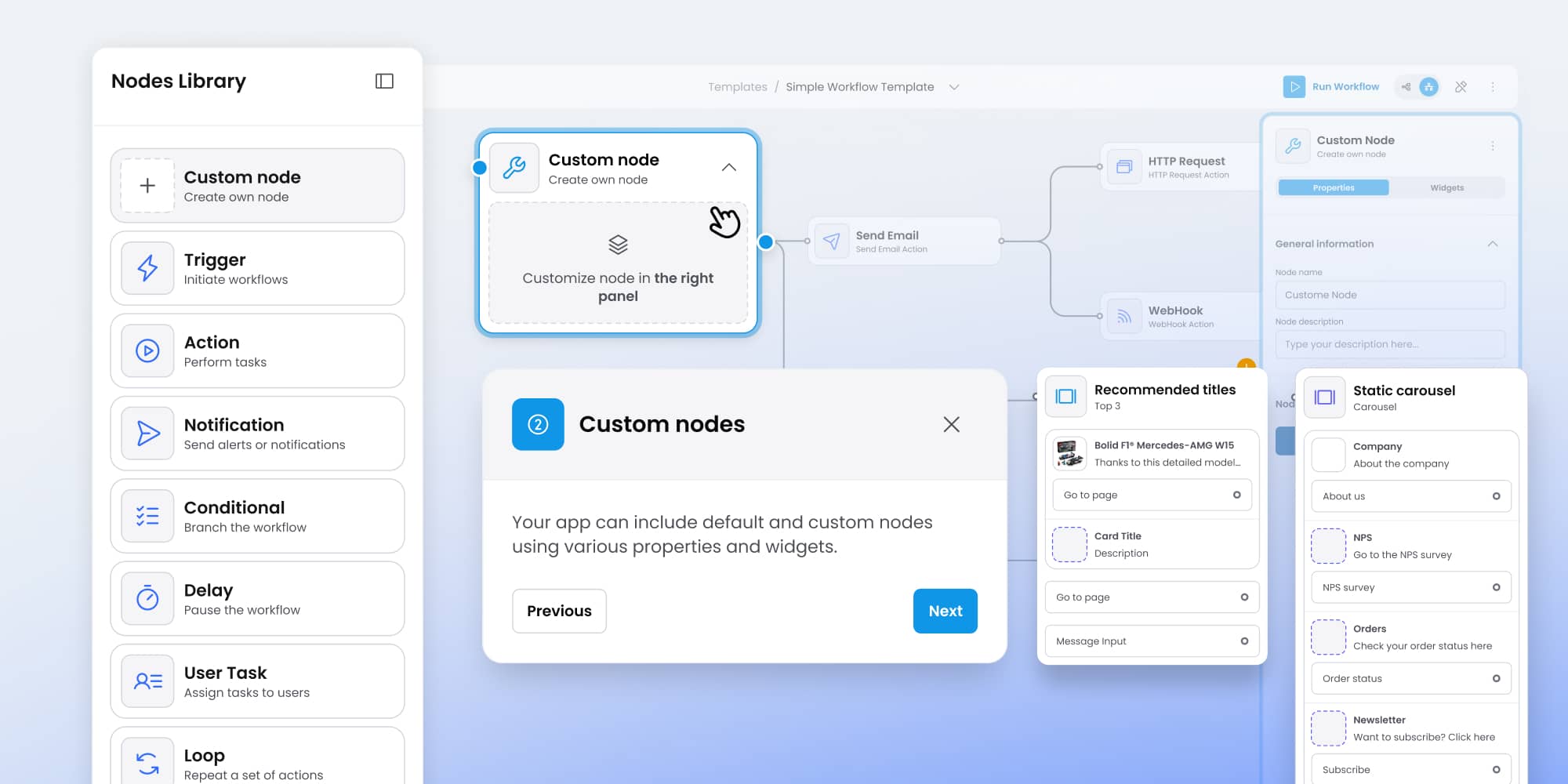
Workflow Builder's approach to custom nodes is schema-driven: you define a node's properties in JSON Schema, and the editor generates the configuration panel, validation logic, and UI controls automatically. You don't write a React component for each node type. You write a definition, and the system builds from it.
This guide covers how that system works, what it enables, and how real products have used it to build domain-specific node libraries without a separate front-end engineering track for every new node type.
Why node architecture matters more than it looks
When teams scope a workflow editor, node types are often treated as straightforward. You need an LLM node, a condition node, an API call node — how hard can it be to add a few more?
The complexity emerges from the configuration surface. Each node type needs a panel where users configure its behavior: which model to use, what condition to evaluate, which endpoint to call. That panel needs to handle required fields, optional fields, conditional fields that appear or hide based on other selections, validation that surfaces errors before the workflow runs, and controls that match the rest of your product's design language.
If each of those panels is a hand-written React component, every new node type is a front-end engineering project. As your node library grows – and it will grow, because users always want more – you accumulate a maintenance surface that compounds: changes to your design system, changes to your validation rules, changes to your API all ripple through every hand-written panel.
A schema-driven system solves this at the architectural level. Define the node's properties once. Let the system generate the panel.
How schema-driven node definition works in Workflow Builder
Workflow Builder uses JSON Schema – specifically via JSON Forms – to drive node configuration panels. For each node type, you provide a schema object that describes the node's properties: their types, labels, constraints, default values, and dependencies on other fields.
The schema approach means your node definitions live alongside your other data contracts. The same schema that describes an LLM node's properties can validate workflow definitions server-side, generate documentation, and drive the configuration UI — all from a single source of truth.
A minimal node definition has three parts: the node type identifier, the schema describing its properties, and the UI schema that controls how those properties are laid out in the configuration panel. Workflow Builder handles rendering, validation, and state management from there.
The node types that cover 80% of use cases
Most workflow editors, regardless of domain, converge on a small set of structural node patterns. Understanding these patterns makes it faster to design your own node library — you're usually adapting a known pattern rather than inventing something new.
- Trigger nodes start a workflow in response to an event. Their configuration surfaces are typically light: an event type selector, optional filter conditions, maybe a schedule field. The important design decision is whether triggers can be chained or only appear at the start of a workflow – Workflow Builder's connection rules let you enforce this at the schema level.
- Action nodes do something: call an API, send a message, update a record, invoke a function. Configuration panels for action nodes tend to be the most varied across domains. An API call node needs an endpoint, method, headers, and body fields. A "send RCS message" node – like those built for Vercom's RCS Flow Studio – needs message type, content fields, fallback configuration, and recipient routing logic. The schema-driven system handles this variety without requiring separate components.
- Condition nodes branch the workflow based on evaluated logic. The configuration challenge here is representing conditional logic in a way that non-technical users can configure without writing code. Common approaches are rule builders (field / operator / value rows), expression editors with autocomplete, or simplified yes/no condition forms. Workflow Builder's UI schema controls let you choose the right approach for your users.
- Transformation nodes reshape data as it moves through the pipeline – mapping fields, formatting values, filtering collections, merging inputs from multiple branches. These nodes often need a dynamic field mapping UI: a source field on the left, an operator in the middle, a destination field on the right. The schema system accommodates this through array-type properties with structured item schemas.
- Integration nodes connect to external systems: CRMs, databases, messaging platforms, AI providers. Their configuration surfaces need to handle authentication (often via a credentials selector that populates from a separate credentials store), dynamic dropdowns that fetch available options from the integrated system, and input/output field mapping. These are the most complex node types to build – and the most valuable to get right, because they're what makes the workflow useful.
- Validation nodes are a pattern that emerged from the Vercom project specifically. A validation node defines success and failure conditions, then checks whether the workflow state satisfies them before proceeding. If a required variable isn't set, it flags an error. If a user could reach a dead end, it warns before execution. This pattern is reusable across workflow types and was built once for Vercom, then carried into subsequent Synergy Codes projects.
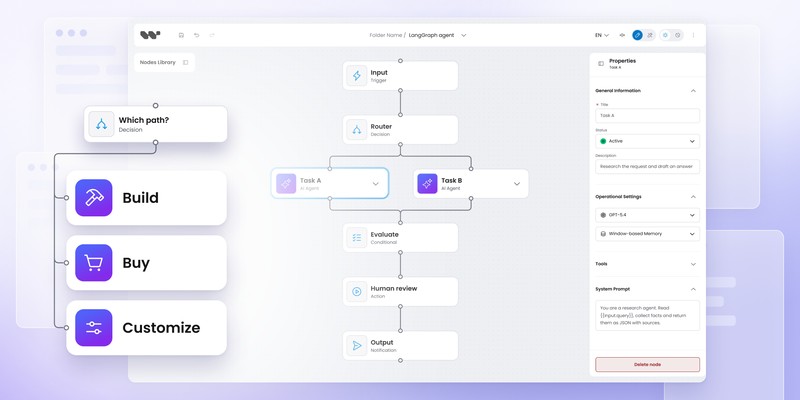
- Human-in-the-loop nodes pause workflow execution pending human input: approvals, reviews, decisions, data entry. The configuration surface needs timeout settings, assignee logic, escalation paths, and a way to define what input the human is expected to provide. As AI pipelines mature, this node type is becoming standard — it's the control mechanism that keeps humans in the decision loop for high-stakes steps.
Designing a domain-specific node library
The pattern that works across most embedded workflow editors is to start with structural node types and layer domain-specific configuration on top.
- For an AI pipeline editor, the structural types are: trigger, LLM call, tool invocation, condition/router, retriever, human approval, output formatter. The domain-specific layer is what each of those node types knows about your specific models, your tool registry, your vector stores.
- For a marketing automation editor, the structural types are: audience trigger, message send, wait/delay, condition branch, goal conversion. The domain-specific layer is your message templates, your segment definitions, your conversion events.
- For a business process editor like RCS Flow Studio, the structural types are: campaign trigger, message node, condition node, set value node, validation node, integration node. The domain-specific layer is Vercom's message formats, their API endpoints, their campaign variables.
In each case, the node library is designed top-down from the user's mental model of their domain – not bottom-up from the capabilities of the underlying system. The question to ask for each node type is: what decision or action does a user of this product actually perform? Let that drive the node design, then work backward to the schema definition.
Global settings and cross-node state
One pattern that frequently emerges from real workflow editor projects – and that isn't obvious until you're deep in implementation – is the need for global state that individual nodes can reference.
In Vercom's RCS Flow Studio, campaigns have global settings: time zones, fallback message configurations, audience filters, branding assets. These apply to the entire workflow, not to individual nodes. Exposing them as a global settings panel – rather than requiring each relevant node to configure them independently – produces a significantly better user experience and reduces the chance of inconsistent configuration across nodes.
Workflow Builder's architecture supports this pattern through workflow-level variables that individual node schemas can reference. A condition node can branch on a campaign variable set at the global level. An integration node can pull from a globally defined API credential. A validation node can check against global constraints.
This cross-node awareness is where the schema-driven system earns its complexity. The same source-of-truth that drives the configuration panel also drives variable resolution, making the system coherent rather than a collection of independent forms.
The maintenance advantage
The argument for schema-driven node definitions isn't just about building faster; it's about maintaining better.
When your node type library is a collection of hand-written React components, changing your design system means changing every component. Adding a new validation rule means auditing every panel. Refactoring field naming conventions means touching everything.
When your node type library is a collection of JSON Schema definitions, those changes happen in one place. The rendering layer picks them up automatically. Your 40 node types don't each require a pull request.
Vercom's engineering team experienced this directly. Custom node types – including the Speedway validation node built specifically for their use case – were delivered within the project timeline and at the quality level their enterprise clients expected. The client's verdict: they wouldn't have achieved the same quality building on open-source tooling with a generalist team.
"Workflow Builder gave us an edge over open source — it's a combination of technology and expertise."
Vercom
What to define before you write a single schema
Before designing your node library, three questions save significant rework:
- Who is configuring these nodes? If your users are developers, you can expose technical configuration surfaces — JSON editors, expression languages, schema field mapping. If your users are marketers, business analysts, or operations teams, every configuration surface needs to be expressible without writing code. The schema-driven system supports both, but the design intent has to be set before the schemas are written.
- What data flows between nodes? Node outputs become the inputs available to downstream nodes. If your execution model passes a structured data object between nodes, your schemas need to reflect what properties are available at each step. If each node receives only the output of its immediate predecessor, the configuration surface is simpler. Define the execution model before defining the schemas, because the schemas will need to reference it.
- Which node types are genuinely unique to your domain? Most of your node library will be adaptations of structural patterns. A few node types will be genuinely specific to your product's domain — the ones that encode your core business logic. Those are worth investing in carefully. The rest can follow patterns from comparable workflow editors without overthinking the design.
Workflow Builder is an embeddable workflow editor SDK by Synergy Codes. Open-source available or one-time Enterprise Edition license for €6,990. React-SDK. workflowbuilder.io
Mateusz is a Principal Developer and Solutions Engineer at Synergy Codes, where he works on Workflow Builder. With 7+ years of building interactive diagramming tools and data-heavy web applications, he joins client projects from the earliest conversations, shaping requirements into technical roadmaps and estimates, and stays hands-on through development.