Durable execution for AI workflows: what SaaS teams need to know


AI features ship fast and break in unfamiliar ways. A multi-step LLM pipeline that worked perfectly in the demo crashes in production because step three timed out, the retry double-charged the token budget, and the human-approval step never recovered after a deploy. The fix is not better prompts. It is durable execution - and most SaaS teams building AI workflows have not yet realized they need it.
The conversation about AI in SaaS products has been overwhelmingly about the model layer: which provider, which prompts, which embeddings, how to evaluate quality. The execution layer underneath has been treated as a detail. For one-shot calls, that was fine - a single model invocation either returns a result or fails, and the caller decides what to do. For multi-step AI workflows - agents that plan, retrieve, call tools, ask humans, and synthesize results - the execution layer becomes the entire game. And the patterns SaaS teams reached for first do not survive contact with production.
This is a guide for product and engineering leaders building AI features that span more than a single model call. The thesis is straightforward: as AI workflows become longer, more agentic, and more entangled with human decisions, durable execution stops being a backend concern and becomes a product concern.
What is durable execution?
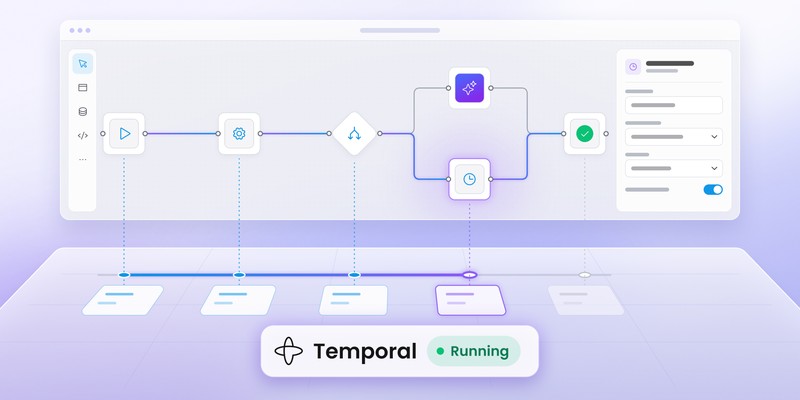
Durable execution is a specific architectural pattern, popularized by Temporal and adopted by Inngest, Restate, and the LangGraph runtime, among others. The core idea: a workflow is a function whose every step is persisted to a log as it runs. If the worker crashes, the network drops, or the deployment rolls, another worker reads the log, replays the function up to the last completed step, and resumes from there. The function does not know it crashed. The end user does not know it crashed. The workflow runs to completion.
That property - "the workflow runs to completion, even if the world breaks in the middle" - is what differentiates durable execution from a queue and a worker, a cron job, or a long-running HTTP handler. The other patterns can survive specific failures with enough engineering. Durable execution survives them by default, because persistence is built into the model.
For AI workflows specifically, four characteristics make this pattern fit unusually well: AI calls are slow (seconds to minutes), unpredictable (retries are common), expensive (tokens are real money), and increasingly long-running (human approval gates push runtimes into hours and days). Each of those properties amplifies the cost of a non-durable runtime.
What breaks when AI workflows are not durable?
Teams that build AI workflows on top of standard request-response infrastructure run into the same failures, in roughly the same order.
Timeouts
A multi-step LLM workflow - plan, retrieve, call three tools, synthesize - can take ninety seconds end to end. HTTP timeouts are typically thirty. The workflow gets killed mid-flight, and there is no way to resume it without starting over.
Retry semantics
The simplest retry strategy is "if it failed, run it again." For an LLM workflow, this is expensive and wrong. If the workflow already called step three (a billable API), retrying step four does not undo step three. A naive retry that restarts from the top of the workflow charges the customer twice for everything before the failure point. Production AI bills tend to surface this issue within the first month.
Long-running waits
Real AI workflows wait on humans. A drafted response waits for an editor. A flagged transaction waits for a fraud analyst. A generated proposal waits for legal sign-off. Without durable execution, "waiting on a human" means a process holding memory open, a polling loop hammering a database, or a brittle scheduled job. None of those scale to a system of any size, and all of them lose state on a deploy.
Auditability
The last failure is the one that actually scares enterprise customers. If a customer asks "why did the AI agent decide that," the answer needs to come from a record of every input, output, decision, and tool call the workflow made. Without a durable execution log, that record either does not exist or is scattered across application logs that get rotated weekly. The product cannot be audited, which means it cannot be sold to anyone in a regulated industry.

The five properties of a durable AI workflow
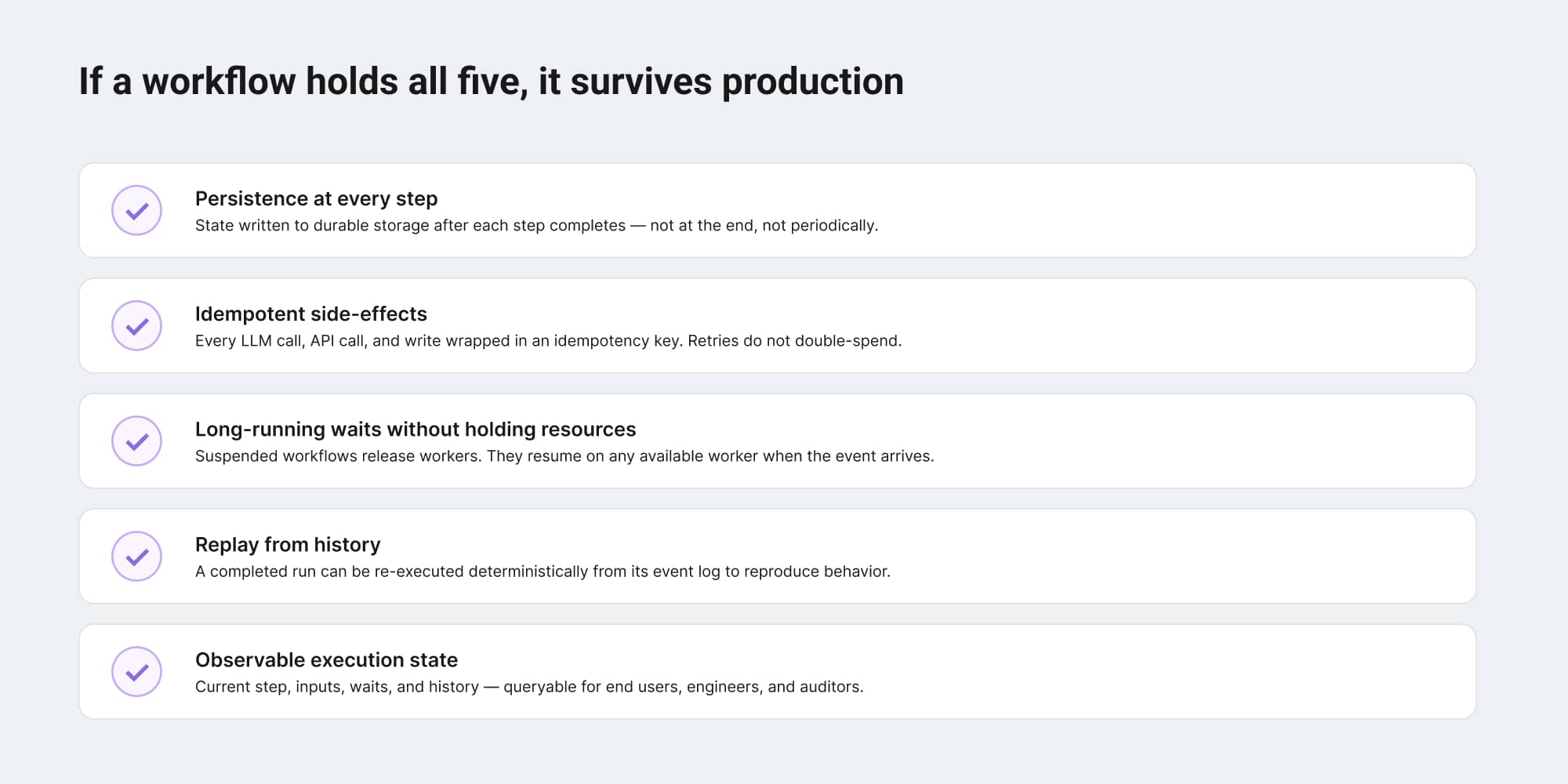
"Durable" is a property, not a checkbox. A workflow either has it or does not, and the way to tell is to walk through five characteristics. If a workflow holds all five, it survives production. If it holds three, it works in the demo and breaks within the quarter.
Persistence at every step
The state of the workflow - current step, accumulated context, intermediate results - is written to durable storage as each step completes. Not at the end of the workflow. Not periodically. After every step. This is the property that lets the workflow resume instead of restart.
Idempotent side-effects
Every external call - LLM, vector store, API, database write - is wrapped in an idempotency key derived from the workflow run and the step. If a retry hits the same external service with the same key, the service returns the cached result instead of re-running the operation. For LLM calls specifically, this is the only thing standing between a retry and a doubled token bill.
Long-running waits without holding resources
When a workflow needs to wait - for a webhook, a human approval, a scheduled time - the runtime suspends the workflow and releases all worker resources. The workflow does not occupy a process, a thread, or a database connection during the wait. When the awaited event arrives, the runtime resumes the workflow on whatever worker is available.
Replay from history
A completed (or in-progress) workflow can be re-executed from its event log, deterministically, to reproduce its behavior. This is how engineers debug AI workflows that produced unexpected outputs three weeks ago. It is also how compliance teams answer "what exactly happened in this run."
Observable execution state
At any moment, the workflow's current state - which step it is on, what it is waiting for, what its inputs were - is queryable. End users see live progress. Engineers see operational status. Auditors see a record. The same data, exposed at different levels of detail to different audiences.
Why human-in-the-loop is the breakpoint
Human-in-the-loop is the design pattern that takes AI workflows from "interesting demo" to "real product feature," and it is also the design pattern that exposes every weakness in the execution layer.
An AI workflow without human gates is short: call a model, return a result. An AI workflow with human gates is long. A drafted email waits for review. A generated SQL query waits for an analyst to approve before running against production. A loan recommendation waits for a credit officer. The wait can be minutes, hours, or days. During the wait, the workflow has to remember everything: what it was working on, what context it gathered, what decision it was about to make, what the human is being asked to approve.
This is the LangGraph and Temporal definition of durable execution doing real work. The runtime persists the workflow's state, including the in-flight LLM context, the gathered evidence, and the proposed action, then releases all worker resources. The human takes their time. Eventually they click approve or reject. The runtime resumes the workflow with that decision injected, and the workflow continues from where it left off.
Without that property, human-in-the-loop AI workflows are a backend nightmare. Teams either skip the human step (and ship an AI feature without trust) or build their own brittle persistence layer (and rebuild Temporal poorly, on a tighter deadline). The third option - adopt a durable execution runtime - is the one that actually compounds.
What an AI workflow stack with durable execution looks like
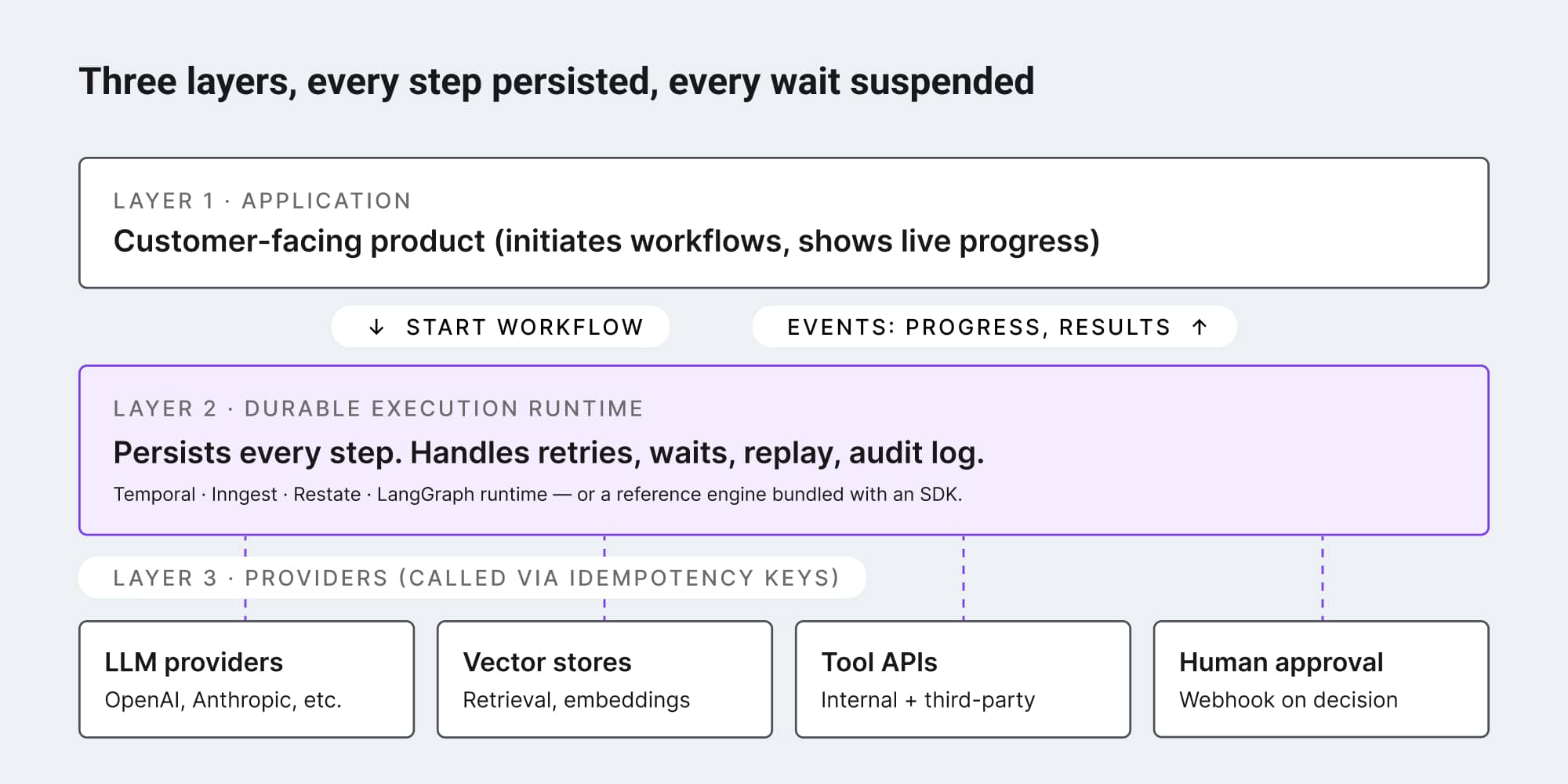
The architecture, once a team commits to durable execution, becomes simpler. Instead of a sprawl of services patched together with queues and cron jobs, the stack collapses into three clean layers.
At the top, the application (the customer-facing surface) initiates workflows and shows their progress. The application does not run AI workflows; it asks the runtime to run them. At the bottom, the model and tool providers (OpenAI, Anthropic, vector stores, third-party APIs) do their narrow jobs and return results. In the middle, the durable execution runtime orchestrates: it calls models, calls tools, persists state, handles waits, manages retries, and surfaces progress.
The runtime is the only thing that knows the full shape of a workflow. The application thinks in terms of "started a workflow, got events back." The model providers think in terms of "received a prompt, returned a response." The runtime threads it all together durably.
What this means for SaaS teams shipping AI features
For a product or engineering leader at a SaaS company building AI features, the practical implication is a question about timing. Durable execution is unfamiliar work, with a learning curve. Adopting it before the AI product needs it feels like premature optimization. Adopting it after is expensive: the team has to migrate live workflows, rewrite retry logic, and re-architect human gates without breaking customers.
The signal that durable execution is now a requirement, not a luxury, shows up as one of three patterns. Either the product is starting to wait on humans, and "in-memory waits" are no longer enough. Or the product is being evaluated by enterprise customers, and audit trail questions are coming up in security reviews. Or the product is hitting token bills that look wrong, and retry logic is the leading suspect.
Any one of those is the moment. All three together mean the team has waited too long.
The good news is that the durable execution category has matured. Temporal is in production at Netflix, Stripe, and Uber. LangGraph has built durable execution into its runtime explicitly for AI workflows. Inngest and Restate have made the model accessible to teams without dedicated platform engineers. And embeddable workflow editor SDKs increasingly ship with reference execution backends on durable runtimes, so the AI-product team gets durable execution as part of their stack instead of as a separate platform initiative.
AI features will keep shipping faster than the infrastructure underneath them. Durable execution is the part of that infrastructure that determines if the features survive their first quarter in production. SaaS teams that take it seriously now build AI products that customers can trust. The teams that defer it ship demos that work, and one day will not.
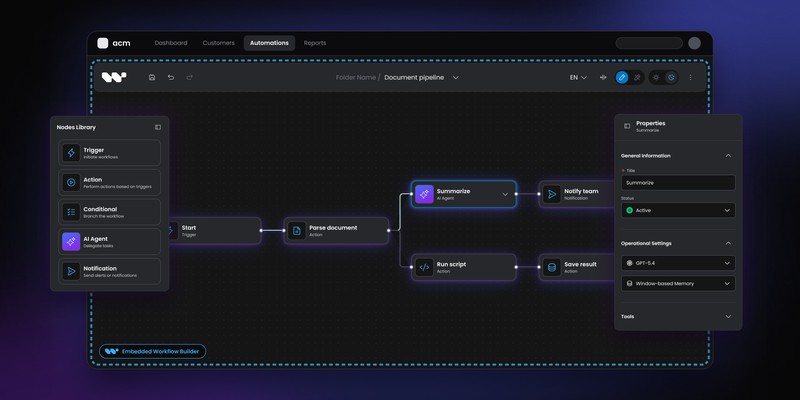
Workflow Builder is an embeddable workflow editor SDK by Synergy Codes. Version 2.0 ships with AI Studio, a reference application built on the SDK and a Temporal-based execution backend, demonstrating the durable AI workflow architecture end to end. The execution layer is designed to be swappable, so teams can plug in their existing Temporal cluster, Inngest, or a custom runtime.
An entrepreneur and tech enthusiast, with over 14 years of experience building innovative diagramming solutions and tools across industries. Our interfaces help technical and non-technical users make informed business decisions.