
Building AI agent pipelines: SDK vs custom build

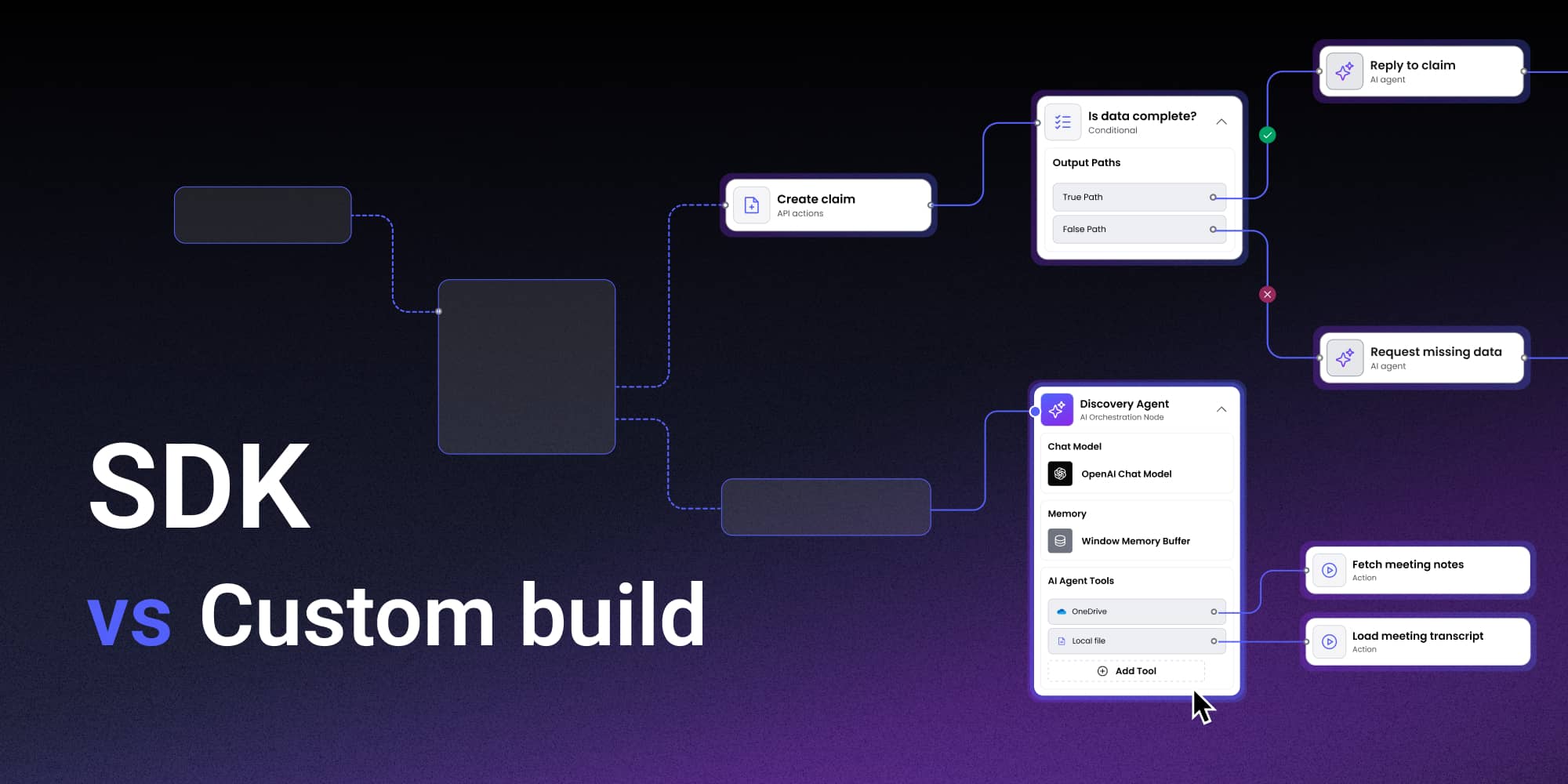
The AI agent orchestration market arrived fast and settled on a UI pattern even faster. Whether you're looking at LangFlow, Dify, ComfyUI, or OpenAI's own agent builder (released in late 2025 as "a visual canvas for creating and versioning multi-agent workflows where you can drag and drop nodes") the pattern is the same: a canvas, connected nodes, branching logic, and a way to see the pipeline as a whole.
For companies building AI-powered SaaS products, this creates a practical question: you need a visual pipeline editor for your users. Do you build it yourself on top of React Flow, or do you start from an SDK that already solves the hard parts?
The answer depends on what you're building, what your team already has, and – critically – what "the hard parts" actually are for AI pipeline editors specifically.
Why AI pipelines are harder than standard workflow editors
A workflow editor for marketing automation or business approvals has fairly predictable node types: send email, wait, branch on condition, update record. The configuration surface is manageable. The execution semantics are well-understood.
AI agent pipelines are structurally messier. An LLM node needs a model selector, system prompt editor, temperature controls, and token limit configuration. A RAG retriever node needs a vector store selector, similarity threshold, and top-k configuration. A tool node needs to describe its inputs and outputs in enough detail that the LLM can reason about when to call it. A human-in-the-loop node needs an approval interface, timeout logic, and a way to represent the async gap while waiting for a response.
Beyond individual nodes, AI pipelines introduce categories of UI problem that standard workflow editors don't face.
- Non-deterministic routing. A condition node in a business workflow branches on a boolean. A router node in an AI pipeline branches on LLM output classification — a softer, probabilistic signal. The UI needs to communicate that distinction without confusing the non-technical users who are configuring pipelines.
- Execution observability. Users running AI pipelines need to see which node ran, how long it took, what it received, and what it returned. Enterprise buyers specifically cite observability as their primary technical requirement for AI tooling. A static canvas that shows only the designed pipeline is insufficient for production AI workloads.
- State across async nodes. An AI pipeline that calls an external API, waits for a human approval, or runs a multi-minute LLM task needs to represent paused and resumed states visually. The canvas needs to show a workflow mid-execution, not just at design time.
What a production AI pipeline editor needs
Before getting to build vs. SDK, it's worth being specific about the feature surface. A visual AI pipeline editor that teams will trust in production needs at minimum:
[→ PASTE HTML EMBED HERE — node type table (snippet 1 in earlier ClickUp comment).]
On top of those node types, you need smart edge routing (edges that don't cross through nodes in a dense pipeline), auto-layout (so imported or generated pipelines are readable), execution state visualization (nodes reflecting running / succeeded / failed / skipped states), and structural validation (so users can't publish a pipeline with a disconnected branch).
Each of those is a separate engineering track. That's the context for the build vs. SDK decision.
The case for building on an SDK
The fundamental argument for starting from a workflow editor SDK is that the problems above are already solved; and the solutions have been tested in production across multiple products and use cases.
Workflow Builder ships with production-grade edge routing built on libavoid (an obstacle-avoiding routing library) rather than React Flow's default straight-line edges. It ships with ELK-based auto-layout so a 40-node AI pipeline imported from an external source is readable without manual repositioning. Node configuration panels are schema-driven using JSON Forms, meaning you define an LLM node's properties in JSON and get a fully functional, validated configuration interface without writing React components for each field.
For AI pipeline use cases specifically, execution state visualization is where the SDK approach saves the most time. Building a trace mode (a canvas view that accepts an execution trace and renders which nodes ran, which failed, and what the latency was at each step) is a multi-week engineering project from scratch. The AI observability market (LangSmith, Langfuse, Arize Phoenix) is collectively spending significant engineering resources building exactly this kind of trace visualization. An SDK that provides execution state hooks and visual primitives for node status eliminates that track entirely.
"The actual integration into our stack was very painless for how heavy the UI is." Athena Intelligence
Athena Intelligence, a data and AI orchestration company, integrated Workflow Builder for multi-stage AI agent pipeline visualization and knowledge graph workflow integration with Neo4J. Their assessment reflects a pattern seen consistently across SDK adopters: the integration overhead is lower than expected given the feature surface, because the SDK is designed to integrate into an existing stack rather than replace it.
Read more: https://www.workflowbuilder.io/case-study/athena-intelligence
It's also worth noting the embeddability constraint directly. LangGraph Studio, LangFlow, Flowise, and ComfyUI are all powerful visual pipeline tools. None of them are embeddable into your SaaS product. LangGraph Studio is explicitly not designed for embedding. If your product needs a pipeline editor that looks and behaves like part of your product — your brand, your design system, your backend — these tools are off the table regardless of their quality.
The case for building from scratch
There are real situations where custom development is the right answer.
If the pipeline editor is the core product – not a feature within an existing SaaS product – you likely need architectural control that an SDK can't provide. The execution engine, the schema definition format, the serialization format, the backend integrations: all of these need to fit a specific product vision that you own end to end.
If your node types are deeply proprietary and require configuration surfaces that no schema-driven system can accommodate, custom components are unavoidable. The better question is whether those exceptional nodes are 5% of your editor or 80%.
If your product already has a mature diagramming or canvas layer (built, maintained, and extended over time) the marginal cost of adding workflow semantics to it may be lower than integrating an SDK.
The honest assessment is that most SaaS teams adding AI pipeline editing to their product don't fall into any of these categories. They're adding a feature, not building a platform. They don't have existing canvas infrastructure. And their node types, while domain-specific, follow recognizable patterns.
Comparing the two paths
[→ PASTE HTML EMBED HERE — SDK vs custom build comparison table (snippet 2 in earlier ClickUp comment).]
The asymmetry is clear: the custom build wins on total architectural control and licensing cost. The SDK wins on almost every dimension that translates to calendar time and developer hours. For a team with a product to ship, calendar time is the binding constraint.
The frontend-only architecture for AI pipelines
One design decision worth understanding before committing to either path: Workflow Builder is a frontend-only SDK. It provides the visual editor – the canvas, the nodes, the configuration panels, the execution visualization layer. It does not ship an execution engine.
For AI pipeline use cases, this is typically the right architecture. Your AI pipeline execution backend is almost certainly custom: it connects to your LLM providers, manages your tool registry, handles retries and fallbacks, integrates with your data stores. Embedding an opinionated execution engine alongside the visual editor would create coupling you don't want.
The Workflow Builder approach: the visual editor communicates with your backend via a defined protocol. Your backend runs the pipeline. The editor reflects execution state. This decoupling means you can evolve the execution layer independently of the UI, use any LLM provider or orchestration framework, and maintain full control over the runtime behavior that's core to your product.
Most teams building AI pipeline editors overinvest in the execution layer and underinvest in the visual editing layer. The backend orchestration matters, but users experience your product through the editor. The quality of that editor — how readable the canvas is, how well edges route around nodes, how clearly execution state is communicated — is what determines whether your product feels production-ready or like a prototype.
Who should use an SDK?
An SDK is the right call when you're adding AI pipeline editing to an existing SaaS product, when you need a production-quality editor in weeks rather than quarters, when your node types follow recognizable patterns (LLM, tool, retriever, condition, output), when your team doesn't have prior React Flow or canvas engineering experience, or when the visual editor is a feature of your product rather than the product itself.
Building from scratch makes sense when the pipeline editor is the core of your standalone platform, when you need a custom execution format tightly coupled to the visual model, when you have existing canvas infrastructure and domain expertise to leverage, or when you have a dedicated team with React Flow experience and a multi-quarter timeline.
The market timing argument
The AI agent market reached $7.63 billion in 2025 and is growing at 45.8% annually. McKinsey reports 23% of organizations have already scaled agentic AI systems, with another 39% actively experimenting. By 2028, roughly 33% of enterprise software applications are expected to incorporate agentic AI, up from less than 1% in 2024.
The companies that ship production-quality AI pipeline editors in 2026 establish user familiarity and competitive positioning before the market fully matures. The companies that spend 2026 building the foundational components of a workflow canvas will ship in 2027, into a more crowded market with higher baseline expectations.
"Why should we build this ourselves when we don't have the expertise and could delegate to specialists?" Athena Intelligence
That question has an engineering answer and a strategic answer. The engineering answer is about developer hours and component complexity. The strategic answer is about where your team's expertise actually compounds, and whether building a workflow canvas from scratch is the best use of the expertise you have.
Workflow Builder is an embeddable workflow editor SDK by Synergy Codes – the team behind 100+ commercial diagramming projects for Siemens, BMW, Canon, and others. Available open-source - Apache 2.0 community edition, React-SDK. https://www.workflowbuilder.io/use-case/workflow-automation-platforms
An entrepreneur and tech enthusiast, with over 14 years of experience building innovative diagramming solutions and tools across industries. Our interfaces help technical and non-technical users make informed business decisions.
Articles you might be interested in
.jpg)
Building a visual call flow editor for cloud telephony – and how to get it right
Every cloud telephony platform eventually hears the same request from partners: make call flow configuration visual. Here is what a good call flow editor looks like – and how to build one on Workflow Builder.
Open Source Workflow Engine Comparison: Licences, Layers and Gaps | Workflow Builder
Every automated workflow runs on a stack. Most conversations about choosing an open source workflow engine collapse that stack into one question – "which workflow tool should we use" – and then stall, because the tools being compared occupy different layers and solve different problems. Apache Airflow and Camunda are both called a workflow engine. They have almost nothing in common.

Temporal Human-in-the-Loop: What the Engine Gives You, What You Build | Workflow Builder
If you're implementing human-in-the-loop (HITL) approval on Temporal, the engine gives you more than expected on the waiting problem and less than expected on the accountability problem. This article is that split, with the documentation behind each claim.