Workflow automation for SaaS: build, buy, or customize?

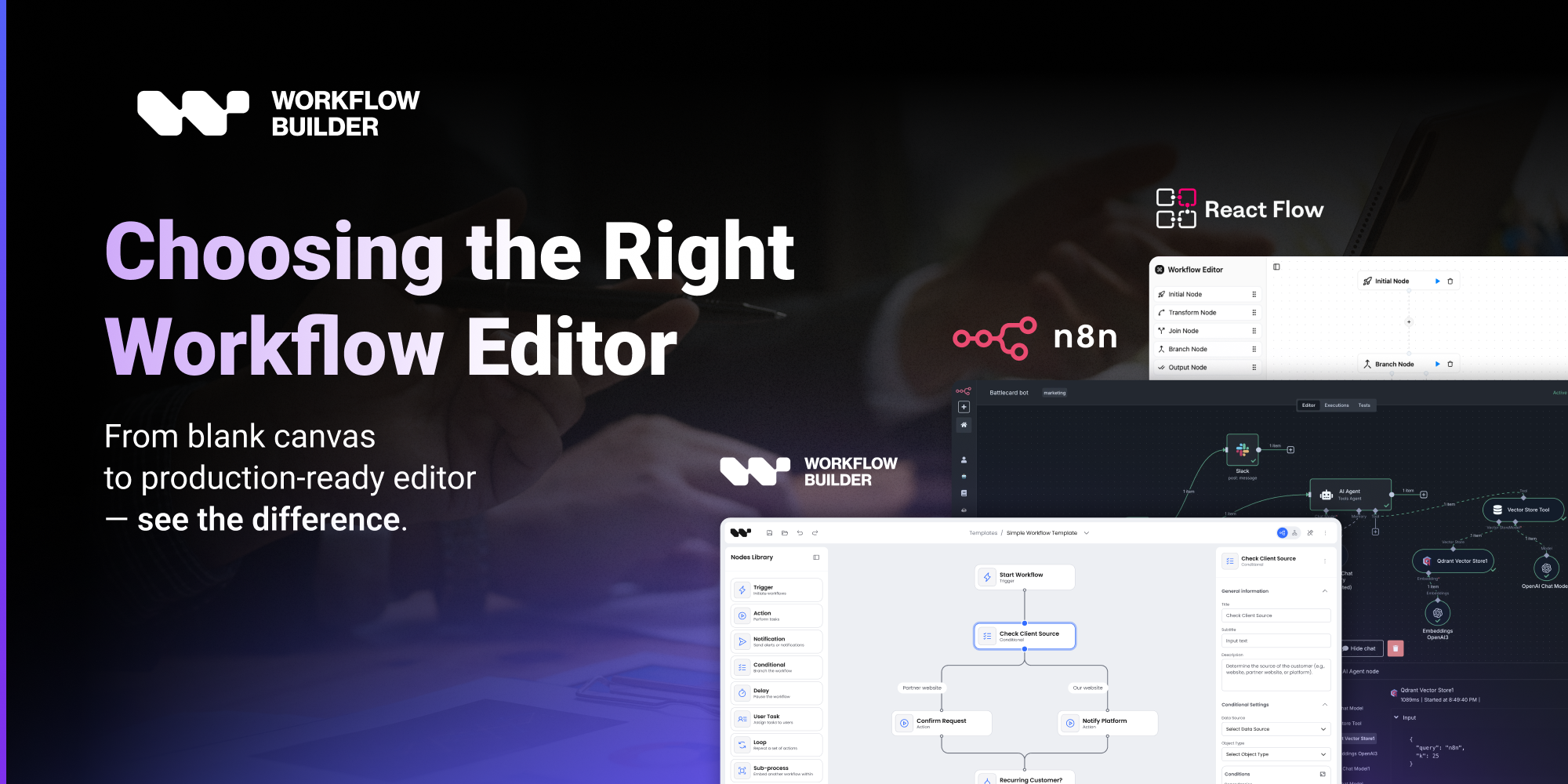
Every SaaS product reaches the same inflection point. Users start asking for automations. They want to connect steps, trigger actions, and stop doing manually what should happen automatically. The product team adds "workflow automation" to the roadmap, and then someone has to make the decision that will determine how much engineering capacity gets consumed for the next year: do we build it, buy it, or customize an existing foundation?
The framing matters. "Build vs. buy" implies a binary. The reality is a spectrum — and most teams land somewhere in the middle without ever deciding consciously where they wanted to be.
This article walks through the three paths, what each one actually costs, and how to know which one fits where your product is today.
The three paths
Build from scratch
You take React Flow (or a lower-level canvas library), and you build a workflow editor on top of it. You own everything: the edge routing, the node configuration system, the auto-layout, the execution model, the design system, the validation layer. You make every architectural decision.
The appeal is total control. The cost is total ownership.
A production-grade workflow editor built from scratch takes a senior React developer 14–25 weeks to deliver at a baseline level of quality — before performance work, before extended node types, before enterprise requirements like accessibility and structural validation. After that initial build, the component demands ongoing maintenance that typically absorbs one full-time engineer equivalent across the first year.
Buy a platform
You use a full-stack workflow automation platform – n8n, Make.com, Zapier – and embed it in your product or connect to it via API. You get an execution engine, pre-built integrations, and a working UI out of the box.
The appeal is speed to a working product. The cost is loss of UX control, recurring licensing, and infrastructure overhead.
n8n's embed license costs approximately $50,000 per year. The UI you embed is n8n's UI — you can apply limited theming, but you cannot meaningfully redesign it. When you embed n8n, users see n8n's interface, not yours. For products where the workflow editor is a branded feature rather than a third-party tool tucked behind a tab, this is a fundamental constraint.
Customize an SDK
You license a workflow editor SDK — a pre-built, embeddable component with production-grade foundations — and customize it to fit your product. You get the hard problems solved (edge routing, layout, node configuration, design system), you adapt everything else to your domain and brand, and you connect it to your own execution backend.
The appeal is a real middle path: faster than building from scratch, more control than buying a platform. The cost is the license and the integration work — typically 1–4 weeks rather than 14–25.
For embed-first AI workflow tools specifically, the four platforms we maintain detailed side-by-sides for are Flowise, Langflow, Dify, and ActivePieces. For general automation, the n8n comparison shows where that path fits and where it does not.
What each path actually costs
| Build from scratch | Buy a platform (n8n) | Customize an SDK | |
|---|---|---|---|
| Upfront cost | Developer time (14–25 weeks) | ~$50,000/year | €6,990 one-time |
| Recurring cost | Ongoing maintenance | ~$50,000/year | Low; SDK updates |
| UX control | Total | Limited to platform theming | Full; your brand, your design |
| Time to first demo | 4–8 weeks | Days | 1–2 weeks |
| Time to production | 4–6 months | Weeks (with limitations) | 3–6 weeks |
| Custom node types | Unlimited (you build each one) | Limited, requires self-hosting | JSON Schema-driven, no per-type React components |
| Execution engine | You build or integrate | Included (platform-locked) | Your choice; SDK is frontend-only |
| Infrastructure | Your backend | Platform's servers | Your backend |
| Long-term ownership | High | Low; platform dependency | Medium; your code, their primitives |
The real tradeoffs
Control vs. speed
Building from scratch maximizes control. Every architectural decision is yours, every UI detail is yours, every integration point is yours. For products where the workflow editor is the core product – not a feature within it – this control may be necessary.
For most SaaS products, though, the workflow editor is a powerful feature, not the product itself. The control that comes with a full custom build is real, but so is the cost of exercising it. Every degree of control you take is a degree of maintenance you own.
Recurring cost vs. upfront investment
Platform solutions make the cost ongoing and predictable. SDK solutions front-load the investment and reduce the recurring burden. Custom builds have low upfront licensing cost and high ongoing maintenance cost.
A team that buys an n8n embed license at $50,000/year has spent $150,000 over three years with nothing to show for it in terms of owned assets. A team that licenses an SDK at €6,990 and invests 4–6 weeks of developer time owns a production workflow editor that compounds value as the product grows.
"€6,990 feels expensive for our MVP needs, but I calculated that building this ourselves would cost 20–25k in developer time."
— a startup evaluating Workflow Builder
"The n8n pricing was horrible. And it's a very big tool – I needed to very quickly build something which is directly for my use case. Workflow Builder let me do exactly that."
— Workflow Builder customer
Lock-in
Platform solutions create platform dependency. If n8n changes its pricing, deprecates a feature you rely on, or changes its embed terms, your product is affected. The visual layer your users see is n8n's — you can't take it with you if you decide to migrate.
SDK solutions create a different kind of dependency: dependency on the SDK vendor's maintenance and roadmap. This is lower-stakes than platform lock-in — an SDK that stops receiving updates can be forked and maintained internally, which is not true of a hosted platform.
Custom builds have the lowest lock-in. They also have the highest total cost to keep competitive.
The architecture you customize - visual editor + reference back-end + swappable engine adapter - is laid out in code-first AI workflows. For the React Flow foundation question specifically, see React Flow vs Workflow Builder.
The checklist: which path fits your situation
Use this to find where you actually are, not where you'd like to be.
Build from scratch → if all of these are true
Buy a platform → if all of these are true
Customize an SDK → if most of these are true
Where most SaaS products actually land
The build-from-scratch path sounds appealing in the early roadmap conversation. Total control, no external dependencies, "we'll own it." In practice, most SaaS teams that go this route discover the scope halfway through and end up with either a delayed launch or a workflow editor that works in demos but isn't production-ready for enterprise customers.
The buy-a-platform path sounds fast. In practice, the UX constraints emerge quickly. Products that needed a branded workflow feature end up with a third-party tool inside their product that looks like a third-party tool inside their product.
The SDK path is the one most teams would have chosen from the start if the options had been clearly framed. Vercom, a Polish CPaaS company, built RCS Flow Studio – a visual campaign builder for RCS messaging – on Workflow Builder. Their development team finished implementation ahead of schedule, with budget to spare, delivering an editor that their enterprise clients perceived as a native part of the Vercom platform.
"We're extremely happy with how the application looks and performs; we wouldn't have achieved this quality with an open-source solution and any team."
— Vercom, on RCS Flow Studio
"Workflow Builder gave us an edge over open source – it's a combination of technology and expertise."
Read more: Vercom's case study · Athena Intelligence's case study
The decision you're actually making
Build vs. buy vs. customize is partly a cost decision and partly a time decision and partly a strategy decision. The cost and time dimensions are calculable. The strategy dimension is harder.
The useful question is: what is the workflow editor, relative to your product? If it's a feature – something that makes your product more valuable for users – the SDK path almost always wins on total cost of ownership, time to production, and UX quality. If it's the product itself, the custom build path may be necessary despite its cost.
Most software companies adding workflow automation in 2026 are adding a feature. For them, the question isn't which path is theoretically optimal. It's which path lets them ship a workflow editor their users will trust, without consuming the engineering capacity they need to build everything else on the roadmap.
The full breakdown - including 12-month maintenance compounding and opportunity cost - is at /build-vs-buy.
Still weighing build vs. buy?
Get the full decision framework in one place — the video breakdown, the 12-month maintenance math, and a free 30-minute consult with the team behind 200+ commercial workflow editors.
See the Build vs Buy guide →Workflow Builder is an embeddable workflow editor SDK by Synergy Codes. One-time license from €6,990. Frontend-only, Apache 2.0 community edition available. Used by Vercom, Athena Intelligence, Plura AI, and others to ship production-grade workflow editors in weeks, not quarters. workflowbuilder.io
An entrepreneur and tech enthusiast, with over 14 years of experience building innovative diagramming solutions and tools across industries. Our interfaces help technical and non-technical users make informed business decisions.