
Dify alternative: embeddable workflow editor with React SDK
Dify is a complete LLMOps platform with a visual studio, an Apache 2.0 license that carries two restrictions, and a console you cannot un-brand. Workflow Builder is a headless React SDK that mounts an editor canvas inside your product, with an Apache 2.0 license that has no restrictions on multi-tenant SaaS or white-labeling. If your team is shipping an AI product to customers - not running an internal chatbot - this is the right comparison.

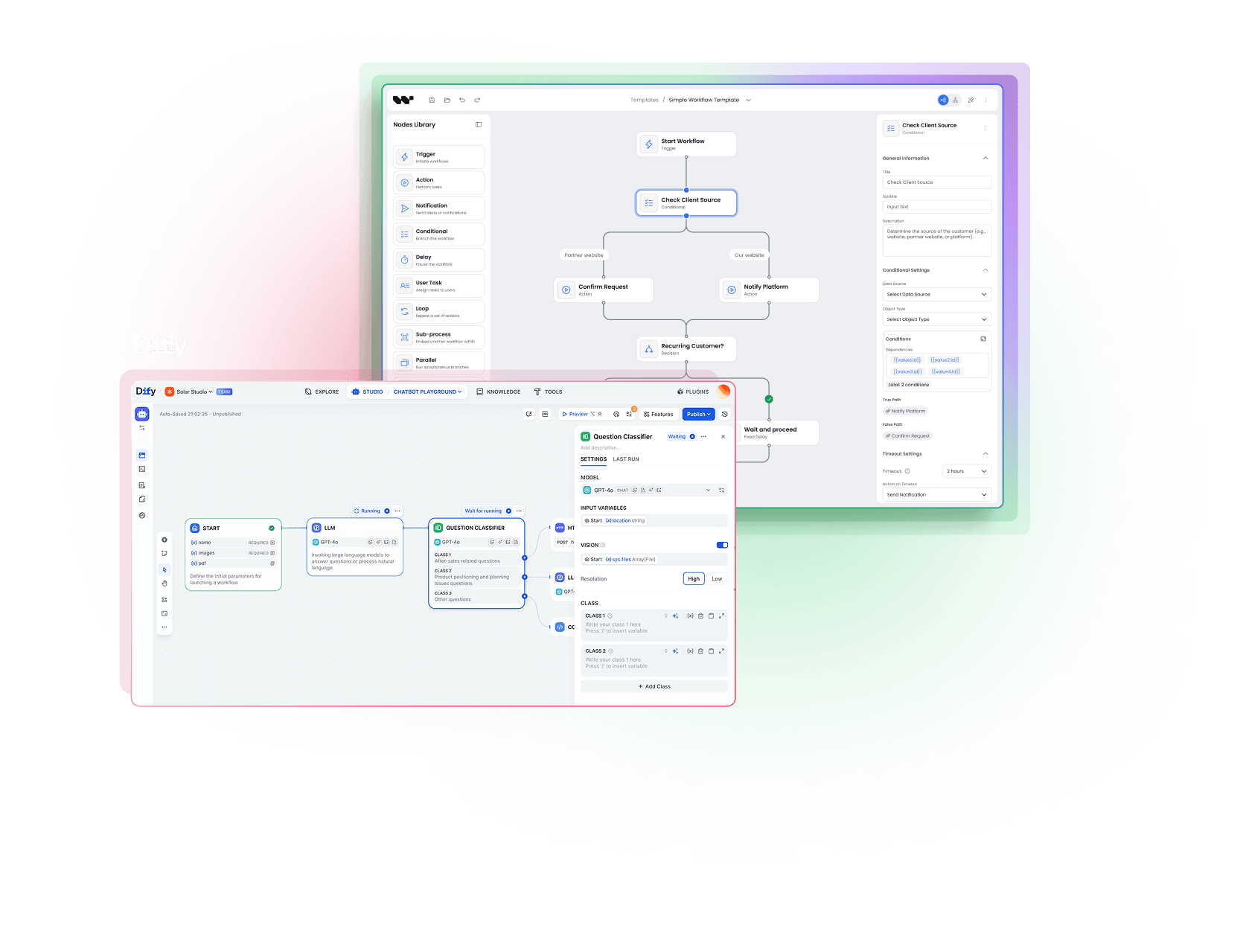
Dify
is a complete LLMOps platform with a visual workflow studio, hosted cloud or self-hosted Community Edition. The OSS license is Apache 2.0 with two restrictions: you cannot run Dify as a multi-tenant SaaS service without a commercial license, and you cannot remove the Dify logo from the console.
Workflow Builder
is a headless React SDK that mounts an editor canvas inside your product. Apache 2.0 with no restrictions. White-label, multi-tenant, and resale are all allowed by the license.
The choice in 1 line: pick Dify when you run an internal LLM application. Pick Workflow Builder when the editor is the product.
Core difference
How is Workflow Builder different from Dify?
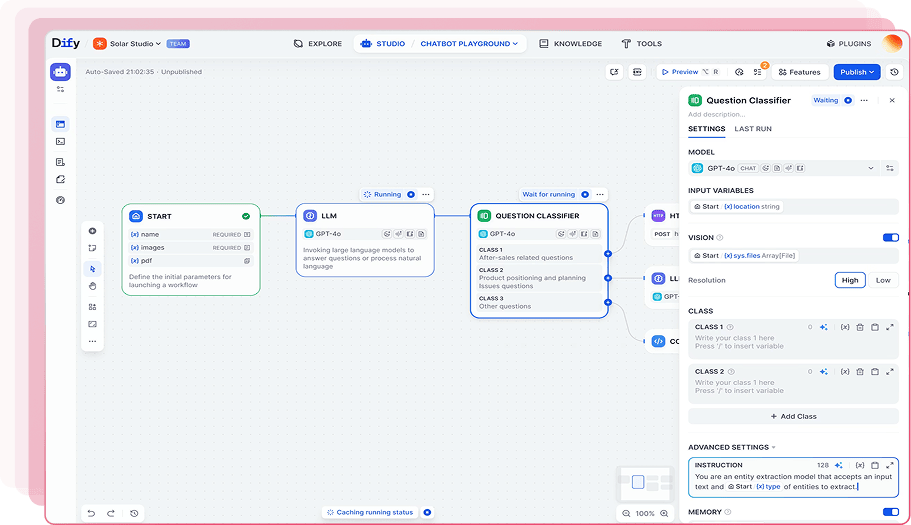
Dify
Complete LLMOps platform with visual studio
A full-stack AI application platform. You build flows on a Dify-hosted (or self-hosted) console, manage datasets, version prompts, monitor runs, deploy as a chat widget or API. The editor is part of the Dify product. End-users see a chatbot, a Dify-branded app share page, or your iframe.
Apache 2.0 with two restrictions (multi-tenant SaaS + frontend branding)
143K stars on GitHub
Python (Flask / Celery) backend, React frontend
30+ model providers, 50+ built-in tools, plugin marketplace
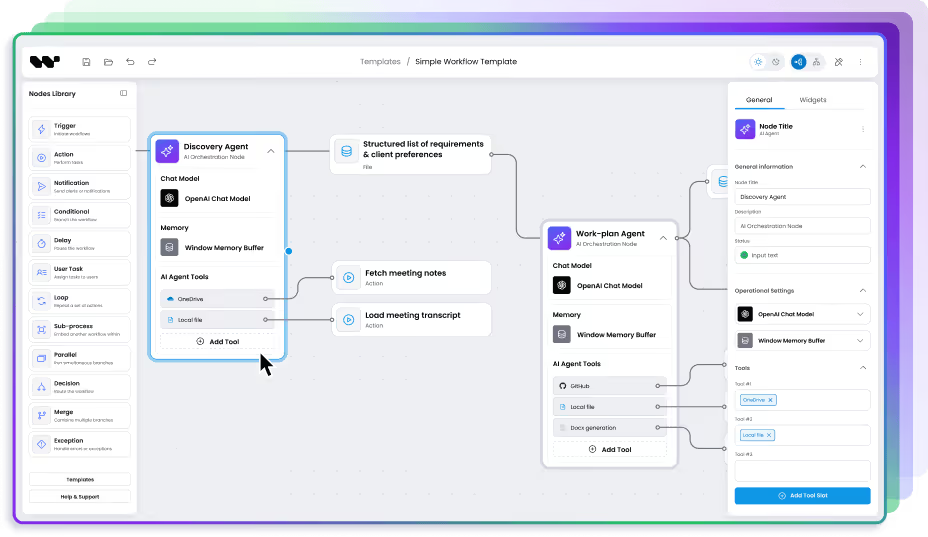
Workflow Builder
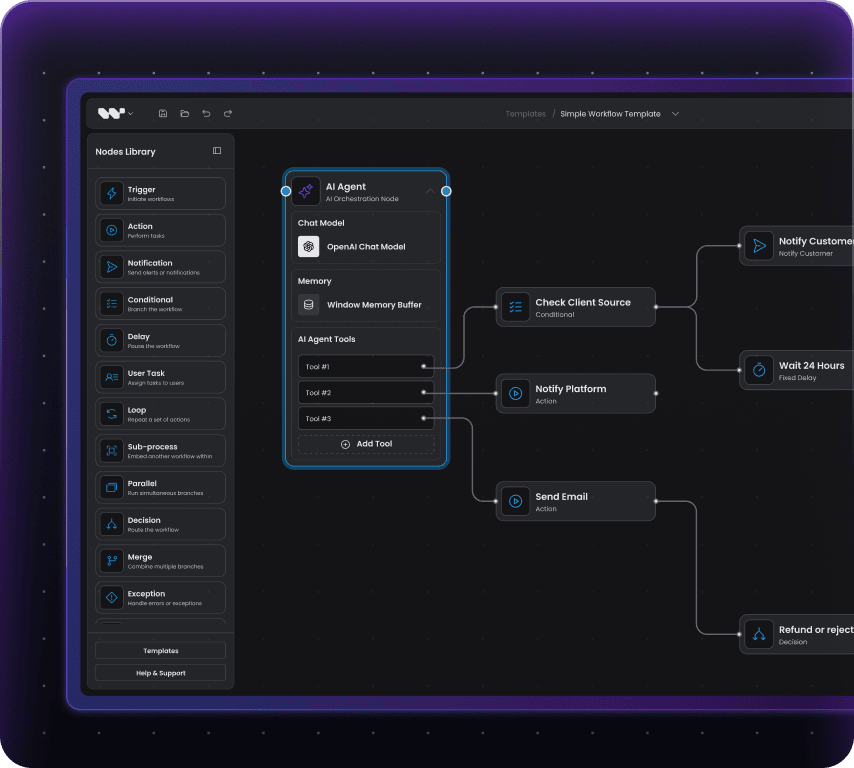
Headless React SDK for embed canvas
A React component you mount inside your product. The canvas, nodes, theme, and runtime are yours. End-users author flows inside your UI, in your design system, against your backend - LLM or not.
Apache 2.0, no restrictions
Runtime-agnostic (LangGraph, Temporal, custom)
React + TypeScript SDK with custom node API
Reference backend ships with Temporal adapter
Dify is a complete LLMOps platform you operate. Workflow Builder is a component you embed.
Where Dify falls short
What are Dify's limits when you embed it in your product?

The multi-tenant SaaS clause
This is the clause that ends most B2B SaaS conversations. Dify's OSS License explicitly prohibits operating Dify as a multi-tenant SaaS service without a commercial license. If your business model is AI product with customer workspaces - the most common B2B SaaS shape - you need a commercial deal with Dify or a different tool. Workflow Builder is Apache 2.0 with no equivalent clause. Multi-tenant resale is allowed by the license. You ship, you white-label, you charge customers, no permission needed.

The Dify logo in your console
Dify's license also forbids removing the Dify logo and copyright notice from the console. For an internal tool, this is harmless. For a customer-facing product, your end-users see another company's brand inside your product. Workflow Builder has no branding constraints. The canvas is yours, the chrome is yours, the brand is yours. There is no required attribution in the UI.

Chat widget embed, not canvas embed
Dify's embed surface is a chat widget, an iframe of a Dify-hosted app, or a REST API. The editor canvas - where flows are authored - is part of the Dify product, not a packaged SDK. If your customers, PMs, or ops people need to author flows inside your UI, the Dify embed model stops at the chat output. Workflow Builder ships the canvas as a React component. End-users build flows inside your application.

Opinionated about AI flows only
Dify is purpose-built for LLM applications. The node palette, datasets, prompt management, and observability are all AI-first. If your product also needs classic data, approval, or back-office flows alongside AI flows, Dify is the wrong abstraction. Workflow Builder is shape-neutral. AI nodes, data nodes, human-approval nodes, custom domain nodes - all first-class.
Feature comparison
Workflow Builder vs Dify
| Dify | Workflow Builder | |
|---|---|---|
| Target audience | Operators running internal LLM applications and LLMOps | Product engineering teams embedding a canvas in their SaaS |
| Primary embed surface | Chat widget, iframe of Dify app, REST API | React component (canvas inside your UI) |
| Editor as React SDK | No - React frontend exists but is not packaged as an SDK | Yes. Native React component, theme-aware |
| Open-source license | Apache 2.0 with two restrictions | Apache 2.0, no restrictions |
| Multi-tenant SaaS resale | Forbidden without commercial license | Allowed by license |
| Self-hosted option | Yes - Community Edition free; Premium / Enterprise licensed | Yes. Apache 2.0, your infra |
| UX ownership | Dify owns the console UI; you own iframes and chat embeds | You own canvas, nodes, theme, routing |
CASE STUDIES
Social proof
Why AI companies pick embed-SDK over a standalone LLMOps platform


15+ years of diagramming expertise | 200+ commercial projects delivered.
Athena Intelligence: 1-day integration vs months of engineering
Athena Intelligence is a US-based, VC-backed AI platform for legal and renewable-energy data intelligence. Their customers - enterprise analysts, not developers - need to build multi-step LLM pipelines without writing Python.
Before Workflow Builder, Athena offered a Python SDK on a lambda-style runtime. End-users had to write code. That model did not scale to the non-developer customers the platform was built for. Athena evaluated build-vs-buy. Building a custom canvas in-house meant weeks of engineering for a feature outside their core IP. Adopting a full LLMOps platform like Dify would not have solved the embed problem - their multi-tenant customer model conflicts with Dify's license, and a Dify-branded console inside the Athena product was a non-starter. The Workflow Builder license, source code access, and CSS-variable theming model settled the decision.

3 days from first call to a working integration inside their product
1 day of engineering to ship the white-label editor in their stack
1 week for follow-up form-logic and theme adjustments

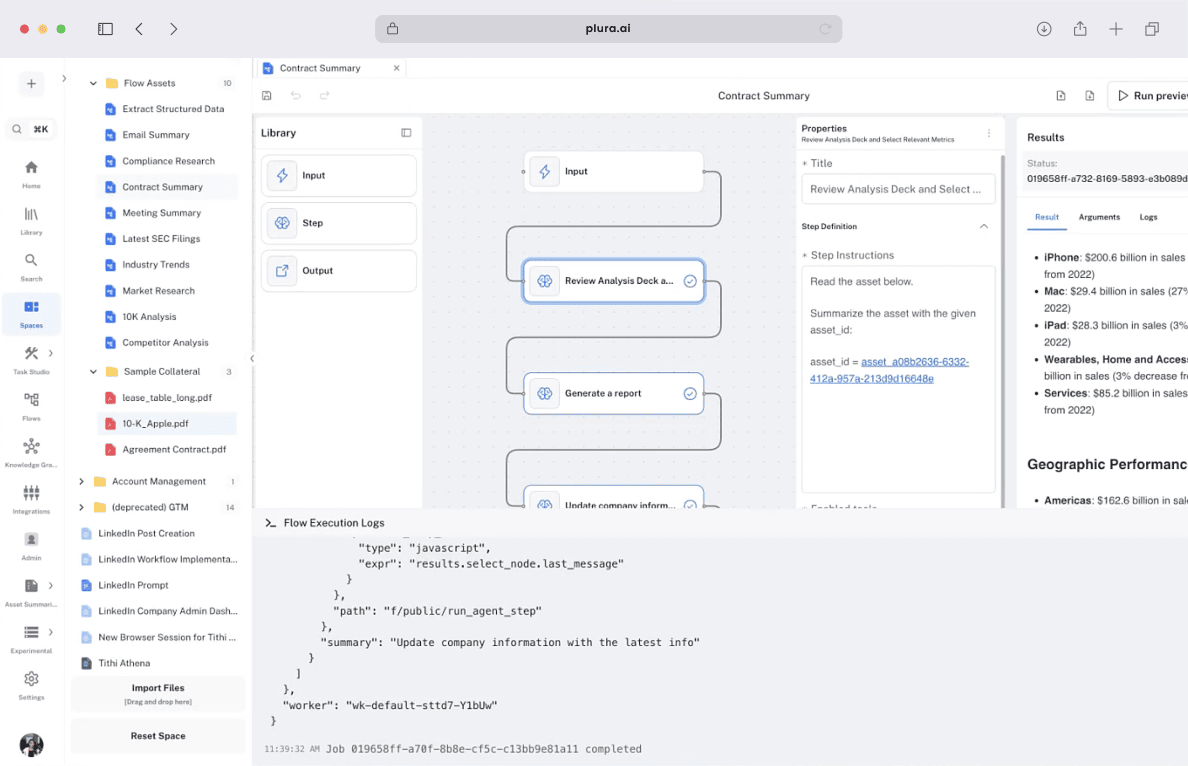

Your business model should not require a vendor's permission
Dify's license blocks multi-tenant SaaS resale without a commercial agreement. Workflow Builder's Apache 2.0 license has no equivalent clause. If you are building a B2B SaaS with customer workspaces, the license terms are a load-bearing part of the decision.

Your customers see your brand, not the vendor's
A custom canvas with node types, undo/redo, edge routing, auto-layout, and theming is a 3-6 month engineering project before you add a single AI node. The Workflow Builder license is one-time and integration is one day. You stay on your roadmap.

The editor is the product, not a side studio
Athena's customers needed to build flows inside the Athena product, not on a separate Dify URL. The headless SDK model is the only path that puts the editor where the work happens.
Pricing
How do Workflow Builder and Dify compare on pricing?
Dify
Sandbox: free
Professional: $59/mo
Team: $159/mo
Enterprise: custom
Self-host Community Edition: free under Dify Open Source License (Apache 2.0 + two restrictions)
Premium / Enterprise self-host: licensed and recurring
3-year cost (Team tier): $159 x 36 = $5,724 for one workspace. Enterprise self-host with SSO and multi-workspace: custom, typically four to five figures per year.
Workflow Builder
Enterprise license: EUR 6,990 one-time
Reference backend included
Self-host on Apache 2.0: free, no addendum, white-label allowed
3-year cost: EUR 6,990. No recurring license fee. Hosting is your call, your infra, your bill.
For a single-workspace internal tool, both are in similar bands at 3 years. For multi-tenant SaaS, white-label, or customer-facing B2B: Workflow Builder is the only one of the two whose license permits the business model.
See full Workflow Builder pricing.
Decision framework
When should you choose Workflow Builder vs Dify?
You are running an internal LLM application (support chatbot, internal copilot, knowledge assistant)
You want a complete LLMOps stack in one product (datasets, prompts, monitoring, models)
A chat widget or iframe embed is the shipping surface
You do not resell to customers as multi-tenant SaaS
A Dify-branded console is acceptable in your tooling
You need an editor canvas inside your SaaS, in your design system
You are white-labeling an embed for multi-tenant or enterprise customers
Your workflows include non-AI shapes (data, approval, domain, back-office)
Your license terms cannot include a multi-tenant prohibition or required vendor branding
You want to bring your own LLMOps stack (or skip it entirely)
Dify or Workflow Builder? The bigger question is build vs buy.
Most teams comparing AI workflow tools skip the third path - building on React Flow themselves. 14-25 weeks of senior frontend work, €50-70k equivalent, and the workflow editor still is not your core product.
See the full math. Read: Build vs Buy →
The bottom line
Dify is a strong product if you are running an internal LLM application and want LLMOps in one place. The 143K stars on GitHub are deserved. The Community Edition is real open source for in-house use, and the cloud tiers are priced reasonably for an operator who wants to skip the infrastructure work.
Workflow Builder is a different shape. It is the editor, packaged as a React SDK, with a license that does not constrain what you do downstream. You give that up in Dify the moment your business model touches multi-tenant SaaS or your brand needs to be the only one in the room. You keep all of it in Workflow Builder because you embed the editor, not a platform around it.
If you are deciding which one to buy: Dify if the chatbot is the product, Workflow Builder if the editor is the product. The Athena Intelligence integration was 1 day. Yours can be too. Book an architecture review and we will sketch the integration shape on a call.
Are you building AI workflows in your product?
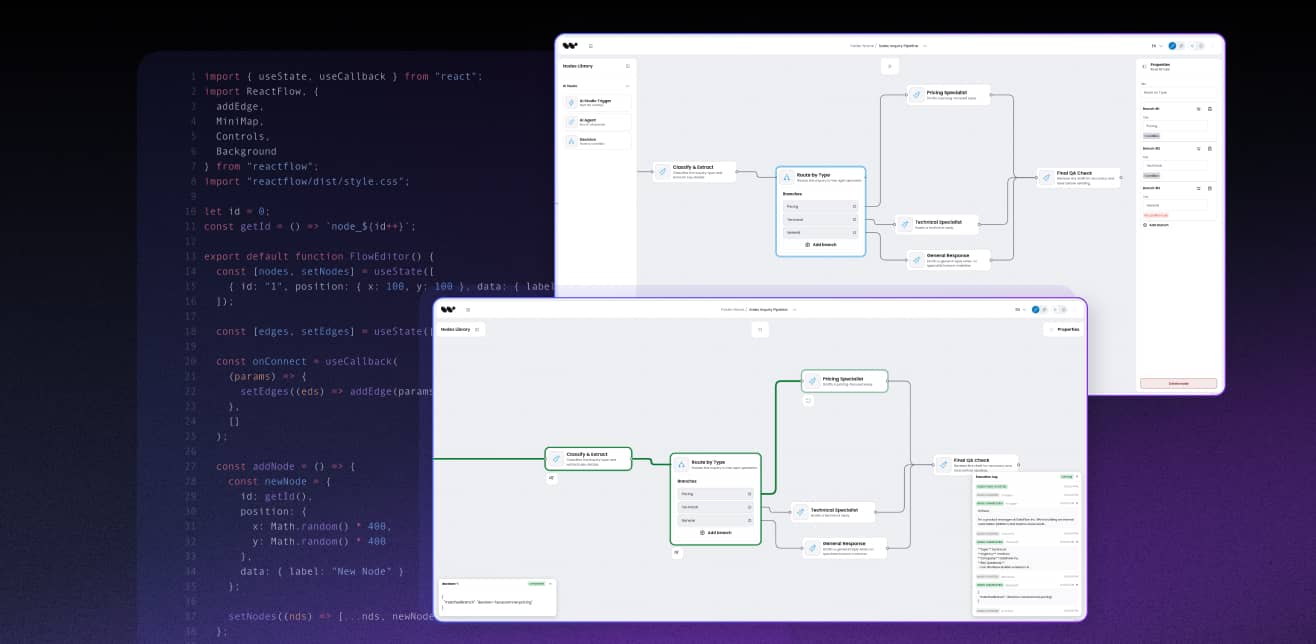
Workflow Builder pairs a code-first visual editor with your existing durable execution - Temporal, LangGraph, or custom.
FAQ
- What is Dify?
Dify is an open-source LLMOps platform with a visual workflow studio, RAG pipelines, prompt management, datasets, observability, and a plugin marketplace. The editor lives on Dify infrastructure (cloud or self-hosted Community Edition). It is licensed under Apache 2.0 with two restrictions: no multi-tenant SaaS, no removing the Dify logo. Workflow Builder is the alternative when you need an editor canvas inside your own customer-facing product.
- Is Dify open source?
Dify Community Edition is free under the Dify Open Source License - Apache 2.0 plus two restrictions. You cannot operate Dify as a multi-tenant SaaS service without a commercial license, and you cannot remove the Dify logo from the console. Premium and Enterprise self-host editions are paid. Workflow Builder is Apache 2.0 with no equivalent restrictions - multi-tenant, white-label, and resale are all allowed by the license.
- Can I run Dify as part of a multi-tenant SaaS product?
Not without a commercial license. The Dify Open Source License explicitly forbids operating Dify as a multi-tenant SaaS service - the most common B2B SaaS shape. API access, website embedding, and shared applications for commercial use are allowed; multi-tenant resale is not. Workflow Builder has no equivalent clause.
- How does Workflow Builder differ from Dify?
Three differences shape the choice. First, Workflow Builder is a React SDK that mounts the editor canvas inside your product; Dify is a standalone platform with chat-widget and iframe embed. Second, Workflow Builder is a single-purpose editor; Dify is a full LLMOps stack (datasets, prompts, monitoring, models). Third, Workflow Builder's Apache 2.0 license has no multi-tenant SaaS or branding restrictions.
- Why would a Dify user move to Workflow Builder?
Three patterns we see: (a) the team's business model is multi-tenant SaaS and the Dify license blocks resale, (b) the team needs an editor canvas inside their own customer-facing UI, not a chat widget next to it, (c) the team needs to remove vendor branding for a customer-facing product. If none of those apply, Dify is a strong choice for internal LLM tools.
- Can I self-host both?
Yes. Dify Community Edition self-hosts under the Dify Open Source License - free for in-house use, with the two restrictions above. Workflow Builder self-hosts under Apache 2.0 - free, no restrictions. The difference is what you do after you self-host: Workflow Builder lets you white-label and resell as multi-tenant SaaS; Dify does not without a commercial license.
- Does Workflow Builder support AI agents and LLM nodes?
Yes. Workflow Builder is runtime-agnostic, so you can plug in LangGraph, Temporal, OpenAI, Anthropic, or a custom backend. The reference backend ships with a Temporal adapter. The trade-off vs Dify: Dify has a complete LLMOps stack (datasets, prompts, monitoring) baked in; Workflow Builder is the editor only - you bring your own LLMOps platform or skip it.
- Do I need to know Python to use Workflow Builder?
No. Workflow Builder is TypeScript-first with a React SDK. You can connect it to a Python backend, a Node service, a Go backend, or anything that consumes the JSON graph definition the editor produces. Dify's backend is Python (Flask / Celery); Workflow Builder is stack-agnostic.
- How long does integration take?
Athena Intelligence shipped a white-label integration in 1 day of engineering, with theme and form-logic adjustments inside the first week. Total elapsed time from first call to integrated editor: 3 days. The 1-day number assumes a senior React engineer and an existing backend - your mileage will vary with custom node count and theme complexity.
- What does Workflow Builder cost?
EUR 6,990 one-time for the Enterprise license. That includes the React SDK and the reference backend with the Temporal adapter. You also get a set of advanced interactive features and plugins that would take hundreds of engineering hours to build to production quality - undo/redo, edge routing, auto-layout, minimap, custom node form schemas, theming, and more. Hosting is your bill. There is no per-workspace, per-seat, or per-execution fee on the editor side.
Ready to put the editor inside your product?
A 30-minute architecture review will tell you whether Workflow Builder fits your stack. We will sketch the integration on a call. No slides.
Citations and references
- Dify GitHub repository: github.com/langgenius/dify - stars count, releases, source-of-truth for Dify Open Source License
- Dify documentation: docs.dify.ai - feature claims, plugin marketplace, model providers
- Dify pricing page: dify.ai/pricing - cloud tier breakdown (Sandbox/Professional/Team/Enterprise)
- Dify Open Source License: Apache 2.0 + 2 restrictions,
license file in Dify GitHub repoApache License 2.0 - Apache License 2.0: apache.org/licenses/LICENSE-2.0
- Workflow Builder case study - Athena Intelligence: workflowbuilder.io/case-study/athena-intelligence