
Build vs buy a workflow editor — the real cost of React Flow from scratch
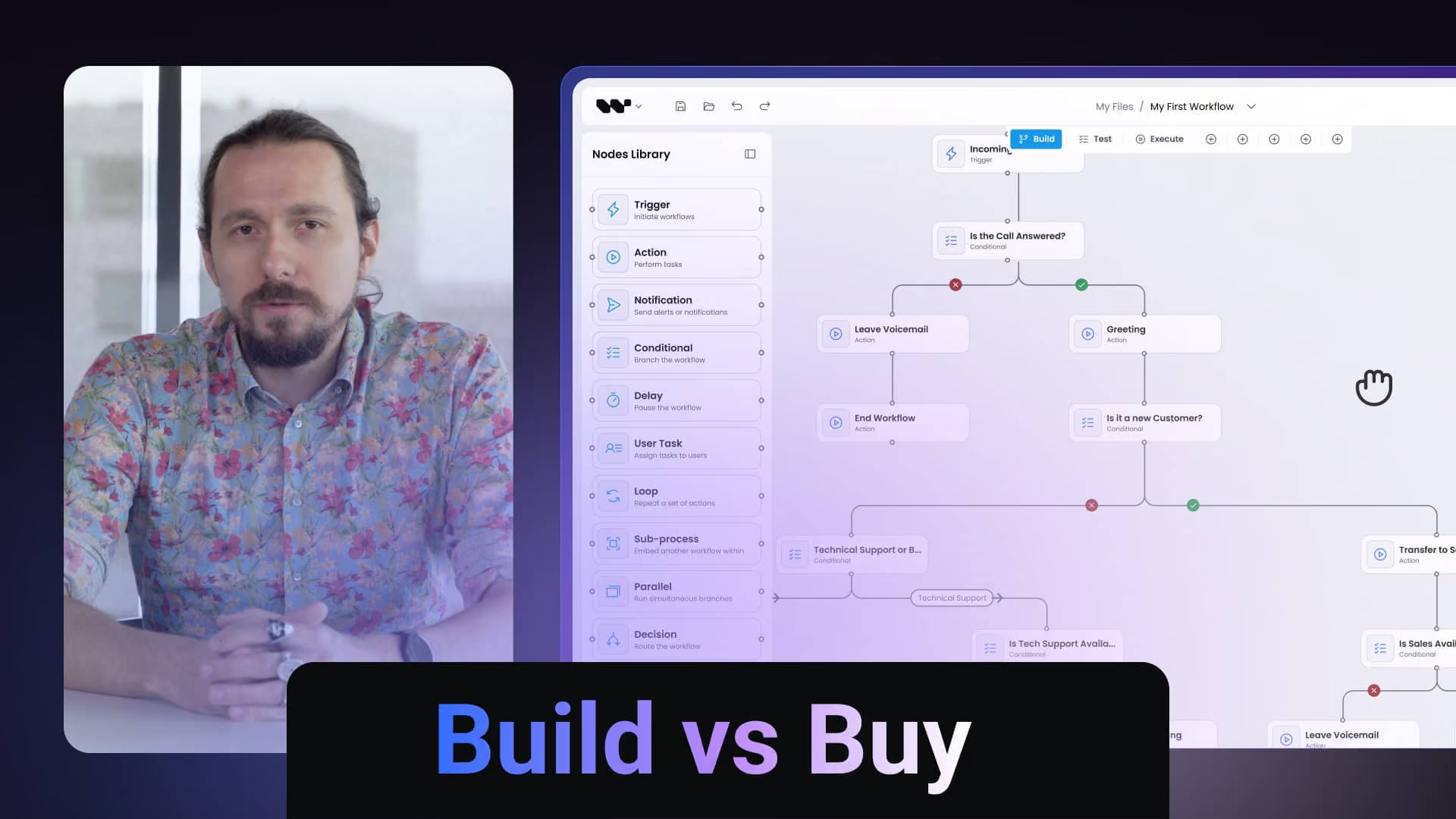
React Flow gives you a canvas. Production workflow editors need 14–25 weeks of engineering on top — edge routing, auto-layout, node configuration, validation. Workflow Builder SDK fills that gap in 1–4 weeks. Watch the 14-minute breakdown - the math, the trade-offs, and the teams who skipped the build.

13:37

Read the full transcript
Here's a pattern I've watched play out more than once. A senior developer scopes a workflow editor for the roadmap, and with today's AI tooling the working prototype lands in about a week. You can drag nodes around, connect them, save the JSON, and the demo looks great.
Then three months later the cracks show. The auto-layout breaks past 80 nodes, edges start crossing straight through nodes once they have custom sizes, the properties panel doesn't match your design system, and adding one new node type means touching seven files - because nobody on the team had built a diagramming tool before.
If you've seen that happen, on your team or someone else's, this one's for you.
I want to walk through three things: what "build it yourself" actually delivers in 2026, now that AI shrinks the first version from weeks to days; when buying an SDK is the better bet; and when building from scratch is still the right call.
No sales pitch. I just want to show you where the real gap sits.
Someone on the roadmap wants a visual workflow editor. Drag-and-drop nodes, connected logic, the ability for your users to build their own automations inside your product.
The conversation usually turns to build versus buy, and it looks like a clean binary. You build it on React Flow, which is MIT-licensed, free, and your team already knows React - especially now that AI agents can scaffold the first version in days. Or you pay a vendor for something like an n8n-style platform, around $50,000 a year, with limited control over the UX.
Most teams pick build. The cost looks lower, the customization ceiling looks higher, and AI makes it feel even safer, because the first prototype shows up so fast that the gap stays invisible for a while.
That framing misses a third path.
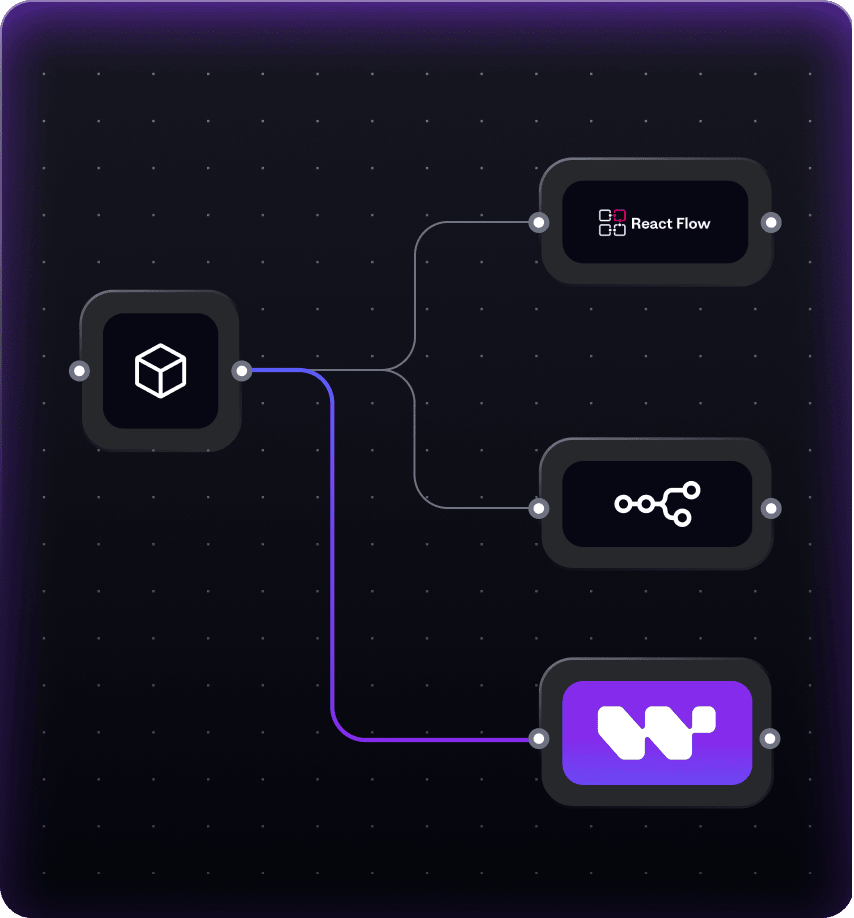
You can build on a workflow SDK - a layer that sits on top of React Flow and ships the parts you'd otherwise write yourself. You get the same UX control as a from-scratch build, without taking the multi-year extensibility and maintenance bet on alone.
And this is the part that actually changed in 2026. With AI, the interesting question is no longer how fast you ship the first version; that's just not the constraint anymore. The real question is what happens 12 months in, when you need a 14th node type, a redesign, a mobile pass, a performance fix. Is it code your team understands? Will the people who vibecoded the canvas still be the ones maintaining it?
So it isn't really build or buy. It's build from primitives, buy a SaaS platform, or buy an SDK and customize. I'll go through each, starting with what building it yourself actually gives you.
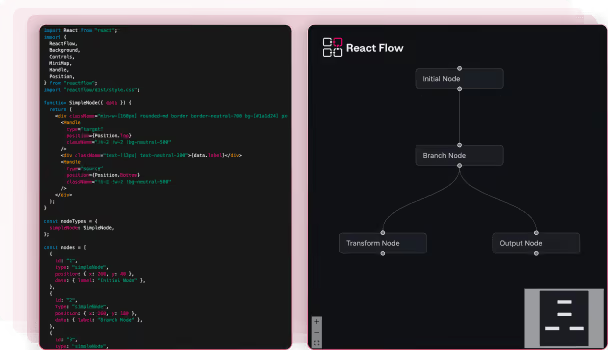
React Flow is an excellent diagramming library. Out of the box you get pan-zoom, node rendering, drag-to-connect, and basic edges. The Pro tier adds more advanced things like obstacle-aware edge routing, so this really isn't 2022 anymore. The library has grown into a strong foundation.
What React Flow doesn't ship - on purpose, because it's a library and not a product - is everything wrapped around the canvas. A configurable palette your users drag from. A properties sidebar that renders the right form for each node type. Design system integration, so the editor doesn't look like a third-party widget glued onto your product. A plugin architecture, so a new feature request doesn't mean forking the canvas. Validation, undo/redo, copy/paste, the performance work, the drag-and-drop UX.
Those are the parts your team builds. AI helps with them, a lot. But it won't tell you which UX patterns hold up at 500 nodes and which ones fall apart, because that knowledge isn't sitting in the training data the way React boilerplate is.
Two years ago I'd have stood here and told you building this from scratch takes four to six months and costs somewhere between $80K and $150K. That argument just doesn't hold in 2026.
Today a competent React team plus AI agents can ship a working workflow editor demo in a week, maybe two if they're careful. The timeline gap between build and buy has mostly closed - or at least narrowed enough that "time to first demo" isn't where you should be making this call anymore.
So where is the decision made now? It comes down to four things.
Production quality. React Flow's performance is good on its own. What kills it is how you wire it into your state. One careless re-render, one stale closure in a node handler, and your 500-node diagram drops from 60fps to a slideshow. The library can't protect you from that - it's not its job, it's on whoever integrates it. AI scaffolds the version that works in the demo. It doesn't catch the re-render that ships to production.
Extensibility. The first AI-built version works fine. Then the product team comes back six months later wanting conditional branches, validation, new node types, a redesigned properties panel - and now you're iterating on code AI wrote in a week, without the architectural decisions you'd have made if you were building for the long haul. I've watched this happen more than once. The first version ships fast, and every change after that costs more than it should.
UX depth. Copy-paste, undo-redo, dragging from a palette, snap-to-grid, reshaping edges, a different properties form for each node type. Every one of these feels obvious in hindsight and is genuinely fiddly to get right. Your team will solve all of them. The question is just whether that's where you wanted their time going, instead of into your actual product.
And maintenance. AI-built code tends to be easy to ship and harder to extend, because the architecture is whatever the model happened to pick in the moment - not what your team would have chosen if it were thinking about year three.
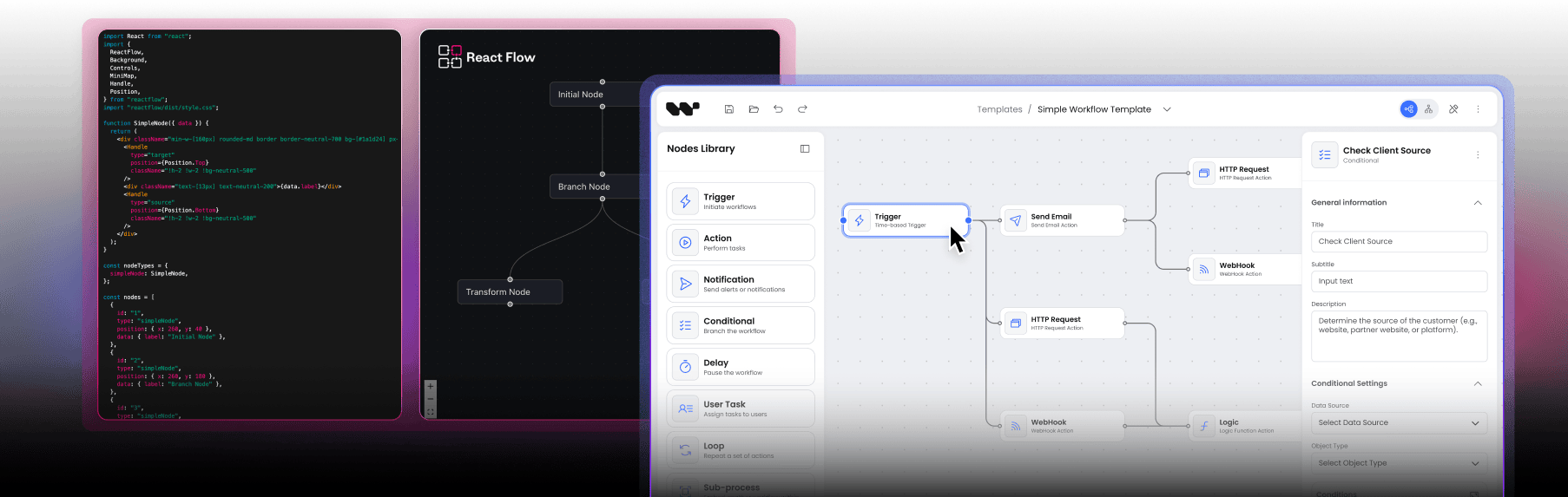
This is what production-ready actually looks like in practice. A configurable palette on the left, where your users drag node types onto the canvas. A properties sidebar on the right that's schema-driven, with a different form for each node type, plus validation and conditional fields.
This is the part most people miss when they're evaluating React Flow. The canvas itself is a solved problem. It's the application around the canvas - the palette, the properties, the layout, the tooling - that takes the time.
Workflow Builder ships this out of the box, configurable per node type. You define the schema and the editor renders the form. The palette works the same way: configure it once, and your users drag from it.
If you build it yourself, you'll get there and it'll work. The cost was never the form library. It's the design decisions, the edge cases, fitting it to your design system, and the maintenance every single time you add a node type.
Quick word on edge routing, since it's one of the differences people bring up most, even though it's not the whole story.
On the left, basic edge handling. On the right, obstacle-aware routing. For a workflow editor this is really a quality-of-life feature. For tools where routing is the product - electrical schematics, network diagrams - it'd be a genuine buying decision. For workflows it's just one of the many pieces you get when you don't build the whole thing yourself.
There are two costs the spreadsheet never shows, and they apply whether you build it in a week with AI or a quarter without it.
The first is opportunity cost. A senior engineer spending four weeks - or four months - on canvas integration isn't spending that time on the thing that actually sets your product apart. If the workflow editor isn't your moat, every cycle there is a cycle a competitor put into something that moves their deals.
The second is maintenance lock-in. Whoever ships the first version owns it. If that's your team, the canvas turns into a permanent line on every quarterly roadmap: new node types, design system updates, performance regressions, accessibility work. Each one reopens code that takes real context to navigate. With an SDK, that's somebody else's problem.
Build from React Flow when the editor is an internal prototype, an admin tool, or a narrow utility where polish is genuinely optional. AI makes this faster than ever - if "good enough for internal use" is the bar, you can ship in days.
Also build when the workflow editor is your product, not a feature inside it, because then the canvas is your differentiator and you should own every line of it. And build when you need an interaction model so specific that any SDK would just get in your way.
Buy a SaaS platform, something like an n8n embed, when standardized automation flows are enough and you don't need custom UX or branded nodes. When your users are technical and fine with vendor UI. When $50,000 a year recurring is acceptable. And when being locked into the vendor's visuals, branding, and roadmap works for your business.
Buy an SDK like Workflow Builder when you're embedding the editor as a customer-facing feature in your product. When quality matters - performance at scale, UX polish, fitting your design system. When you know you'll keep adding node types for years and want a clean place to extend, not a forked canvas. And when you'd rather point your engineering capacity at your differentiator than at the editor around it.
So if your situation lands in the first card - internal tool, or the editor is your product - build it. AI makes that more viable than it was 18 months ago.
If it lands in the second - vendor UX is fine, a recurring license is fine - buy the platform.
And if it lands in the third - customer-facing, quality matters, extensibility matters - that's where buying an SDK pays off.
The simplest way to describe Workflow Builder: it's React Flow wrapped in a black box that's ready for production, exposed as a clean API.
You don't need to know which internal libraries we use for routing or layout, and you don't write the integration glue. You configure the editor through props and schemas, and it brings the rest.
One thing worth pointing out: there's no execution engine in there. Workflow Builder is a frontend SDK. Your output is workflow JSON, and your backend runs it. We never see your data, we don't host your workflows, and there's no SaaS dependency.
It ships via npm and it's fully extensible through the API. If you want source code access, the Enterprise license includes it - but honestly, most teams never need it. The whole point is the black box plus an extension API: full customization without inheriting a canvas codebase you didn't write.
Let me give you two teams who took the SDK route. Different shapes, same logic.
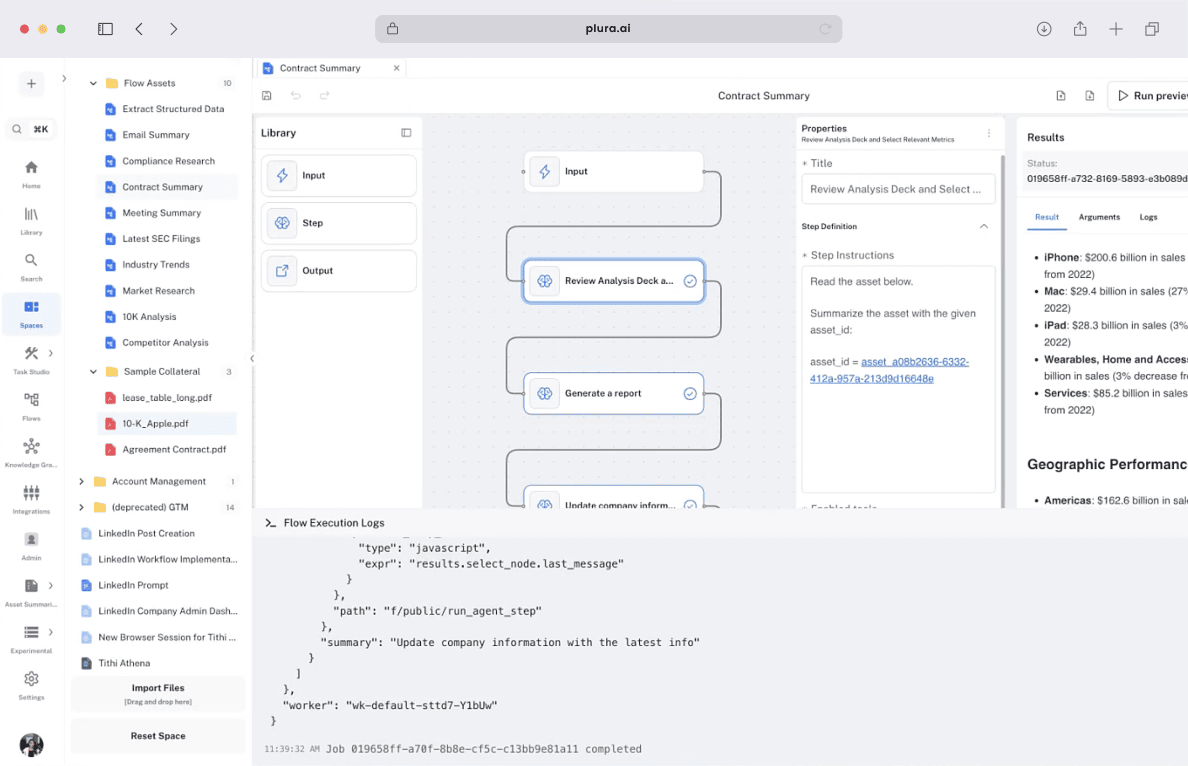
First, Athena Intelligence. They build AI for legal and renewable-energy data intelligence, and their team needed a visual workflow editor inside their product. They had an investor demo coming up and no spare canvas engineering capacity to throw at it.
They deployed Workflow Builder on a white-label license. Working demo in a day. Full customization - the form logic, CSS adjustments, design tokens scoped to match their product - done in a week.
The win isn't really the building time they saved. It's that the senior engineering time those weeks would have eaten went into their core AI product instead. That's the opportunity cost made concrete - and it would have applied either way, whether they vibecoded the canvas in a week or did it carefully over a quarter.
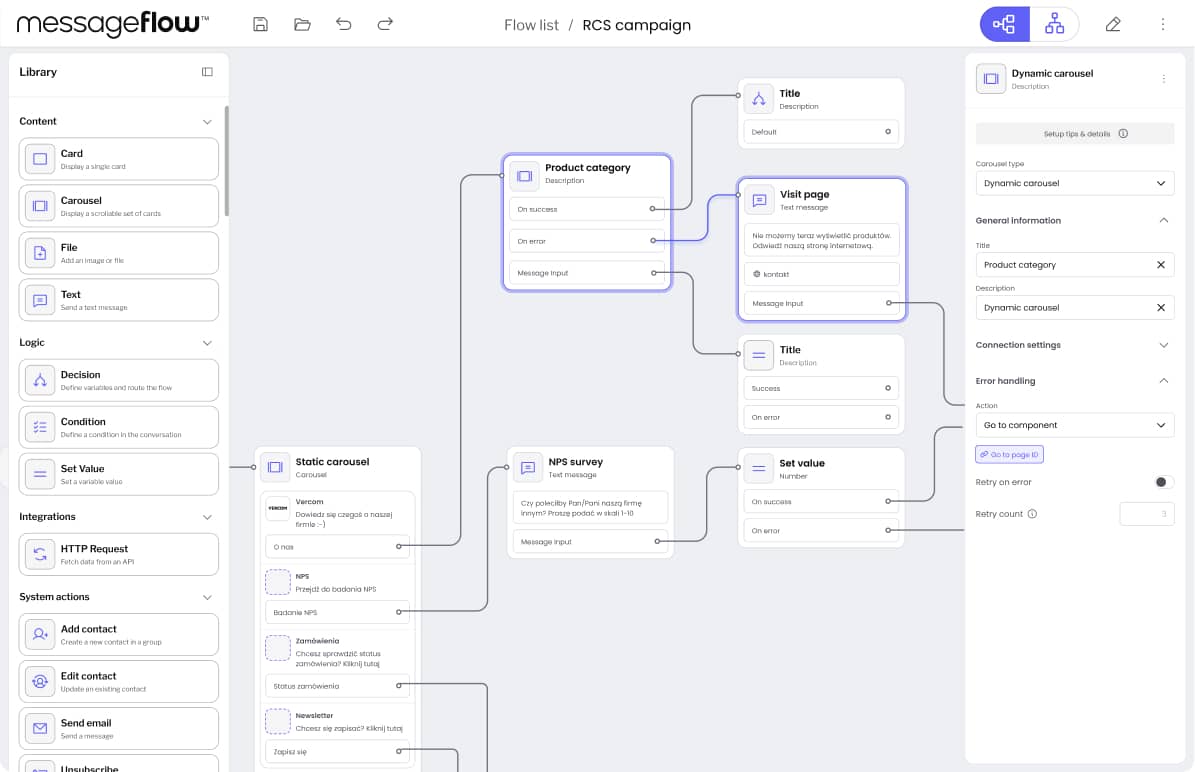
Second, Vercom. They run MessageFlow, an enterprise messaging platform, and they needed something called RCS Flow Studio - a no-code RCS campaign builder for their enterprise clients. Brand-consistent UX, RCS-specific node types, and deep integration with their existing Angular app.
What pushed them off building it themselves was the mix of RCS-specific requirements and the Angular embed. The open-source libraries out there didn't have what they needed, and from scratch this would've been a multi-quarter project even with a strong team.
They shipped on Workflow Builder, packaged as a Web Component so the Angular host could embed it natively. Custom RCS nodes - text, cards, a carousel with map, phone and calendar suggestions, conditional decisions, HTTP requests, system actions. Token-based theming so it matched Vercom's brand.
Vercom is the harder case, honestly. Custom node types, custom theming, embedded in a host that isn't even React. If the SDK couldn't bend that far, they'd have been back to building from scratch. It bent.
If you're scoping this decision right now - maybe a week or three into "we could just build it on React Flow, especially with AI" - I'd offer one thing before you commit.
Book a 30-minute consult with us. It's free, and there's no sales pressure.
The reason it's worth your time: we've shipped over 200 commercial workflow editors across 15 years of diagramming work. We've seen which decisions still hold up at 18 months, and which ones end with people rotating off the canvas code because nobody wants to touch it. AI changed how fast you ship the first version. It didn't change which patterns survive year three.
If your situation looks like Athena's or Vercom's, we'll show you the path. And if it looks like one of the build-it-yourself cases - an internal tool, or the editor is your product - we'll tell you that too.
The decision is yours either way. The 30 minutes is just so you make it with better information than the README of a single library.
If this was useful, subscribe - we publish breakdowns of workflow editors, diagramming UX, and the production layer most React Flow tutorials skip right past. Next up: how Athena Intelligence customized Workflow Builder in a week.
Thanks for watching.
Built on React Flow · 15+ years of diagramming projects · 200+ commercial workflow editors delivered


The decision
The decision you’re actually making
Someone on the roadmap wants a visual workflow editor — drag-and-drop nodes, connected logic, the ability for users to build their own automations inside your product. The conversation turns to build vs buy.
It looks like a clean binary. Build it on React Flow (MIT-licensed, free, the team already knows React) or pay for a vendor (n8n-style platform at ~$50K/year with limited UX control). Most teams pick build because the upfront cost looks lower and the customization ceiling looks higher.
That framing misses the third path. Building on a workflow SDK — a production layer that sits on top of React Flow and ships the 14–25 weeks of engineering you'd otherwise build from scratch — gets you to production in 1–4 weeks while preserving full UX control and source code ownership.
One thing changed since teams started running this math: AI tooling now ships
the first prototype in days. What it doesn't ship is the production layer -
routing, node configuration, performance at scale, and the maintenance that
follows. The video above covers where the gap moved in 2026.
The choice isn't build-or-buy. It's build from primitives, buy a SaaS platform, or buy an SDK and customize. This page is the cost comparison and the decision framework.
Three paths
Your paths to a production workflow editor
| Build from React Flow | Buy a SaaS platform (e.g. n8n embed) | Buy an SDK and customize (Workflow Builder) | |
|---|---|---|---|
| Upfront cost | $67,200 – $120,000 dev time | ~$50,000/year license | €6,990 one-time license |
| Time to production | 14–25 weeks | Days to weeks | 1–4 weeks integration |
| Recurring cost | 1 FTE/year maintenance | ~$50,000/year + scaling | Minimal — own the code |
| UX & design system control | Full (you build it) | Limited — vendor styling | Full — design tokens, scoped CSS |
| Source code ownership | Yes | No | Yes — Apache 2.0 (Community) or commercial license |
| Vendor lock-in risk | None | High — pricing, deprecation, embed terms | None — perpetual license, no subscription |
| Edge routing, auto-layout, node config | Build from scratch | Vendor-defined | Included (libavoid, ELK, JSON Schema) |
| Custom node types | Full freedom | Vendor-constrained | Full freedom |
| Best for | Internal prototypes; teams with existing canvas infra | Standalone automation product where workflow IS the product | SaaS embedding a workflow editor as a feature |
The build cost
What 14–25 weeks of "build from scratch" actually looks like
React Flow gives you a canvas with pan-zoom, node rendering, and drag-to-connect. Everything users expect from a workflow editor — the production layer — is on you.
| What you need | Build effort | Cost (at $120/hr) |
|---|---|---|
| Obstacle-avoiding edge routing | 2–4 weeks | $9,600 – $19,200 |
| Auto-layout (ELK integration) | 1–2 weeks | $4,800 – $9,600 |
| Schema-driven node configuration panels | 2–4 weeks | $9,600 – $19,200 |
| Design system integration | 1–3 weeks | $4,800 – $14,400 |
| Performance optimization (500+ nodes) | 2–4 weeks + ongoing | $9,600 – $19,200 |
| Execution state visualization | 2–4 weeks | $9,600 – $19,200 |
| Validation & error states | 2–3 weeks | $9,600 – $14,400 |
| Total initial build | 14–25 weeks | $67,200 – $120,000 |
| Maintenance, year one | 1 FTE equivalent | $150,000+ |
Opportunity cost
A senior React developer spending four months on a workflow canvas is not spending those four months on your core product. For most B2B SaaS adding a workflow editor as a feature, the workflow editor is not the differentiator. The product around it is.
Compounding maintenance
A workflow editor embedded in your product isn't static infrastructure — it's a living component that evolves alongside every feature you add. React 19. New node types. Mobile gestures. Accessibility audit. Each one re-opens the canvas code.
“€6,990 feels expensive for our MVP needs, but I calculated that building this would cost 20–25k in developer time.”startup evaluator, quoted in the hidden cost analysis
Decision framework
When to build, when to buy a platform, when to buy an SDK
Build from React Flow
The editor IS your product
- The editor is an internal prototype or narrow tool with no production polish required
- Your team has shipped a production workflow canvas before and has the abstraction layer code ready to reuse
- You need a custom interaction model that an SDK would constrain
- The workflow editor IS your product, not a feature in your product — and you have the engineering capacity to maintain it for years
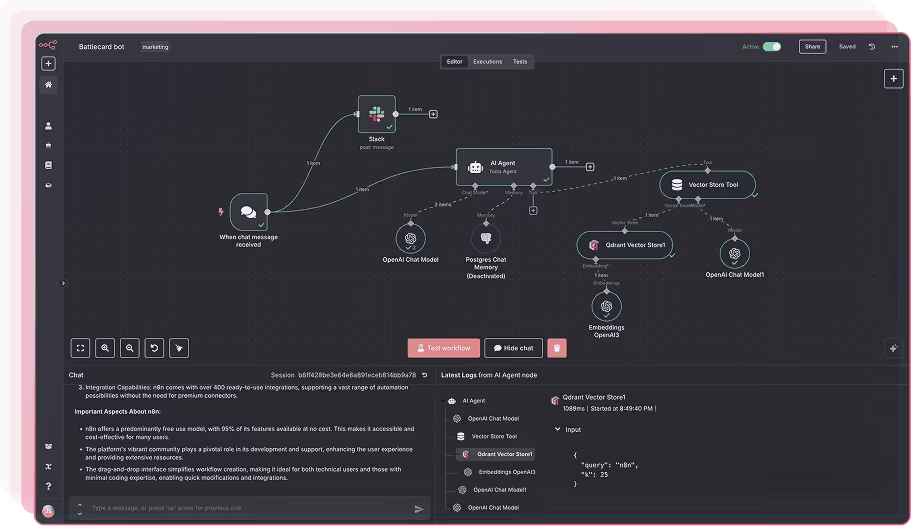
Buy a SaaS platform
n8n embed, Zapier-style
- Standardized automation flows are good enough — you don't need custom UX or branded nodes
- Your users are technical and tolerate vendor UI
- ~$50K/year recurring is acceptable relative to the alternative
- You're OK with vendor lock-in on visual layer, branding, and roadmap
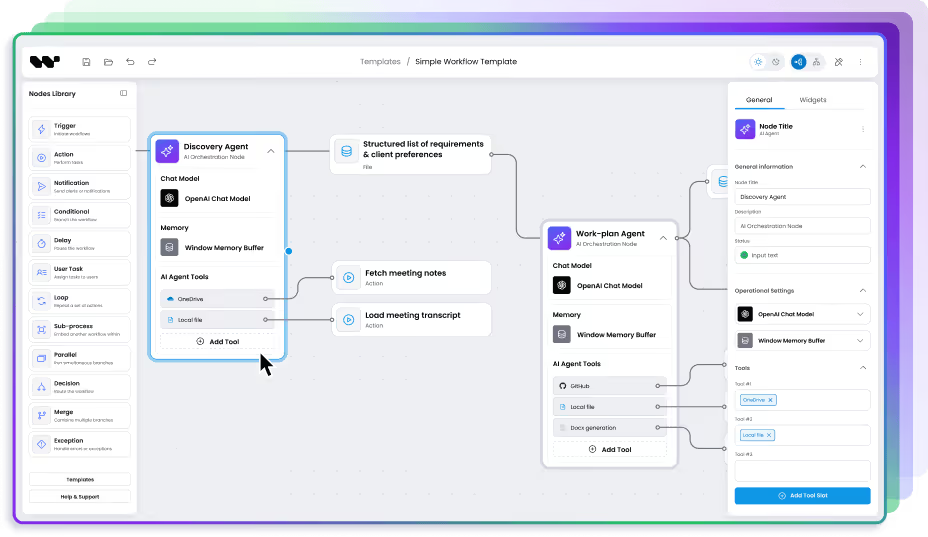
Buy an SDK and customize
Workflow Builder
- You're embedding a workflow editor as a feature inside an existing B2B SaaS product
- Deadline matters — investor demo, roadmap commitment, market window
- Design system integration is non-negotiable; the editor has to match your product
- You want source code, no recurring license, no vendor lock-in
- Your team is strong at React/business logic but lacks specialized canvas engineering experience

Architecture
Workflow Builder is built on React Flow
Choosing Workflow Builder is not choosing against React Flow. It is choosing a production workflow editor layer built on top of it — the edge cases solved, the production patterns extracted, and the hard problems packaged into a composable SDK.
When you use Workflow Builder, React Flow still handles the canvas. You get the full React Flow ecosystem — its documentation, its community, its plugin library — plus the layer that handles what React Flow intentionally leaves open.

Your product
Your application, your users, your brand

Workflow Builder SDK
Edge routing · Auto-layout · Schema-driven UI · Design system · Flow Runner

React Flow (@xyflow/react)
Canvas · Nodes · Edges · Pan/zoom · Drag-to-connect
Proof
How teams ship a workflow editor with Workflow Builder
Not features of Workflow Builder. Examples of what it lets teams build, and how fast.
One day to a production editor
Athena Intelligence deployed a production-grade workflow editor in 1 day using Workflow Builder's white-label license. Full customization — form logic, CSS adjustments, scoped design tokens — completed in 1 week. Weeks of internal development eliminated; engineering capacity redirected to core product.

RCS Flow Studio built fast
Vercom shipped RCS Flow Studio — an enterprise-grade visual campaign builder — using Workflow Builder's React SDK with custom RCS nodes and token-based theming. Delivered ahead of schedule, within budget, and ahead of Vercom's own backend integration. Highest quality score in Vercom's internal assessment; positioned as the most user-friendly RCS tool on the market.

I found you guys, I was like, wait a minute. Someone's actually focused on the front end part. That's where expertise is tough.
Recent quote from discovery meeting
CASE STUDIES
FAQ
Frequently asked questions
- Should we build a workflow editor or buy one?
Build from React Flow primitives only if the workflow editor is your product (not a feature) and you have engineering capacity for 14–25 weeks plus ongoing maintenance. For B2B SaaS adding a workflow editor as a feature, buying an SDK (Workflow Builder) typically wins on time-to-market (1–4 weeks vs 14–25), cost ($6,990 one-time vs $67,200–$120,000), and ongoing maintenance burden. Buying a SaaS platform (n8n-style embed) makes sense only when vendor UX and ~$50K/year recurring are both acceptable.
- How much does it actually cost to build a workflow editor on React Flow?
A production-grade workflow editor built on React Flow takes 14–25 weeks of senior developer time — $67,200 to $120,000 at $120/hr. Add roughly one full-time engineer per year for ongoing maintenance. Hidden categories most teams under-estimate: obstacle-avoiding edge routing (2–4 weeks), schema-driven node configuration (2–4 weeks), design system integration (1–3 weeks), and performance optimization beyond 500 nodes.
- What does React Flow not include?
React Flow provides canvas primitives — pan-zoom, node rendering, drag-to-connect, basic edges. It intentionally leaves the production layer to developers: obstacle-avoiding edge routing, automatic layout, schema-driven node configuration panels, design system integration, validation logic, execution state visualization, and performance optimization for hundreds of nodes. These represent 14–25 weeks of engineering before a workflow editor is ready for real users.
- Is Workflow Builder a replacement for React Flow?
No — Workflow Builder is built on React Flow. It adds the production layer (edge routing, auto-layout, node config, design tokens) without replacing React Flow's canvas primitives. You keep access to React Flow's documentation, ecosystem, and plugin community.
- What's the difference between Workflow Builder and n8n?
n8n is a standalone workflow automation platform with its own UI and execution engine — you embed n8n's product into yours, accepting vendor styling and ~$50K/year licensing. Workflow Builder is an SDK — you embed the editor component into your product, fully styled with your design system, with your backend executing the workflows. n8n is right when the workflow IS the product; Workflow Builder is right when the workflow is a feature inside your product.
- How long does Workflow Builder integration actually take?
1–4 weeks for most teams. Athena Intelligence had a working demo in 1 day and full customization in 1 week. Vercom shipped a production RCS campaign builder ahead of their own backend integration timeline. Integration scope depends on how many custom node types you need and how deep design system integration goes.
- What does 30-min consultation include?
A 30-minute intro call with a Workflow Builder expert, who has shipped workflow editors at enterprise scale. We learn about your situation and the project you're shaping, walk you through what Workflow Builder is, and discuss how it fits your needs. No sales pressure. If a deeper architecture review or cost estimate would help afterwards, we'll schedule that as a follow-up.
- Can we migrate from a React Flow build to Workflow Builder later?
Yes — Workflow Builder is built on React Flow, so your existing node components, edge logic, and React Flow state typically port over without rewriting. Most migration work is replacing in-house edge routing, auto-layout, and configuration panels with Workflow Builder's equivalents, then mapping your design tokens. We'll cover migration paths in Architecture Review if it's relevant.
Get the cost math for your specific use case
30 minutes with the team that has shipped 200+ commercial workflow editors. Build, buy, or SDK, we'll give you the honest answer.