AI workflow audit trail: what regulated SaaS products need beyond logs

Standard application logs are not an AI audit trail. They were designed to help engineers debug, not to help compliance officers reconstruct a decision. As regulated buyers – financial services, healthcare, government, insurance – start evaluating SaaS products with AI features in them, the question they ask is no longer “can you log it?” but “can you reproduce the decision, step by step, six months from now?” That question is product infrastructure, not paperwork.
The conversation about AI compliance has so far been dominated by frameworks: the EU AI Act, NIST guidance, ISO 42001, sector-specific rules in finance and healthcare. The frameworks tell you what records to keep. They do not tell you what those records have to look like to be useful when an auditor or regulator actually arrives. Most SaaS teams discover the gap during their first enterprise security review, when a procurement team asks for “the audit trail for the AI agent decisions” and the team realizes the application log does not answer the question.
This article is about that gap – not the legal one, the technical one. What an AI workflow audit trail actually has to capture, how it differs from logs, and why workflow infrastructure with durable execution underneath is the only practical place to build it.
Limitations of standard application logs
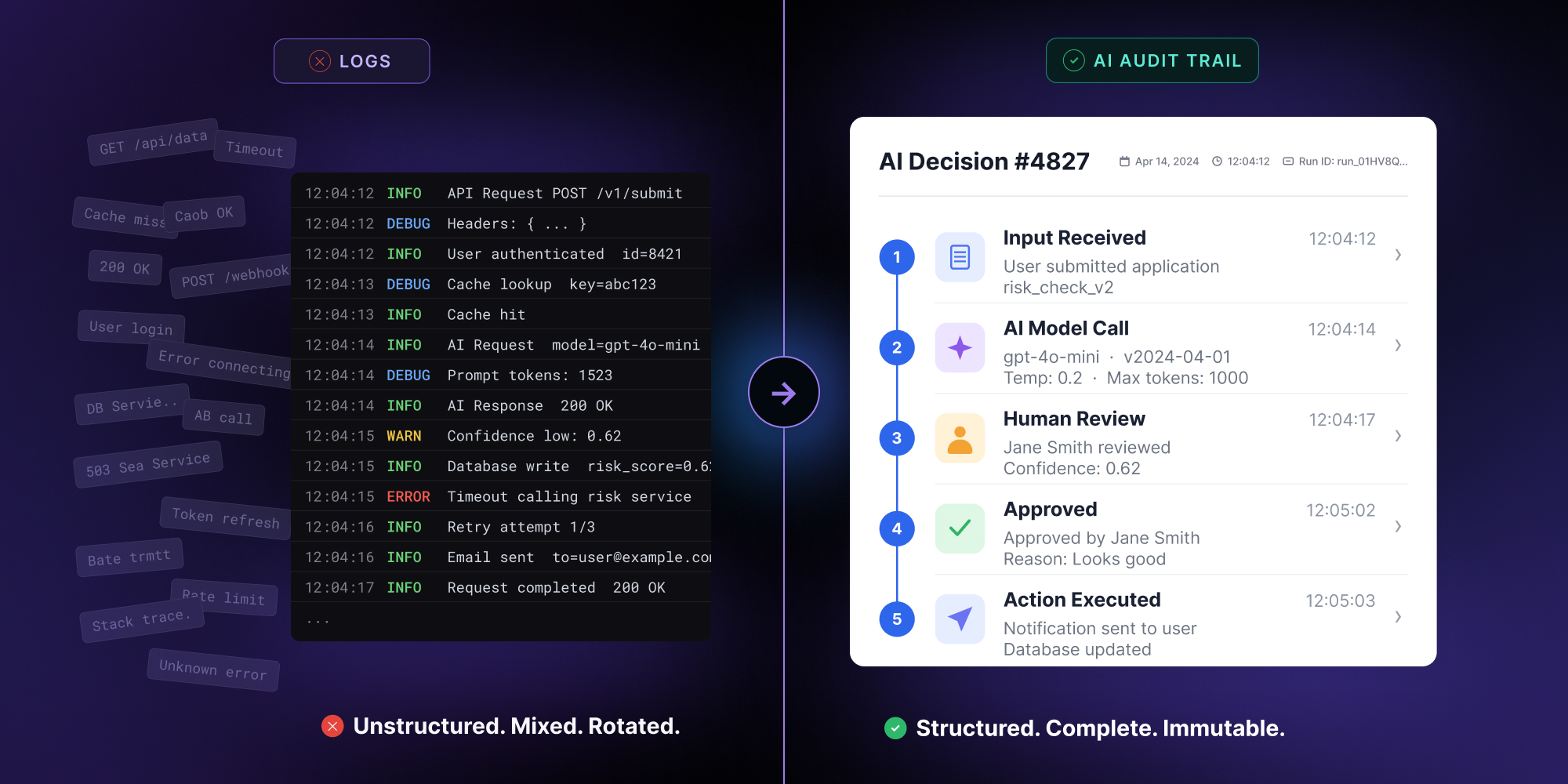
Application logs exist to solve a specific problem: an engineer needs to figure out why something broke. They are unstructured or lightly structured, optimized for searchability, retained for thirty to ninety days, and rotated through Datadog, Splunk, or similar systems. They mix concerns – request handling, error traces, performance metrics, business events – into a stream of timestamped lines. For their original purpose, this works.
The audit trail problem is different. A regulated buyer’s auditor does not arrive asking “was there an error on April 14.” They arrive with a specific decision the AI made, and the question is: show me everything that went into that decision, in the order it happened, with full reproducibility.

Concrete things break when application logs are the answer:
- Logs get rotated. The decision under audit might be from eight months ago. Most application log retention is shorter than that, and extending it to multiple years for everything is expensive and operationally painful.
- Logs lack structure. “User submitted form, AI returned classification ‘high risk’” reads as one event. The auditor wants to know which model, which version, which prompt template, which retrieved documents informed the answer, and which tools the model called. None of that is in the log line.
- Logs mix concerns. A single AI workflow might emit forty log lines – some about HTTP traffic, some about cache hits, some about AI calls. Reconstructing the actual decision flow requires filtering and stitching, and the filtering rules have to be reverse-engineered every time.
- Logs are not the source of truth. If a log line and the actual database state disagree, the database wins. The auditor cannot trust logs as the canonical record of what the system did – they can only treat them as one observation.
- Logs cannot replay. The most critical capability for AI audit – re-running a decision with the same inputs and seeing the same outputs – has no equivalent in a log stream. Logs describe what happened; they do not let you reproduce it.
What an AI audit trail has to capture
An auditor evaluating an AI-generated decision is asking a specific question, and a useful audit trail is shaped to answer it directly. The question is: given this output, what exactly happened to produce it? Answering it requires capturing eight categories of information for every workflow step, structured per step, persisted immutably.
- The step itself. Which node in the workflow ran, with what configuration. If the workflow definition has changed since the run, the audit trail should pin to the version that ran – not the current one.
- Inputs. The full input payload as the step received it. For an LLM call, this is the prompt, the system message, and any retrieved context. For a tool call, it is the tool name and the arguments. The auditor does not have to reconstruct the input from upstream events – it is right there.
- Model and tool identity. Which model was called, at which version, with what parameters (temperature, top-p, max tokens). For tools, which tool, which version of the tool’s interface. Six months later, the model in production might be different. The audit trail records the one that ran.
- Outputs. The full response – text, structured output, tool calls, error messages. Not a summary, not a truncation. The actual response.
- Decision points. If the workflow branched on a condition, which branch was taken and why. If a confidence threshold was applied, what the threshold was and what the score was.
- Human-in-the-loop events. When a human approved, rejected, or edited a step – who, when, with what justification. Human gates are often the most scrutinized part of a regulated AI workflow.
- External effects. Every side effect outside the workflow: API calls, database writes, emails sent, payments processed. With the idempotency key that prevented duplicates on retry.
- Timing. When the step started, when it ended, how long each substep took. For latency-sensitive regulated decisions (real-time fraud, trading), timing is part of the audit.
The replay capability is the part nobody else has
Of all the pieces of an AI audit trail, the one that most clearly separates “we have logs” from “we have audit infrastructure” is replay. The ability to take a completed workflow run and re-execute it deterministically – same inputs, same model version, same configuration – and watch it produce the same output, step by step.
Replay matters for a few audiences.
- Internal engineering uses it to debug AI workflows that produced unexpected outputs three weeks ago, when the application logs are gone and reproducing the issue manually is impossible.
- Compliance teams use it to validate that a decision was reached correctly when it is questioned by a customer or regulator.
- External auditors use it during formal review to confirm that the documented workflow is the workflow that actually ran.
What replay requires architecturally is that the workflow execution is, in the technical sense, durable. Every step’s inputs and outputs persisted. Every external call wrapped in an idempotency key, so a replay does not double-charge or double-send. Every model call recorded with the full prompt and the model identity, so a re-execution can either call the model again or – for true determinism – return the recorded response.
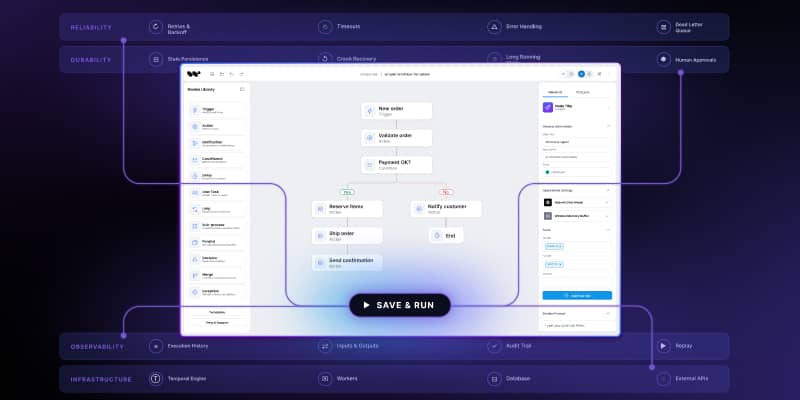
This is why durable execution runtimes – Temporal, Inngest, LangGraph, Restate – are increasingly the architectural answer for regulated AI workflows. They make replay a primitive instead of a project. A SaaS product built on top of one of those runtimes inherits replay as a property. A SaaS product built on direct LLM calls and a queue does not get replay without rebuilding most of what those runtimes already provide.
How regulated buyers actually evaluate this
The shape of an enterprise security review for an AI-enabled SaaS product has converged on a recognizable pattern. Procurement and security teams ask roughly the same set of questions, and the answers tell them if the product is buyable for a regulated environment.
The questions come in three layers. The first layer is the existence test: do you have an audit trail for AI decisions, separate from your application logs, retained for at least the contractual period? A surprising number of products fail at this step.
The second layer is the granularity test: can you show me, for a specific decision, the model used, the inputs, the outputs, the human approvals, and any tool calls? This is where the eight-field structure earns its place.
The third layer is the reproducibility test: if a customer disputes a decision your AI made, can you reproduce it on demand? This is where replay capability moves from “nice to have” to “deal qualifier.”
Most enterprise sales cycles for regulated AI products now stall at one of those three layers. Teams that built audit infrastructure into their workflow product clear all three quickly. Teams that planned to retrofit it later end up either losing the deal or doing emergency platform work to win one specific contract – and then doing it again for the next contract.
What this means for SaaS teams building AI features
The practical implication, for a product or engineering leader at a SaaS company shipping AI features into regulated markets, is that audit infrastructure stops being a future problem the moment the first regulated buyer enters the pipeline. It is also one of the few infrastructure investments where the work is meaningfully cheaper to do early.
A few patterns hold up across companies that have done this well.
- The audit trail lives in the workflow runtime, not in the application. The runtime is what knows about steps, inputs, outputs, and external calls; trying to recreate that knowledge in application code is the path that ends in stitched-together logs.
- The trail is structured from day one. Free-form text now means an expensive retrofit later, when the schema becomes load-bearing.
- Replay is treated as a product feature, not a debugging affordance. Once it is a feature, it gets the design, error-handling, and access-control attention it needs to be useful in actual audits.

The teams shipping AI features without this infrastructure are competing in non-regulated markets. The teams shipping with it are competing in markets where AI features are starting to matter most – and where the gap between “AI demo” and “AI product” is widest.
An AI audit trail is not the legal department’s problem. It is the workflow product’s most quietly important feature.
Workflow Builder is an embeddable workflow editor SDK by Synergy Codes. Version 2.0 ships with a packaged SDK and a reference execution backend on Temporal, with a structured per-step decision record and replay capability built into the runtime layer.
An entrepreneur and tech enthusiast, with over 14 years of experience building innovative diagramming solutions and tools across industries. Our interfaces help technical and non-technical users make informed business decisions.
Articles you might be interested in
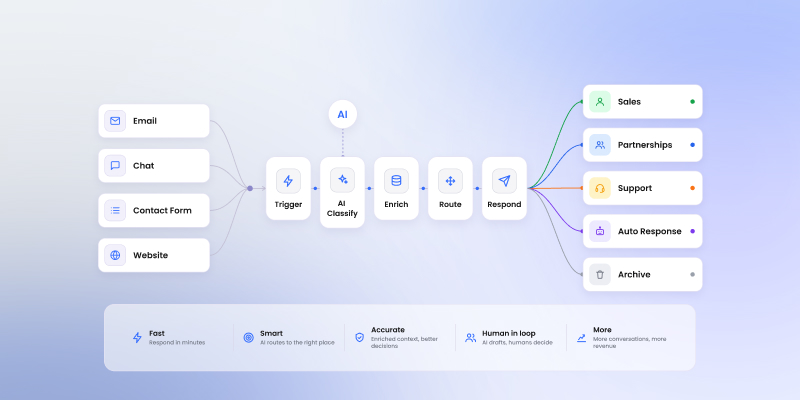
Sales inquiry AI workflow: a practical blueprint for routing and answering inbound requests
Inbound sales inquiries look the same on the surface and route to completely different teams. A five-step LLM workflow editor blueprint for classification, enrichment, and routing without the noise.