Parameters change everything: passing data between workflow nodes

.jpg)
Workflow Builder's Variable Picker lets one node read another node's output. Type two braces, {{, into a field and the editor offers only the data that exists at that point in the graph, already type-checked. You pick one and it drops in as a reference like {{nodes.classify-1.category}}. The React SDK stores that reference as text in the workflow JSON. The backend fills in the real value when the workflow runs.
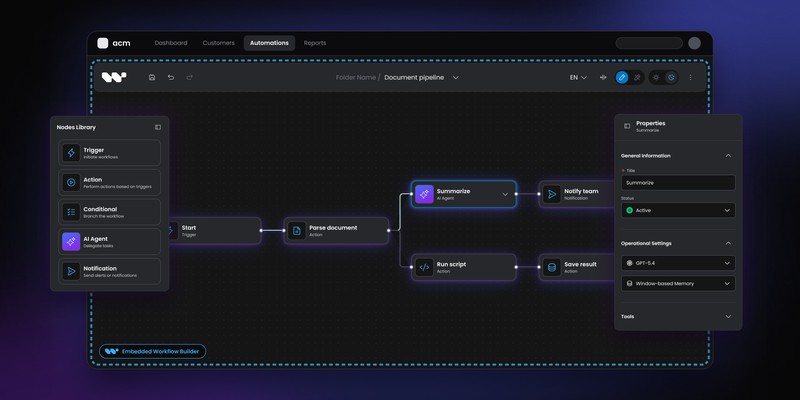
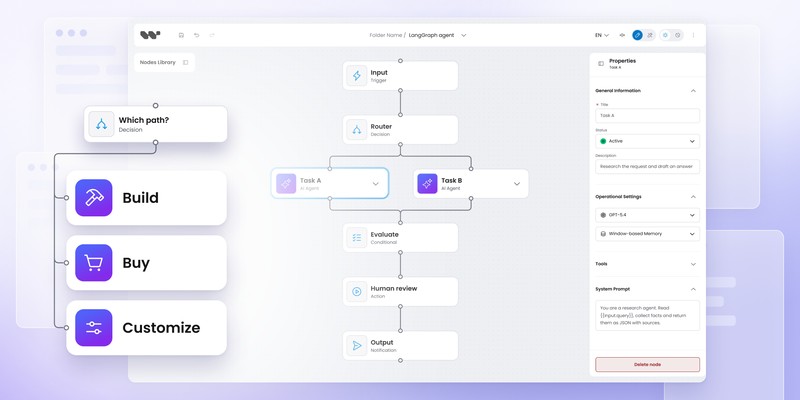
Drop a few boxes on a canvas, connect them with arrows, and you have a workflow. Do this, then this, then that. It runs, top to bottom, each box doing its one fixed thing.
It works, but it is a trivial program. Nothing one box produces can reach the next, so no step can build on what another did. It only becomes a real program once one node can use the output of another.
A node is a function
Here is why nothing flows between the boxes. A node is a function, and right now it receives no inputs. Think about how that works in code. A function with no arguments is rarely interesting.
What does it send? To whom? It is a black box with a label.
Now give it parameters:
Suddenly it is a tool. The same function serves a thousand different cases, because the caller decides what flows in. The signature is a contract. It says "give me these three things and I will do the rest."
A node in Workflow Builder is exactly this. An empty action node is sendEmail(). A configured one is sendEmail(to, subject, body). The whole value of the editor lives in that gap.
So the interesting problem in building a workflow editor is not the canvas. It is this: how does a node get its inputs?
Where do the arguments come from
An argument gets its value from one of two sources. The first is a literal. You type the value in by hand. subject = "Welcome aboard". This is fine for constants, and useless for anything that depends on what happened earlier in the run.
The second is a reference. You point at the output of a step that already ran, and let the real value be filled in when the workflow executes. The email subject is not a string you typed. It is "whatever the Classify step decided this request was about."
That second source is the Variable Picker. Say an upstream Classify node has just tagged an incoming support ticket as Billing. In the email node's Subject field you type {{, and instead of guessing at variable names, you get a panel of everything that is actually available at that point in the graph. You pick one. The field shows a friendly chip, {{ Classify · Category }}, while the diagram quietly stores the durable form:
This is the same idea as wiring one function's return value into another function's argument. We made the wiring visual, and we made it impossible to wire to something that is not there.
Types, because data has a shape
As soon as data flows between steps, it has a shape, and shapes can be wrong.
A Decision node comparing "is greater than" only makes sense for numbers and dates. Feeding it a boolean is not a clever edge case. It is a bug the user did not mean to write. So every output a node can emit declares its type, drawn from a small, deliberate set:
The picker reads those types and filters itself. When a field expects a number, the panel only offers numbers. When it expects a date, it also offers datetimes, because a datetime is a date with extra precision. The available comparison operators shift with the type too. Strings get "contains." Numbers get "greater than." Dates get "before" and "after." The interface never lets the user assemble a comparison that cannot mean anything.
This is types-as-validation, except the user never sees a red error. They simply are not offered the wrong choice in the first place.
The filter is strict but not naive. User input arrives as strings, so a few cross-type pairings are allowed on purpose:
- A number can fill a
stringfield. - A valid date string satisfies a
datefield, anddateanddatetimeare interchangeable. - The only boolean literals it accepts are
'','true', and'false'.
Everything else is refused. The picker coerces where the meaning is unambiguous and refuses where it is not.
A node can only see what runs before it
In a programming language, a variable has a scope. You cannot read a value that has not been assigned yet, and you cannot reach into a block that never ran. A workflow has exactly the same rule, drawn in two dimensions on a canvas, and a serious editor has to respect it.
Some variables are global. Secrets, tenant configuration, an API base URL. Available everywhere, from the first node to the last.
But most variables are earned. A node can only reference the output of a step that genuinely runs before it. Concretely, that means a step somewhere upstream, reachable by walking the arrows backward from the current node. The picker computes this directly. It runs a breadth-first search back through the edges to collect every ancestor of the selected node, and offers their outputs and nothing else:
The consequence is exactly the scoping rule you would want. A node sees what flows into it. It cannot see a sibling on a parallel branch that never reaches it. It cannot see a node downstream of itself either, because that data does not exist yet when this step runs. The graph topology is the scope. We did not invent a new mental model. We took the one every programmer already has and rendered it on the canvas.
One honest note on that code. This is really a reachability walk, not a meaningful breadth-first one. Order does not matter, because we collect the whole set of ancestors, so depth-first would behave the same. The inner loop rescans every edge on each step, so it runs in O(ancestors × edges). That is fine at workflow scale. It would not be fine in a general graph library.
Simple when it works, loud when it fails
Everything above is plumbing. For the end user it collapses into one gesture: focus a field, type {{, pick from a panel grouped by upstream step, and keep typing around the chip. The editor only ever offers things that work, and the hard part disappears into a two-character keystroke.
We took one more deliberate stance for the moment things go wrong. A reference is strict by default. If a path cannot be resolved at run time, the run fails loudly with Unresolved template reference, rather than silently substituting an empty string and shipping it to an LLM. A typo in a prompt should break on the first run, not three weeks later in production. When absence is genuinely expected, the user opts into a fallback on purpose:
Strictness needs one more distinction to be safe. The resolver parses in two stages. An outer pass catches anything that looks like a reference: a {{namespace.path}} block with a dot, the marker that the author meant a reference and not literal text. An inner pass checks that body against the real grammar. So a token has three fates, not two
{{nodes.foo?bar}}looks like a reference but breaks the grammar. It throwsMalformedinstead of leaking a broken token into a prompt.{{total}}has no namespace dot, so the outer pass never claims it. It stays literal text.- A well-formed path that points at nothing throws
Unresolved. Only the opt-in?anddefault:quiet this last case.
Strict by default, lenient on request. The safe thing is automatic, the risky thing is a choice you make with your eyes open.
Because in Workflow Builder, everything is data
None of this would be possible if a node were just a React component with some props hardcoded in its source.
A node in Workflow Builder is a data definition. It always carried a schema, the JSON description of its own configurable inputs, the part that says "I am a function with this signature." Building the Variable Picker meant the other half of that contract had to exist as data too. So we extended the definition with an outputSchema:
That is the whole trick. The inputs of a node are data. The outputs of a node are now data. And because both halves of the contract are just JSON, the picker can read them, the type filter can reason over them, and the ancestor search can connect one node's outputs to another node's inputs. The SDK stops there. It stores the wiring as text and runs nothing itself. A backend resolves the references when the workflow runs. Workflow Builder ships a reference backend so you can watch the whole loop work, then swap in your own. A node that wants to participate adds an outputSchema. A node that does not, simply never shows up in any downstream picker. No special cases. No component knows about any other component. The graph and the schemas carry all the meaning.
This is how we tend to think on this project. When we want a new capability, the first question is rarely "what component do we build." It is "what does this need to become data, and what can read that data." Make the contract explicit and make it JSON. After that, a new capability is mostly a question of what each node reads and what it exposes.
The Variable Picker looks like a small convenience: two braces and a dropdown. Underneath, it is the feature that finally lets one box pass a value to the next. That is the line between "do this, then this" and a real program. Cross it and you have a tool. Stop short and you have a diagram.
The article has been written by Piotr Błaszczyk, Lead Product Engineer at Synergy Codes, working on Workflow Builder. The Variable Picker described here began as a way to solve a real client problem. Workflow Builder is open source under Apache 2.0. The code is on GitHub.
Lead Product Engineer at Synergy Codes, specializing in workflow tooling and embeddable editor SDKs. Builds visual workflow editors on top of React Flow, with 10+ years across React, Angular, and TypeScript, and a background in .NET/C#. Creator of Workflow Builder (workflowbuilder.io) and ngDiagram (ngdiagram.dev).