
Your customers' agents made a decision. Who signs off before it goes out?
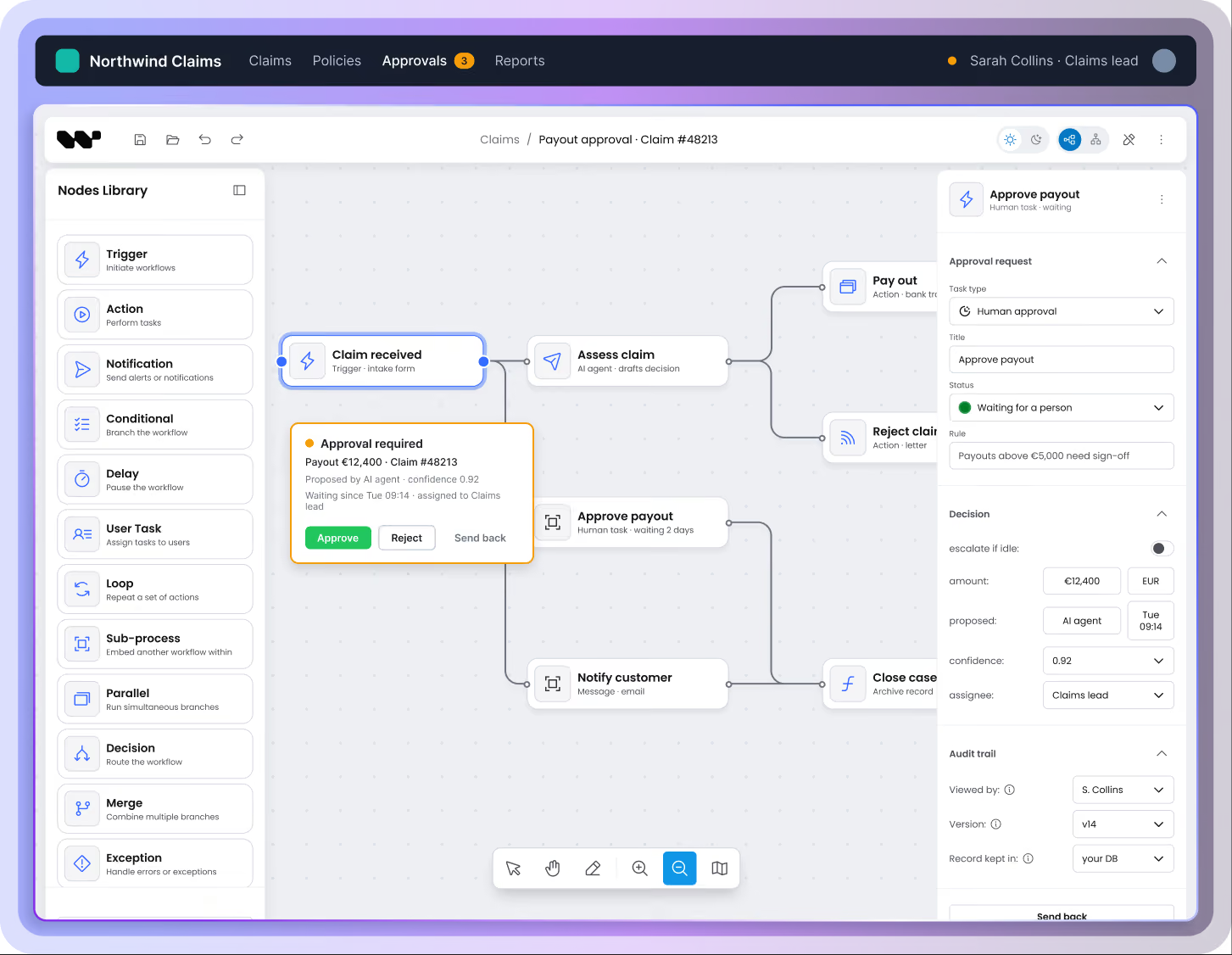
Workflow Builder gives your users the screens to approve, correct, or stop what automated workflows and AI agents do: embedded in your product, running on your infrastructure, with the record staying theirs.

The problem
Automation used to be predictable… then the steps started deciding things
A step that moves a file either works or throws an error. A step that reads a claim, judges a case, or drafts a message returns something that looks equally confident whether it’s right or wrong. Somewhere in every serious process there is now a moment that needs a person.
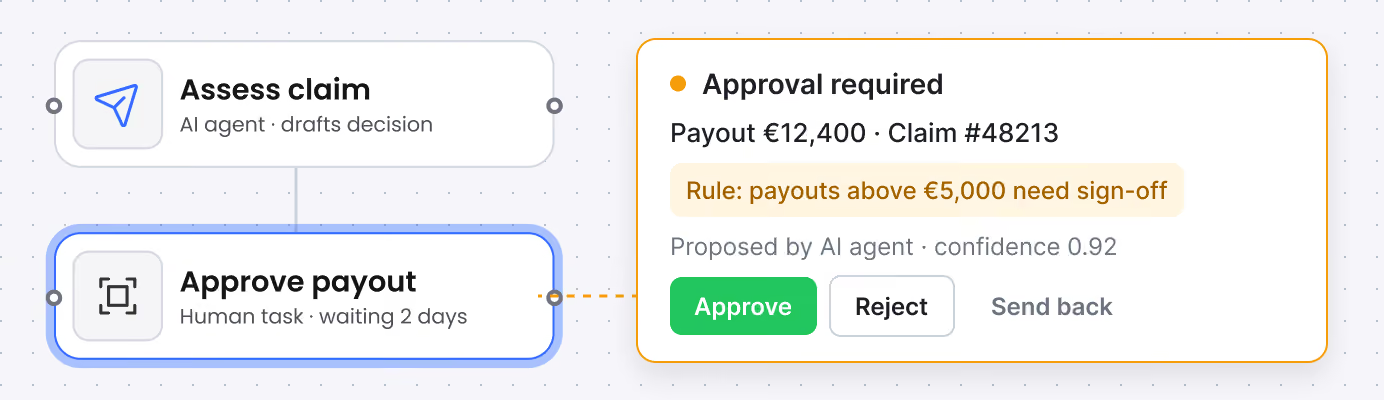
A payment above a threshold.
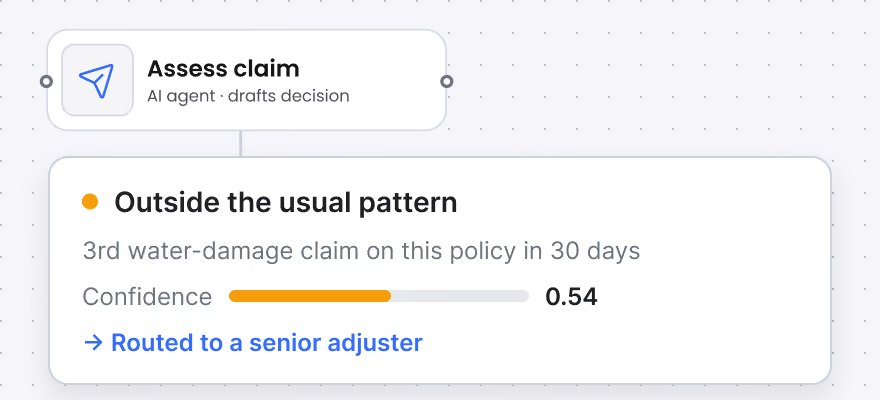
A claim that doesn’t fit the pattern.
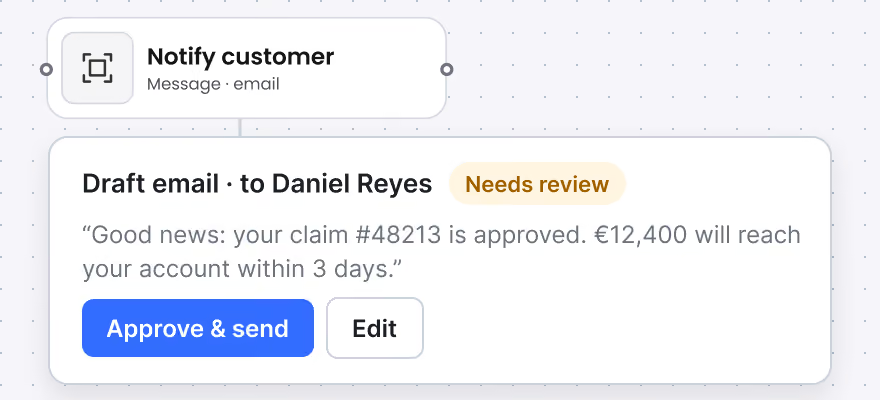
A message about to reach a customer.
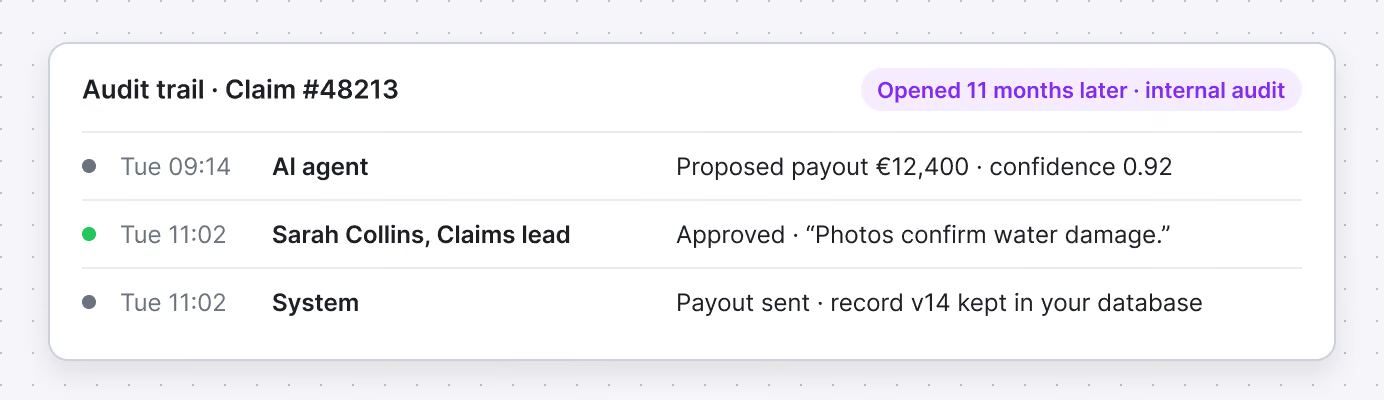
A decision someone will ask about eleven months from now.
If you sell software that automates work for other companies, that moment IS your problem twice over.
Your customers need it. And they need it to happen inside your product, with their people, under their branding… not in a separate tool you send them to.
The human layer
Three places a person steps in

Approve
The process pauses and waits. The person sees what happened up to this point, what the system proposes to do next, and the documents behind that proposal. They approve, reject, or send it back… and the process continues from exactly where it stopped, even if that takes three days.

Intervene
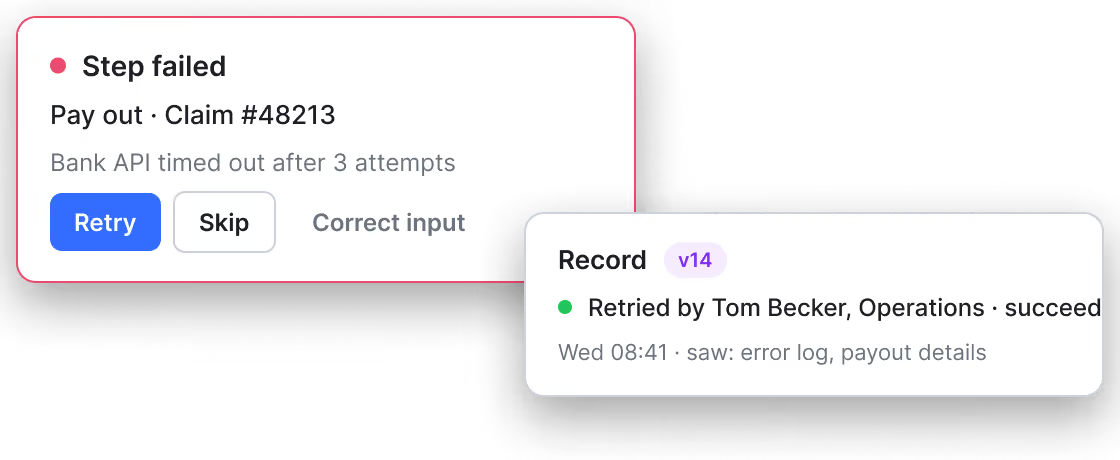
Something failed, timed out, or came back wrong. Instead of a stack trace, the person sees the step that broke and can retry it, skip it, or correct the input and run it again.

Review
Months later, someone asks why a case went the way it did. The record is there: every step, every decision, every person who touched it, and what they were looking at when they decided.
What you embed
An editor, an orchestrator, and a connection to your engine
The editor
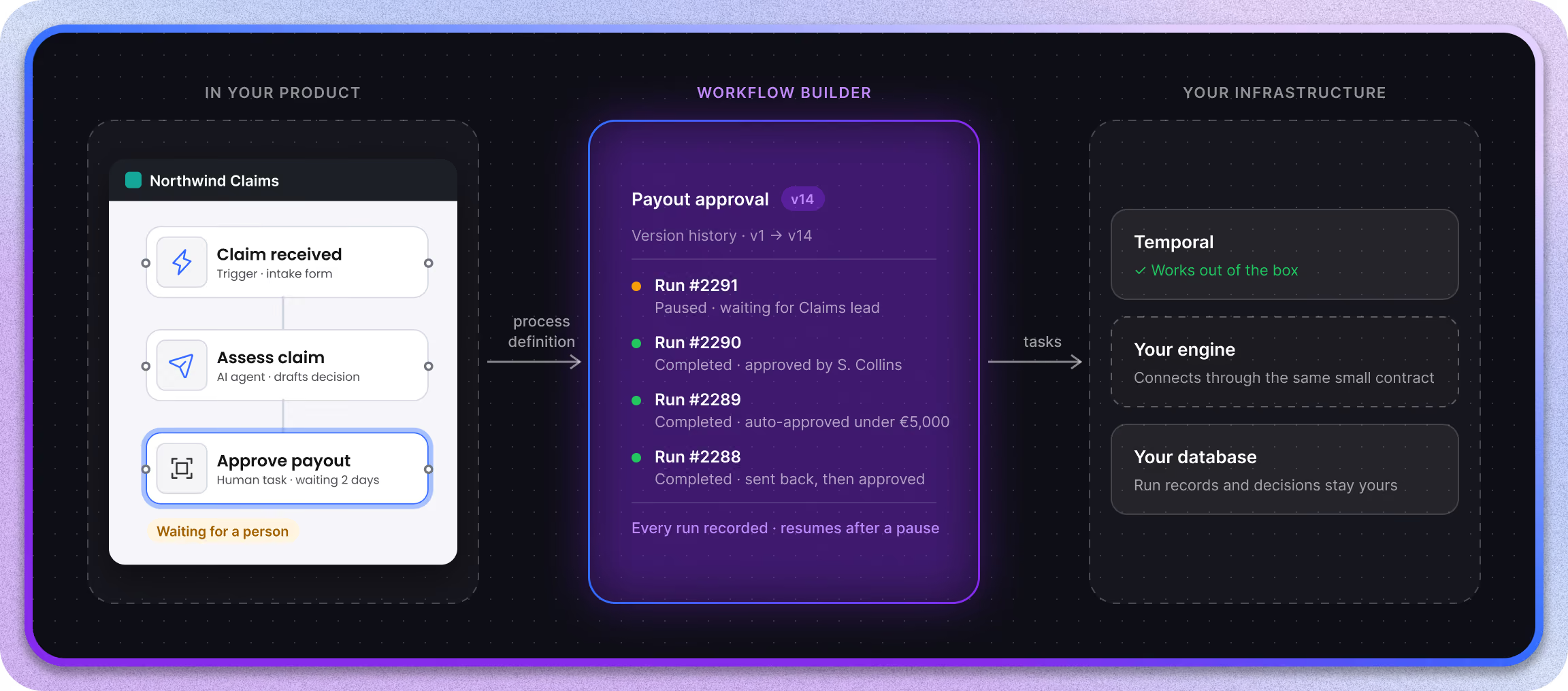
Where the process gets designed, and where it gets watched. Your users lay out the steps on a diagram, and the same diagram shows what is running now, what is waiting, and what needs someone's attention. It embeds into your product and takes your design system, so it looks like your software.
The orchestrator
The part that reads the diagram and decides what happens next. It holds the version history, keeps the record of every run, and knows how to pause a process for a human decision and pick it up again afterwards. This is the piece most teams underestimate and end up building twice.
The engine connection
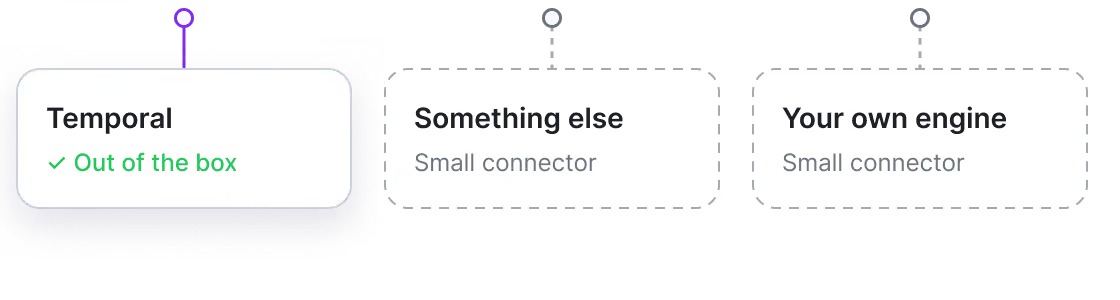
The orchestrator hands the actual work to an execution engine. Temporal works out of the box. Others connect through the same small contract – your process definition stays a file, not a rewrite.
Ownership
NOT a platform. Your customers are NOT our tenants

What we’re not
Ready-made automation platforms give you a canvas and take the process in return – their runtime, their limits, their roadmap, their name on the screen your customer is looking at.

What you can expect
We hand you the layer and step back. The engine is your choice. The infrastructure is yours. The code is yours. The diagram is a projection of your definition, never a second source of truth.
Engine-agnostic
Your engine keeps doing what it does well
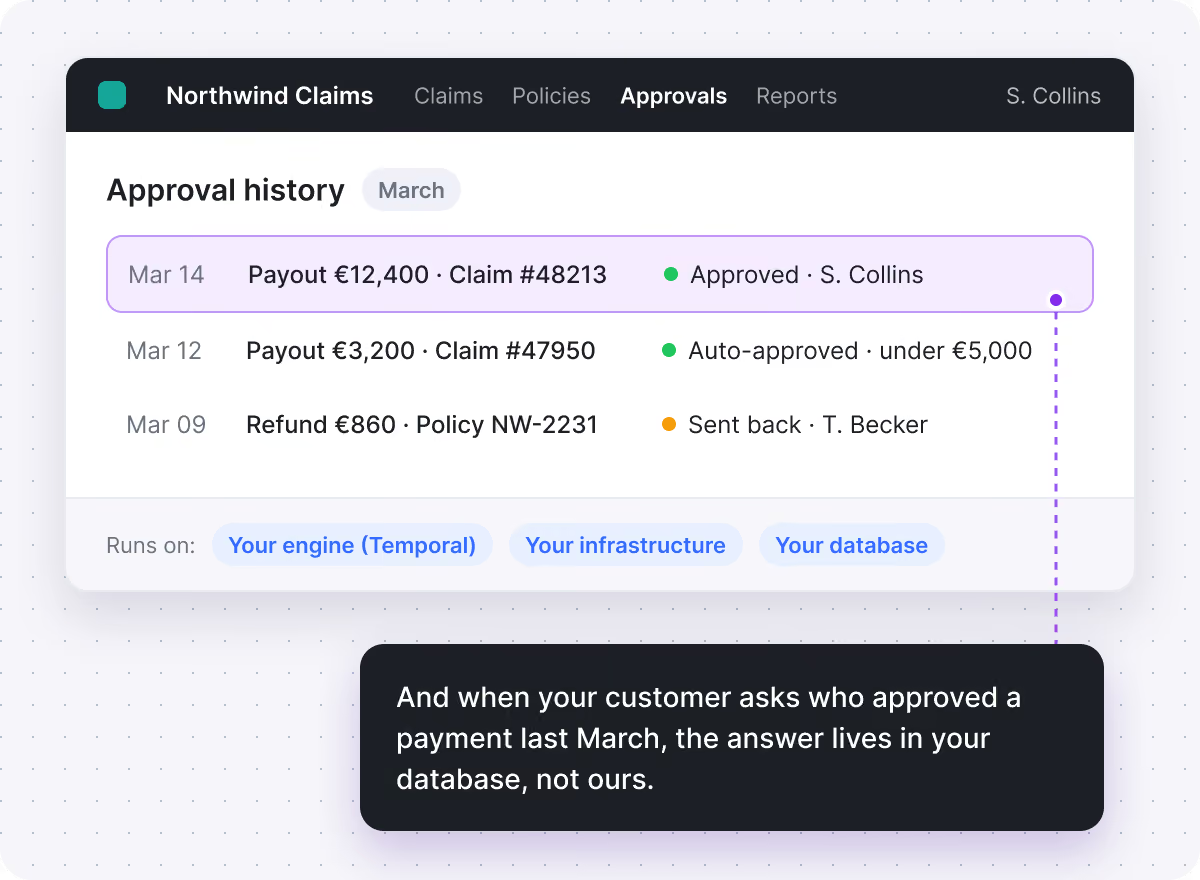
Adopting Workflow Builder isn’t a bet on any single engine. It is the layer above it, and it stays yours if you ever change what runs underneath.
The layer above · Workflow Builder
The part a person looks at… and a record of who that person was
None of the execution engines provide it. That is the gap this fills.
The connection: a small, replaceable piece of code, not a commitment
Underneath · your execution engine
Execution engines are very good at one thing
Making sure work survives crashes, retries, and restarts, even when a process runs for days. Temporal is what most of our customers run and it connects out of the box.
Who it’s for
Where the human step isn't optional

B2B software with automation inside
Your customers build their own processes in your product and want their own people approving the sensitive steps – not yours, and not in someone else's tool.

Financial services and insurance.
Decisions that need a name attached and a record that survives an audit.

Operations at scale
Hundreds of processes running at once, where the interesting question is never "did it run" but "which three need someone right now".
How we work together
What WE bring, and what YOU bring
We bring

The editor

The orchestrator

The engine connection

The screens for approval and review

Plus a team that has built this in production, including for a European insurance platform operating under financial-sector regulation.
You bring

Your identity provider

Your data model

The decisions only you can make about who approves what

We can build that part with you, or hand over the reference implementation and get out of the way.
Customers
Teams already running this
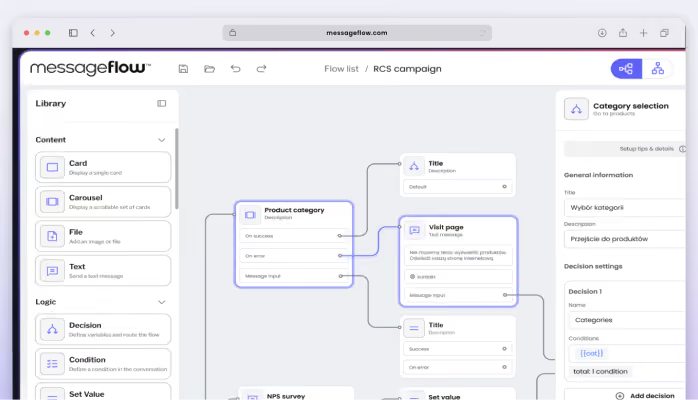
Vercom / MessageFlow
Embedded workflow editing inside a communications platform.
Read the case study →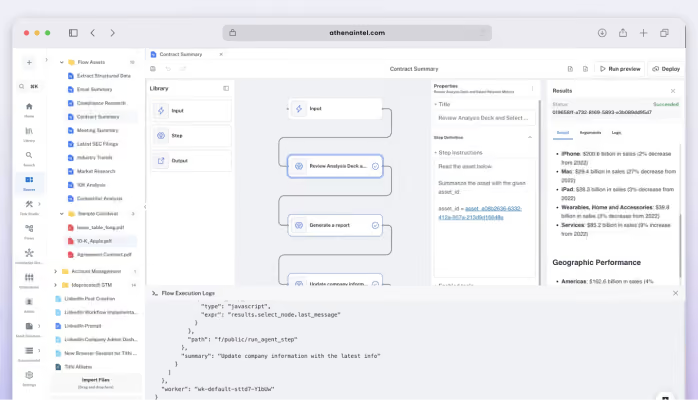
Athena Intelligence
The same architectural pattern: a customer-facing canvas over a durable backend.
Read the case study →
FAQ
- How do I add human approval to an automated process?
The process needs to stop and wait – sometimes for days – without losing its state, then continue from the same point. Execution engines handle the waiting. What they do not provide is the screen where the person sees the case and decides, or a record of who decided. That is what this adds.
- How do I audit decisions made by AI agents inside a process?
Most execution engines keep run history for a limited retention window, and they record what ran – not what a person saw or why they approved it. In Temporal, the event written when an approval arrives identifies the worker that delivered it, not the human behind it. A full audit record is built by the layer above the engine.
- What is the difference between human-in-the-loop and human-on-the-loop?
In-the-loop means the process stops and waits for a person before continuing. On-the-loop means it keeps running while a person watches and can step in. Most real systems need both, on different steps of the same process.
- Can I change a process while it is already running?
This is THE question that catches teams out. Changing a definition while instances are mid-flight needs versioning at the orchestration layer – deciding whether running instances finish on the old version or move to the new one. Your engine doesn't decide that for you.
- Do I have to use Temporal?
No. Temporal connects out of the box because it is what most of our customers run. Any other engine connects through the same small contract.
- Can my customers use their own branding?
Yes. The editor takes your design system and embeds in your product. Your customer sees your software.
Book a walkthrough