
Ship the call flow builder your customers are asking for
Right now your customers wire call flows across number lists, routing rules, RONA, and overflow, each on its own form. Workflow Builder replaces that with one canvas, branded as yours, embedded in weeks.

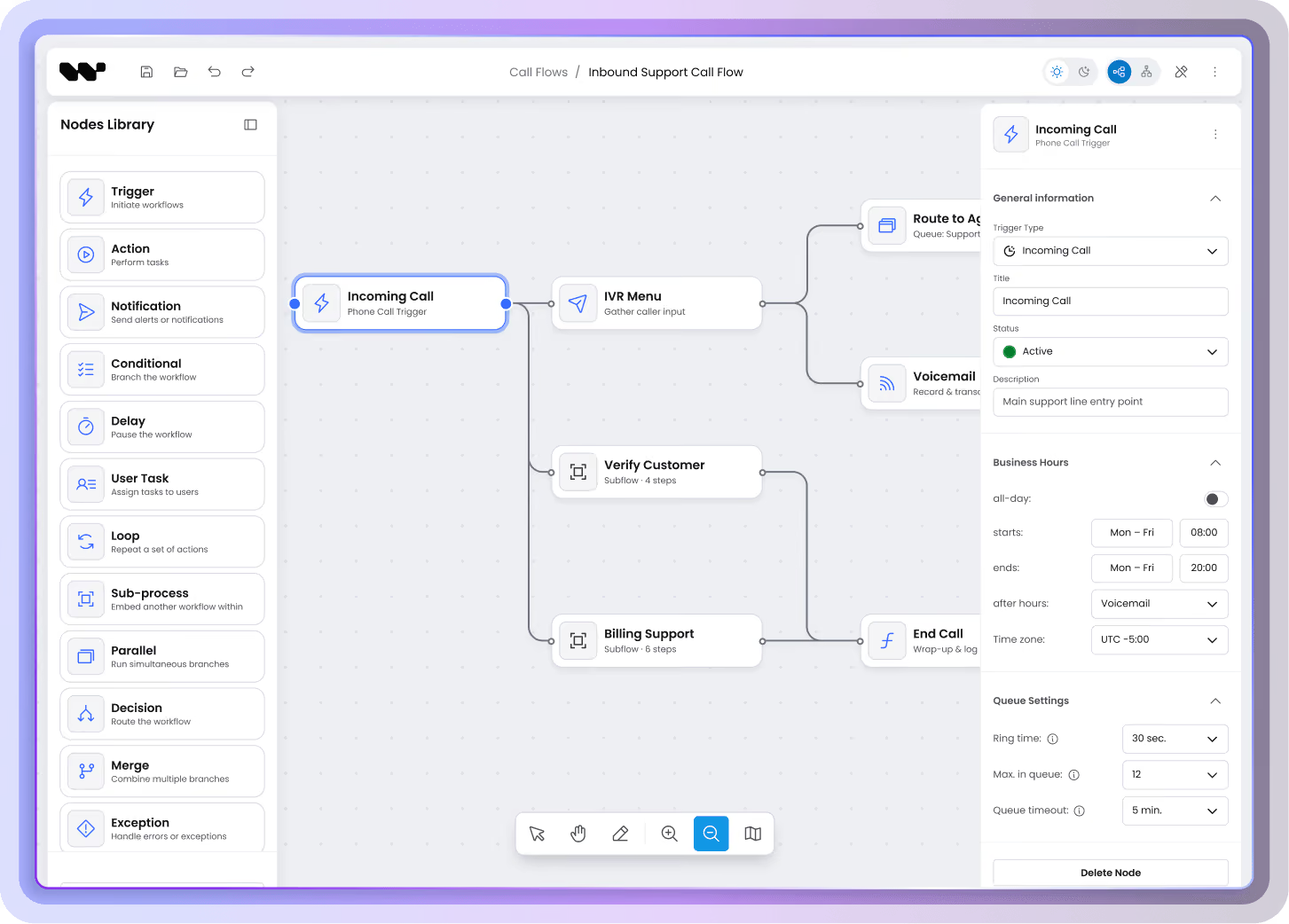
In one sentence
Workflow Builder is a visual editor SDK you embed in your CPaaS or CCaaS product: React SDK for the editor plus Temporal-based execution backend. Use it to deliver a call flow builder instead of building one from scratch. Schema-first nodes, plugin system, design tokens, customizable without forking source code. Refined across 200+ workflow projects.
The problem you're solving
Your engineers want their time back. Your customers seek clear canvas.

"What looks like one giant graph usually comes apart into independent flows once you analyze the data. Structuring it that way is what keeps it fast and editable at scale, and React Flow doesn't give you that out of the box. The analysis and the structuring are the work. We've done this across 200+ projects."
Łukasz Jaźwa, CTO at Synergy Codes
STAGE 01 · ESTIMATING THE BUILD
Sizing keeps outgrowing the estimate
Your roadmap has "ship the visual editor" for two quarters. Your CTO is asking why you can't just build it in React Flow. You're trying to size the work, and the more you look at it, the bigger it gets.
STAGE 02 · THREE MONTHS IN AND BEHIND
The build is deeper than expected
Your frontend team started building it. The first 200 nodes worked. The first customer with 800 didn't. Now you're adding subflows, custom virtualization, focus mode, and you're already over budget.
STAGE 03 · LIVE AND WATCHING TICKETS STACK
The fix is bigger than the original build
You shipped a version. Customers are using it. Support tickets are climbing because some flows are slow to load, some can't be edited. The fix is bigger than the original build was.
What Workflow Builder gives you
Own the call flow builder your voice product needs
01
Customize the visual layer
Match your call flow editor to your softphone's look and feel.
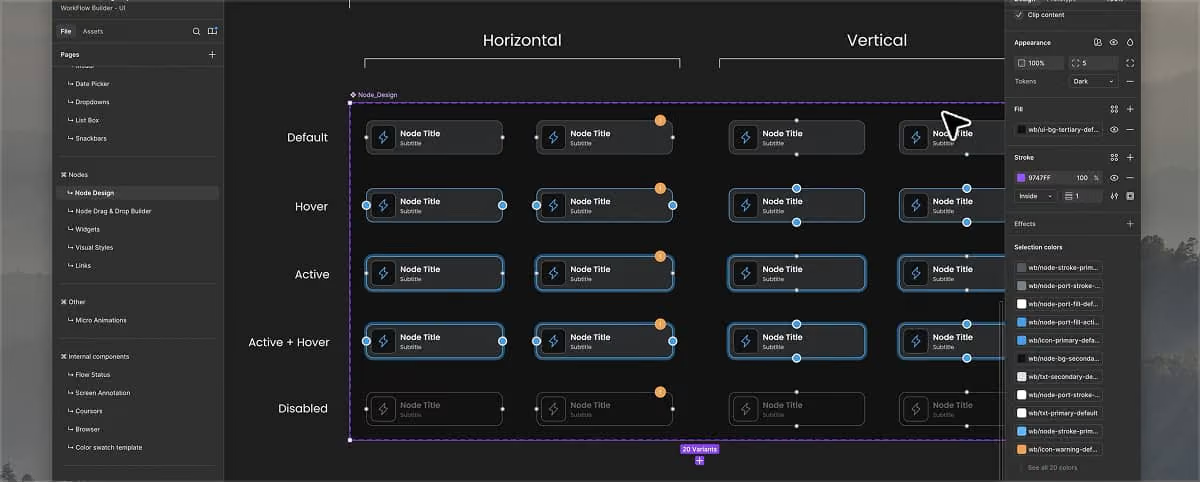

Design tokens & design system
Rebrand your call flow builder in minutes, CSS design tokens and cascade layers replace forking our source.

Composable UI
Drop just the components and panels you need into your product. Palette here, properties panel there, canvas full-width, assemble the call flow builder that fits your app.

Read-only mode
Ship a viewer for stakeholders who need to see the flow but not edit it. Same component, one flag.

Undo/redo · cut/paste · i18n
System clipboard for copying IVR menus across tenants, 100-step undo when someone deletes the wrong branch, EN and PL translations out of the box.

Schema-first nodes
Your team defines call flow nodes as JSON Schemas, IVR, business hours, holiday routing, voicemail, and Workflow Builder generates the configuration panel with validation. Standard nodes need no React code.

Custom node & edge templates
When a node needs its own look, a keypad with a port per DTMF key, a decision node with badges on outgoing edges, take over the rendering. Properties panel keeps working, driven by the schema.

Connection validation
Your customers can't ship broken call flows, voicemail wired to voicemail, IVR looping to itself, no-answer branch skipped. isValidConnection rejects invalid links mid-drag, your domain rules plug into the same layer.

Variable Picker & data flow
Pass results between call flow nodes visually, a CRM lookup output becomes the input of a routing step. Pick the source in the UI, without hidden data plumbing.
02
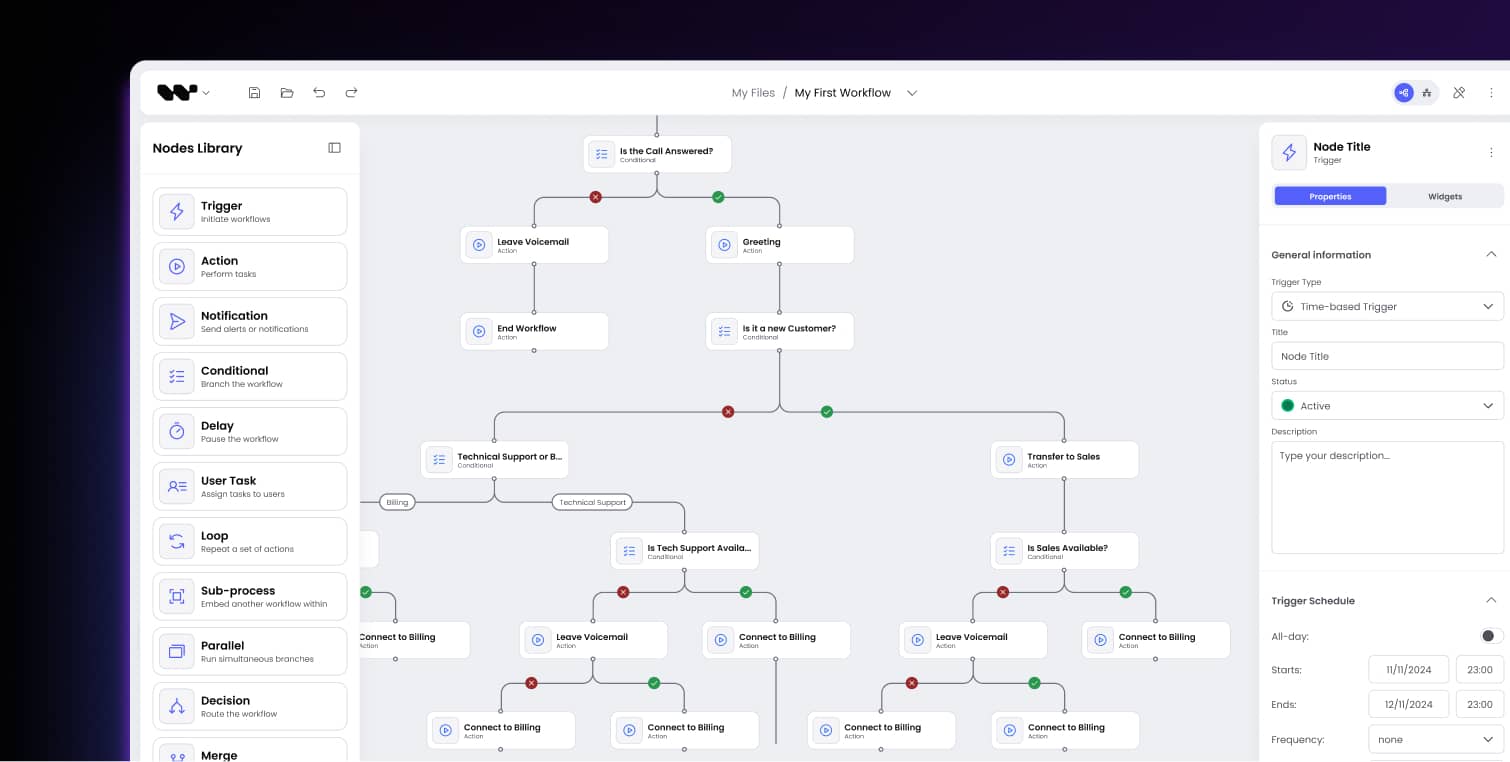
Model your call flow logic
How you define what a call flow is, the shapes, the rules, the data.
03
Extend and integrate
How to ship beyond what comes in the box.

Plugin system
Extend the call flow builder without forking source code. Add your Test Call button via a named slot, wrap our SDK functions with your decorators. Customizations survive every upgrade.

npm package + docs
Install @workflowbuilder/sdk from npm and your voice engineers run the call flow builder locally, audit source, check types before the meeting ends. Public GitHub, TypeScript-first.
Your first embed, copy, paste, ship.
import { WorkflowBuilder } from '@workflowbuilder/sdk';
import '@workflowbuilder/sdk/style.css';

<WorkflowBuilder.Root
  nodeTypes={callFlowNodes}
  templates={ivrTemplates}
  plugins={[validationPlugin, testCallPlugin]}
>
  <WorkflowBuilder.DefaultLayout />
</WorkflowBuilder.Root>Wondering if you can build "that specific product" on Workflow Builder?
Beyond what ships in the box, we've solved a lot of edge cases across 200+ projects, from custom validation rules and voice adapter integrations, to advanced patterns for flows that outgrow one canvas.
Four scenarios. One way of thinking about call flows.
Before
One giant routing graph maintained across 50 customer deployments. Every routing change needs a code review because the graph is hard to read.
The insight
50 customers share 80% of their routing logic. The remaining 20%, VIP rules, holiday calendars, time-of-day branching, is what actually varies between them.
After
One shared template flow + 50 small variant subflows. Non-technical admins configure variants without engineering. Onboarding time per new customer drops from days to hours.
Before
Per-customer routing logic averaging 4,000 nodes per flow. Performance is fine at launch, painful at customer #50, broken at customer #200.
The insight
The 4,000 nodes break down to ~200 nodes of routing logic and ~3,800 nodes of repeated data, holiday calendars, number lists, opening hours. The repeated data doesn't belong in the graph.
After
200 nodes per customer in the graph, the rest modeled as configuration tables. Same UI, 20× performance, edits stay snappy at 500 customers.
Before
Visual canvas trying to show AI voice agents and traditional IVR branches side by side. Configuration teams need both worlds visible but the layouts fight each other.
The insight
AI agent flows and IVR flows are different graph types, agents are loop-heavy and intent-driven, IVR is tree-heavy and rule-driven. One layout for both breaks both.
After
One editor, two graph modes, agents on one canvas, IVR on the other, switch cleanly between them. Configuration teams stop fighting the layout and start shipping AI + IVR flows in the same product. (Full Voice AI use case lives on the AI Agent Workflows page.)
Before
Compliance team requires audit logging on every flow change, who, what, when, on whose behalf. Existing config UI has no audit layer; bolting one on touches every component.
The insight
The audit log is structurally a layer on top of any configuration change, not a feature of any specific node type. One central layer handles it for the whole editor.
After
Your compliance team gets the full audit trail from a single layer you built once. Engineering doesn't touch a hundred node-level handlers. TCPA, GDPR, ePrivacy reports generate from the same data.
Technical due diligence
How far React Flow goes at call flow scale, the honest map
React Flow performance thresholds for call flow use cases
Two bottlenecks that decide everything
Rendering
Each node is DOM. Each edge is an SVG path with geometry. Browsers handle 200 elements fine, struggle at 1,000, and give up at 10,000. React Flow's built-in virtualization helps, it doesn't carry you past ~1,000 nodes alone.
Auto-layout
ELK and dagre scale trees to hundreds of thousands. Flow graphs like call flows top out at a few thousand. It's the shape of the data, not the framework.
Your CTO asks: why not just build this ourselves?
You can. AI made the first 80% cheap, which is exactly the trap: the demo looks finished. The remaining 20% is edge routing, undo semantics, performance, every behavior users expect without being able to name it. What you're missing isn't code, but knowing what you need.
How to choose
When Workflow Builder is the right tool for your call flow editor and when it's not
Choose Workflow Builder when
You're embedding visual call flow configuration in a CPaaS or CCaaS product.
Your flows live in the 500–5,000 node range per customer, with occasional outliers.
Your end users are admins or installation teams, non-technical, but not consumer-grade either.
Your stack is React (or you're comfortable adding a React layer for the editor).
Your team wants source code ownership, not a per-seat subscription.
Pick something else when
You need a SaaS app your end customers sign up for directly. Use n8n, Make, or Zapier instead.
You're committed to one giant unified graph without analyzing whether it could pull apart into subflows. That's a different engineering problem, and GoJS might serve you better.
Your stack has no React, and adding a React layer isn't feasible for your team.


The team behind Workflow Builder
Workflow Builder distills lessons across 200+ visual editor projects, most from products where the editor IS the product. The team has shipped configuration canvases for telecom platforms, healthcare pathways, industrial process design, and financial routing engines. Whichever framework you're on, the team has hit those walls, learned the patterns, and packaged them here.
200+
visual editor projects
15 years
shipping workflow interfaces
6+ industries
voice, healthcare, industrial, and more
Multiple
graph libraries mastered hands-on
FAQ
What teams ask before adopting Workflow Builder
- What is a call flow builder?
A call flow builder is a visual editor that lets non-technical admins configure how inbound and outbound voice calls route through a system, without writing code. In a production setup it plugs into the underlying voice infrastructure (PBX, SIP, WebRTC) that actually runs the calls.
- How do you embed a call flow builder in a CPaaS or CCaaS product?
Three layers: (1) the editor frontend embedded in your product UI, (2) an execution backend on Temporal that runs the flows, (3) your product's specific layer, branding, business logic, voice integration, permissions and audit. Workflow Builder ships layers 1 and 2; you own layer 3.
- Can you build a production-grade call flow editor in React Flow alone?
Technically yes. The first ~500 nodes are straightforward, React Flow's official FAQ says "no special optimization needed" up to that point. Past that, you're building custom performance work, layout patterns, and the domain-specific node library yourself. Workflow Builder gives you a running start with the plugin system, schema-first nodes, and reference execution backend on top of React Flow. See the full WB vs React Flow comparison.
- How does Workflow Builder handle bigger call flows?
Out of the box, Workflow Builder handles most call flow scenarios, official React Flow FAQ says "no special optimization needed" up to ~500 nodes, which covers the vast majority of production call flows once the data is structured properly. Past that, the answer isn't a single WB feature, it's an architectural conversation. Subflows, filtered views, hybrid graph + table, referenced sub-flows, hybrid canvas, these are patterns we've applied in client projects, tailored to what the data actually looks like. If you're expecting flows past that scale, that's the conversation to have.
- What's the difference between an IVR designer and a call flow builder?
An IVR designer is a subset, typically focused on the voice-menu tree a caller navigates ("press 1 for sales"). A call flow builder is the full graph: IVR menus, routing logic, RONA/overflow handling, integration triggers, and time-based branching. Conversational IVR sits on the AI-augmented edge of this space, see our AI Agent Workflows use case for that angle.
- Build vs buy: should we build our own visual call flow editor?
Ask yourself three questions: (1) Is the editor your product or your differentiator? (2) Do you have engineering headroom for 6+ months of pattern work? (3) What's the cost of being wrong about the patterns you choose? If the answers are "no, no, high", buy. If "yes, yes, low", build. Anywhere else, the tradeoff favors buying the layer that's already battle-tested. Full build vs buy decision framework here.
- How does Workflow Builder pair with Twilio, Vonage, or Bandwidth?
Workflow Builder is provider-agnostic, the backend has no voice code of its own. You build the voice adapter that plugs into node executors: Twilio, Vonage, Bandwidth, Plivo, Telnyx, Sinch, Infobip, your own SIP infrastructure. The visual editor and execution engine stay the same; the voice integration is yours to write.
- What's included in the backend?
Flow execution on Temporal, real-time monitoring over SSE, event-sourced execution log, snapshot immutability, per-node error routing (fail / continue / errorRoute), and cancellation. It comes with production seams, not production promises, for auth (default allow-all, ready for your IdP), multi-tenant identity, and rate limiting. What you add: voice adapters, business permissions, audit layer, and any custom node executors. Look how Workflow Builder uses Temporal.
- What does TCPA, GDPR, or ePrivacy require for call flow audit logs?
TCPA (US) requires opt-in evidence and call-purpose categorization on outbound flows. GDPR and ePrivacy (EU) require lawful basis for any call data processing and a clear data subject access path. The backend gives you an event-sourced execution log, the record of what ran, when, and how. The audit layer for who changed what is your product layer to build, and we've helped several teams design it.
- What if our call flow goes beyond 5,000 nodes?
That case exists, we've solved it in client work, though it's not a scenario that ships out of the box in WB. It's a real engineering conversation: sometimes the answer is hybrid canvas rendering, sometimes it's creative data-mapping (moving data out of the graph), sometimes it's rethinking whether the flow needs to be one graph at all. Ask us if you're heading there.