
Enrich your martech product with a visual workflow editor
Marketers and customer ops want a canvas, not a stack of forms. Workflow Builder is the React SDK you embed to give them one - on your stack, under your brand, on the engine you already run.
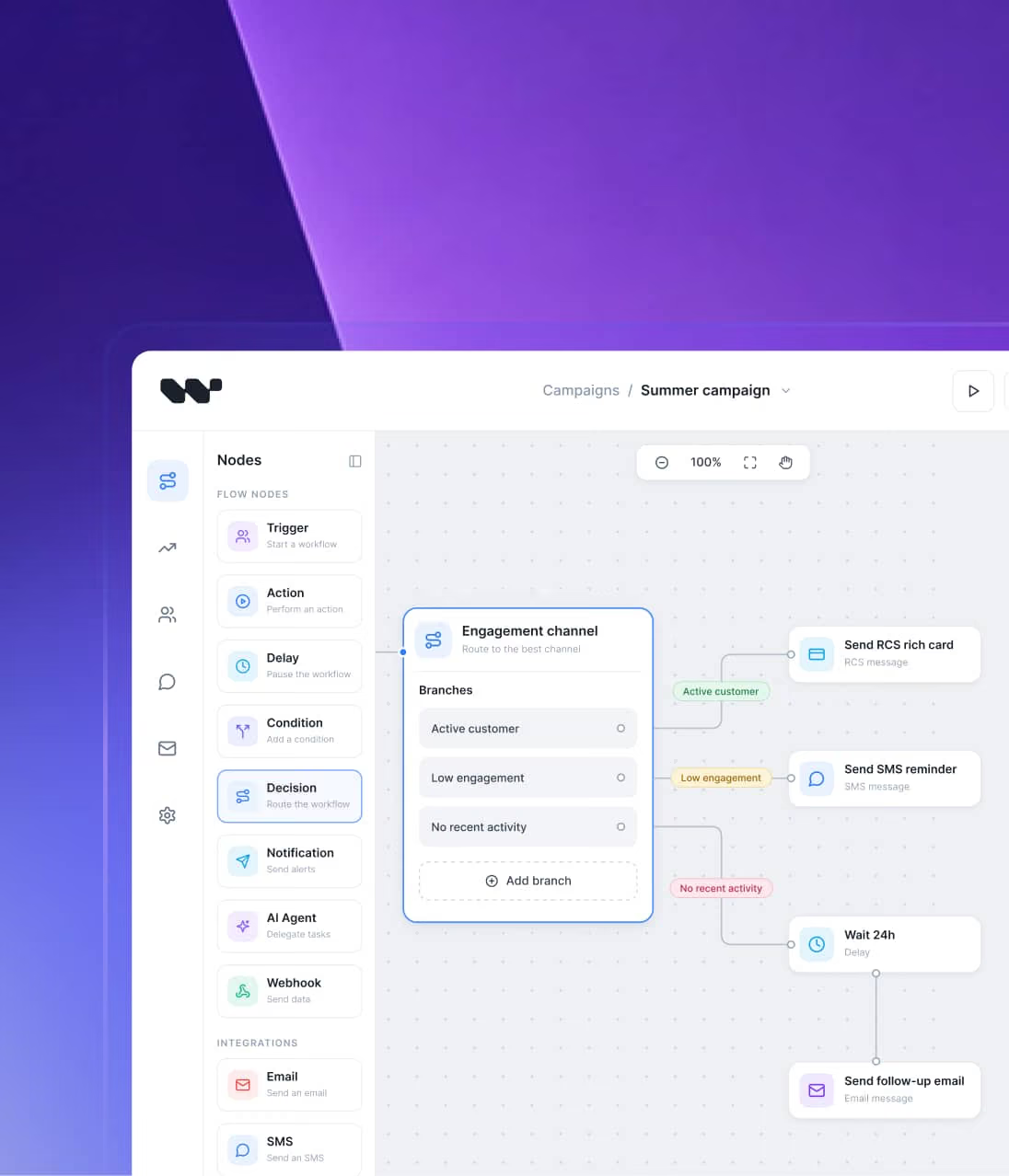







What you get with Workflow Builder
Workflow Builder is a React SDK for embedding a visual workflow builder into your martech product. Your engineers define the building blocks; your marketing users design campaigns and customer journeys visually. It pairs the editor with an open-source (Apache 2.0) reference back-end and an engine-agnostic runtime with a Temporal adapter included.
React SDK
Apache 2.0 reference back-end
Engine-agnostic runtime
Temporal adapter
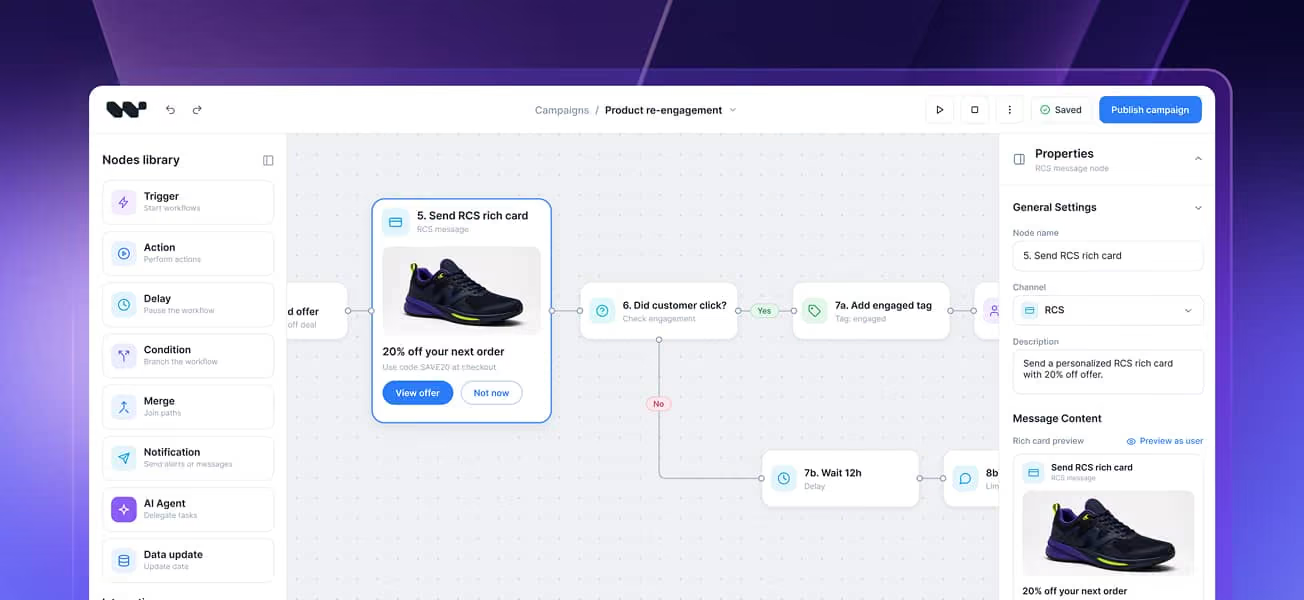
Use cases
A visual workflow builder for marketing automation and customer journey orchestration
The challenge
A journey is a graph – triggers, waits, branches, exits. The moment it lives only in code, marketing depends on engineering for every tweak, and momentum dies.
With Workflow Builder
Triggers, conditions, delays, decision branches, and A/B splits become visual nodes your marketing team edits directly.
Under the hood
Triggers, delays, and decision branches become nodes that fire from your events and evaluate against your segments. The marketer's diagram is the executable graph, so there's no separate spec to drift out of sync.
For teams building
Journey orchestration tools
Lifecycle marketing platforms
The challenge
Settings forms scale to a point. Past a few steps, your non-technical users need to see the whole sequence on one screen, not buried in another settings form.
With Workflow Builder
A visual canvas they own – branching, timing, segmentation – embedded in your product, under your brand.
Under the hood
Sends, tags, waits, and splits become action nodes you define once. The configuration form for each node is generated from your schema, so marketers get guided, validated inputs.
For teams building
Marketing automation SaaS
Campaign management software
The challenge
Offers, paywalls, and lifecycle nudges change weekly, configured by product and growth teams who don't write code. They want to ship without waiting for a release.
With Workflow Builder
Offers, paywalls, audience rules, and A/B tests become a visual canvas your growth team owns, inside your product.
Under the hood
Audience rules, A/B splits, and offer logic become visual steps. Wire up your plans, entitlements, and segments as node inputs and branch on trial status, plan tier, platform, or app version.
For teams building
Subscription management
Monetization
Growth platforms
The challenge
Activation is where data becomes action, but the logic is hard to expose safely to the marketing and ops teams who run it, and your data can't leave your infrastructure.
With Workflow Builder
A self-hosted canvas – segment to channel to action – that runs inside your stack, so the data and consent stay with you.
Under the hood
Segment, condition, channel, and action become typed nodes running self-hosted inside your infrastructure. Data and consent never leave your stack.
For teams building
CDPs
Data activation
Audience platforms
The challenge
Messaging products live or die on the editor. Your customers want to design RCS rich cards, carousels, and multi-channel journeys visually – the way they picture a conversation – not by reading your docs.
With Workflow Builder
Model rich cards, suggested replies, conditions, delays, and fallback routing (SMS to WhatsApp to Voice to Email) as drag-and-drop nodes. Your customers compose flows; your engine sends them.
Under the hood
Rich cards, carousels, and quick replies become node types you define once. The canvas serializes each flow to JSON that your back-end maps to the engine you already run. Fallback routing is just branch nodes.
For teams building
CPaaS platforms
Messaging SaaS
Conversational tools
Customers
How Vercom shipped RCS Flow Studio on Workflow Builder
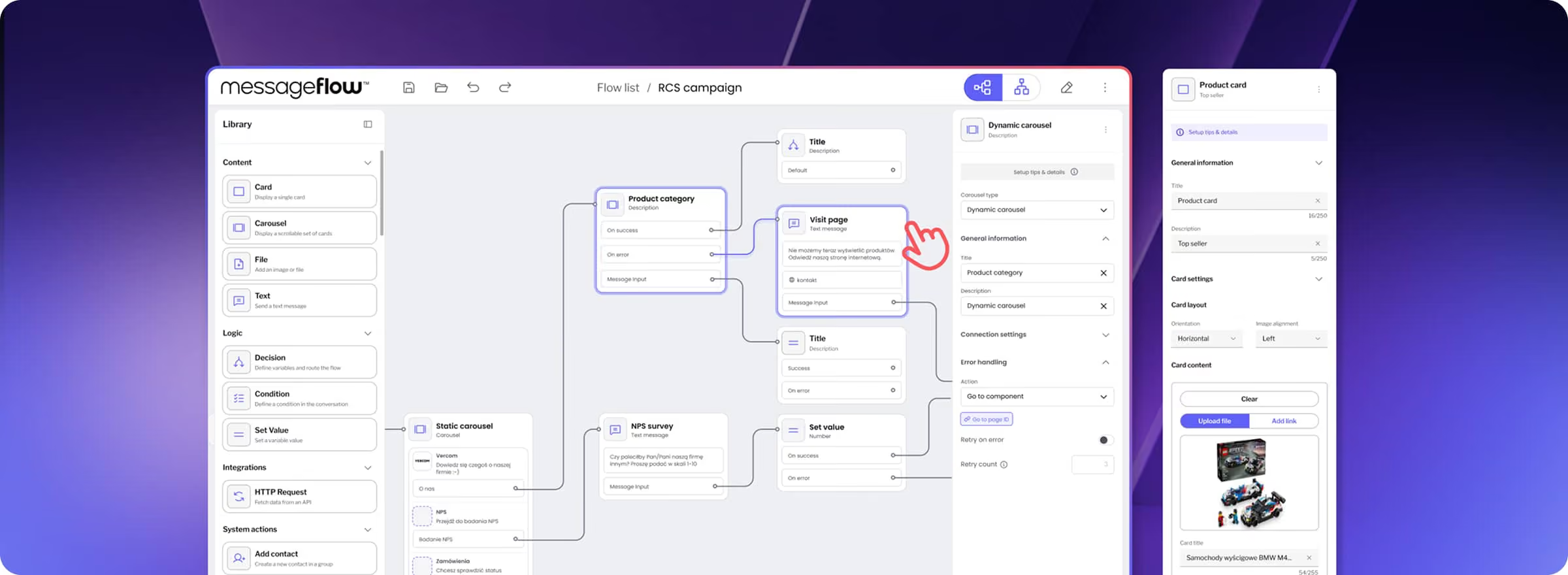
Vercom's MessageFlow needed a visual campaign builder its enterprise clients could use to design complex RCS customer journeys without developer dependency. Building it in-house would have been a multi-quarter project. They embedded Workflow Builder instead and shipped RCS Flow Studio, ahead of schedule and within budget, even before their own back-end integration was done.
Read the Vercom case study
From the Vercom case study
"I was looking for solutions that weren't just code libraries. I needed something built by people who'd solved this problem before. When I found Workflow Builder, I saw real case studies, not just documentation."
Adam Lewkowicz
Founder & CTO, Vercom

Why it matters
Your users think in flows. Your interface doesn't

Flows are trapped in the wrong interface
Whether a journey lives in code or a grid of config forms, the marketers and customer-ops teams who run the campaigns can't see it or shape it themselves. Every new journey waits on someone else.

Engine's UI is built for engineers
Your execution engine has a dashboard, but it was built for your team to debug – not for a marketer to read. Exposing it to customers means showing them raw infrastructure they were never meant to see.

Every tweak is a dev ticket
Campaign logic changes weekly – a new branch, a different delay, another A/B split. If every tweak is an engineering ticket, your customers move at your release cadence instead of their own – and your team spends its week building flows on their behalf.
Build vs buy
Four ways to get a visual flow builder. One is production-grade from day one
Recommended
Embed Workflow Builder
A complete editor layer inside your product - battle-tested UX and edge cases out of the box. It ships white-label, so the editor reads as a native part of your product, not an embedded third party.

You own the source code
You keep your own engine
You pay once - no subscription, no lock-in
Build from scratch
You build the canvas, node configuration, and saving and loading flows - then you own the maintenance, the edge cases, and every future refinement.
The catch:
months of engineering before your marketing users ship a single campaign.
Stitch it onto React Flow yourself
React Flow gives you a canvas. You still build the other 80% - schema-driven config panels, undo/redo, copy/paste, validation, theming.
The catch:
you keep all of it working as your product grows.
Buy a SaaS platform (e.g. n8n embed)
Embed someone else's platform and you inherit its engine and its look - your customers see vendor styling inside your product.
The catch:
a recurring license, lock-in on pricing and embed terms, and the source code is never yours.

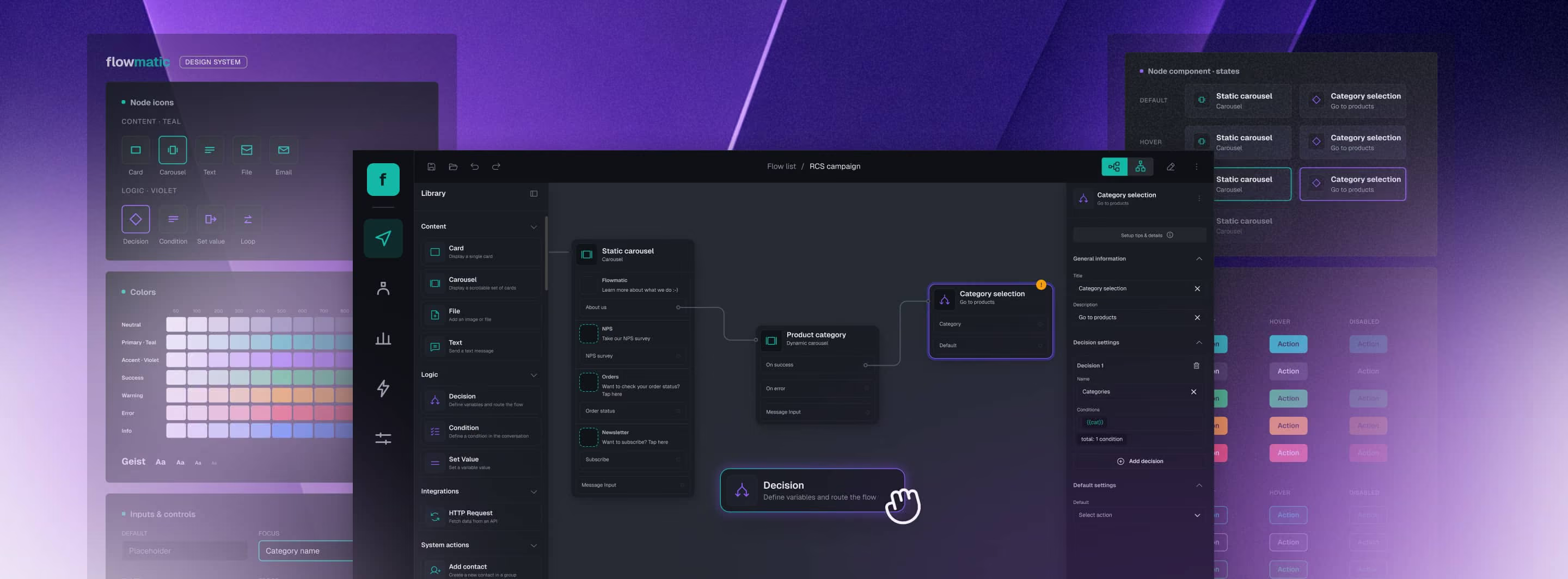
How it fits your product
Embed a workflow editor that carries your brand
Your users see your product, not a third-party tool.
STEP 1
The editor lives in your product
Drop the visual builder into your app – style it, arrange the layout (canvas, palette, properties panel, topbar), and model your own business objects and rules on it. It adapts to your domain, not just your brand.
STEP 2
It connects to your back-end
The flows your users design hand off cleanly to your product. Want a head start? Our open-source reference back-end gets you running faster – or connect your own.
STEP 3
Your engine runs the flows
Workflow Builder is the canvas, not the runtime. Whatever already powers your sends, journeys, or campaigns keeps doing it. Nothing to rip out.
Workflow Builder gives your users the visual layer. You keep the engine, the data, and the customer relationship.


No second engine, no lock-in
It sits on your stack. It does not replace it
The canvas is the only thing you add – everything underneath stays yours.



The team behind Workflow Builder

FAQ
- What is Workflow Builder?
Workflow Builder is a React SDK for embedding a visual workflow builder into your martech product. Your engineers define the building blocks once; your marketing and customer-ops users design campaigns and customer journeys on a drag-and-drop canvas – on your engine, under your brand. It is white-label by design, so the editor looks like a native part of your product.
- Who is it for?
It is built for companies whose product is used by marketers – CPaaS, marketing automation, customer journey, subscription, and CDP platforms – whose customers want to design flows visually instead of in code.
- How is it different from a marketing automation platform like HubSpot or Braze?
A marketing automation platform is a product you use; Workflow Builder is a layer you embed in the product you sell. Your customers get the visual builder inside your app, on your own engine – not on someone else's platform.
- How is Workflow Builder different from building on React Flow ourselves?
React Flow is the canvas library; Workflow Builder is built on top of it and adds the production layer you would otherwise build yourself – schema-driven configuration panels, flow serialization, validation, undo/redo, copy/paste, editable edges, auto-layout, and everything else that turns a canvas into a shippable product. You get the patterns a raw library leaves to you, and a clean, maintainable codebase you can build on.
- How is it different from an embedded iPaaS like n8n Embed?
n8n's value is its ready-made blocks and engine – great for generic automation, limiting the moment you need your own objects, business rules, and branding inside your product. Workflow Builder is built to be extended instead: a node is just a JSON Schema, you start from a set of reference nodes, and it ships an open-source reference engine you can run or replace with your own. It's the n8n alternative for the embed-and-customize use case, not a general-purpose iPaaS.
- How does it connect to our existing engine or API?
It is engine-agnostic – the visual layer, not a new runtime. You keep your current campaign or messaging engine; the open-source reference back-end coordinates the hand-off, or you point the editor straight at your own API. Whatever sends your messages and runs your journeys today keeps running.
- Can our customers build flows without writing code?
Yes. Your engineers define the available steps once; your marketing and customer-ops users then drag, connect, and configure them visually, with no code. The canvas is designed for non-technical users – that is the whole point of embedding it.
- What journey and campaign logic can our customers model?
Triggers, conditions, delays, and decision branching are all node types on the canvas, and you can add your own by defining them in configuration – a JSON Schema per node – in the open-source Community Edition. For multi-channel and RCS products, rich cards, carousels, suggested replies, and channel-fallback routing are modeled as nodes too – Vercom shipped exactly this on Workflow Builder.
- Is it self-hosted – do our data and consent stay with us (GDPR / CCPA)?
Yes. It runs self-hosted inside your own infrastructure, so your customer data, consent records, and the customer relationship stay with you. That matters for CDP, subscription, and other regulated martech where data residency and GDPR / CCPA compliance are non-negotiable.
- Is Workflow Builder open source or paid?
It ships in two editions.
Community Edition (free, Apache 2.0): the visual editor, the open-source reference back-end, the Temporal adapter, and the full canvas core – undo/redo, copy/paste, schema-driven properties, read-only mode, and JSON serialization.
Enterprise Edition (one-time perpetual license, €6,990): everything in Community plus the advanced canvas plugins – ELK auto-layout, smart edge routing, interactive edge reshaping, and the Flow Runner – a Figma Kit, priority support, and source access to the Enterprise-only components.
Ready to ship your visual builder?
Bring your engine. We will show you how the canvas fits on top – and what it puts in your customers' hands.