Temporal Human-in-the-Loop: What the Engine Gives You, What You Build | Workflow Builder

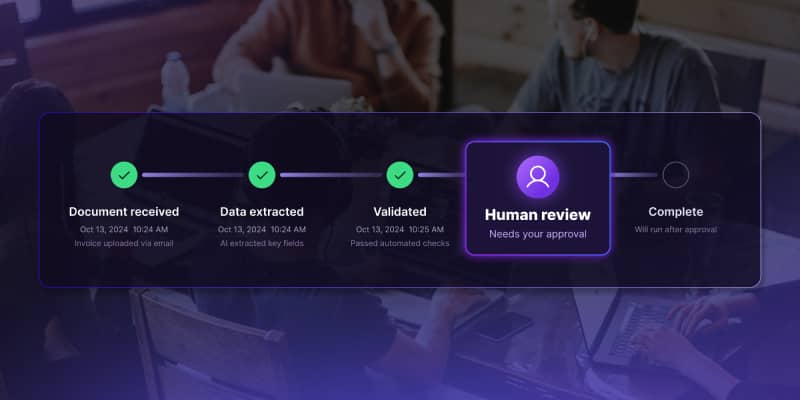
HITL here means the specific thing: a running workflow stops at a human checkpoint, waits for a human decision, and resumes with that decision folded in. Not a notification. Not a dashboard. The workflow genuinely waits.
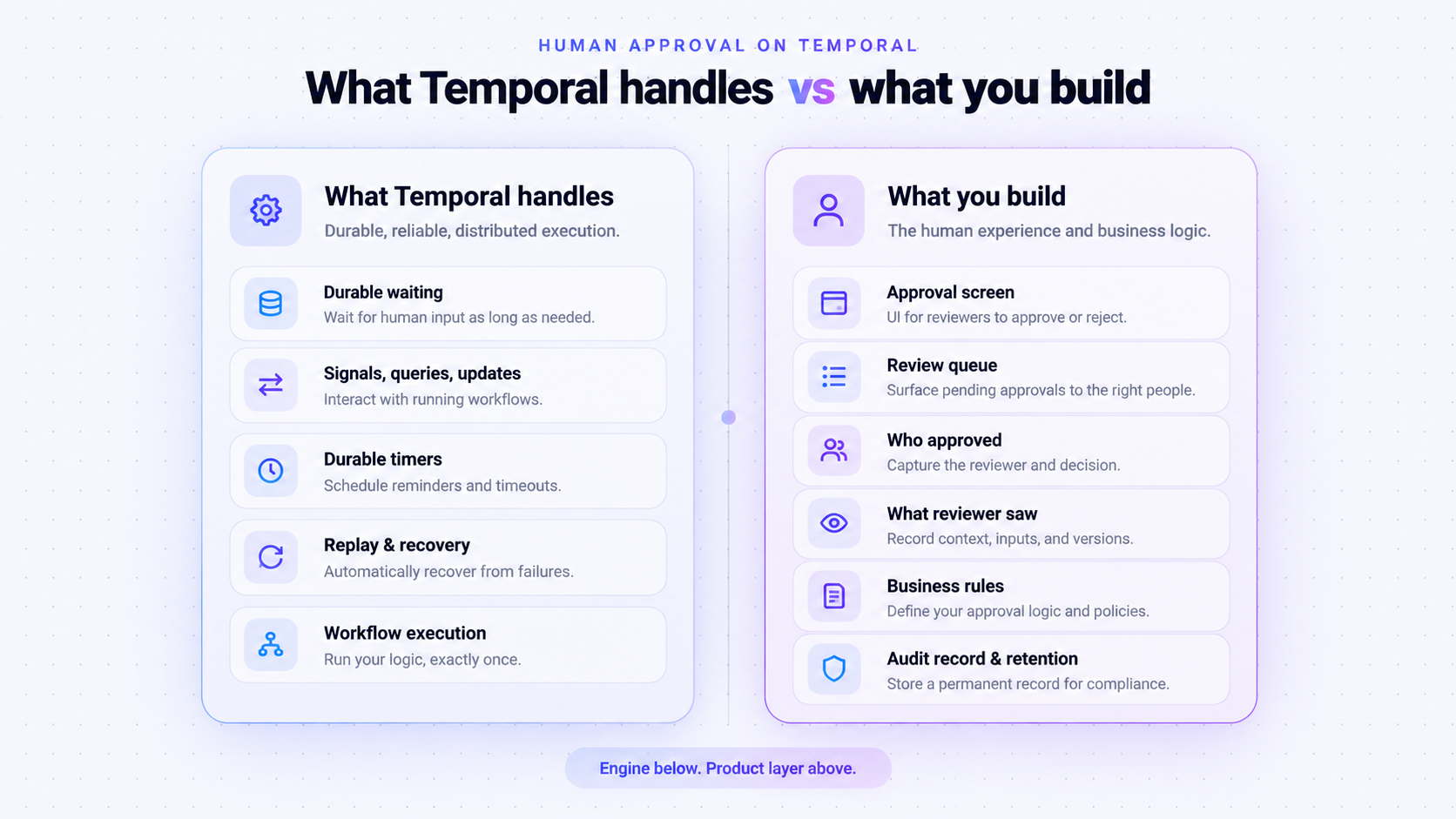
What Temporal handles
Durable waiting. A workflow can suspend on a condition and resume when it is met. In the Python SDK that is workflow.wait_condition(), which returns when a callback evaluates true; Temporal's official approval sample waits exactly this way for an approve signal. The timeout argument is optional – without one, the workflow waits indefinitely, and expensive LLM work already done is preserved rather than recomputed.
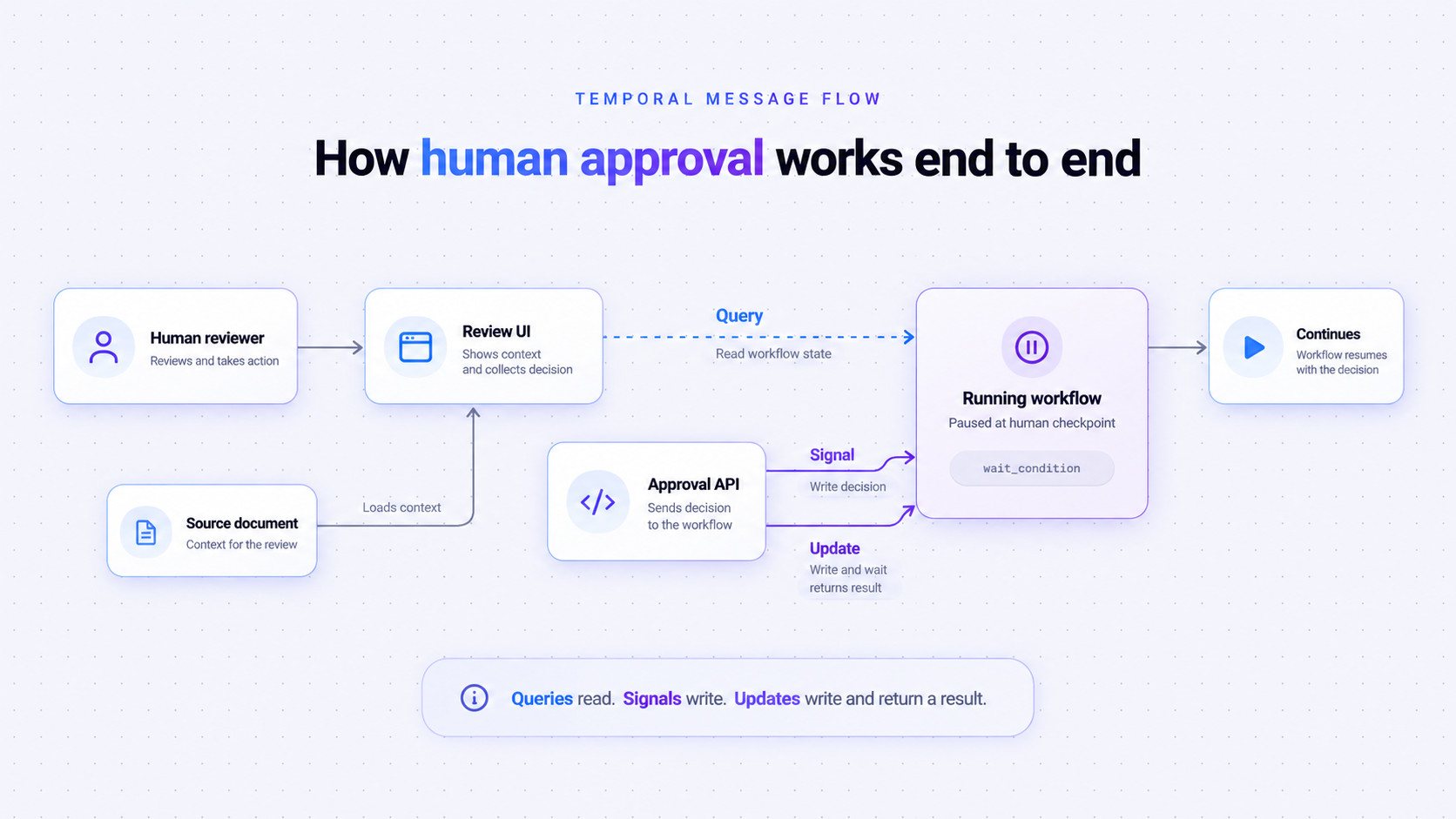
Three ways to talk to a running workflow. Current documentation names them Signals, Queries, and Updates:
- A signal is an asynchronous write. The sender changes the state of a running workflow and does not wait for a result. This is the standard mechanism for human approval: the human reviewer clicks approve, an API sends the signal, the workflow's signal handler updates state, and the wait condition resolves.
- An update is synchronous and tracked. The sender can wait for a result or an error, and an accepted update is written into the event history. If the person clicking approve should immediately see whether the human decision was accepted – because business rules might reject it – an update gives you that in one round trip.
- A query is a read that cannot mutate state and produces no event. Useful for showing a reviewer the state of a running workflow before they decide.
Timers that outlast anything reasonable. Escalation paths are built from durable timers, which is why "escalate after 48 hours" is straightforward to express and survives a worker restart. Activities carry a retry policy by default – one second initial interval, backoff coefficient of two, maximum interval of one hundred seconds, and no default cap on attempts – so a transient outage in the notification service does not silently drop an approval request.
Replay and recovery. If a worker dies mid-run, the Temporal Service replays the workflow's event history and the process continues. A workflow that waits three days survives three days of deployments.
A documented pattern. HITL appears in Temporal's own use cases and design patterns, with invoice approval as an example.
What Temporal does NOT handle
Who approved. The event written when a signal arrives stores the signal name, the payload, and identity – where identity is the worker or client that delivered the signal, not the person. There is no approver field. Temporal's own sample defines ApproveInput(name: str) and stores approver_name from the payload, which is application data someone decided to carry. If you don't carry it, nothing in the system knows a human approved anything.
What the human reviewer saw. The Temporal Service records the payload it received. It has no concept of the case, the documents, or the AI reasoning on screen when the decision was made. That context lives in your data, and if it changes between the human decision and the audit, nothing in the run history will tell you.
The review queue. Temporal has a task queue, but a task queue is for workers, not people. A review queue of pending approvals routed to the right people – with filtering, reassignment, and a view of what is waiting on whom – is an application you build. This is the single most common misunderstanding when teams first sketch the architecture.
Deciding what needs approval. Whether a step requires human review – always, above an amount, or below a confidence score – is business rules in your workflow code. The engine executes the branch; it does not choose it.
What happens when nobody answers. Without a timeout, the workflow waits. With one, wait_condition raises a timeout error your code handles, and what follows is your design. Temporal defines no default behaviour like auto-reject after 48 hours. That is correct engine design, and it means escalation paths are yours to specify.
Keeping the record. Execution history is retained for 30 days by default on Temporal Cloud, configurable from 1 to 90; 72 hours by default on self-hosted if unset. Workflow History Export moves complete histories into your own S3 or Google Cloud Storage bucket, hourly, with Temporal suggesting up to 24 hours before a closed workflow appears. Self-hosted has Archival, currently experimental and off by default.
Solid for forensic reconstruction and replay; not an approval log your compliance team browses.
How human approval works end to end
A minimal but complete HITL workflow on Temporal has six moving parts.
- The running workflow reaches a step where business rules require human input.
- It writes a pending approval record to your own database and notifies the right people.
- It calls
wait_conditionwith a timeout, and suspends. - A human reviewer opens the case, sees the AI outputs and the source documents, and decides.
- Your API sends a signal carrying the decision and the reviewer's identity. The signal handler updates workflow state.
- The workflow resumes, records the human decision in your audit store, and takes the branch.
Make the signal endpoint idempotent, because a reviewer will double-click. And keep the pending approval record outside the workflow – a review queue that can only be read by querying every running workflow does not scale past a few hundred.
Agentic loops raise the stakes
Agentic workflows are now one of the significant use cases for durable orchestration: Inngest's 2026 benchmark of 130 engineers found 68% running AI or LLM workflows alongside 63% running data pipelines. An AI agent chooses its own sequence of actions, so you cannot enumerate every point where human judgment might be needed.
Approve the action rather than the reasoning: the agent thinks freely, and the step that sends, pays, or deletes waits. Or approve by capability: reading is free, writing is gated. Both need the same thing underneath – an agentic loop that can pause without discarding the work already done.
The versioning question nobody asks until it bites
Temporal versions your workflow code, and it gives you an explicit choice about running workflows. Worker Versioning offers PINNED, which guarantees an execution finishes on a single worker deployment version, and AUTO_UPGRADE, which moves running workflows onto a new version during rollout. Patching is the second documented strategy.
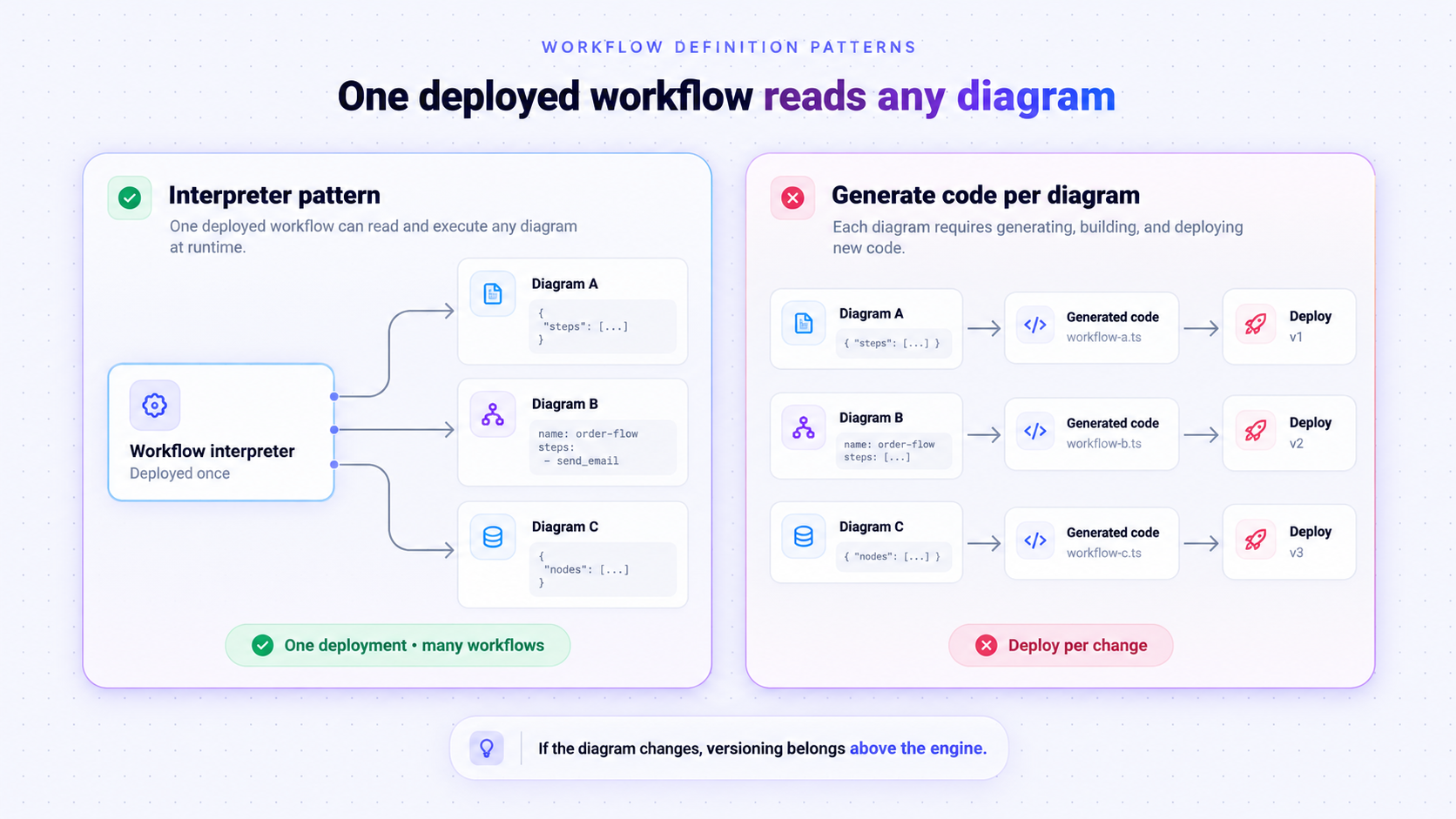
What none of that versions is a workflow definition stored as data.
If your users draw the process – if the workflow definition is a JSON or YAML document interpreted at runtime rather than compiled into workflow code – then changing it is not a code deployment, and Temporal has no documented mechanism deciding whether a run that started last Tuesday finishes on last Tuesday's diagram.
This matters because interpreting a definition at runtime is the only approach that scales in a multi-tenant product, and Temporal documents the pattern itself: the official TypeScript samples include a DSL interpreter workflow where two YAML files describe two different processes, both executed by the same deployed workflow code. One deployment, any number of diagrams, no release when a customer saves a new one.
Deciding what happens to in-flight runs when the diagram changes belongs to the layer between the diagram and the engine. We covered the mechanics in How to implement version control and change tracking in workflows.
The split, in one table
Under the EU AI Act, Article 14 requires high-risk AI systems to be designed so they can be effectively overseen by natural persons while in use – including the ability to detect anomalies, avoid automation bias, and override, disregard or reverse an output. Obligations apply from 2 December 2027 for high-risk systems under Annex III, and from 2 August 2028 for those embedded in regulated products under Annex I. The NIST AI Risk Management Framework asks parallel questions: GOVERN 2 on accountability structures, GOVERN 3.2 on roles in human-AI configurations, and MAP 3.5 on documented human oversight processes.
A checkpoint a reviewer clicks through without seeing the case is unlikely to satisfy anyone examining it afterwards. What an examiner asks for is evidence – who reviewed, when, what they were shown, what they decided. None of that is produced by the engine; all of it comes from the layer above it.
Workflow Builder is the embedded workflow editor and the orchestration that runs it – the layer where the human checkpoint, the review queue, and the audit record live. The Temporal connection sits behind a small contract, which means adopting it is not a bet on any single engine – a trade-off we covered in Build vs buy: the hidden cost of building on React Flow.
If you are still evaluating engines rather than the layer above them, AI orchestration tools compared covers Temporal alongside Inngest, Restate, and Camunda. If you already use Temporal and want the editor side, start with the Temporal workflow editor.
See it running: book a walkthrough – fifteen minutes, your workflow, our engineers.
- Should I use a signal or an update for approvals?
A signal if the reviewer does not need an immediate answer. An update if the decision can be rejected by business rules and the person should see that in the same click.
- How long can a Temporal workflow wait for human input?
Longer than any approval process needs. The practical limits are your own workflow timeouts and retention settings, not the wait itself.
- Does this replace a fully automated workflow?
No. Most workflows route the majority of cases through automatically and reserve human effort for the ones where confidence is low or the amount is high. That selectivity is what makes HITL scale.
- Can I see pending approvals in the Temporal Web view?
You can see that a workflow is waiting. You cannot see a queue of cases grouped by reviewer, which is why teams build that separately.
An entrepreneur and tech enthusiast, with over 14 years of experience building innovative diagramming solutions and tools across industries. Our interfaces help technical and non-technical users make informed business decisions.
Need more information about Workflow Builder?
Talk directly to our experts to discuss features, integration and onboarding options, or custom solutions– get clear answers for your next step.
Articles you might be interested in
.jpg)
Building a visual call flow editor for cloud telephony – and how to get it right
Every cloud telephony platform eventually hears the same request from partners: make call flow configuration visual. Here is what a good call flow editor looks like – and how to build one on Workflow Builder.
Open Source Workflow Engine Comparison: Licences, Layers and Gaps | Workflow Builder
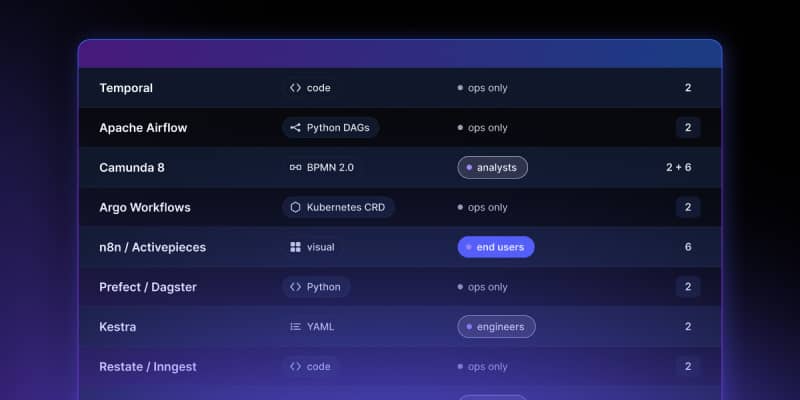
Every automated workflow runs on a stack. Most conversations about choosing an open source workflow engine collapse that stack into one question – "which workflow tool should we use" – and then stall, because the tools being compared occupy different layers and solve different problems. Apache Airflow and Camunda are both called a workflow engine. They have almost nothing in common.