
What Is Human-in-the-Loop Automation? A Practical Guide to HITL | Workflow Builder

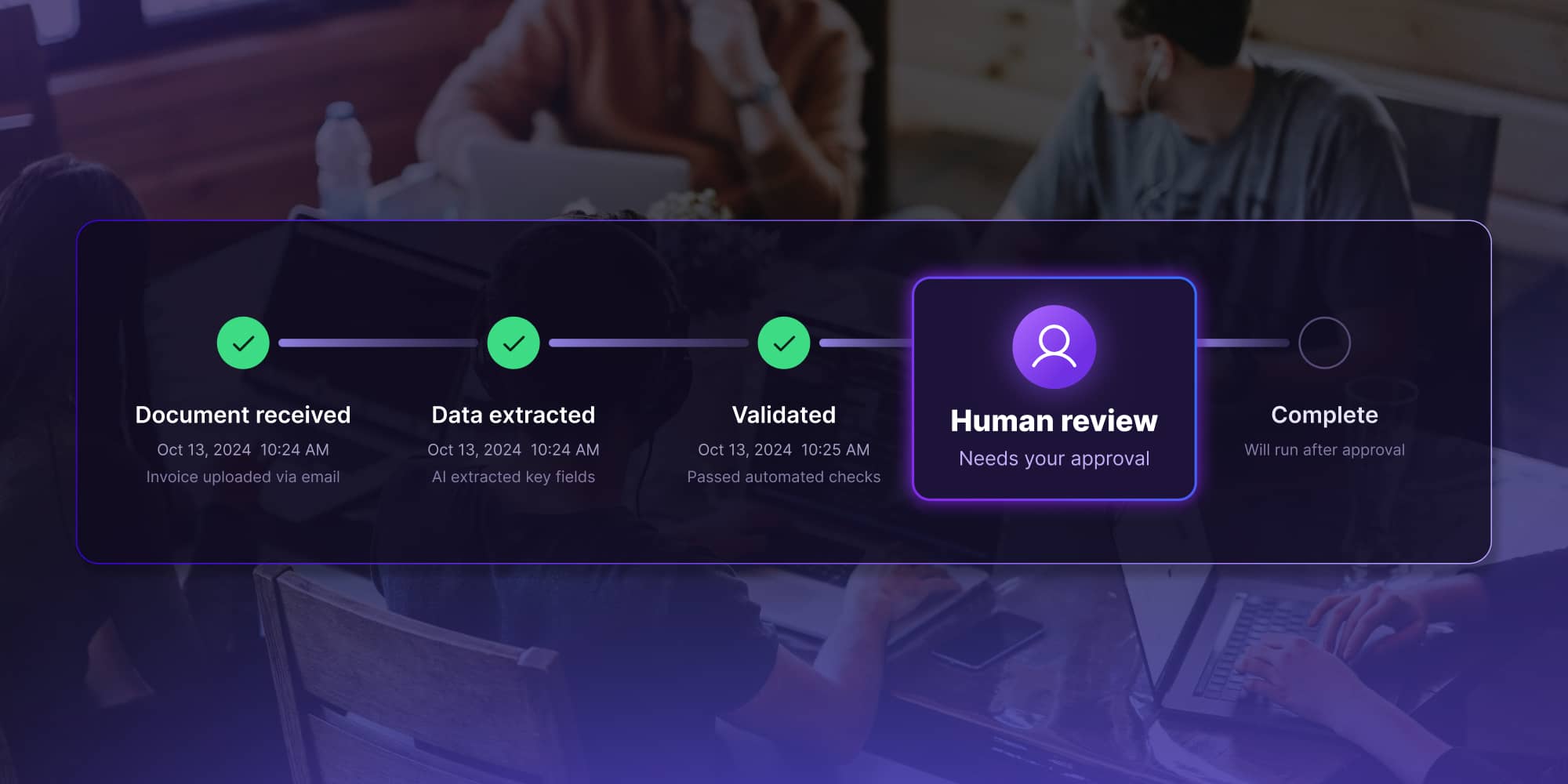
The automation handles everything it can handle, and a human handles the part that needs human judgment.
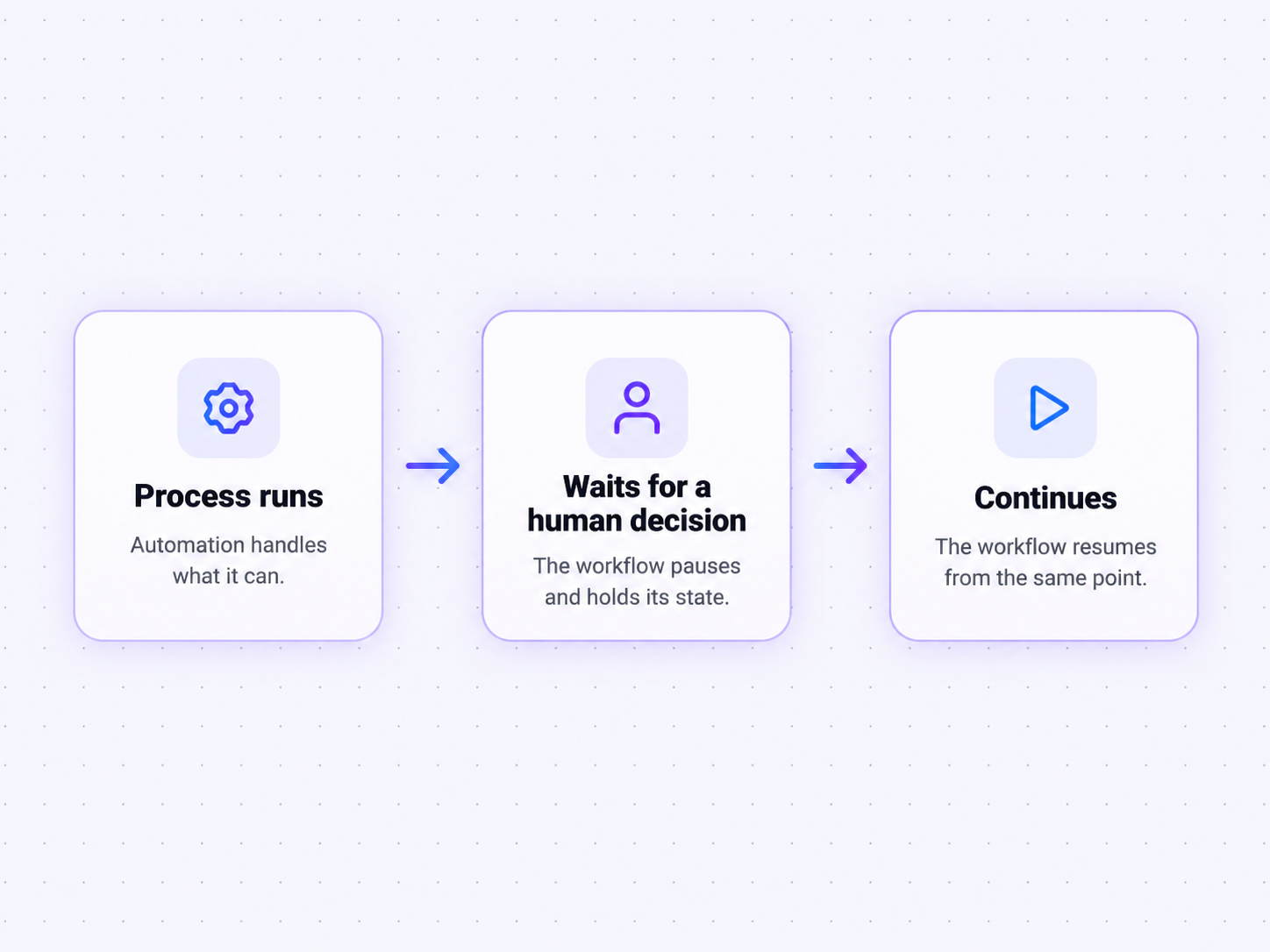
The term gets used loosely, so it helps to be precise. A workflow with human checkpoints is not the same as a workflow that emails someone a notification. In real human-in-the-loop automation the process stops. It holds its state – sometimes for minutes, sometimes for three days – and does not proceed without human input.
Why automation alone fails?
Fully automated systems work beautifully until they meet something they weren't designed for. Then they either fail loudly, which is annoying, or they proceed confidently with a wrong answer, which is expensive.
Traditional process automation dealt with this by being narrow. A step did one thing. If the input was malformed, the step errored and a human reviewer looked at it. The boundaries of what the automation could decide were visible in the code.
AI removed those boundaries. An automated step that reads a document, judges a case, or chooses an action produces output that looks equally confident whether it is right or wrong. No exception is thrown when an AI model misreads an invoice. The automated system outputs a number, the workflow continues, and nobody notices until reconciliation.
This is the practical argument for human oversight, and it is not philosophical. It is about which decisions can be undone. A misfiled document can be refiled. A payment sent to the wrong account, a claim denied to the wrong customer, or a message sent to thousands of people cannot.
How HITL works in practice
The mechanics are consistent regardless of what you automate on.
- The workflow reaches a decision point. A step is flagged as requiring human judgment: always, or conditionally on business rules, a confidence score, or an amount threshold.
- The process suspends. State is persisted. Nothing holds a thread or a lock, which is why a workflow can wait three days without consuming resources.
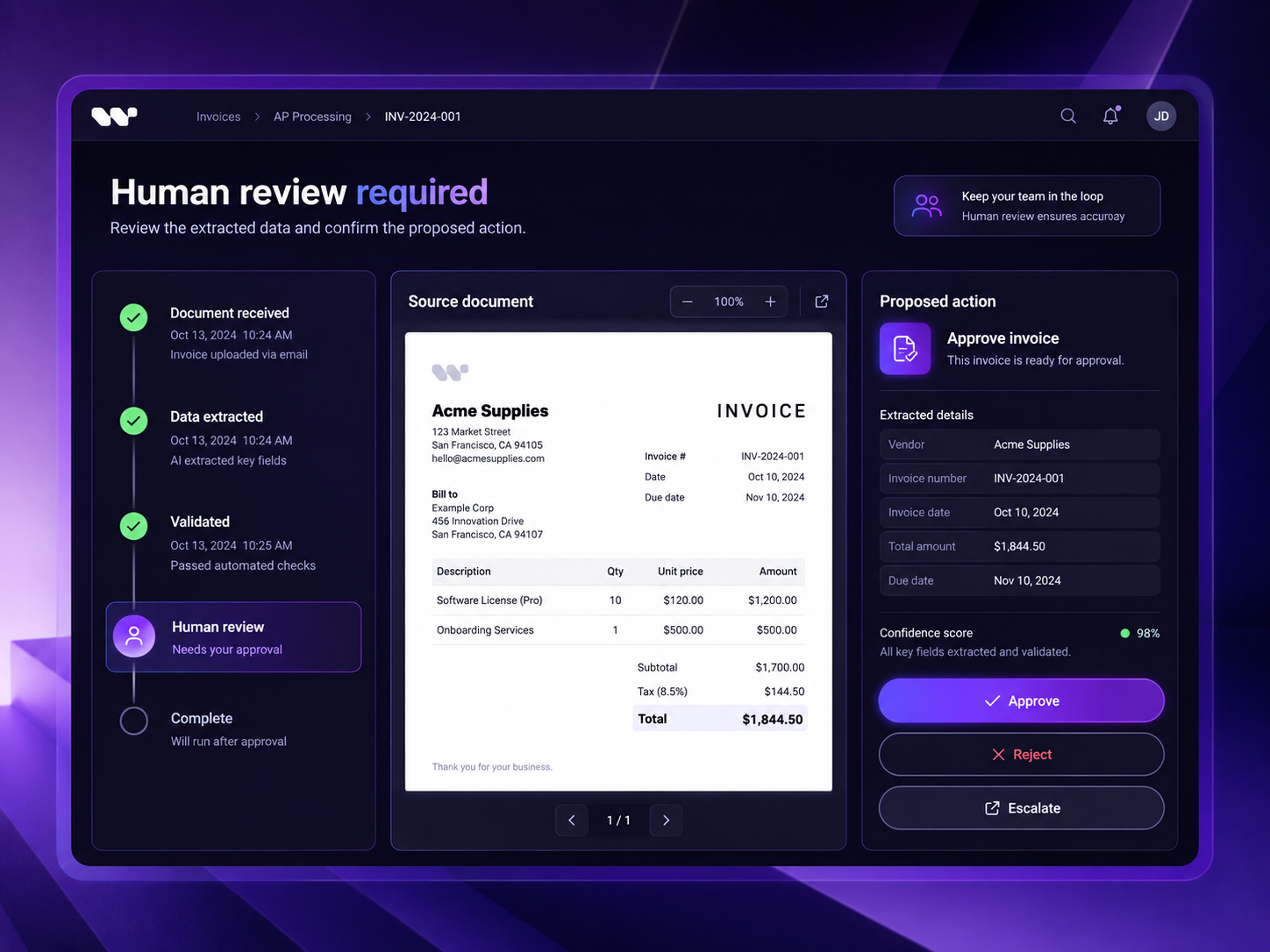
- A person is notified with context. They see what happened in previous steps, what the AI systems propose to do, and the underlying documents.
- The human decision returns. Approve, reject, edit, escalate – entering the workflow through an API.
- The workflow resumes from exactly the point where it stopped, taking the branch the decision indicates.
- The decision is recorded. Who, when, on what basis.
Where the human decision enters
Most implementations route the decision through one of four surfaces:
- a review queue inside the product,
- an email or chat notification with an action link,
- an existing ticketing system,
- or a task queue that human operators work through.
Each trades latency against how much context the reviewer sees. The review queue takes longest to build and produces the best decisions, because the person looks at the case rather than a summary of it.
Human-in-the-loop vs full automation
Full automation optimises for throughput. HITL optimises for the cost of being wrong. Neither is universally better, and most mature systems run both side by side.
A fully automated workflow processes every case at machine speed with no human involvement, which is exactly right when errors are cheap and reversible. An autonomous system that files documents, enriches records, or drafts internal summaries needs no human intervention and gains nothing from it.
HITL trades some of that speed for accountability. The workflow still automates ninety-odd percent of the path; what changes is that one or two steps require human review before the process commits to something it cannot take back. The comparison is not "automation versus people" – it is "which steps can this automated system finish on its own, and which cannot".
Benefits of human-in-the-loop automation
- Accuracy on ambiguous cases. Machine learning models are strong on the distribution they were trained on and unreliable outside it. Human reviewers handle the tail, and their corrections can feed a feedback loop that improves the AI model over time.
- Accountability that survives an audit. Every consequential decision has a name attached. This is the benefit that matters most in regulated industries and the one most often built badly.
- Trust, internally and externally. Teams adopt automation faster when they know a person sees the consequential steps. Customers accept AI outputs more readily when a human approved them.
- Faster deployment of imperfect automation. You do not have to wait for the model to be right ninety-nine percent of the time. Route the uncertain cases to a person and ship.
- Better training data. Human corrections captured at runtime are labelled examples of exactly the cases the system finds hard.
In the loop, on the loop, out of the loop
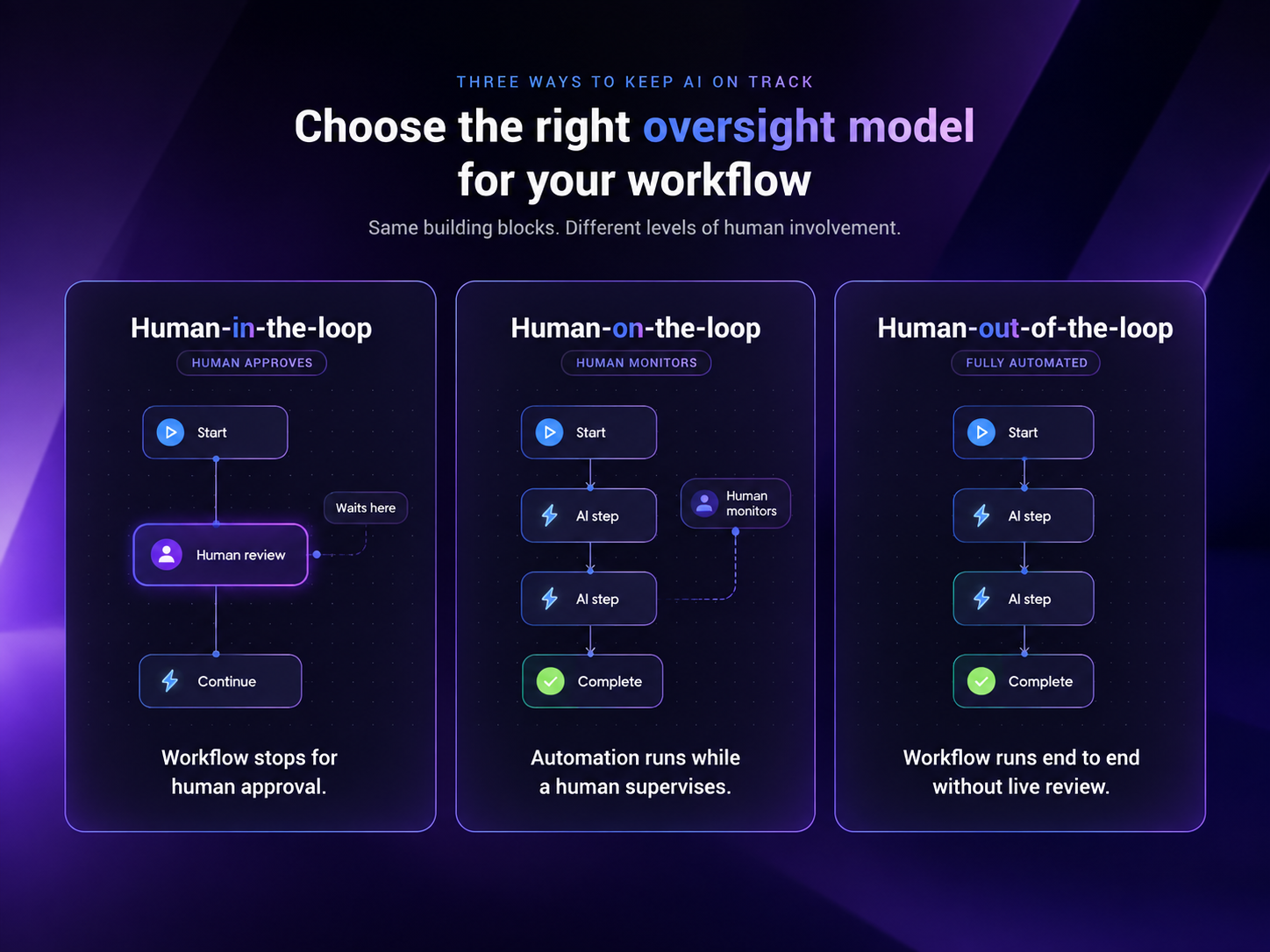
Three oversight models, often confused, and the difference determines your architecture.
- Human-in-the-loop. The workflow cannot continue without a human decision. It halts and stays halted. Use it where the action is irreversible or where a regulator will later ask who authorised it.
- Human-on-the-loop. The automation runs continuously while a person monitors and retains the ability to intervene. Nothing waits for them. Use it for high-volume streams where stopping for each item destroys the economics – fraud monitoring, content moderation, agent runs where someone needs a stop button rather than an approval queue.
- Human-out-of-the-loop. Fully automated, reviewed after the fact or not at all. Correct for reversible, low-stakes, high-volume work.
Real systems mix all three across one workflow. A claims process might run unattended through intake, use on-the-loop monitoring throughout, and require in-the-loop approval only at the payment step. Which step gets which model is a product decision worth making deliberately.
HITL is not RLHF
A related term worth separating.
Reinforcement learning from human feedback is a machine learning technique: human preferences shape a model before deployment. Human-in-the-loop automation is a runtime pattern: a person makes a decision inside a live workflow.
Both involve human intelligence, both get called HITL, and they solve different problems. Human feedback collected at runtime can of course feed a training loop later… but that is a second system.
When to use HITL
Four questions decide it, and the first usually settles the matter.
Can this decision be undone?
If yes and the cost of being wrong is low, automate fully and review samples. If no, use HITL.
How often do edge cases occur?
If ninety-nine percent of cases are clean, requiring human review on all of them wastes attention on cases that never needed it. Conditional routing – human review only when a confidence score is low, an amount is high, or a rule is violated – keeps human involvement where judgment matters.
Is human review required by regulation?
Under the EU AI Act, Article 14 requires high-risk AI systems to be designed so they can be effectively overseen by natural persons while in use – obligations that apply from December 2027 for systems under Annex III. Add sector rules in finance and healthcare and structured human oversight stops being an architectural preference. The question becomes what evidence you can produce that it happened.
Do humans currently override automated decisions often?
If your team already corrects the system regularly, that correction happens informally. Making it a formal step doesn't add work; it makes existing work visible and recordable.
Real-world examples of human-in-the-loop automation
- Financial services. Payment approvals above a threshold, exception handling in reconciliation, onboarding checks where an AI system flags a mismatch and a compliance officer decides.
- Insurance. Claims falling outside automated rules. A model assesses the claim, an adjuster reviews the assessment alongside the documents, and the decision – with the adjuster's name attached – becomes part of the record.
- Contact centres and customer operations. An AI agent drafts a response and a human reviewer checks it before it reaches the customer. Common as a first deployment because volume is high and the cost of a bad message is visible.
- Document processing. Extraction models return a confidence score. Ambiguous, low-confidence fields route to human reviewers; clean fields pass through. One of the oldest HITL patterns and still one of the most effective.
- Manufacturing and operations. An automated system schedules or reorders, and a planner confirms anything that commits budget or capacity.
- Software products embedding automation. Your customers build workflows inside your product and want their own people approving sensitive steps. Here HITL stops being an internal tool and becomes a product feature, which changes what you have to build.
Challenges and limitations
#1 The approval screen is the product
A step that shows a reviewer a case ID and two buttons converts a decision into a rubber stamp. If the person cannot see what the automation did, what it proposes, and what happens if they say no, they approve everything – and you have added latency without adding oversight. Whether controls work is measurable: track override rates, time to decision, and how often a reviewer opens the source documents. A 99% approval rate is not evidence that the automation is good.
#2 Nobody plans for nobody answering
People go on holiday. A workflow waiting indefinitely for an approval that never comes has silently stopped. Every human checkpoint needs a timeout and an escalation path, and no automated system provides either by default. Human review is also a bottleneck by construction: if the queue grows faster than reviewers clear it, the automation is throttled by human effort rather than by compute.
#3 The engine doesn't record who approved
This surprises teams during their first audit.
Execution engines record that an approval arrived. They don't record who approved. In Temporal, the event written when a signal reaches a running workflow stores the signal name, the payload, and a field called identity – and identity identifies the worker or client that sent the signal, not the person.
There is no approver field. Temporal's own approval sample carries the approver's name inside the payload, as application data a developer put there deliberately
If your run history knows who approved a step, it's because the layer above the engine wrote it down. The same applies to what the reviewer saw. A record that says "approved" is not the same as one that says "approved, by this person, at this time, with these documents visible". The second answers an auditor's question. The first starts an argument.
We went deeper on what that record needs to contain in Audit trails for AI workflows in regulated SaaS.
How long the record survives
On Temporal Cloud, execution history is retained for 30 days by default, configurable between 1 and 90 days. On self-hosted the default is 72 hours if nobody sets it. Both offer a route to permanence – Workflow History Export to S3 or Google Cloud Storage, or Archival on self-hosted.
Those exports are aimed at compliance and they work. What they produce is complete run histories in object storage, delivered hourly with up to a day of lag. That is the right shape for reconstructing a case after the fact. It's not a queryable record a compliance officer opens on a Tuesday to check who signed off on a claim. Building that is a separate job, and it belongs to the layer above the engine.
Human-in-the-loop for AI agents
Agentic systems raise the stakes, because an AI agent chooses its own sequence of actions rather than following a fixed path. You cannot enumerate in advance every point where human judgment might be needed. This is no longer a niche case: Inngest's 2026 benchmark of 130 engineers found 68% running AI or LLM workflows, alongside 63% running data pipelines.
We've seen two patterns here.
- Approve the action, not the reasoning: rather than reviewing how the agent decided, gate the actions that touch the outside world – sending, paying, deleting, publishing. The agent reasons freely; the consequential step waits.
- Approve by capability: define which tools require approval and which do not. Reading is free; writing is gated. This scales better than case-by-case review and maps cleanly onto how agent frameworks are already structured.
Both need the same foundation: a workflow that pauses mid-run without discarding expensive generative AI work, and resumes with the human decision folded in.
How to implement human-in-the-loop automation
What you actually need to build, beyond the automation itself:
- Durable waiting. A workflow that suspends without consuming resources and resumes from the same point.
- A decision surface with context. Not a notification; a view of the case.
- An API boundary. How the decision re-enters the running workflow, made idempotent so a double-click does not approve twice.
- Timeouts and escalation paths, defined per checkpoint rather than globally.
- Roles. Whoever approves should not be whoever can edit the workflow definition.
- A decision record. Queryable, durable beyond your engine's retention window, with identity attached.
- Versioning. If the definition changes while runs are in flight, something must decide whether a run started last Tuesday finishes on last Tuesday's version.
The first item is what execution engines give you. The rest is the layer above, and underestimating that split is the most common reason these projects run long.
Workflow Builder is an embedded workflow editor and the orchestration that runs it. Your customers design the process, watch it execute, and approve what needs approving – inside your product, on your infrastructure, with the record staying yours.
If you want the engine-level version of this article, we wrote it separately: Human approval on Temporal.
- Does human-in-the-loop slow automation down?
At the checkpoint, by exactly as long as the human takes. Across the process, usually less than expected, because the alternative to a two-hour approval is often a two-week reconciliation.
- Is HITL scalable?
It scales if routing is selective. Requiring human review on every case does not scale and was never meant to.
- What is human-in-the-loop RPA?
The same pattern applied to robotic process automation: the bot handles the repetitive path, a person handles exceptions. Identical mechanics, different tooling generation.
- Which industries benefit most?
Anywhere a decision is irreversible or auditable: financial services, insurance, healthcare, and any regulated environment where "who authorised this" has a legal answer.
- Is human-in-the-loop automation more secure and compliant?
More compliant only if the record is right. A human checkpoint without an audit record gives you the latency of oversight without the evidence of it.
- Does agentic AI need a human in the loop?
For consequential actions, yes – and increasingly by regulation rather than by choice.
An entrepreneur and tech enthusiast, with over 14 years of experience building innovative diagramming solutions and tools across industries. Our interfaces help technical and non-technical users make informed business decisions.
Need more information about Workflow Builder?
Talk directly to our experts to discuss features, integration and onboarding options, or custom solutions– get clear answers for your next step.
Articles you might be interested in
.jpg)
Building a visual call flow editor for cloud telephony – and how to get it right
Every cloud telephony platform eventually hears the same request from partners: make call flow configuration visual. Here is what a good call flow editor looks like – and how to build one on Workflow Builder.
Open Source Workflow Engine Comparison: Licences, Layers and Gaps | Workflow Builder
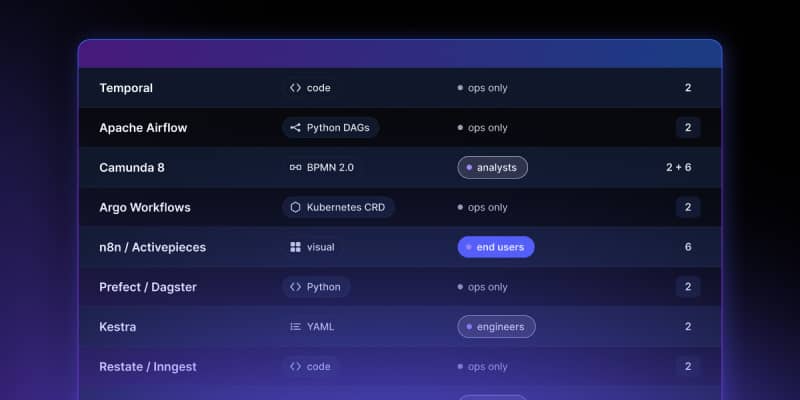
Every automated workflow runs on a stack. Most conversations about choosing an open source workflow engine collapse that stack into one question – "which workflow tool should we use" – and then stall, because the tools being compared occupy different layers and solve different problems. Apache Airflow and Camunda are both called a workflow engine. They have almost nothing in common.

Temporal Human-in-the-Loop: What the Engine Gives You, What You Build | Workflow Builder
If you're implementing human-in-the-loop (HITL) approval on Temporal, the engine gives you more than expected on the waiting problem and less than expected on the accountability problem. This article is that split, with the documentation behind each claim.