How Workflow Builder changed in 2026 – from embeddable editor to AI workflow orchestration


By November 2026, Workflow Builder had become an open-source AI workflow orchestration framework for cases that run for weeks. Each step is your code, an AI agent, or a person. A waiting case survives server restarts and new releases, and every case reaches a final state. Workflow Builder runs on Temporal and stays open source under Apache 2.0.
Workflow Builder started as a workflow editor that developers embed in React apps. Running each workflow stayed with the team that embedded the editor. By November 2026, Workflow Builder had grown into an open-source AI workflow orchestration framework for cases that run for weeks. A case is one pass through a workflow, such as one customer order, one loan application, or one approval request. Each step in a case is your code, an AI agent, or a person, and every case reaches a final state. Workflow Builder runs on Temporal, the engine that lets a waiting case continue after a failure or restart.
Why Workflow Builder changed
Real work outlasts the diagram. One case can take days or weeks, pass through several systems, and wait for a person to decide. Drawing a diagram is the easier task.
The hard part sits between the editor and the engine. The code in between has to turn each drawn workflow into steps that an execution engine runs. The Workflow Builder Runtime now handles that middle layer.
AI agents speed up single steps. The whole case still needs a decision from a person and a record of every step.
Engines and core systems are already in place. Companies keep the core systems that already run the work, and some also run Temporal. Teams need a way to design and change each workflow without replacing any of those systems.
What Workflow Builder is today
The framework has 3 parts:
- Workflow Builder Runtime takes each case from the first step to a final state: completed, failed, or cancelled.
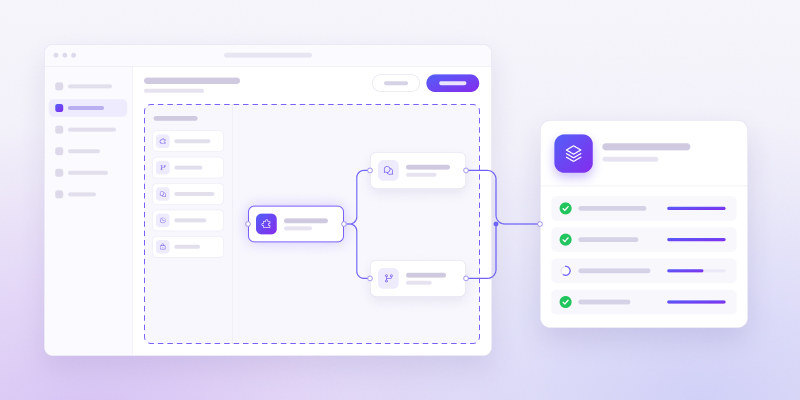
- Workflow Builder Editor is the canvas where people draw and change a workflow. Your developers embed the Editor in your product as a React component.
- Temporal is an open-source durable execution engine that runs underneath the Runtime. After a failure or restart, a case continues instead of starting over. Your engineers can connect another engine through an adapter.
When a case starts, the Runtime checks the workflow saved in the Editor and keeps the case on that version. Each step then runs through Temporal. Temporal alone runs workflows written as code. Workflow Builder stores each workflow as data that changes without code. Workflow Builder also adds a built-in step that waits for a person, versioning, and a record of every case.
Your deployment runs on your own servers, on Temporal Cloud, or in an air-gapped network with no internet access. Workflow Builder works with any AI model that has an OpenAI-compatible API, including one inside your own network.
What changes for your team
A case can wait for days or weeks. An AI agent prepares a draft, and the case waits until a person decides. The first decision counts, and a duplicate is refused. A waiting case survives server restarts and new releases. Each case keeps a record of every step and decision.
A change built from existing blocks ships without a release. Your developers define each block – a reusable step type – once. After that, changing steps and conditions takes no code and no new release of your app. A case that opened three weeks ago finishes on the version from that day, and new cases start on the latest one.
Your current systems stay. Workflow Builder sits on top of the systems you already run, and none of those systems has to be replaced. Your developers connect each system once, as a reusable block.
Developers get an MCP server for AI coding assistants. The Workflow Builder MCP (Model Context Protocol) server lets your assistant look up real function signatures before writing code. The docs and API data ship inside the package, so the server needs no account or API key and makes no network calls. The server works with Claude Code, Claude Desktop, Cursor, VS Code, and OpenAI Codex.
What stays the same
- Workflow Builder stays open source under the Apache 2.0 license. The license allows commercial use, code changes, embedding in a product you sell, and white-labeling. Your engineers can read, run, and test the code on GitHub before making any decision.
- Code written for your project lives in your repositories and belongs to your organization.
- Used alone, the Workflow Builder Editor installs as a React package and needs no engine. Each workflow is saved as JSON that your code can read.
- The Editor is built on React Flow. Design tokens match the Editor to your product. The Editor runs under your own brand and in your users' languages.
Current installation steps and API details are in the Workflow Builder documentation.
The team behind Workflow Builder
Synergy Codes, with 15+ years in workflow software, builds and maintains Workflow Builder in the open. The repository includes a decision log that records architecture decisions, including the approaches the Workflow Builder team rejected and the reasons. The team has shipped 200+ diagram and workflow products in 20+ industries. Product teams in the United States and Europe build on Workflow Builder, at companies that range from startups to software vendors with 1,000+ employees.
Run Workflow Builder yourself or together with its creators
Run Workflow Builder yourself. The first step is to install the Editor from npm with the quick start. Along the way, your team works with the documentation and the MCP server, and asks questions in GitHub issues and on Discord. Before launch, your engineers add login and keep each customer's data separate.
Run Workflow Builder with its creators. The first step is a free 30-minute call with the engineers who created Workflow Builder. After the call, the engineers and your team lay out your first workflow step by step. Before launch, the same engineers add login and data separation with your team, and review security and architecture. After launch, you get an assigned engineer and support under an SLA (service level agreement).
- What is Workflow Builder?
Workflow Builder is an open-source AI workflow orchestration framework for cases that run for weeks. Each step is your code, an AI agent, or a person, and every case reaches a final state. Workflow Builder runs on Temporal.
- Who uses Workflow Builder, and for which workflows?
Product and engineering teams use Workflow Builder for workflows that run for days or weeks and wait for a person to decide. Typical examples are order handling, refund approvals, and claims intake. Workflow Builder makes sense when your work does not fit a standard product and you want full control and ownership.
- What changed in Workflow Builder in 2026?
Workflow Builder grew from an embeddable editor into an open-source AI workflow orchestration framework with 3 parts: Workflow Builder Runtime, Workflow Builder Editor, and Temporal as the durable execution engine. A case can now run for weeks and wait for a person's decision, and every case reaches a final state.
- How is Workflow Builder different from Temporal?
Temporal is an open-source durable execution engine that runs workflows written as code. Workflow Builder runs on Temporal and stores each workflow as data that changes without code. Workflow Builder also adds a built-in step that waits for a person, versioning, and a record of every case.
- Is Workflow Builder still a React SDK?
The Workflow Builder Editor still installs as a React package and needs no engine. Each workflow is saved as JSON that your code can read. The Workflow Builder Runtime comes in when cases have to run for weeks and wait for a person to decide.
- Is Workflow Builder open source?
Yes. Workflow Builder is open source under the Apache 2.0 license, which allows commercial use, code changes, embedding in a product you sell, and white-labeling.
Content Marketing Specialist who's spent the last decade making tech topics actually readable. With an MA in Brand Communication, Ida has crafted content strategies for several IT companies. Her portfolio spans from Kubernetes tutorials to enterprise software guides, now focusing on data visualization and diagramming solutions.
Planning a workflow that runs for weeks?
Book a free 30-minute call with the engineers who created Workflow Builder. Bring one workflow you want to run.
Articles you might be interested in
Temporal workflow retries, failures, and execution history: an operations guide
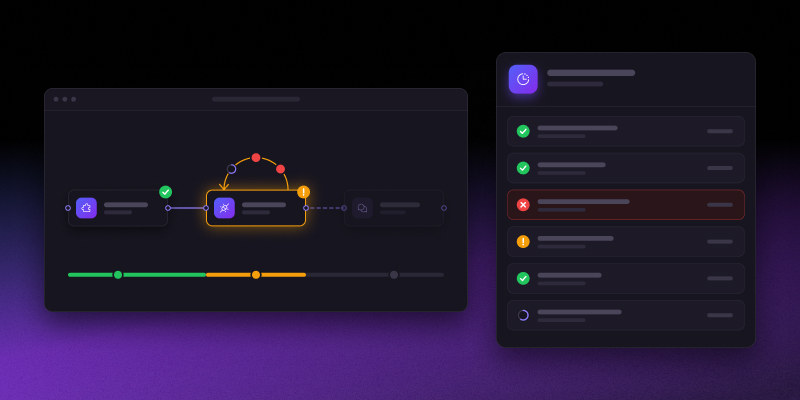
An operations guide to failed workflows on Temporal: Retry Policy settings, node-level retry profiles and error policies in Workflow Builder, incomplete runs, execution history, and an investigation checklist.