Workflow versioning: how to update customer workflows

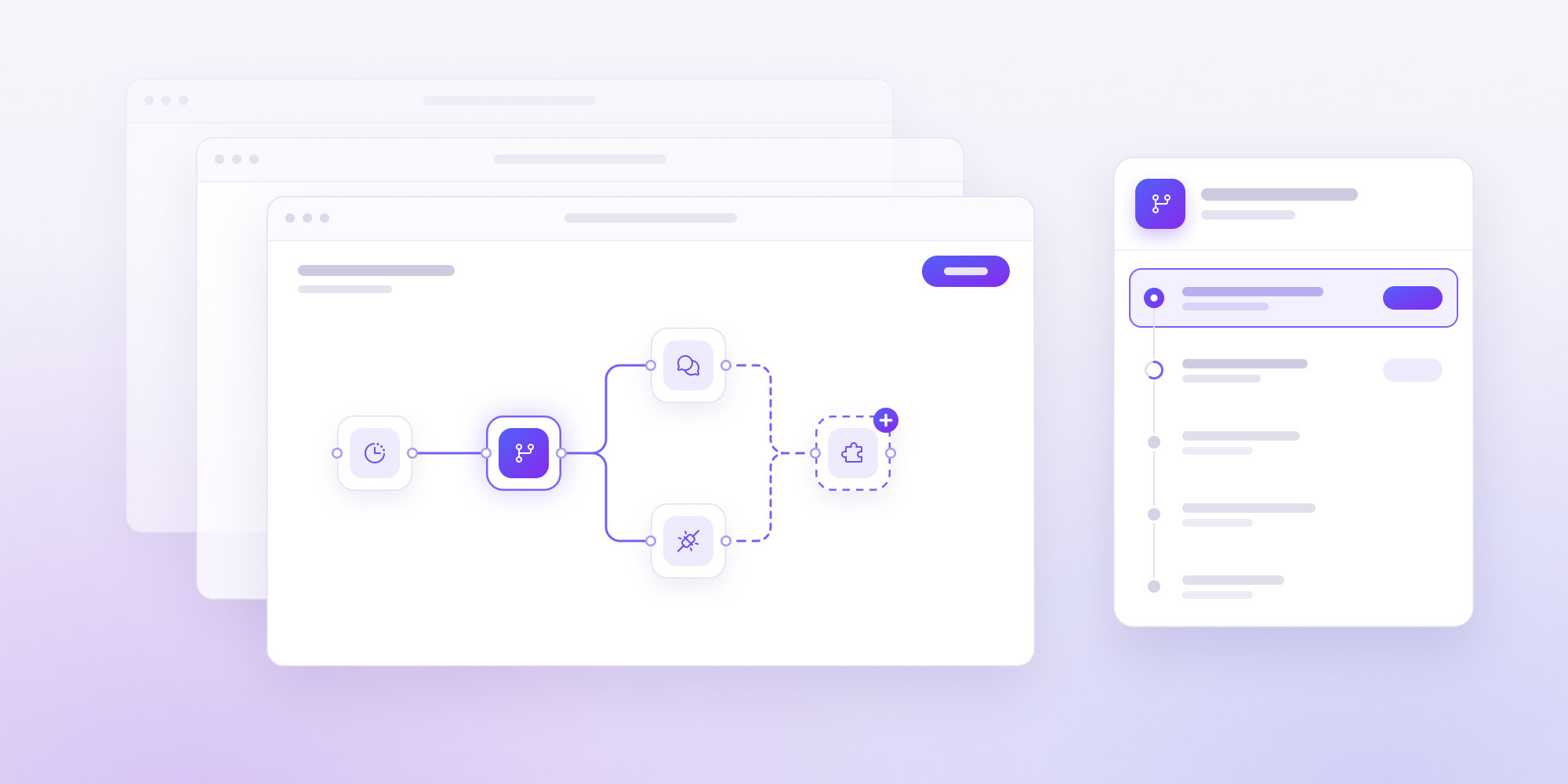
Workflow versioning in a product with customer-defined workflows covers 2 concerns: the graph definitions customers publish and the code that runs them on Temporal. Immutable published versions and a graph snapshot per execution keep each run on its original process. Worker Versioning or patching keeps workflow code replay-compatible, and node input and output contracts need their own compatibility policy.
Publishing a new workflow version becomes complicated when hundreds of executions are already running. Some may be waiting for approval, while others have completed several steps and are approaching the end of the process. Adding a new review stage or changing the conditions between nodes can affect how those executions are expected to continue.
For SaaS teams building customer-defined workflows, versioning needs to account for processes that remain active while their definitions evolve. The application must preserve the workflow associated with each execution and accommodate changes to the code responsible for running it.
When Temporal handles execution, two aspects require attention: versioning the graph definitions customers publish and maintaining compatibility with the execution histories managed by Temporal.
Why workflow versioning gets complicated in production
Imagine a claims processing application with a customer-configurable workflow. Each claim goes through an automated check, receives managerial approval, and triggers a notification once the decision has been made.
The customer decides to introduce a compliance review after the manager's approval. The change involves adding a node, updating the connections, and publishing a new workflow definition.
Several claims are already waiting for a manager's decision, however. And now, the organization needs a policy for deciding whether those claims should follow the updated approval process or complete under the original definition.
Different businesses may have different requirements. A new compliance rule could need to apply to existing cases, particularly when regulations change. In other situations, the process used when a claim was submitted must remain valid throughout its execution.
Without explicit version boundaries, changes to the workflow can create a lot of operational problems. An active execution may reference a node that has since been deleted. A renamed output might no longer match the configuration of the next step, while a new required input could be missing from data produced earlier in the process.
These risks become more difficult to manage when customers can publish workflows independently. The engineering team needs an execution model that accommodates changes without requiring developers to coordinate every publication.
Workflow versioning types you need to understand
In applications using Temporal to execute customer-defined workflows, versioning concerns both the process definition and the code responsible for executing it. Each has its own lifecycle and compatibility requirements.
#1 Graph versioning: what the customer published
A graph definition contains the nodes, their configuration, and the connections that determine execution flow.
For example, let's say that your customer publishes version 4 of a procurement approval process. An execution starts using that version, and the customer later publishes version 5 with an additional approval step.
The existing execution should continue using the original graph, while new executions can start against version 5. Supporting this behavior requires the application to preserve published definitions and associate each execution with the appropriate version.
In a JSON-based workflow system, immutable published definitions provide a way to maintain these associations without overwriting documents that active executions still depend on.
The stored version also becomes relevant when investigating a completed process. A support engineer can examine the exact graph used for an execution, even when several newer versions have been published.
#2 Temporal workflow versioning: which execution code can process the history
The engineering team may also update the code responsible for running workflows on Temporal. Changes can affect how Activities are scheduled or how workflow control flow is implemented.
Temporal uses an Event History to reconstruct a workflow's state. During replay, the workflow code must produce commands compatible with the events already recorded in that history. Changes that violate this requirement can result in nondeterminism errors.
Temporal provides mechanisms for managing workflow code changes, including Worker Versioning and patching. These allow engineering teams to evolve implementations while accounting for executions that started under earlier versions.
The distinction between the two versioning concerns is worth documenting because an application can preserve its graph definitions correctly and still encounter replay compatibility problems during a Worker deployment.
Activity implementation changes introduce another compatibility concern. A new Activity implementation can behave differently when an older execution reaches it, even when the Temporal workflow remains replay-compatible. Teams should consider Activity input and output contracts during deployment planning.
How Workflow Builder handles published versions and running executions
Workflow Builder is an open-source framework for workflow orchestration inside your product. Its architecture combines a React-based editor with an execution backend and a Temporal plugin.
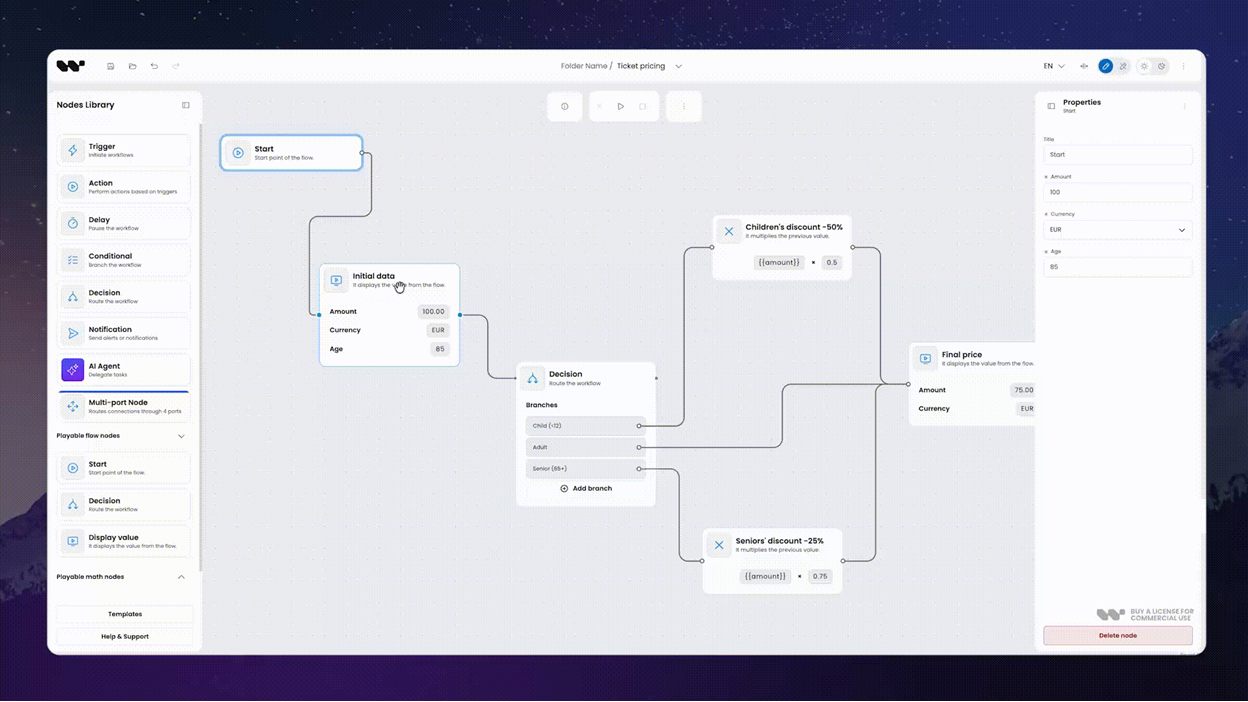
The editor produces JSON workflow definitions, and the backend manages drafts and published versions. The Temporal plugin executes supported graphs on the application's own Temporal infrastructure.
Each execution retains a snapshot of the graph definition it started with. Customers can continue editing and publishing workflows while existing executions remain associated with their original definitions.
This provides a stable reference for an execution throughout its lifetime and allows the system to preserve historical definitions after newer versions have been published.
Example: publishing version 5 while version 4 is running
Consider a claims approval process with the following published definition:
Version 4
Claim received → Automated check → Manager approval → Notify customer
There are 200 active executions, including several waiting for a manager to approve or reject a claim. The customer introduces an additional compliance review and publishes an updated definition:
Version 5
Claim received → Automated check → Manager approval → Compliance review → Notify customer
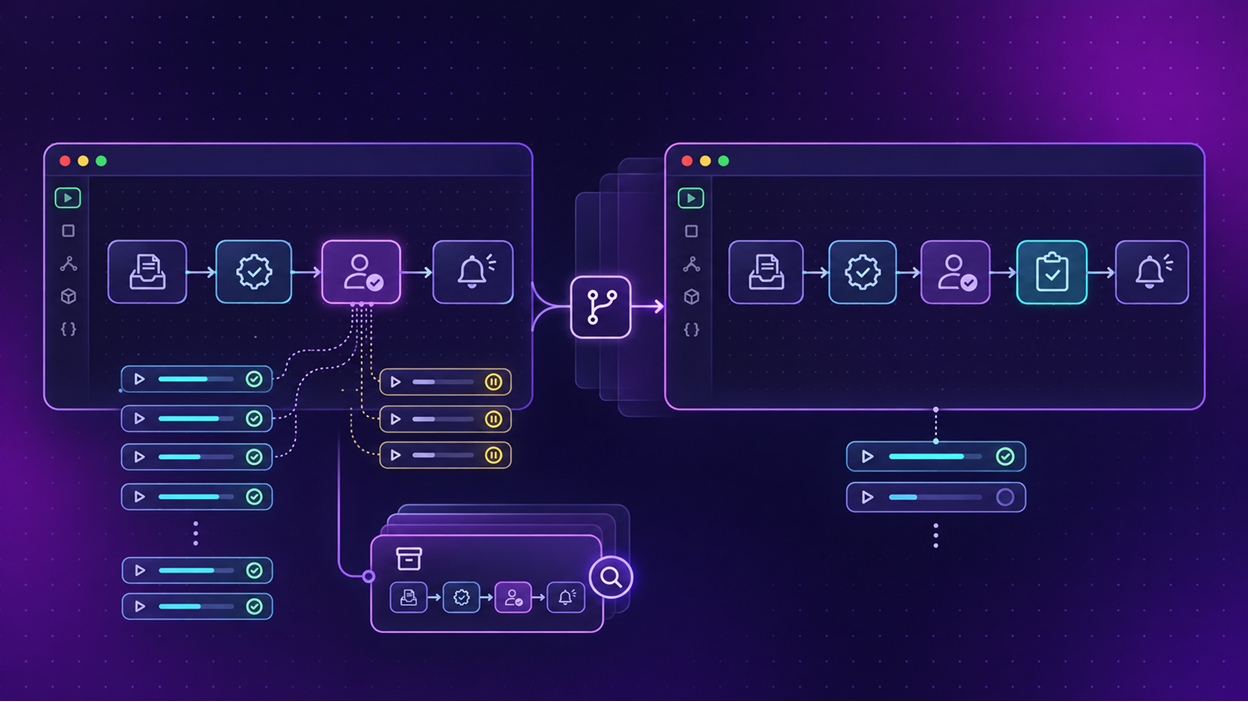
With execution snapshots, runs started under version 4 continue using that graph. New executions can use version 5, and the execution record retains the definition needed to understand the process followed by each run.
An operations manager investigating an older claim can therefore inspect the original process, including the approval stages that were required at the time. The additional compliance review applies to executions started with the updated version.
This model also provides a foundation for more advanced migration behavior if the application eventually needs to move active executions between graph versions. Such migrations would require their own implementation and rules for handling execution state.
What the Temporal plugin contributes
The @workflowbuilder/temporal package runs a supported graph as a Temporal Workflow Execution, with an Activity for each node.
The host application supplies executor functions for node types, while the plugin handles graph traversal and the execution contract around them. Customers can change the connections between existing node types without requiring a new workflow implementation for every graph revision.
The current implementation supports directed acyclic graphs with one start node. Workflows containing loops aren't supported by this runner, and any new node type requires an executor that the application's Workers can invoke.
These limitations should be reflected in publication validation. Applications need to verify that a graph references supported node types and configurations before accepting a definition that customers intend to execute.
Myth vs reality: workflow versioning assumptions worth challenging
❌ Myth 1: publishing a new workflow version requires redeploying the backend
✅ Reality: Customers can change the structure of a JSON-defined workflow using node types already supported by the application.
An additional approval step, for example, can reuse an existing executor. The backend can accept the updated graph without requiring a new workflow implementation for that process.
Introducing a node that performs an entirely new operation still requires the engineering team to implement and deploy the corresponding executor.
❌ Myth 2: Temporal automatically versions customer-defined diagrams
✅ Reality: Temporal provides durable execution and mechanisms for managing workflow code compatibility. The application manages the lifecycle of customer-authored definitions, including drafts and published graph versions.
Workflow Builder's execution backend provides version handling around Temporal and associates each run with a graph snapshot. The Temporal plugin then executes the supplied definition.
❌ Myth 3: if an execution has a graph snapshot, code updates can't break it
✅ Reality: A graph snapshot preserves the process definition associated with an execution. Temporal still needs compatible workflow code to reconstruct state from Event History.
If a deployment changes the commands produced during replay, an existing execution may encounter nondeterminism errors. Engineering teams need to account for these histories when releasing updated Workers.
❌ Myth 4: rollback always means moving every running workflow to an earlier version
✅ Reality: Rollback may involve restoring an earlier published definition for future executions, reverting a Worker deployment, or migrating an active business process to another graph version.
Restoring a previous definition for new executions doesn't require modifying those already running. Migrating active executions requires additional handling because they may have completed steps or produced data that the target graph doesn't account for.
These operations should have explicit behavior and safeguards in the surrounding product.
What happens when the Temporal Worker changes?
Temporal's Event History records the events associated with a Workflow Execution. During replay, previously completed Activities use their recorded results to reconstruct workflow state.
The deployed workflow code must remain compatible with that history.
For example, take a theoretical implementation that schedules Activity A followed by Activity B. A developer later changes the workflow to schedule a timer between those Activities. Depending on the recorded history and the replay path, the change may affect the commands produced by the Worker.
Temporal provides 2 mechanisms that teams can use to manage these changes:
Worker Versioning
Worker Versioning allows teams to manage deployments so that existing executions continue using compatible Worker code while newer executions can move to a new deployment version.
Worker Versioning is especially relevant to long-running processes that may remain active across multiple software releases. Teams can use Temporal's deployment versioning facilities to determine which code processes particular executions.
The rollout behavior depends on the Worker Versioning configuration and SDK support. Engineering teams also need an operational plan for maintaining older deployment versions while executions assigned to them remain active.
Patching
Patching supports changes to workflow code while preserving compatibility with previously recorded histories.
In Temporal's TypeScript SDK, patched() can select code paths based on whether a relevant change marker exists in workflow history. This allows implementations to support executions that started before the change.
Workflow Builder's Temporal package documents a replay compatibility contract and discusses patching for behavior changes that must coexist with older execution histories. Its documentation also identifies the package's pre-1.0 API status and the experimental status of Temporal's Plugin API.
These considerations belong in deployment planning, especially when executions remain active across upgrades. Teams should review compatibility guidance before updating the plugin or changing workflow implementation code.
Workflow Builder's documentation does not claim that the plugin automatically implements Worker Versioning for an application's deployment. Engineering teams can evaluate that Temporal capability as part of their own infrastructure strategy.
Do / Don't: publishing changes safely
A production workflow versioning strategy should cover the publication process and the deployment of execution code.
✅ Do
- ✅ Keep published workflow definitions immutable.
- ✅ Associate every run with its starting definition.
- ✅ Validate graphs before publication.
- ✅ Test Worker changes against representative histories.
- ✅ Define how old node configurations are interpreted.
- ✅ Make rollback behavior explicit.
❌ Don't
- ❌ Overwrite the graph referenced by an active execution.
- ❌ Assume every run should use the latest published version.
- ❌ Treat a valid-looking diagram as proof that every node can execute.
- ❌ Assume a fixed JSON graph guarantees Temporal replay compatibility.
- ❌ Change executor input contracts without considering older executions.
- ❌ Treat reverting a publication and migrating an active execution as the same operation.
The publication interface should communicate which executions a change will affect. For a system that preserves each run's original graph, users should know that newly published versions apply to subsequent executions.
Execution information should also remain available to authorized support and operations teams. Investigating an older claim requires access to the process definition associated with that run, including approval steps that may have changed in later versions.
Schema evolution: handling changes to node contracts
Graph snapshots preserve workflow structure, but long-running executions can also depend on input and output contracts that change over time.
Suppose version 4 of an approval node produces the following result:
<pre contenteditable="false" class="w-code-block" style="display:block;overflow-x:auto;background:#2b2b2b;color:#f8f8f2;padding:0.5em"><code class="language-json" style="white-space:pre"><span>{ "approved": <span style="color:#f5ab35">true</span>}</span></code></pre>A later implementation introduces a richer response:
<pre contenteditable="false" class="w-code-block" style="display:block;overflow-x:auto;background:#2b2b2b;color:#f8f8f2;padding:0.5em"><code class="language-json" style="white-space:pre"><span>{ "decision": <span style="color:#abe338">"approved"</span>, "reviewerId": <span style="color:#abe338">"user-42"</span>}</span></code></pre>An execution associated with version 4 may still reach that approval node after the new executor has been deployed. Its downstream nodes could expect the original approved field, creating a compatibility issue if the updated implementation returns only the new format.
A product can manage such changes through explicit schema versions, backward-compatible executor behavior, or separate implementations for older node contracts. The approach depends on how frequently nodes evolve and how long executions remain active.
For example, a version-aware executor could continue supporting the approved field for older configurations while newer workflows use the decision format. The application would need a reliable way to identify which contract applies to each execution.
This is an architectural pattern that applications can implement around Workflow Builder. The framework's public documentation doesn't establish automatic migration for arbitrary customer-defined node schemas.
A practical compatibility policy
Before changing a node's configuration schema, review the published definitions and active executions that may still use it. Determine whether the updated executor can accept their inputs and whether downstream nodes can interpret its outputs.
If the new implementation is incompatible, the team may need to support both contract versions or retain the older executor until affected executions have completed.
A successful Activity execution doesn't necessarily mean the next node can process its result. Compatibility testing should include the data passed between nodes, particularly when published workflows remain active through several application releases.
For products offering reusable node catalogs, schema evolution should be part of the normal node release process. Explicit contracts and tests for older configurations reduce the risk of discovering incompatibilities only after deployment.
How to make versioning visible to customers
Customers need to know which workflow version is currently published and which definition governs each execution. A workflow management interface should make that information easy to find.
Use this checklist when designing versioning and execution views:
- Display the published version. Show the active workflow version number and publication date in the workflow management interface.
- Identify the version used by each execution. Make it clear which workflow definition was active when a particular run started.
- Provide access to execution snapshots. Let users inspect the stored graph definition associated with an individual execution, even after newer versions are published.
- Make execution history accessible. Use Workflow Builder's execution information and graph snapshots to support troubleshooting. Its open-source stack includes a live execution view in AI Studio.
- Support audit requirements. Where traceability is required, combine execution snapshots with Temporal Event History and application-specific publication or approval records.
- Preserve visibility into older processes. Allow users and support teams to investigate executions that remain active across multiple workflow revisions without relying on the latest published definition.
Workflow Builder provides the underlying execution data and graph snapshots. The surrounding application determines how customers access and browse that information.
Building workflow versioning into your product
Customer-defined workflows need a publication model that supports long-running executions. Immutable graph definitions and execution snapshots keep each run tied to its original process, while stable node contracts support compatibility across releases.
Temporal adds replay and Worker deployment considerations, especially when executions span multiple software updates.
Workflow Builder provides published graph versions, execution snapshots, and a Temporal plugin for durable execution. Your application controls executor implementations and deployment strategy.
Explore the Workflow Builder GitHub repository and Temporal plugin documentation for implementation details.
- What is workflow versioning?
Workflow versioning is the way an application handles changes to a workflow while earlier executions are still running. In a product where customers define workflows and Temporal runs them, it covers 2 areas: the graph definitions customers publish and the workflow code that executes those graphs.
- What is the difference between graph versioning and Temporal workflow versioning?
Graph versioning decides which customer-published process definition an execution follows, and a product user usually starts it by publishing a new version. Temporal workflow code versioning keeps the engineering team's workflow implementation compatible with the Event History already recorded, so running executions replay without nondeterminism errors.
- What happens to running executions when a customer publishes a new workflow version?
With execution snapshots, each run keeps the graph definition it started with. Runs started under version 4 continue on version 4, new executions start on version 5, and support teams can still inspect the original process of every run.
- Does publishing a new workflow version require redeploying the backend?
Not when the new version only uses node types the application already supports. An additional approval step can reuse an existing executor. A node that performs an entirely new operation needs an executor that the engineering team implements and deploys first.
- How do Temporal Worker Versioning and patching help with workflow code changes?
Worker Versioning lets existing executions continue on compatible Worker code while newer executions move to a new deployment version. Patching, for example patched() in Temporal's TypeScript SDK, selects code paths based on change markers in workflow history, so one implementation can support executions that started before the change.
- How does Workflow Builder handle workflow versions?
Workflow Builder's execution backend manages drafts and published versions and stores a snapshot of the graph each run started with. Its @workflowbuilder/temporal package runs supported graphs as Temporal Workflow Executions, with an Activity for each node. The application still controls executor implementations and deployment strategy.
Content Marketing Specialist who's spent the last decade making tech topics actually readable. With an MA in Brand Communication, Ida has crafted content strategies for several IT companies. Her portfolio spans from Kubernetes tutorials to enterprise software guides, now focusing on data visualization and diagramming solutions.
Articles you might be interested in

Temporal workflow retries, failures, and execution history: an operations guide
An operations guide to failed workflows on Temporal: Retry Policy settings, node-level retry profiles and error policies in Workflow Builder, incomplete runs, execution history, and an investigation checklist.