Workflow automation for SaaS: build, buy, or customize?

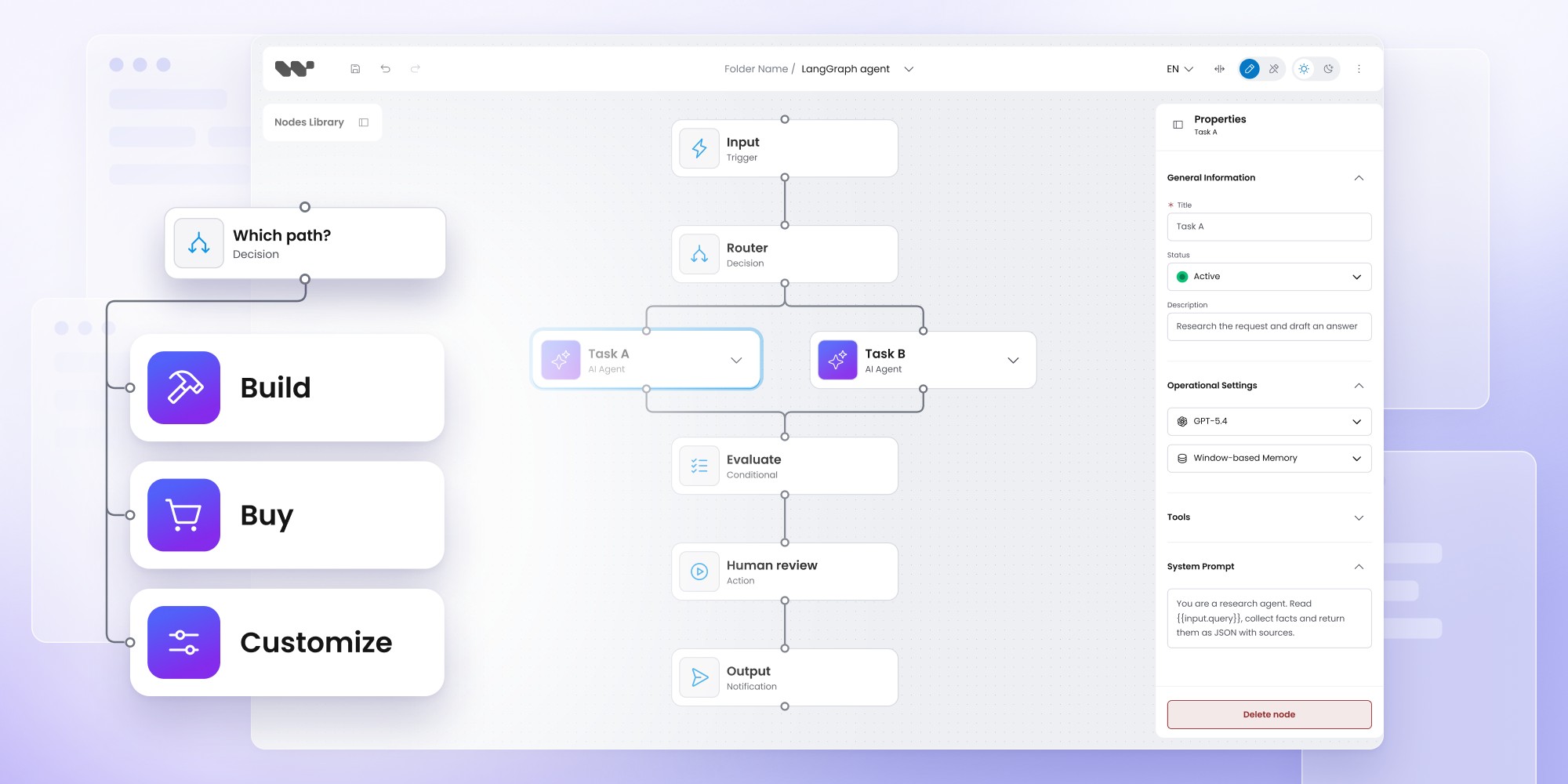
SaaS teams can add workflow automation by building a custom editor, adopting an automation platform or integrating a workflow SDK. Building with React Flow gives maximum control but requires ongoing engineering investment in validation, persistence, permissions and execution. Platforms such as n8n provide integrations and runtime infrastructure, while Workflow Builder offers an embedded authoring layer that connects to your existing product architecture. The right approach depends on which workflow capabilities differentiate your SaaS, what infrastructure you already own and how much maintenance your team wants to take on.
Workflow automation for SaaS: build, buy, or customize?
Adding workflow automation to a SaaS product can mean very different things. One team needs a visual editor on top of an existing backend. Another needs hundreds of integrations and a runtime. A third needs a customer-facing workflow product with domain-specific nodes and full control over execution.
That is why the useful question is not simply build or buy? It is which parts of the workflow stack your team should own.
The build-vs-buy decision in 60 seconds
There are three common options for SaaS workflow automation:
- Build from primitives when workflow UX and architecture are strategic IP.
- Buy an automation platform when integrations, credentials and execution are the main requirements.
- Customize a workflow SDK when you need a native workflow product but want to reuse the editor and authoring infrastructure.
Ways to add workflow automation to SaaS
Most SaaS teams fall into one of three architectural models.
The first is building directly on a lower-level graph library such as React Flow. The second is adopting a complete automation platform such as n8n OEM. The third is embedding a workflow SDK that gives you the authoring layer and reference architecture while leaving more of the surrounding product under your control.
All three can produce a visual workflow builder. What changes is who owns the editor, workflow model, execution, integrations and long-term maintenance.
Option 1: build a workflow editor with React Flow or similar primitives
Building from primitives gives your engineering team the highest degree of control. React Flow is an MIT-licensed React library for node-based editors with built-in dragging, zooming, panning, selection, custom nodes, keyboard interaction and accessibility support.
That gives you a strong canvas foundation, but the production workflow product still has to be designed around it.
A SaaS workflow feature may also need:
- node configuration and properties panels
- workflow validation
- persistence and schema design
- permissions and read-only states
- domain-specific workflow semantics
- layout and routing rules
- execution-state visualization
- backend contracts
- workflow versioning
- product-specific error handling
The engineering cost therefore comes less from rendering nodes and more from everything needed to turn those nodes into a reliable product.
When should you build workflow automation yourself?
Building from primitives is a strong fit when the workflow experience itself is strategically important enough to justify long-term ownership.
That is often true when the interaction model is highly unusual, workflow semantics are tightly coupled to proprietary runtime behavior or the visual editor is the main product rather than one feature inside a larger SaaS platform.
It also makes sense when your team already has graph-editor expertise and expects to invest in this layer for years. If the editor is core IP, maintaining it is part of the product investment.
Does AI coding make building a workflow editor cheaper?
AI coding tools can reduce the cost of the prototype stage. They can speed up scaffolding, component creation, standard state management and repetitive UI work.
The longer-term ownership question remains. Production requirements still accumulate around validation, accessibility, performance, migrations, backend integration, testing and framework changes.
A better build-or-buy question in 2026 is therefore:
Do we want to own this layer for the next several years?
rather than:
Can we build the first version?
For a deeper cost breakdown, see the hidden cost of building workflow editors on React Flow.
Option 2: buy an embedded workflow automation platform
A full automation platform is usually the best fit when integrations and execution matter as much as the visual editor.
n8n OEM is a good example. It combines a customer-facing workflow canvas with 500+ integrations on its OEM page (while its full integration directory lists over 2,000), custom nodes, JavaScript and Python steps, AI nodes, credential management, enterprise controls, monitoring and the n8n execution engine.
That can remove a large amount of engineering work when customers need to connect CRMs, communication platforms, databases, spreadsheets, APIs and other SaaS tools. Instead of building and maintaining every connector yourself, you adopt an existing automation ecosystem.
When should you buy an automation platform?
An embedded automation platform is usually a strong fit when:
- third-party integrations are central to the product
- customers need execution immediately
- credential management is part of the requirement
- workflow monitoring should come from the same platform
- generic automation concepts fit the use case
- vendor-provided infrastructure is more valuable than owning every UX detail
This model is especially useful for workflows that look like:
Trigger → transform data → call external app → update another system
rather than processes dominated by proprietary product concepts.
What are the trade-offs of buying a workflow automation platform?
The main trade-off is that you are adopting more than a canvas.
With n8n OEM, the workflow model, execution engine, integrations and commercial model come together. n8n branding remains visible in the embedded editor, while full white-labeling is not currently supported. OEM pricing is based on execution volume and an annual commitment.
That can work perfectly well when customers value n8n's automation capabilities. It becomes less attractive when workflow authoring is meant to feel like a native, first-party feature of your own product.
The more domain-specific the workflow becomes, the more important that distinction gets.
When is a full automation platform too much?
A complete automation platform can become unnecessary when most workflow nodes represent concepts that exist only inside your own product.
Examples include:
- insurance approval states
- AI-agent decisions
- RCS campaign steps
- industrial process stages
- proprietary business rules
- internal domain objects
In these cases, your team may care more about the workflow definition, customer-facing terminology, backend mapping and execution architecture than about a catalog of hundreds of external connectors.
For a direct comparison of these two product models, see Workflow Builder vs n8n.
Option 3: customize an embedded workflow SDK
A workflow SDK sits between a low-level graph library and a complete automation platform.
Instead of building the entire authoring layer yourself, you start with reusable workflow infrastructure and integrate it into your existing application. Your team still owns the domain model and product architecture.
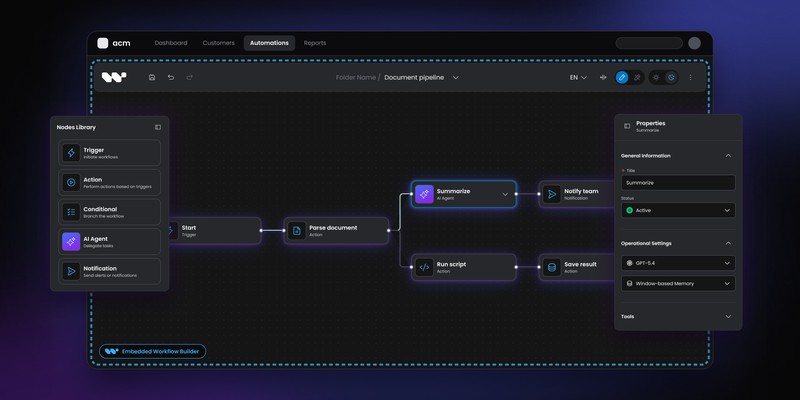
Workflow Builder for developers supports two broad implementation paths:
- embed the React editor and connect it to your own backend
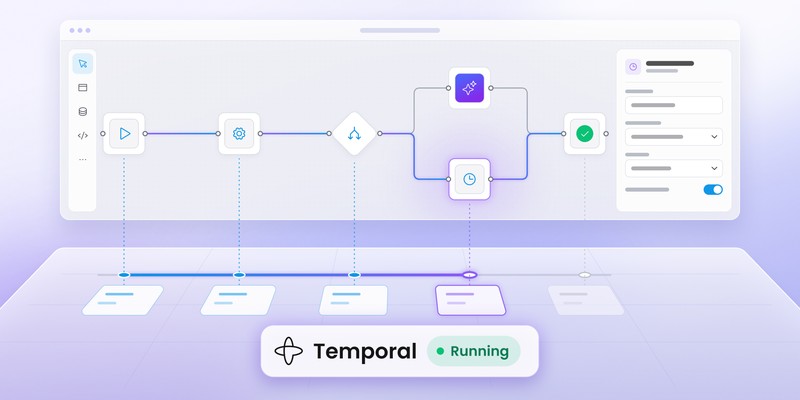
- use the wider reference stack with structured workflow definitions, a reference backend, engine interfaces and a Temporal adapter
The Workflow Builder Community Edition includes the visual editor, JSON serialization, persistence, reference backend and Temporal integration under Apache 2.0.
What does a workflow SDK save you from building?
The value of an SDK is not that it removes custom development. It reduces the amount of reusable workflow infrastructure your team has to create and maintain.
With Workflow Builder, that includes areas such as:
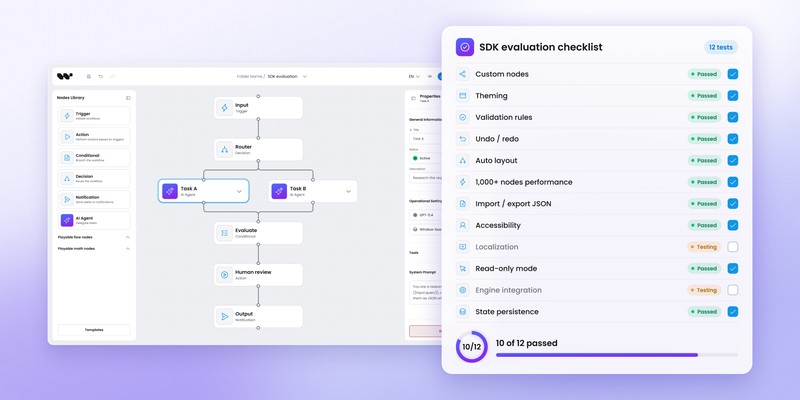
- visual workflow canvas
- drag-and-drop node library
- schema-driven properties
- JSON workflow serialization
- persistence
- undo and redo
- read-only states
- a reference backend you can study or extend (not a production-ready service)
- engine adapter interfaces
- Temporal reference integration
The Enterprise Edition adds further production components and design tooling.
Your engineering team can then concentrate more of its effort on domain-specific work: node semantics, APIs, permissions, workflow rules and runtime behavior.
What engineering work still remains with a workflow SDK?
An SDK does not make workflow automation zero-effort.
Your team still needs to integrate the authoring layer with the rest of the product. Typical work includes mapping domain objects to nodes, connecting APIs, defining validation, integrating authentication and permissions, styling the experience and configuring persistence.
If you use your own runtime, you also need to map customer-authored workflow definitions to that runtime.
The difference is that you start higher in the stack.
See the editor-to-engine reference architecture
Explore how Workflow Builder connects authoring, structured workflow definitions, a reference backend and Temporal.
Build vs buy workflow automation: who owns each layer?
A useful comparison is to split the workflow product into separate layers rather than compare dozens of unrelated features.
This ownership map usually reveals the right category faster than a large feature checklist.
What is the difference between a workflow SDK and an automation platform?
A workflow SDK helps you build the customer-facing workflow capability inside your own application. Depending on the product, it may provide the editor, workflow model, backend reference architecture and runtime adapters.
An automation platform provides more of the operational stack as part of the product, including execution, integrations, credentials and monitoring.
An SDK tends to give you more architectural control. A platform tends to remove more engineering work.
The right option depends largely on which layers your SaaS product already owns.
What is the difference between Workflow Builder and React Flow?
React Flow is a lower-level library for building node-based interfaces. It gives developers a flexible visual foundation with custom nodes, edges, interaction primitives and accessibility features.
Workflow Builder uses React Flow as part of a broader workflow product stack. It adds workflow-specific authoring capabilities, structured workflow definitions, a reference backend and execution integration patterns.
A team choosing React Flow takes responsibility for more of the workflow product layer. A team choosing Workflow Builder starts with more of that layer already implemented.
For the full comparison, see React Flow vs Workflow Builder.
What is the difference between Workflow Builder and n8n?
n8n OEM is closer to an embedded automation platform. It combines workflow authoring with execution, connectors, credentials, monitoring and enterprise controls.
Workflow Builder provides customer-facing authoring plus a reference architecture for connecting structured workflow definitions to an execution engine. Its current reference stack ships with a Temporal adapter.
Choose n8n when the automation platform itself solves much of the problem.
Choose Workflow Builder when the product already owns more of the stack or needs domain-specific workflow authoring mapped onto an existing backend or engine.
How much does Workflow Builder cost?
Workflow Builder pricing currently lists two primary editions:
- Community Edition: EUR 0
- Enterprise Edition: EUR 6,990 one-time per organization
Community Edition is Apache 2.0 and supports commercial use. It includes the visual workflow editor, reference backend, Temporal adapter and engine interfaces.
Enterprise uses a perpetual organizational license and adds commercial components, advanced canvas capabilities, design tooling and support.
These prices should not be compared directly with an automation platform without considering the layers included in each product.
How should you compare workflow automation costs?
The most useful calculation is total cost of ownership rather than license price alone.
Consider four areas.
Initial implementation includes engineering, design, backend integration and testing.
Ongoing ownership includes maintenance, upgrades, bug fixes, framework changes, new node types and performance work.
Infrastructure includes workflow execution, storage, observability, connectors and credential management.
Commercial costs include licensing, execution fees, support and professional services.
A free graph library can still create a large engineering commitment. A more expensive automation platform can still be cheaper when it replaces substantial infrastructure your team would otherwise build.
For the detailed calculation, use the Workflow Builder Build vs Buy guide.
How long does it take to build a workflow automation feature?
There is no reliable universal number.
A simple node editor can be built quickly, especially with modern AI development tools. A production workflow product with complex domain logic, permissions, versioning, runtime state and compliance requirements can take much longer.
Implementation time also depends heavily on what already exists. A SaaS company with an execution engine, authentication layer, APIs and design system may integrate an SDK relatively quickly. A team starting without automation infrastructure but needing many integrations may move faster with an embedded automation platform.
That is why time estimates should follow the architecture rather than determine it.
Example: using a workflow SDK with an existing SaaS backend
A common workflow SDK architecture looks like this:
Customer
↓
Embedded workflow editor
↓
Structured workflow definition
↓
Your backend / reference backend (local development only)
↓
Engine adapter
↓
Temporal or your runtime
This model works particularly well when the SaaS product already owns execution, APIs, authentication and domain logic.
The SDK provides the authoring surface and workflow definition layer while the existing platform continues to own the surrounding infrastructure.
How Athena Intelligence embedded a workflow editor
Athena Intelligence needed a white-label workflow UI that could connect to its existing product architecture rather than introduce another automation platform.
The team got a working Workflow Builder integration running in one day, with additional form and backend customization completed during the same week.
That result is specific to Athena's implementation, but it illustrates a useful pattern: when the surrounding SaaS architecture already exists, adding an embedded authoring layer can be a much narrower engineering project than building the entire workflow product from primitives.
How Vercom built RCS Flow Studio
Vercom used Workflow Builder as the foundation for RCS Flow Studio inside MessageFlow.
The workflow experience required RCS-specific node types, campaign decision logic, API-connected actions, global campaign configuration and styling aligned with Vercom's product.
This is a good example of a domain-specific workflow product where the workflow model itself is part of the SaaS experience. Generic connector breadth is less important than giving customers a visual language tailored to RCS campaigns.
Build vs buy workflow automation: decision checklist
Build from primitives if:
- the editor itself is strategic IP
- your interaction model is highly unusual
- your runtime semantics are deeply proprietary
- you already have graph-editor expertise
- long-term editor maintenance is intentional
Buy an automation platform if:
- integrations are central
- execution should be included
- credential management matters
- generic automation fits the product
- vendor architecture is acceptable
Customize a workflow SDK if:
- workflow authoring is an important product feature
- your SaaS already has backend infrastructure
- domain-specific nodes matter
- the editor needs to match your product
- you want control over execution
- you want to avoid rebuilding common authoring infrastructure
Which workflow automation option is best for SaaS?
There is no universal winner.
Build when owning the workflow technology itself creates strategic value.
Buy an automation platform when the main problem is integrations and execution.
Customize a workflow SDK when your product needs native workflow authoring but already owns much of the backend and runtime architecture.
Three questions usually clarify the decision:
- Which workflow capabilities are unique to our product?
- Which infrastructure do we already own?
- Which layers are we willing to maintain long term?
Once those answers are clear, the architecture choice becomes much easier.
FAQ
Should a SaaS company build or buy a workflow builder?
Build when workflow UX is core IP and your team wants to own the full stack. Buy a platform when integrations and execution are the main requirements. Use an SDK when you need native workflow authoring while keeping your existing backend and runtime.
Is React Flow enough to build a workflow editor?
React Flow is a strong foundation for node-based interfaces. A production workflow product still needs application-specific persistence, validation, workflow semantics, backend integration, permissions and execution behavior.
Is n8n suitable for embedding in SaaS?
Yes. n8n OEM allows customers to create and edit workflows from inside another software product. The platform also includes the n8n execution engine, integration ecosystem, credentials and operational capabilities.
What is a workflow SDK?
A workflow SDK provides reusable components and infrastructure for building workflow authoring into another application. Depending on the SDK, it may include the visual editor, workflow model, persistence, backend contracts or runtime adapters.
Does Workflow Builder include a backend?
Yes — as a reference implementation. The Workflow Builder reference stack includes an open reference backend, execution core and engine adapter architecture, but the shipped backend is intended for local development and architectural evaluation rather than exposure to untrusted users. It has no built-in authentication, authorization or tenant isolation. For production, teams should connect the React editor to their own backend or add real authentication, authorization and tenancy boundaries before using the reference implementation.
Can Workflow Builder be used commercially for free?
Yes. Workflow Builder Community Edition is Apache 2.0 and supports commercial use.
Can AI coding replace a workflow SDK?
AI coding can reduce implementation time, especially for prototypes and standard UI work. It does not remove responsibility for workflow semantics, product architecture, testing, backend integration, performance, migrations and maintenance.
Content Marketing Specialist who's spent the last decade making tech topics actually readable. With an MA in Brand Communication, Ida has crafted content strategies for several IT companies. Her portfolio spans from Kubernetes tutorials to enterprise software guides, now focusing on data visualization and diagramming solutions.