Workflow Builder SDK Evaluation Checklist


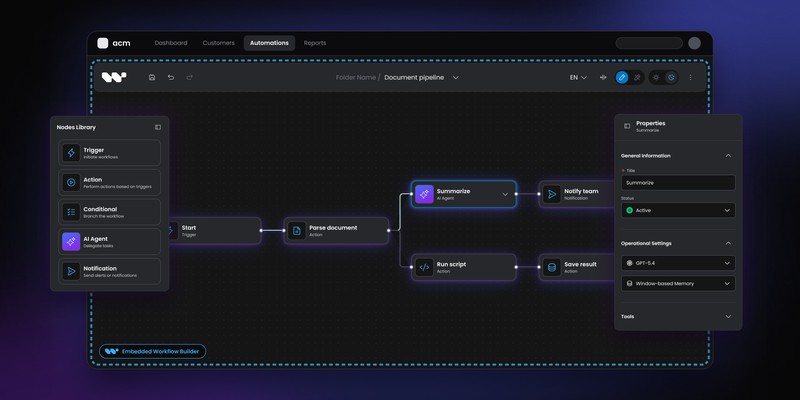
Choosing a workflow builder SDK requires more than evaluating its visual canvas. Test how well it embeds into your product, supports custom nodes, integrates with your backend, and handles workflow data ownership, permissions, and upgrades. Run a realistic proof of concept with a complex workflow, production-scale graph, and an unexpected customization to uncover limitations early. Before committing, review licensing, runtime dependencies, long-term maintenance costs, and your ability to migrate away from the SDK.
A workflow builder SDK can look excellent in a demo and still become painful once it reaches production.
The canvas is usually the easiest part to evaluate. The harder questions concern workflow ownership, extensibility, runtime coupling, schema evolution, permissions, performance and what happens after your first major product change.
Use this checklist before committing to an SDK.
What to test before you commit
A good workflow builder SDK should fit your frontend without forcing your product into the vendor's architecture. You should be able to define domain-specific nodes, control workflow data, integrate your backend, extend the editor without maintaining a fork and understand exactly what happens if you later change vendors.
Before buying, run a proof of concept with a real workflow from your product, not a vendor demo. Test the largest graph you expect to support, connect it to an actual backend and try one change that wasn't anticipated in the initial implementation.
1. What are you actually buying?
Start by identifying the layer the vendor provides.
Products described as a “workflow builder SDK” can mean very different things:
- a graph-rendering library
- a visual editor SDK
- a workflow editor plus backend components
- an embedded automation platform
- an API for integrating an existing vendor application
A lower-level library can give you maximum flexibility while leaving most production behavior to your team. A broader SDK can include configuration panels, persistence patterns, validation and extensibility. An automation platform may also own execution, integrations and credentials.
Knowing the boundary matters more than counting features.
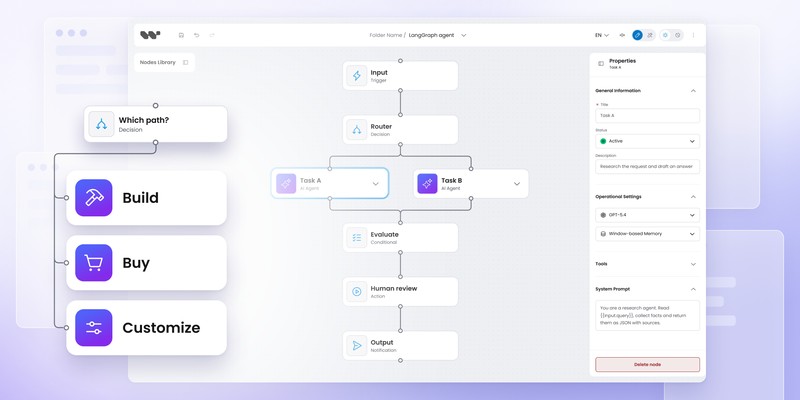
If you're still deciding between those categories, the Build vs Buy workflow editor guide compares building from primitives, embedding a platform and starting from an SDK.
2. How deeply can the workflow editor embed into your product?
An embedded workflow editor should feel like part of the host application rather than a separate application placed inside it.
Check how the SDK is mounted and how much control your team gets over:
- layout
- navigation
- panels
- menus
- node rendering
- typography
- forms
- keyboard behavior
- read-only states
- design tokens
A React package installed directly in your application creates a different integration boundary from an iframe containing a vendor-owned interface.
Neither is universally better. The right answer depends on how important first-party UX is to your product.
POC test
Mount the SDK inside one of your real screens.
Don't evaluate it in an isolated sample application. Put it next to your actual navigation, design system, forms and permissions.
Then ask:
Does it still feel like our product?
3. Who owns the workflow definition?
Workflow definitions become long-lived customer data.
Before adopting an SDK, understand:
- the data format
- whether the schema is documented
- where definitions are stored
- whether you can validate them independently
- whether you can export them
- how schema changes are handled
- whether definitions remain usable without the vendor
JSON is helpful, but “it outputs JSON” isn't enough.
The more important question is whether the definition represents a stable contract your application can understand and evolve.
A workflow containing:
{
  "type": "approval",
  "assigneeRole": "finance-manager"
}
is much easier to reason about than an opaque serialized UI state that only the SDK knows how to interpret.
Workflow ownership becomes especially important once customers have created thousands of flows and other systems depend on them.
4. Can you model your own node types?
Custom nodes are one of the most important tests for a product-facing workflow editor.
A SaaS product usually needs more than generic nodes such as HTTP Request, Delay and Send Email.
Your domain may require:
Review insurance claim
Run fraud model
Generate proposal
Ask AI evaluator
Request legal approval
Send RCS carousel
The SDK should let those concepts become first-class workflow nodes.
Check how much work is required to add:
- configuration fields
- validation
- conditional inputs
- icons and visual states
- custom rendering
- inputs and outputs
- node-level actions
Workflow Builder uses a schema-driven model where node properties can be defined with JSON Schema and turned into configuration UI and validation. The custom node types guide explains the current model in detail.
POC test
Don't build a generic Task node.
Implement one of the strangest nodes in your actual product.
If the SDK handles the difficult node cleanly, the tenth simple one probably won't be the problem.
5. How coupled is the editor to the execution engine?
A visual workflow editor and an execution engine solve different problems.
Some products bundle both together. Others let your application control the runtime.
Ask:
- Does the SDK require its own execution engine?
- Can we use our current backend?
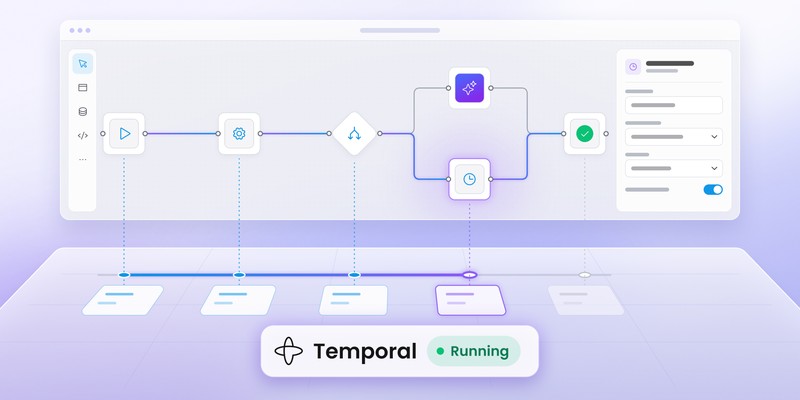
- Can we connect Temporal or another orchestrator?
- Does the workflow data format depend on one runtime?
- How much mapping code sits between editor and execution?
- Can the runtime change without rewriting the entire authoring experience?
Teams that already use Temporal, Camunda or an in-house engine may not want another runtime introduced solely because they need a visual UI.
Workflow Builder's current Temporal integration keeps the visual authoring and durable execution layers separate.
POC test
Connect the SDK to one real backend action.
Don't stop when the workflow can be saved.
Run it.
Return execution state to the editor and see how much custom glue is needed to connect authoring with runtime behavior.
6. How extensible is the SDK without forking it?
Customization during the first implementation is rarely the hard part.
The harder test arrives a year later when product asks for something nobody predicted:
- another toolbar action
- a custom context menu
- node-level badges
- special validation
- different panel behavior
- a new export action
- execution controls
- custom keyboard shortcuts
If the answer is “fork the SDK,” every future upgrade becomes more expensive.
Look for explicit extension points such as plugin APIs, slots, hooks, decorators or documented component overrides.
Workflow Builder's plugin architecture lets built-in and custom features use the same public extension surface rather than requiring changes to editor internals.
POC test
Ask one developer who wasn't involved in the vendor evaluation to add a small custom feature using only public APIs.
A good extensibility model should be discoverable without reading internal source code.
7. Can the SDK evolve without breaking your customizations?
Extensibility and upgradeability are related but separate questions.
An SDK may be highly customizable while still making every upgrade painful.
Ask the vendor:
- How are breaking changes handled?
- Is semantic versioning used?
- Which APIs are considered stable?
- Are migrations documented?
- Can custom plugins survive upgrades?
- How long are older versions supported?
- Are there codemods or migration guides?
The safest customization model is usually one where your code depends on documented public APIs rather than internal implementation details.
Run an upgrade during the evaluation if possible. Installing version X is less informative than upgrading from X to X+1 after you've already added custom nodes and UI behavior.
8. How does the SDK handle large workflows?
A workflow editor that feels smooth with 12 nodes may behave very differently with 300.
Performance issues commonly appear around:
- rendering
- dragging
- edge calculations
- selection
- auto-layout
- properties panels
- execution-state updates
- undo/redo history
Don't rely on a vendor's small demo graph.
POC test
Generate a realistic stress case.
If your customers may reach 250 nodes, test 250 nodes. If your workflow includes nested conditions or dense edges, reproduce those patterns too.
Measure interaction quality rather than load time alone:
Can users still pan, select, edit and connect nodes comfortably?
The Workflow Builder vs React Flow comparison covers some of the production-layer work that appears once a graph editor moves beyond the initial canvas.
9. How are persistence, versioning and migrations handled?
Saving the graph is only the first persistence requirement.
Production workflow systems eventually need to answer:
- Can users have drafts?
- What counts as a published definition?
- Are previous versions immutable?
- Can a workflow be rolled back?
- What happens to workflows already running?
- How are old definitions migrated when node schemas change?
- Can you compare versions?
- Can environments promote the same definition from staging to production?
The SDK doesn't necessarily need to solve every lifecycle problem itself.
It does need to leave you enough control to implement the lifecycle your product requires.
Pay particular attention to schema evolution. A node configuration that works today may gain required fields six months from now. Existing customer workflows shouldn't suddenly become unreadable.
10. How well does the SDK fit your security and permissions model?
Customer-facing workflow products rarely have one universal editing role.
You may need:
- viewers
- editors
- publishers
- admins
- tenant-specific node availability
- restricted actions
- read-only workflows
- environment-specific permissions
Check where authorization is enforced.
A frontend-only restriction isn't enough for sensitive operations. Your backend must still validate what the customer is allowed to save, publish or execute.
Multi-tenant SaaS products should also test whether workflow IDs, definitions and runtime actions fit naturally into their tenant model rather than forcing global assumptions into the data layer.
11. What does the license actually let you do?
“Open source,” “source available,” “perpetual” and “commercial SDK” aren't interchangeable terms.
Read the actual license for your deployment model.
Questions worth asking include:
- Can we use it commercially?
- Can we modify it?
- Can we expose it to our customers?
- Can we redistribute components?
- Is customer-facing embedding covered?
- Are there per-seat fees?
- Are there runtime or execution charges?
- Is source access included?
- Does the license survive if we stop paying?
Workflow Builder pricing currently lists a free Apache 2.0 Community Edition and a EUR 6,990 one-time Enterprise license, with no annual license renewal for the license itself.
License price still shouldn't be evaluated in isolation. A free library can create substantial engineering costs, while an expensive platform can remove infrastructure your team would otherwise have to build.
12. What is your exit strategy?
The best time to think about vendor lock-in is before implementation.
Ask what happens if:
- the vendor changes pricing
- the product is discontinued
- your architecture changes
- the SDK no longer fits your roadmap
- you decide to build the editor yourself
At minimum, understand which assets remain yours:
- workflow definitions
- custom nodes
- plugin code
- design-system integrations
- customer data
- execution history
- backend contracts
A good exit strategy doesn't mean migration will be easy.
It means migration remains possible.
Workflow builder SDK evaluation scorecard
Once you've tested the SDK, score each area from 1 to 5.
Don't calculate a meaningless total score automatically.
Some categories are much more important than others. A company already standardized on Temporal should weight runtime coupling heavily. A highly branded customer-facing product may care more about embedding and UX control.
Examples of SDK evaluation use cases
A checklist becomes easier to use when tied to actual product situations.
Use case 1: AI agent builder
Your customers create agent workflows with tools, evaluators, approvals and fallback paths.
Prioritize: custom nodes, schema evolution, runtime integration, execution state and extensibility.
Generic integration breadth is secondary unless agents depend heavily on external SaaS tools.
Use case 2: enterprise approval product
Customers build long-running approval processes across departments.
Prioritize: permissions, workflow versioning, auditability, backend ownership and tenant isolation.
A beautiful canvas won't compensate for weak lifecycle control.
Use case 3: SaaS product adding workflows as one feature
Your application already has users, APIs, permissions, branding and backend infrastructure.
Prioritize: embedding quality, design-system fit, backend integration and maintenance cost.
Introducing a second authentication model or complete vendor runtime may create more complexity than it removes.
What should a workflow builder SDK POC include?
A good proof of concept should reproduce the difficult parts of your product.
Build one workflow with:
- at least one domain-specific node
- real persistence
- one backend action
- product authentication
- a read-only or permission-controlled state
- your design system
- a reasonably large graph
- one custom extension
- workflow reload after schema changes
- execution-state feedback
Then deliberately change a requirement.
Add another field to a node. Move a toolbar control. Change how a connection is validated. Upgrade the SDK version.
The reaction to change tells you far more than the first successful demo.
Red flags when evaluating a workflow builder SDK
Be cautious if:
- every serious customization requires source changes
- workflow data is opaque
- customer-facing embedding needs a separate vendor application
- the execution engine can't be separated from the editor
- documentation covers the demo but not production architecture
- permissions are purely frontend-level
- large graphs haven't been tested
- custom nodes require duplicating large amounts of UI code
- upgrades regularly break overrides
- exporting customer workflows is difficult or impossible
One red flag may be manageable.
Several together usually mean you're not buying an SDK so much as adopting somebody else's product architecture.
Workflow Builder SDK vs building with React Flow
React Flow is a strong choice when your team wants to own the workflow editor itself.
It provides the node-and-edge foundation while leaving product-specific architecture open.
An SDK becomes useful when you'd rather start with more of the production workflow layer already solved.
The hidden cost of building workflow editors in-house covers the work around the canvas, while the Workflow Builder vs React Flow comparison focuses on the difference between the two abstraction levels.
Neither choice is automatically right.
If the editor itself is strategic IP, building may be worth the ownership cost. If the workflow feature supports a larger SaaS product, an SDK can move engineering effort toward the domain-specific parts instead.
What does a production-ready workflow builder SDK need?
A production-ready SDK needs more than drag-and-drop nodes.
At minimum, evaluate:
- stable workflow serialization
- custom node architecture
- validation
- persistence
- extensibility
- design-system integration
- large-graph performance
- read-only and permission states
- upgradeability
- backend integration
- runtime boundary
- licensing and portability
Your exact list will be longer.
The point is to evaluate the workflow product around the canvas, not the canvas itself.
How Workflow Builder handles SDK customization
Workflow Builder sits on top of React Flow and provides an embeddable React workflow editor with schema-driven nodes and a public plugin architecture.
Its built-in features also use the same extension model available to SDK consumers. The plugin architecture guide describes how UI slots, function decorators and plugins extend behavior without requiring a fork.
For domain-specific implementations, Vercom's RCS Flow Studio shows custom RCS node types and a branded workflow experience, while Athena Intelligence shows a faster integration into an existing AI platform.
Those examples are useful during evaluation because they test different things: Vercom demonstrates deeper domain customization, while Athena shows how the SDK fits into an existing product architecture.
Test Workflow Builder against your real product
Start with Community Edition, then evaluate the production features you actually need.
FAQ
What is a workflow builder SDK?
A workflow builder SDK is a developer toolkit for embedding workflow authoring into another application. It may include a visual editor, workflow serialization, node configuration, validation, extensibility APIs and backend integration patterns.
What should I look for in a workflow builder SDK?
Prioritize embedding quality, workflow-data ownership, custom nodes, runtime coupling, extensibility, performance, permissions, licensing and upgradeability. Test those areas with a realistic proof of concept rather than relying on a vendor demo.
How do I evaluate workflow builder performance?
Use a graph close to your expected production size. Test dragging, selection, connection creation, editing, layout operations and live state updates. A small demo graph won't reveal many performance problems.
Should a workflow builder SDK include an execution engine?
Not necessarily. Products that already have a runtime may prefer an SDK that keeps authoring separate from execution. Other teams may benefit from a platform where both layers come bundled.
Is React Flow a workflow builder SDK?
React Flow is a lower-level library for building node-based interfaces. It provides the canvas foundation, while your team remains responsible for much of the workflow-specific product layer.
How important is workflow data ownership?
Very important for customer-facing products. Workflow definitions can become long-lived customer data, so you should understand their schema, portability, migration path and what happens if you stop using the SDK.
How long should a workflow SDK proof of concept take?
The goal isn't a universal number of days. A useful POC should be long enough to test a real workflow, backend integration, custom nodes, permissions, large-graph behavior and one unexpected customization. A polished demo built entirely from vendor examples proves very little.
Content Marketing Specialist who's spent the last decade making tech topics actually readable. With an MA in Brand Communication, Ida has crafted content strategies for several IT companies. Her portfolio spans from Kubernetes tutorials to enterprise software guides, now focusing on data visualization and diagramming solutions.