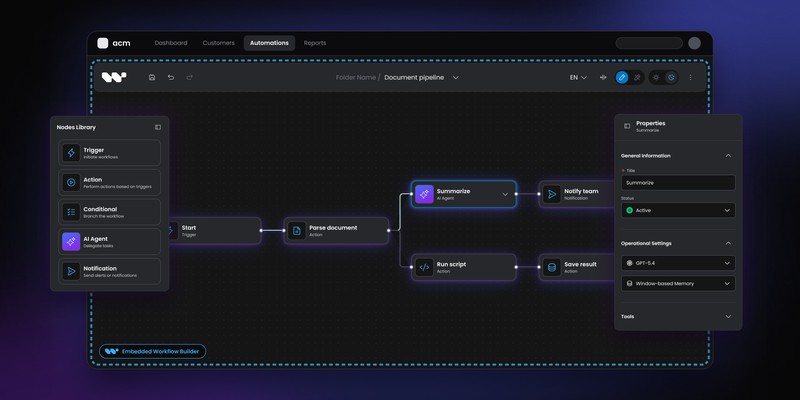
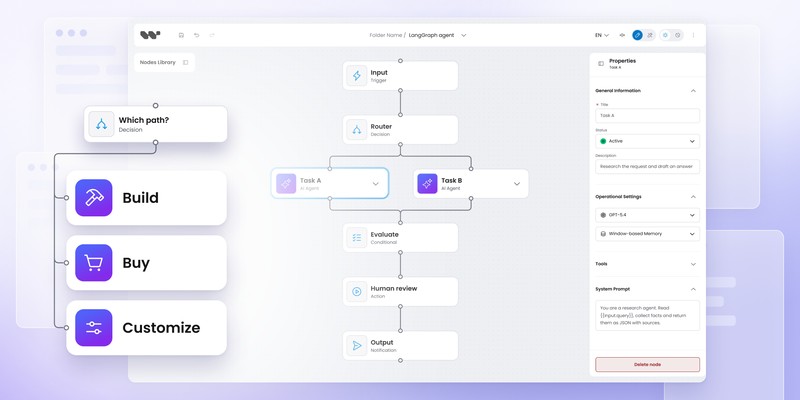
Best workflow builder SDKs for React in 2026

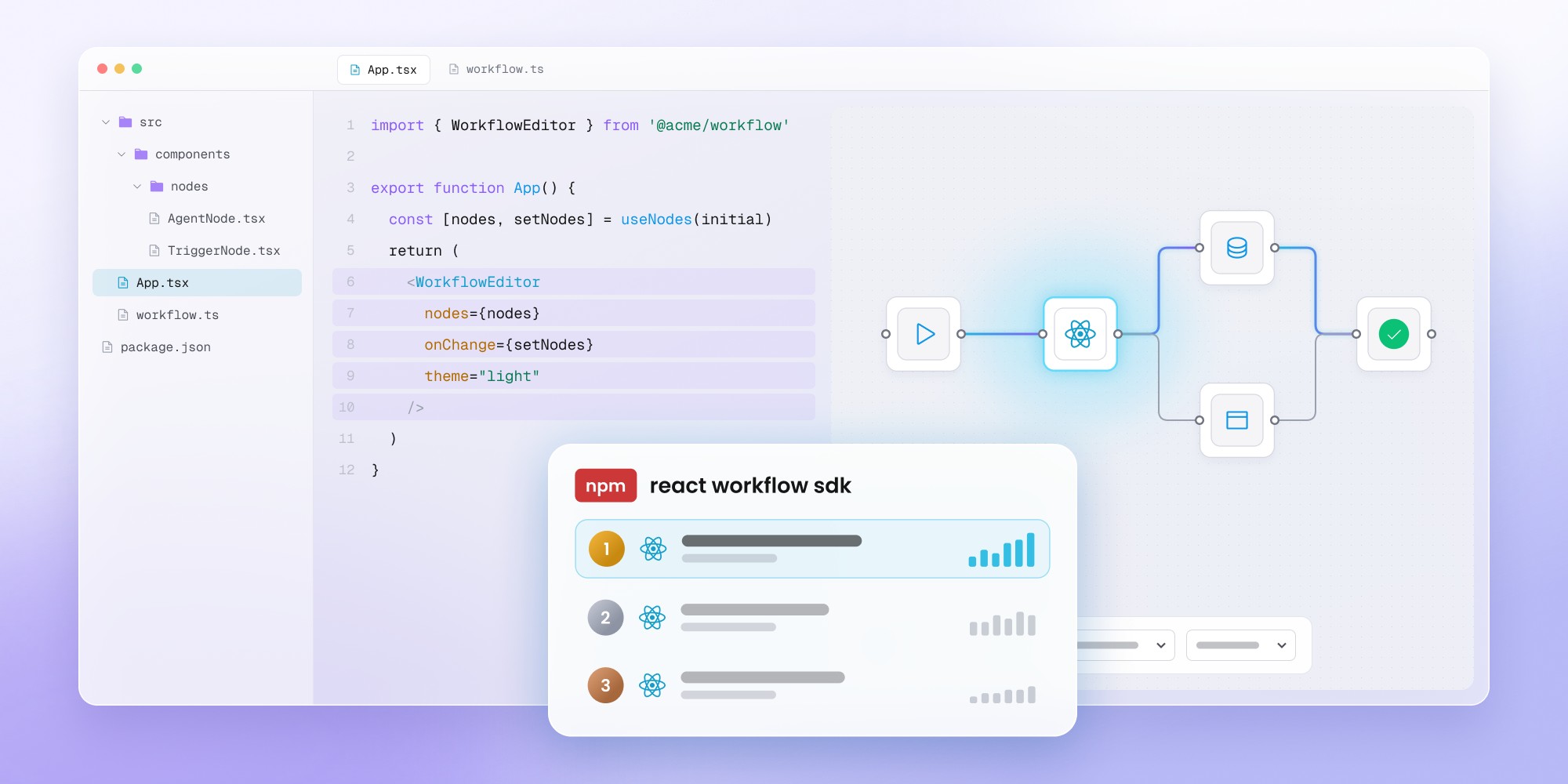
Workflow Builder is the strongest fit for SaaS teams that need a production-ready React workflow editor with custom nodes, persistence, and extensibility. React Flow offers maximum flexibility for developers who prefer building the workflow layer themselves. JointJS is well suited to complex diagramming, while Rete.js focuses on visual programming and dataflow applications. ProjectStorm React Diagrams remains an option for teams comfortable maintaining a highly customizable, lower-level React editor.
Building a workflow editor in React can start with a few draggable nodes and quickly turn into a much larger product problem.
Once customers need persistence, validation, custom node forms, permissions, execution state, layout, versioning and backend integration, the choice of SDK matters far more than the first canvas demo suggests.
Here are five serious options worth evaluating in 2026.
The React SDK shortlist
Workflow Builder is the strongest fit when you want a production-oriented workflow editor rather than a raw graph canvas. React Flow remains one of the best low-level foundations for teams that want to build the workflow product themselves. JointJS for React is a strong choice for complex diagramming applications where the graph itself is core product infrastructure. Rete.js works well for visual programming and dataflow-style systems. ProjectStorm React Diagrams is still worth considering for highly customizable process and node-based editors.
The most important distinction isn't React support. All five can work in a React product.
The real decision is how much workflow-specific product infrastructure you want before your team starts building.
What should a React workflow builder SDK include?
A React workflow builder SDK should give you enough structure to build a real workflow product without locking your application into an architecture you don't control.
At minimum, evaluate:
- custom nodes and ports
- node configuration
- workflow serialization
- persistence
- validation
- layout
- selection and keyboard behavior
- extensibility
- large-graph performance
- backend integration
- execution-state handling
A lower-level library may intentionally leave half of those areas open. That's not automatically a weakness.
It simply means you're choosing primitives rather than a finished workflow layer.
For a broader framework for making that decision, see the Workflow Builder Build vs Buy guide.
1. Workflow Builder: best for an embedded production workflow editor
Workflow Builder is the highest-level React option on this list. It builds on React Flow but adds the workflow-specific product layer teams would otherwise need to implement themselves.
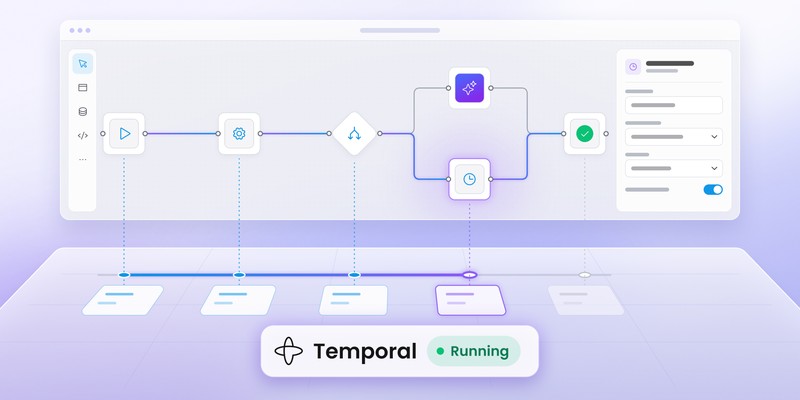
The editor installs as an npm package and can be connected directly to an existing backend. Teams that need more infrastructure can also use the open reference backend and Temporal adapter. The shipped reference backend is intended for local development and architectural evaluation, not as a production-ready service exposed to untrusted users.
The current React SDK includes capabilities such as:
- visual workflow canvas
- custom node library
- schema-driven properties
- JSON serialization
- persistence and autosave
- read-only mode
- undo and redo
- copy and paste
- plugin architecture
Enterprise adds features such as ELK auto-layout, smart edge routing, edge reshaping and Flow Runner.
Why pick Workflow Builder instead of React Flow directly?
React Flow still sits underneath the editor. Workflow Builder doesn't replace it with an unrelated rendering engine.
The difference is abstraction level.
React Flow gives you the graph primitives. Workflow Builder adds the editor structure around them: node palette, properties, persistence patterns, plugins and the backend-to-engine architecture.
That makes it particularly useful for teams building:
- embedded B2B workflow features
- approval builders
- AI workflow products
- campaign editors
- domain-specific process tools
- customer-configurable business logic
How customizable are the nodes?
Workflow Builder uses schema-driven custom nodes. You define the node properties and the editor can generate configuration UI and validation around them.
The model is useful when your product has dozens of business-specific node types and you don't want to build a separate React form from scratch for each one.
The existing custom node types guide goes deeper into that model.
Where does it fit technically?
Use only the React editor if your application already has its own backend.
Alternatively, the reference stack connects:
React editor
↓
Workflow JSON
↓
Reference backend (local development only)
↓
Engine adapter
↓
Temporal
Temporal is the shipped reference adapter today, but the editor itself doesn't depend on Temporal.
Best fit: SaaS teams that want to start above the raw canvas layer and keep control of their product architecture.
Want the React editor without rebuilding the workflow layer?
See Workflow Builder for developers
2. React Flow: best for maximum React-native control
React Flow is one of the strongest foundations for building node-based editors when your team wants to own the workflow product itself.
The MIT-licensed @xyflow/react library handles the graph canvas, nodes, edges and interaction primitives. Custom nodes are ordinary React components, which makes it easy to embed forms, charts or other application UI directly inside a node.
Its ecosystem and documentation cover features including:
- custom nodes
- multiple handles
- node resizing
- toolbars
- grouping
- subflows
- minimaps
- controls
- interaction constraints
- hundreds-of-nodes stress examples
React Flow also supports nested graphs and parent-child node relationships.
Why do so many workflow products start with React Flow?
The library stays deliberately unopinionated.
You decide:
- what a node means
- how graph state is persisted
- where configuration lives
- how validation works
- what executes the workflow
- how workflow versions are handled
For a team building something highly proprietary, that freedom can be exactly what you want.
What will you still need to build?
A real workflow editor usually needs considerably more than graph rendering.
Properties panels, workflow validation, persistence, execution state, schema evolution, permissions and editor-specific UX remain application concerns.
Our article on What React Flow doesn't give you out of the box breaks down that production gap.
Best fit: experienced React teams that want to own the editor architecture and don't mind building the workflow layer themselves.
3. JointJS for React: best for advanced diagramming products
JointJS is a mature diagramming toolkit that now has a first-class React integration, making it especially relevant for workflow products where the diagramming engine itself needs to support deep customization and scale.
JointJS for React provides React components and hooks over the JointJS graph model. The library is designed for complex diagramming apps, including workflow editors, process tools, BPMN systems and AI workflow builders.
The React integration gives developers control over:
- graph state
- custom elements
- ports
- links
- routing
- interactions
- React rendering inside nodes
JointJS+ adds commercial tooling including stencils, toolbars, undo/redo, advanced layout, import/export and other editor-level components.
Why is JointJS interesting in 2026?
Its new React-first layer makes the product substantially easier to evaluate for React teams than older JointJS integrations.
Elements can now be written as normal React components, while the underlying JointJS graph remains available when developers need lower-level control.
That combination is useful when the diagram itself is complex enough to become a major subsystem.
Think:
- advanced workflow modeling
- industrial editors
- network design
- AI workflow systems
- engineering tools
- large graph applications
How does JointJS differ from Workflow Builder?
JointJS is primarily a diagramming platform.
Workflow Builder is more specifically shaped around workflow authoring inside SaaS.
JointJS gives you a sophisticated graph foundation and optional editor tooling. You still decide how workflows map to backend behavior and execution.
Best fit: products where diagramming depth, graph scale and low-level control matter as much as workflow-specific UX.
4. Rete.js: best for visual programming and dataflow editors
Rete.js is a framework for node-based visual programming rather than a React-only workflow SDK. Its architecture is especially useful when the graph itself represents executable dataflow or control flow.
Rete.js v2 separates the editor from rendering and lets developers choose React, Vue, Angular, Svelte or Lit. React support comes through rete-react-plugin.
The framework also provides graph-processing concepts built around dataflow and control flow, which gives it a different flavor from a canvas-first library.
When does Rete.js make the most sense?
Rete becomes particularly interesting when nodes behave more like computational units than business-process cards.
Examples include:
- visual programming tools
- data pipelines
- calculation graphs
- rule engines
- AI processing chains
- no-code programming environments
The plugin-based architecture also makes it possible to combine rendering, connection behavior and processing according to the application's needs.
What's the trade-off?
Rete isn't a ready-made B2B workflow editor.
Your team still owns much of the product UX, persistence, business semantics and integration with the rest of the application.
Compared with Workflow Builder, Rete operates lower in the stack. Compared with React Flow, it brings stronger visual-programming and graph-processing concepts into the framework itself.
Best fit: teams building executable node graphs, dataflows or visual programming environments.
5. ProjectStorm React Diagrams: best for highly hackable React diagramming
ProjectStorm React Diagrams is a TypeScript and React diagramming library designed for flow and process-oriented applications.
The project is modular and extensible, with packages for core canvas behavior, diagrams, defaults and routing. It supports custom HTML nodes and is intended for products that need to reshape the graph system around their own requirements.
The project has slowed down considerably: the latest published release, 7.0.4, dates from early 2024 and the canvas core still targets React 18. It remains usable and MIT-licensed, but treat it as a stable-but-dormant foundation and budget for maintaining the parts you depend on.
Why would you choose it?
ProjectStorm is appealing when you prefer a more traditional extensible diagramming architecture and don't need a workflow product handed to you.
Its strong points include:
- TypeScript
- React
- modular packages
- custom HTML nodes
- routing support
- extensible models and factories
The library gives you a large amount of control without forcing a specific business-workflow model.
What should you expect to build yourself?
Most product-level workflow functionality remains your responsibility.
You should expect to design persistence, node configuration, workflow validation, business semantics and backend execution integration.
Best fit: teams comfortable assembling their own editor from a modular React diagramming library.
React workflow builder SDK comparison
A useful way to compare these tools is by starting level, not by asking which one has the longest feature list.
The more infrastructure you get up front, the fewer architectural decisions remain completely open.
Neither end of the spectrum is inherently better.
Which React workflow SDK should you choose?
Choose Workflow Builder if you already know you need a workflow product
If requirements already include a node palette, properties panel, persistence, custom domain nodes and backend integration, starting from a higher layer can save a lot of duplicated work.
The plugin architecture guide is worth reviewing if extensibility without forking matters to your team.
Choose React Flow if the editor itself is core IP
React Flow is hard to beat when maximum control is the priority.
You get a strong, well-maintained canvas and a React-native customization model without inheriting many workflow assumptions.
Choose JointJS if you're building a sophisticated diagramming application
JointJS deserves a serious look when graph capabilities, layout, routing and large-scale diagram behavior are first-class product concerns.
The new React integration makes it far more React-native than older evaluations of JointJS may suggest.
Choose Rete.js if nodes represent computation
Rete fits naturally when the graph behaves like a visual programming model.
If the primary problem is customer-facing approval flows or business workflow configuration, a more conventional workflow editor may be easier to productize.
Choose ProjectStorm if you want a hackable React diagramming foundation
Its modular model gives engineering teams plenty of freedom.
You'll need to supply much of the workflow product around it.
How much should you care about execution?
A workflow editor SDK doesn't necessarily need to execute workflows.
For many products, keeping authoring separate from execution is healthier.
A typical architecture looks like:
React workflow editor
↓
Workflow definition
↓
Application backend
↓
Execution engine
The engine might be Temporal, an internal orchestration service or application-specific code.
If your product already has execution infrastructure, check how easily each SDK can hand off a structured graph without forcing you into another runtime.
What about workflow data ownership?
The workflow definition will eventually become customer data.
Before committing to a library or SDK, verify:
- serialization format
- schema stability
- exportability
- custom metadata
- migration strategy
- backend independence
Workflow Builder exposes workflow state as JSON. React Flow leaves the graph state model largely to your application. JointJS provides a serializable graph data model. Rete and ProjectStorm also let teams shape graph data around their own architecture.
Data ownership becomes far more important after customers start building hundreds or thousands of workflows.
Open-source React workflow builder options
React Flow is MIT licensed and can be used commercially.
Workflow Builder Community Edition is Apache 2.0 and includes the React editor, reference backend and Temporal adapter. The reference backend should be treated as local-development reference code unless your team adds the production authentication, authorization and tenancy controls it needs.
ProjectStorm React Diagrams uses MIT licensing for its published packages.
Rete.js is also developed as an open framework, with its package ecosystem distributed through npm.
JointJS combines an open-source core with commercial JointJS+ components for teams that need additional production tooling.
Open source alone shouldn't decide the shortlist. The larger cost usually sits in the product layer you still have to build and maintain.
What should you prototype before picking a React workflow SDK?
Build one realistic workflow rather than five demo nodes.
Your POC should include:
- one difficult custom node
- persistence
- backend save/load
- validation
- a larger graph
- read-only behavior
- one custom editor extension
- your actual design system
Then change something.
Add a new node field, alter connection rules or move part of the UI. The ease of the second change often reveals more than the first implementation.
Which is the best React workflow builder SDK?
For a SaaS product that already knows it needs a production workflow editor, Workflow Builder is the most complete starting point in this shortlist.
For teams that want maximum ownership, React Flow remains an excellent foundation.
JointJS is particularly strong when workflow editing sits inside a larger sophisticated diagramming product.
Rete.js is worth prioritizing for visual programming and dataflow-heavy applications.
ProjectStorm React Diagrams remains a capable option for engineering teams that want a modular React graph foundation and are comfortable building the workflow-specific layer themselves.
The right choice depends less on which library can draw nodes and more on where you want your engineering team to start.
Already comparing React Flow with a higher-level SDK?
See the React Flow vs Workflow Builder comparison
FAQ
What is the best workflow builder SDK for React?
Workflow Builder is a strong option when you need a production-oriented workflow editor with custom nodes, properties, persistence and extensibility. React Flow is a better starting point when you want lower-level control and are comfortable building more of the product yourself.
Is React Flow a workflow builder SDK?
React Flow is better described as a library for node-based UIs. It handles graph rendering and interaction but deliberately leaves many workflow-specific concerns to the application.
Is JointJS good for React workflow editors?
Yes. JointJS 4.3 includes a first-class React integration with components and hooks. JointJS+ adds more editor-level tooling for complex production diagramming applications.
What is the difference between Rete.js and React Flow?
React Flow focuses on node-based UI primitives for React. Rete.js is a framework for visual programming with separate rendering plugins and graph-processing concepts such as dataflow and control flow.
Can I use a React workflow editor with Temporal?
Yes. The editor can produce a workflow definition that your backend maps to Temporal. The visual layer and execution engine don't need to be the same product.
Are there open-source React workflow builders?
Yes. React Flow is MIT licensed, Workflow Builder Community Edition is Apache 2.0 and ProjectStorm React Diagrams uses MIT licensing. Rete.js also provides an open framework and plugin ecosystem.
Should I use React Flow or build on a higher-level SDK?
Use React Flow when owning the editor architecture is part of your product strategy. A higher-level SDK makes more sense when you already know you need production workflow features and would rather spend engineering time on your domain logic.
Content Marketing Specialist who's spent the last decade making tech topics actually readable. With an MA in Brand Communication, Ida has crafted content strategies for several IT companies. Her portfolio spans from Kubernetes tutorials to enterprise software guides, now focusing on data visualization and diagramming solutions.