Node.js workflow engines: libraries, Temporal, and user-defined workflows

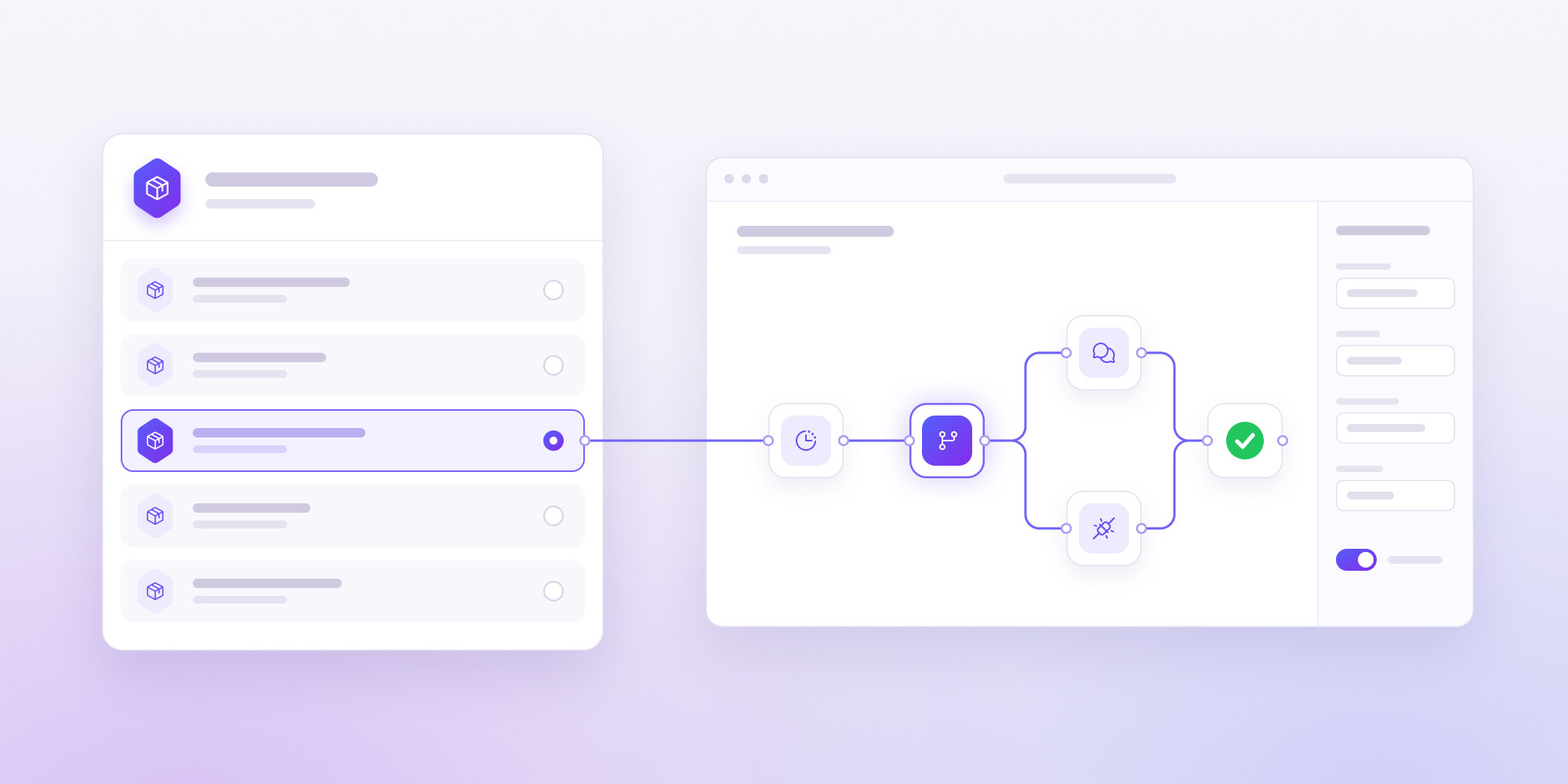
BullMQ fits background jobs and job dependencies, XState fits explicit state transitions, and Trigger.dev and Inngest offer durable tasks and event-driven functions. Temporal suits long-running business processes that must survive failures and deployments. Customer-defined workflows also need an editor and version management. Workflow Builder adds both on top of Temporal, and its Temporal plugin runs customer-built graphs.
Which Node.js workflow engine should you choose when a simple job queue is no longer enough?
BullMQ, XState, Trigger.dev, Inngest, and Temporal all handle workflow execution differently. The right choice depends on how your application manages failures, long-running processes, and changing business logic.
Things get more complex when SaaS customers need to build their own workflows. Let's compare the main JavaScript and TypeScript options, their trade-offs, and where Workflow Builder fits into the picture.
What should a Node.js workflow engine handle?
The term Node.js workflow engine covers several types of software. Some libraries handle jobs and queues, while others provide state machines or durable workflows defined in TypeScript.
For simple background operations, a queue may be enough. A job enters the queue, a Worker processes it, and failures can trigger another attempt according to the configured retry policy.
Requirements become more demanding when processes involve several dependent operations or remain active for extended periods. The application may need to coordinate parallel work, wait for external input, or retain execution state through a deployment.
Most workflow requirements fall into 4 broad categories:
- Background jobs: Independent tasks, scheduled work, and queued processing
- Stateful application logic: Processes with defined states, events, and transitions
- Durable workflows: Multi-step operations that retain progress across failures
- Customer-defined workflows: Processes whose structure can be configured by users inside a SaaS product
The final category introduces additional product requirements. Customers need a supported definition format, publication controls, and access to execution results. Engineering teams also need to decide how workflow changes affect processes already running.
An established execution engine can provide the underlying reliability while the application manages those customer-facing capabilities.
Comparing Node.js and TypeScript workflow engines
The following tools represent different approaches developers commonly encounter when evaluating workflow infrastructure.
Each tool addresses a different part of the execution problem. Comparing them purely by feature count can obscure the architectural differences that affect production workloads.
For a wider view, Workflow Builder's open-source workflow engine comparison maps execution engines and orchestration tools according to their responsibilities.
BullMQ: job queues with dependencies
BullMQ is a mature choice for background work in Node.js. Developers can use it to process queued jobs with Workers, configure retries and backoff, schedule operations, or limit processing rates.
BullMQ also supports Flows, which represent parent-child dependencies between jobs. A parent can wait for its children to complete before becoming eligible for processing.
Consider a document-processing service. Separate jobs can extract text and generate previews, while a parent job waits for their results before finalizing the document. BullMQ's FlowProducer provides the dependency structure without requiring a custom scheduler.
Current BullMQ documentation covers Redis and PostgreSQL backends. Redis remains the default, so deployment planning should reflect the backend selected for the application.
BullMQ becomes less convenient when a process needs complex, long-lived business semantics. A queue can handle retries and dependencies, but a workflow that waits for human approval and moves between business states may require substantial application code around those jobs.
Best fit: Applications that need reliable background processing and job dependencies without adopting a full workflow orchestration platform.
XState: explicit state transitions
XState takes a state-machine approach to application logic.
Developers define states and the events that cause transitions between them. Its actor model supports composition and asynchronous behavior, making it suitable for processes where valid transitions need careful control.
An order-management application might have states such as pending, approved, rejected, and fulfilled. XState can express which events are allowed in each state and how the application responds.
XState also supports persisting and restoring actor state. Applications can save snapshots and restore actors later, including in backend use cases spanning multiple requests.
The persistence model requires attention to compatibility. Changes to machine logic can make stored snapshots incompatible with newer implementations. The application also needs to choose and maintain the appropriate storage mechanism.
XState provides an expressive foundation for teams that already model complex state transitions. Operational concerns such as retries, external side effects, and distributed execution need to be designed around the chosen architecture.
Best fit: Products where explicit state modeling is central to the application and developers want precise control over permitted transitions.
Trigger.dev: durable TypeScript tasks
Trigger.dev provides infrastructure for running background tasks written in TypeScript. Its platform supports retries, queues, concurrency controls, and waiting.
The development model feels familiar to teams working with modern Node.js applications. Developers define tasks in their codebase and trigger them from the application.
Trigger.dev suits products that need long-running processing without building their own job execution infrastructure. Its tooling includes run visibility and operational controls, with managed and self-hosted deployment options.
The platform also provides task versioning, idempotency controls, and observability capabilities.
These features make Trigger.dev worth evaluating for background processing and AI-related workloads. Teams comparing it with Temporal should examine the execution semantics they require, particularly how task deployments affect existing runs.
Best fit: TypeScript applications that want durable background tasks and operational tooling through a task-oriented development model.
Inngest: event-driven durable functions
Inngest focuses on durable functions triggered by events. Its TypeScript SDK allows developers to define functions containing steps that can be retried or resumed through the platform's execution model.
For example, an account-created event might trigger a sequence of operations that updates internal records and contacts an external service. Each step can retain its result, allowing the function to continue after a failure without unnecessarily repeating completed work.
Inngest also provides waiting primitives, concurrency controls, and event-based coordination.
Inngest's TypeScript SDK supports Node.js alongside other JavaScript runtimes. Teams can develop locally and use the hosted platform to coordinate production execution.
The model suits applications where event-driven functions are a natural way to express work. A customer-facing workflow editor and the lifecycle of customer-authored definitions would still require additional product integration.
Best fit: Event-driven applications whose developers want durable steps and retries through an orchestration platform.
Temporal: durable execution for long-running processes
Temporal provides a durable execution platform with a TypeScript SDK for building and operating workflows in Node.js environments.
Developers write Workflow code to coordinate Activities, which perform operations such as API requests or database interactions. Temporal maintains an Event History and uses replay to reconstruct workflow state.
The execution model supports processes that span Worker restarts and software deployments. Temporal also provides durable timers and message-passing mechanisms for workflows that depend on external input.
A business process can remain open while waiting for approval, with the Temporal Service retaining its execution state until work can continue.
The TypeScript SDK provides Workflow primitives, Worker APIs, and testing facilities. Replay compatibility also influences deployment planning, particularly when workflow code changes while older executions remain active.
Temporal can run through Temporal Cloud or a self-hosted Service. Application teams manage their Workers in either arrangement.
For SaaS products with long-running processes, the operational model deserves as much attention as the SDK. Workflow histories can remain open across releases, and Activity implementations need appropriate retry and idempotency behavior.
Best fit: Applications that need durable execution for coordinated business processes and want explicit control over workflow code.
How to choose without overengineering the backend
Adopting a distributed workflow platform for a handful of simple jobs may introduce infrastructure the application doesn't need.
BullMQ is worth considering when the workload consists primarily of background jobs, dependencies, and scheduled processing. XState is relevant when complexity lies in the application's states and permitted transitions.
Trigger.dev and Inngest offer higher-level infrastructure for durable tasks and event-driven functions. They reduce the need to develop retry orchestration and operational tooling from scratch.
Temporal becomes particularly relevant when a system coordinates long-running business processes, needs reliable recovery, and must manage execution histories through ongoing deployments.
A queue-based design can evolve into a more sophisticated workflow platform, but that evolution requires work. Engineers may eventually need execution identifiers, a persistent state model, and controls for managing processes that remain open across application releases.
A Node.js workflow engine doesn't automatically make workflows customer-configurable
When engineers define workflows in TypeScript, adding a new process usually means writing code and deploying an update. That's manageable when the development team controls every workflow.
Things change when SaaS customers want to configure their own approval chains or choose which operations happen next. They need to be able to publish changes without waiting for an engineering release. The application must then store those definitions in a format the execution engine can interpret.
Temporal handles durable execution, but its SDK doesn't include the tools customers need to build and manage workflows. Product teams still need a visual editor, version management, and permissions that control who can create, publish, and run each workflow.
The DSL-interpreter pattern
A DSL, or domain-specific language, provides a structured way to describe a process. In a visual workflow product, that description may take the form of JSON containing nodes and edges.
The application supplies supported operations, each implemented through backend code. A generic interpreter reads the definition and coordinates those operations.
For example, a SaaS application might expose validate-document and request-approval as node types. Customers can assemble different graphs from those operations without requiring developers to write a new Workflow implementation for each configuration.
The same interpreter can execute many customer definitions.
Workflow Builder uses this approach through its Temporal plugin. A customer-authored graph runs as a Temporal Workflow Execution, with individual nodes executed as Activities through application-provided executor functions.
The graph determines how supported operations are arranged, while the application implements their behavior. Published definitions also need to remain compatible with the executors available when their nodes run.
Benefits of Workflow Builder for SaaS teams
Workflow Builder extends Temporal with the components needed to let customers create and run workflows inside a SaaS product. Its open-source architecture gives engineering teams a starting point for customer-configurable automation.
1. Add workflow authoring to your existing product
Workflow Builder's React SDK provides an embeddable canvas with configurable node types and property panels. Customers can assemble processes using operations your application already supports. Our data-driven workflow editor guide explains how node configuration can be driven by JSON Schema and backend-provided definitions.
2. Run customer-defined graphs on Temporal
The @workflowbuilder/temporal plugin interprets supported JSON graphs and executes their nodes as Temporal Activities. Your developers supply the executor functions, allowing customers to reuse existing operations across different workflow definitions.
You can build on Temporal without generating a separate Workflow implementation for every customer-created graph. See the Temporal integration guide for the execution model.
3. Publish workflow changes without disrupting existing runs
The reference backend manages drafts and published definitions. Each execution retains a graph snapshot, so customers can update a workflow while earlier executions continue using their original versions. This is particularly relevant for approval processes that remain active for days or weeks. You can explore the implementation in the Workflow Builder repository.
4. Give customers visibility into workflow execution
Workflow Builder records node-level execution events and provides a reference application with live progress displayed on the canvas. Its Temporal plugin also includes node labels in Activity Summaries, making individual steps easier to identify in Temporal Web UI.
Teams can use the execution backend and SSE events to build monitoring experiences within their products. The live execution visualization guide covers the approach in more detail.
Red and yellow flags when choosing a Node.js workflow engine
A workflow engine might look great in a demo and still struggle with production workloads. Watch for these warning signs before committing to a particular architecture.
🟡 Yellow flags: questions worth investigating
Feature overload for a simple workload. You're evaluating a distributed workflow platform, but your application mostly runs independent background jobs. A queue with reliable retries may cover your requirements with far less infrastructure to maintain.
No clear plan for long-running executions. Some workflows will remain active through multiple deployments. Check how the engine handles code changes and whether older executions can continue safely after an update.
🔴 Red flags: problems that can break production workflows
Retries can duplicate external actions. A Worker may fail after an API request succeeds but before recording completion. Without an idempotency strategy, retrying could create duplicate payments or records.
Customer-defined workflows depend on code deployments. If every new approval route requires developers to update the application, customers don't have meaningful control over their workflows. You'll need a supported definition format, validation, and version management before introducing self-service automation.
The quickest reality check: Run a workflow with an external API failure, then deploy new code while another execution is still active. You'll learn much more about the engine's reliability than from a successful demo.
The deployment and maintenance trade-offs
Choosing a Node.js workflow engine also means deciding what infrastructure your team will maintain. Here's how the options compare:
- BullMQ: Requires a supported datastore and Worker processes. Your team manages the infrastructure, scaling, and job processing.
- XState: Runs within your application's architecture. You're responsible for storing actor state, restoring executions, and maintaining persistence compatibility.
- Inngest and Trigger.dev: Provide managed execution services and developer tooling. Both offer self-hosting options, though infrastructure requirements and pricing differ.
- Temporal: Separates the execution Service from application Workers. Temporal Cloud manages the Service, while self-hosting puts that responsibility on your team. You manage your Workers in both cases.
Don't overlook licensing. If you're embedding workflow technology in a commercial SaaS product, check its redistribution and hosting terms. Publicly available source code doesn't always mean unrestricted commercial use.
Our open-source workflow engine comparison covers licensing across additional platforms.
Choose the right foundation for your workflows
The right Node.js workflow engine depends on the complexity of your processes and how much control your users need. Job queues work well for background tasks, while Temporal supports durable, long-running execution.
If customers need to create and update workflows themselves, Workflow Builder adds the authoring and orchestration layer on top of Temporal.
Ready to bring customer-defined workflows into your SaaS product? Explore Workflow Builder on GitHub or get in touch to discuss your integration.
- Which Node.js workflow engine fits simple background jobs?
BullMQ is a mature choice for queued background work in Node.js. It processes jobs with Workers, handles retries and backoff, schedules operations, and supports parent-child job dependencies through Flows. Current BullMQ documentation covers Redis and PostgreSQL backends, with Redis as the default.
- When is XState a better fit than a workflow engine?
When the complexity lies in the application's states and permitted transitions. XState defines states and the events that cause transitions between them, and it can save and restore actor state. Retries, external side effects, and distributed execution still need to be designed around the chosen architecture.
- What is the difference between Trigger.dev and Inngest?
Trigger.dev runs durable background tasks written in TypeScript, with retries, queues, concurrency controls, and task versioning. Inngest runs durable functions triggered by events, with steps that can be retried or resumed. Both provide managed execution services and offer self-hosting options.
- When should a Node.js team choose Temporal?
When a system coordinates long-running business processes, needs reliable recovery, and must manage execution histories through ongoing deployments. Temporal keeps an Event History and uses replay to reconstruct workflow state. Temporal runs through Temporal Cloud or a self-hosted Service, and application teams manage their Workers in both cases.
- Can a Node.js workflow engine let customers build their own workflows?
Not on its own. Engineers define workflows in code, so a new process usually means a deployment. Customer-defined workflows also need a definition format such as JSON, a visual editor, version management, and permissions that control who can create, publish, and run each workflow. A common approach is a generic interpreter that reads customer definitions and coordinates operations the application supports.
- How does Workflow Builder run customer-defined workflows on Temporal?
The @workflowbuilder/temporal plugin interprets supported JSON graphs. Each customer-authored graph runs as a Temporal Workflow Execution, and individual nodes run as Activities through executor functions the application provides. The reference backend manages drafts and published definitions, and each execution keeps a graph snapshot, so earlier runs continue on their original version.
Content Marketing Specialist who's spent the last decade making tech topics actually readable. With an MA in Brand Communication, Ida has crafted content strategies for several IT companies. Her portfolio spans from Kubernetes tutorials to enterprise software guides, now focusing on data visualization and diagramming solutions.
Articles you might be interested in

Temporal workflow retries, failures, and execution history: an operations guide
An operations guide to failed workflows on Temporal: Retry Policy settings, node-level retry profiles and error policies in Workflow Builder, incomplete runs, execution history, and an investigation checklist.